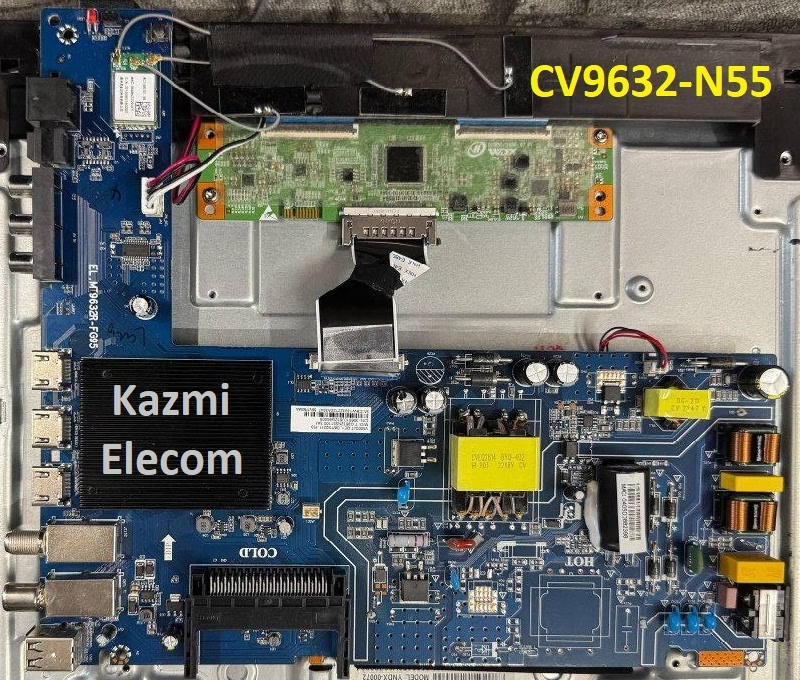
CV9632-N55 Smart Android Board
CV9632-N55 is an analog and digital 4K UHD smart android board with a resolution of 3840×2160 supported smart android board with the latest Android version of 9.0 pie. CV9632_N55 is a universal without a backlight driver circuit and a power supply module. CV9632.N55 can support many panel screens from 15.6 inches to 55 inches with the best picture quality.
CV9632-N55 has multiple connectivity ports like AV, three HDMI, USB, and Digital Tuner input (DVB T/T2, C, S/S2). Its special features are the E-Share, Bluetooth, Dolby, Mirroring option, WiFi support, and inbuilt Apps. CV9632-N55 firmware files are given below for the technician’s support.
General Specifications & Features :
Brand/Make: LCD/LED 4K Smart Driver Board
Model: CV9632-N55/EL.MT9632R-FG95
Main Chip: MT9632
Supported Resolution: 3480×2160
Screen Format: 16:9
Chipset: MT9632
Platform: M7332
Operating System: Android 9.0 Pie
CPU: Cortex A53*4 64-bit
GPU: G52(2EE)MC1
RAM: 1/1.5Gb
ROM: 16Gb
Sound Output: 10Wx2
Transmission: DVB-C/DVB-T/T2/S2
Video System: PAL/SECAM
Backlight Voltage: 81V
Backlight Current: 700mA
Backlight Power: NA
AC Input: 110-220V
Firmware Name: CtvUpgrade.bin
Firmware Type: USB Upgradeable and EMMC Backup Dump
Service Menu Code:
Product: BBK, DEXP
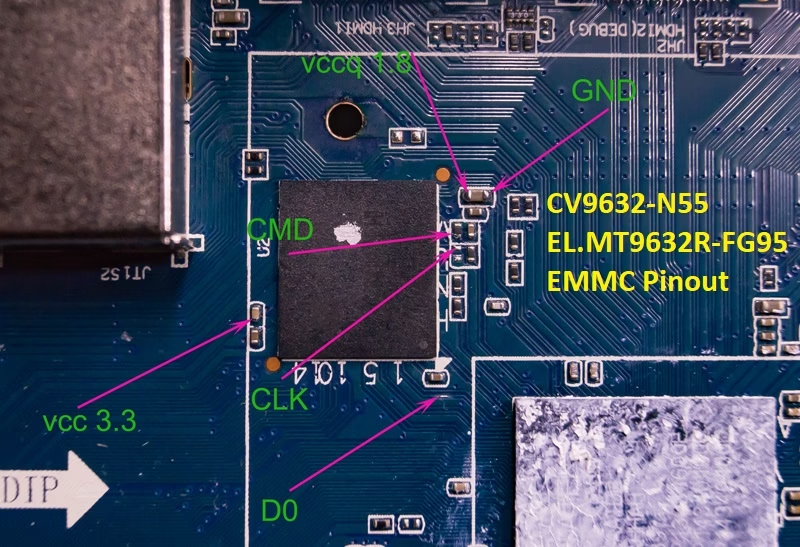
How to Write CV9632-N55 EMMC Backup:
- Download the given CV9632.N55 EMMC backup shared in this post above
- Note the EMMC Pinouts in the given picture above
- JTAG the mainboard with the Programming Tool
- Write the EMMC data
- Done.
Note: The following CV9632.N55 firmware is a backup dump file. Kazmi Elecom Team is not responsible for any type of damage/loss as a result of uploading/downloading the firmware. First, check and verify the main board, then install the software. If you are new and do not have enough knowledge of loading/installing software/firmware or dump files, or are facing any issues during firmware installation, then visit and read here first.
CV9632-N55 Firmware files for free download: