IFFALCON IFF55Q72 UHD Smart LED TV
IFFALCON IFF55Q72 is a 55-inch UHD smart Android LED TV. It supports a screen resolution of 4K 2160 Pixels Ultra HD 3840×2160. This board is a combo LED TV board. The main input power supply circuit module, the Cable TV tuner, and the LED backlight driver module are built into a single piece of printed circuit board (PCB). The ROM storage capacity of this motherboard is 16 GB, which is sufficient for users to install and play new applications of their choice and enjoy.
IFFALCON IFF55Q72 LED TV smart Android mainboard has several input-output ports for user connectivity. It has triple HDMI input ports for connecting digital full-HD devices. It has an RJ45 Ethernet connection interface for wired internet connectivity to get faster and smoother internet results. It has a mini component input for analog device connectivity. It has a Digital audio optical out (SPDIF) and a cable TV tuner. It has a USB interface port for software upgrades and multimedia playback.
General Information:
Brand/Make: iFFALCON
Model: IFF55Q72
Board: 40-R51MG8-MAB2HG
Main Chipset: RTD2851MGP
Chassis: RT2851 RT2851M
Panel: ST5461D18-2
CPU: Quad-Core
GPU: Mali-450
Android Version: Android
Resolution: 3840×2160
Audio Power: 2x10W (20 watts 8 ohm)
Backlight Volt: 90-102V
Backlight Current: NA
Backlight Power: NA
USB Ports: 2
HDMI Ports: 3
CI: No
Component: Yes
RJ45: Yes
Tuner: ATV and DTV (R842, RT710)
Wifi: Yes
Mira-Cast: Yes
Bluetooth: 5.0
Memory (RAM): 2GB DRAM
Storage (ROM): 16 GB EMMC Flash
EMMC: KLMAG1JETD-B041
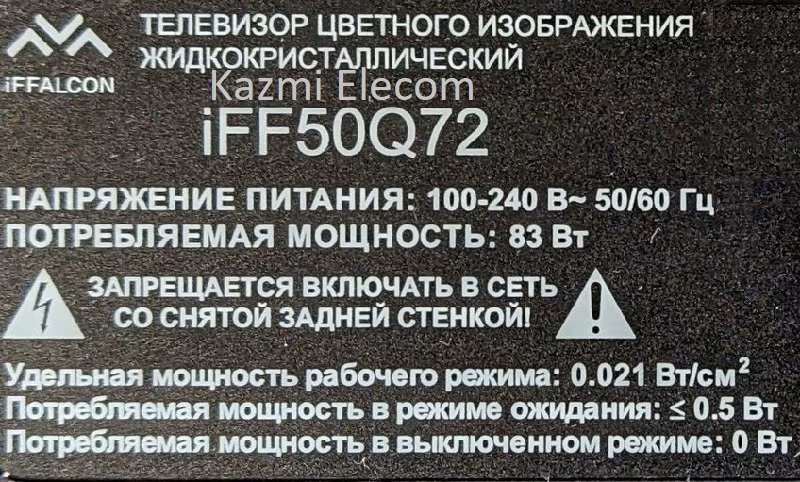
Power Rating: 110V~240V 50Hz
Power Consumption: 105Watt
Firmware Name: Update.img
Firmware Type: USB Bootable and EMMC Backup Dump
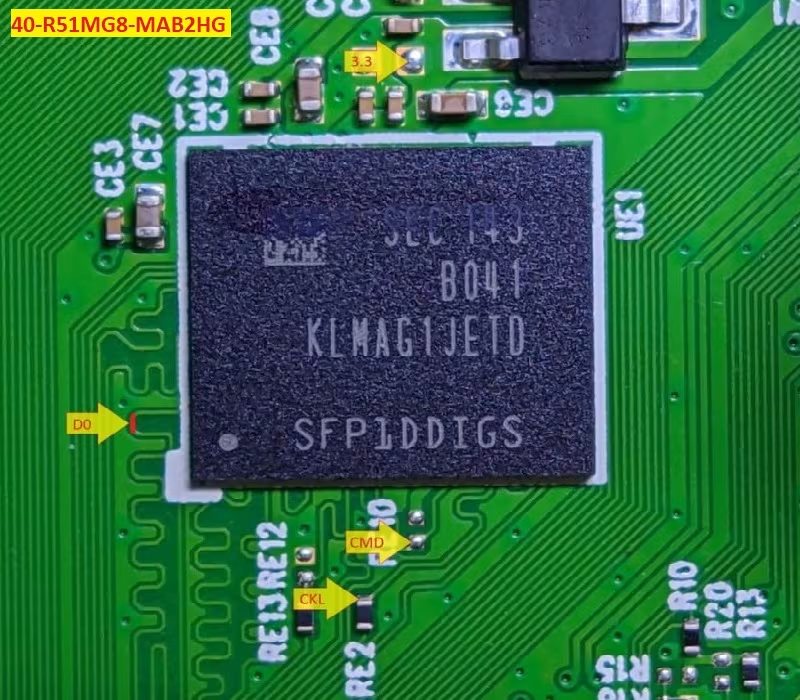
How to Write IFFALCON IFF55Q72 EMMC Backup:
- Download the given EMMC backup shared in this post below
- Note the EMMC Pinouts (D0, CMD, CLK) in the given picture above
- JTAG the mainboard with the Programming Tool
- Write the EMMC data
- Done.
Note: The following firmware is USB bootable and a backup dump file. Kazmi Elecom Team is not responsible for any type of damage/loss as a result of uploading/downloading the firmware. First, check and verify the main board, then install the software. If you are new and lack knowledge of loading/installing, or updating software/firmware or dump files, or are facing issues during firmware installation, please visit and read this information first.
IFFALCON IFF55Q72 Firmware files for free download: