MOONX 32M850 Smart LED TV
Moonx 32M850 is a 32-inch 81.3cm smart Android LED TV. Its maximum supported screen resolution is 1366×768 HD 720P. It features several input-output user connectivity interfaces, including a 3.5 mm headphone output jack to amplify the audio output. For connecting Analog devices, it has an RCA (Component) input interface. For connecting digital Full HD devices, it has three HDMI ports by which users can connect several full HD devices such as Blu-ray players, Playstations, Gaming consoles, Media Players, etc. It features a dual USB input interface for connecting hard disk drives and other USB devices, as well as for software upgrades.
Moonx 43M850 is a three-in-one Android smart LED TV motherboard. It is also called a Combo network LCD LED TV driver board. It is built with three major parts on a single PCB: the cable TV tuner, the LED backlight inverter driver controller circuit module, and the main power input supply module. This board has a 48-pin LVDS connector interface for LCD LED TV Screen Panels. It has 8 GB of storage memory capacity. The main processor is a quad-core made by Hisilicon (HV352). The graphics and sound quality of this board are excellent.
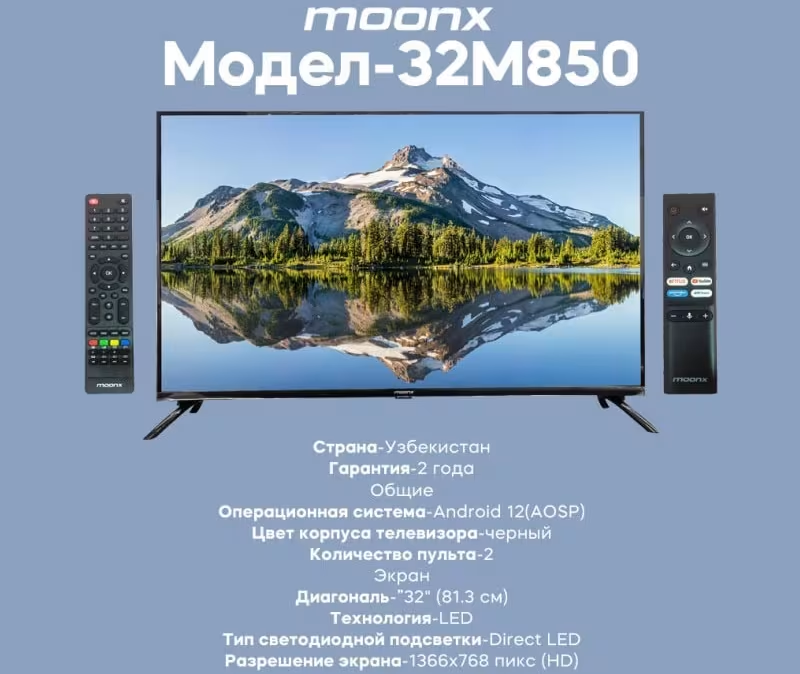
Moonx 32M850 General Information:
Mainboard: MB-H352-PW-BL
Main Chipset: HISILICON HV352
Panel: HV320WHB-F70
CPU: Quad-Core ARM Cortex-A53
GPU: Dual-Core G52MP2
Android Version: 12
Resolution: 1920×1080
Audio Power: 2x8W (16 watts 8 ohm)
Backlight Current: 35V-52V
Backlight Power: 25W480mA
USB Ports: 2
HDMI Ports: 2
CI: Yes
Component: Yes
RJ45: Yes
Analog Tuner: PAL/SECAM/NTSC (AV) BG/DK/I/LL
Digital Tuner: DVB-T2/C/S2
Wifi: Yes
Mira-Cast: Yes
Memory (RAM): 1GB DRAM
Storage (ROM): 8 GB EMMC Flash
Power Rating: 180V~240V 50/60 Hz
Power Consumption: 75 watts
Firmware Type: USB Bootable
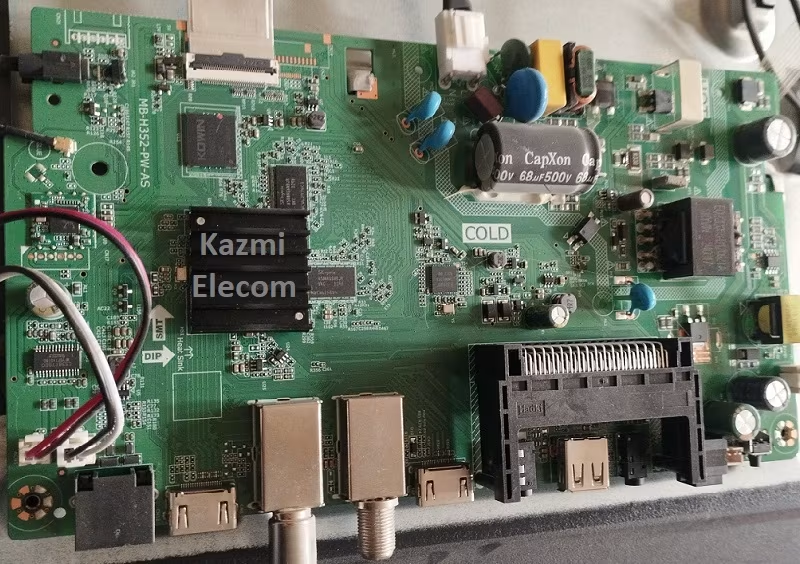
Note: The following Moonx-32M850 firmware is a backup dump file. Kazmi Elecom Team is not responsible for any damage or loss resulting from uploading/downloading the firmware. First, check and verify the main board, then install the software. If you’re new and lack knowledge of loading/installing software/firmware or dump files, or are experiencing issues during firmware installation, please visit and read this first.
Moonx 32M850 Firmware files for free download: