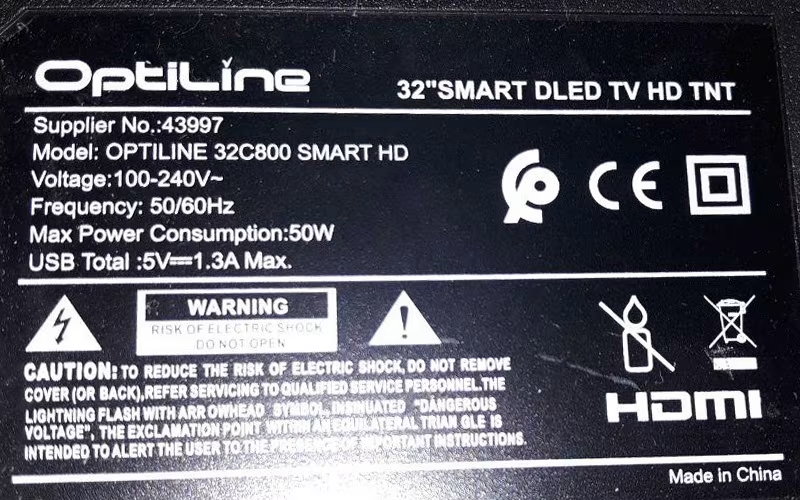
OPTILINE 32C800 SMART HD LED TV
OPTILINE 32C800 SMART HD is a 32-inch smart Android LED TV. Its maximum supported screen resolution is 1366×768 HD 720P. It has several input-output user connectivity interfaces, such as a headphone output jack of 3.5mm to amplify the audio output. For connecting Analog devices, it has an RCA (Component) input interface. For connecting digital Full HD devices, it has three HDMI ports by which users can connect several full HD devices such as Blu-ray players, Playstations, Gaming consoles, Media Players, etc. It has a dual USB input interface for connecting hard disk drives and other USB devices, and for upgrading software purposes.
OPTILINE 32C800 SMART HD is a three-in-one Android smart LED TV motherboard. It is also called a Combo network LCD LED TV driver board. It is built with three major parts on a single PCB: the cable TV tuner, the LED backlight inverter driver controller circuit module, and the main power input supply module. This board has a 48-pin LVDS connector interface for LCD LED TV Screen Panels. It has 8 GB of storage memory capacity.
General Specifications:
Make/Brand: OPTILINE
Model: 32C800 SMART HD
Main Board: CV338H-T42
Main Chipset: CV338H
Panel: CN320NC725
Resolution: 1366×768
Aspect Ratio: 16:09
OS Version: Android 4.4
CPU: Dual Core
Ram: 1GB
Rom: 8GB
Audio Power Output: 16w (8×2)
System: PAL/SECAM
WIFI Antenna: Yes (Built-in)
Mirror: Yes
DLNA/Miracast: Yes
PC Compatible: Yes (via HDMI/VGA)
TV Tuner Input: 1
Digital Tuner: DVB-C, DVB-T, DVB-T2
HDMI: 3 ( HDMI1.4 *1, HDMI2.0 *2 )
AV IN: Mini AV
USB Ports: USB2.0 *2
Power Rating: 100V~240V 50Hz/60Hz
Power Consumption: 50Watt
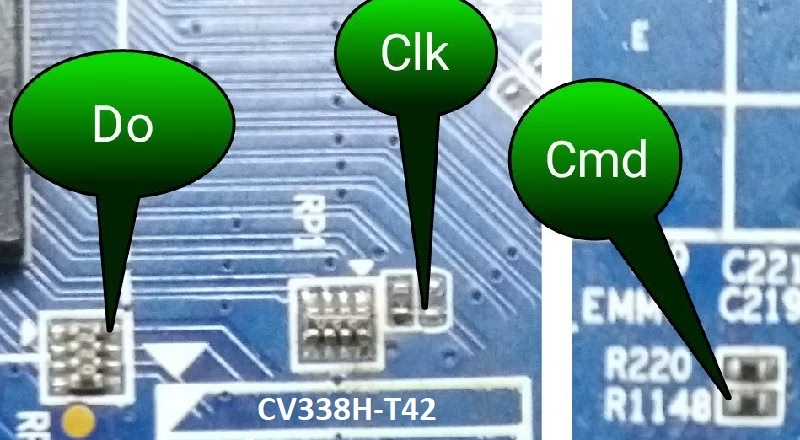
How to Write OPTILINE 32C800 SMART HD EMMC Backup:
- Download the given OPTILINE-32C800 SMART HD EMMC backup shared in this post below
- Note the EMMC Pinouts (D0, CMD, CLK) in the given picture above
- JTAG the mainboard with the Programming Tool
- Write the EMMC data
- Done.
Note: The following Sencor OPTILINE-32C800 SMART HD firmware is a backup dump file. Kazmi Elecom Team is not responsible for any damage or loss resulting from uploading/downloading the firmware. First, check and verify the main board, then install the software. If you’re new and lack knowledge of loading/installing software/firmware or dump files, or are experiencing issues during firmware installation, please visit and read this first.
OPTILINE 32C800 SMART HD Firmware files for free download: