SKYWORTH 32E20S Smart LED TV
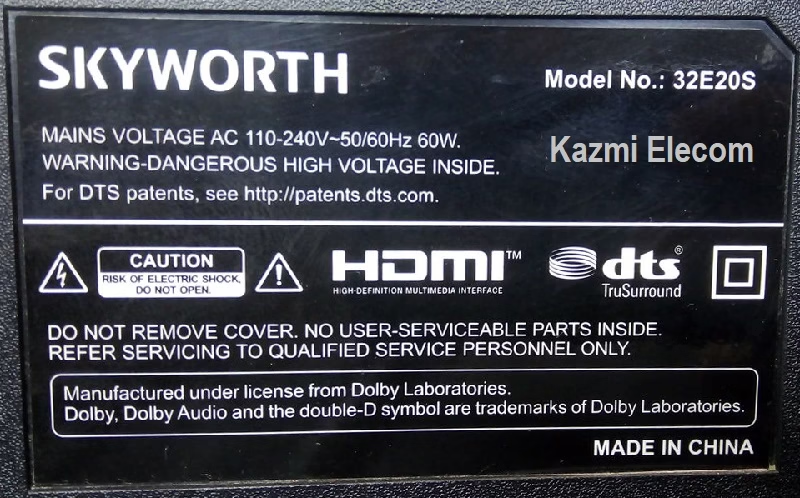
SKYWORTH 32E20S is a 32-inch 81cm HD LED TV with Android Smart. It supports up to an HD resolution of 1366×768 and a Refresh Rate of 50/60 hertz without 3D technology. It has dual HDMI input ports to connect full HD devices such as set-top boxes, Blu-Ray players, and gaming consoles. It has multiple USB ports to connect external hard disk drives and other USB devices and play multimedia files. The Dolby Sound system supports 16 Watts of sound output and HDR Display viewing. It has dual Tuners (Optional) for Analog and Digital broadcasting signal reception.
SKYWORTH 32E20S USB bootable firmware files are given below for free of cost download to support technicians. This board is three-in-one and is also called a Combo Board. This is a single Printed Circuit motherboard on which the main power input Supply circuit module, Cable TV tuners, and LED Backlight inverter circuit are built together. So, there is no need for an extra module to complete the LED TV setup. Analog Signal reception is NTSC/PAL/SECAM; for Digital signal reception, the protocols are DVB-T, DVB-C, and DVB-S2.
General Features & Specifications:
Brand: SKYWORTH
Model: 32E20S
Board Model: 5844-A7N21T-0P00 VER00.04 2018-11-15
Display Format: Full HD 1080P
Screen Type: LED
Features Format: Smart
OS Version: Android
Chipset: Novatek
Processor: Dual-Core
Graphics Processor: Dual-core
RAM Capacity: 512 MB
Storage Memory: 4 GB ROM
Screen Resolution: 1920×1080
No of HDMI Ports: 2
No of USB Ports: 2
Wi-Fi Type: Wi-Fi
Built-In Wi-Fi: Yes
Ethernet (RJ45): Yes
Speaker Output: 14W (7W*2)
Tuner: ATV/DTV (NTSC/PAL/SECAM)/(DVB-T, DVB-C, DVB-S2)
Firmware Type: USB Bootable
Firmware Name: nvt_tv_firmware.img
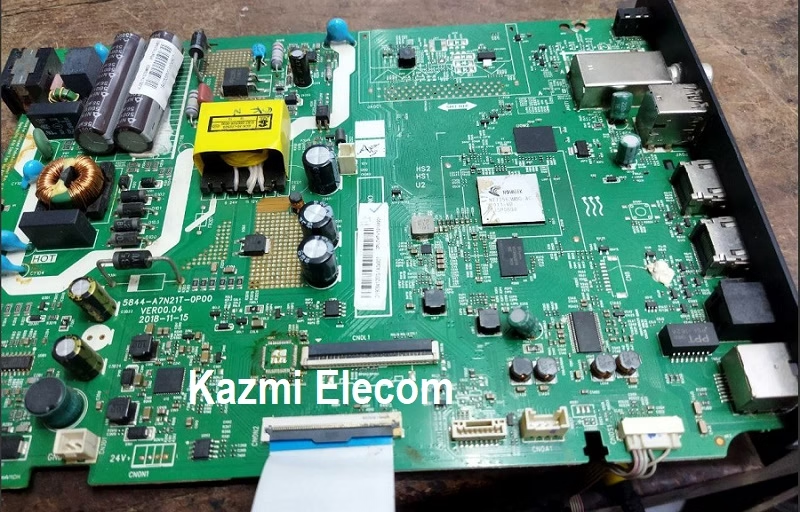
How to Install SKYWORTH 32E20S Firmware:
Three firmware files (ntv_tv_firmware.imzh, u-boot, and loader) need to be loaded into the root of a USB flash drive in FAT32 format, inserted into the top USB port of the TV, hold down the power button, and without releasing the button, insert the plug into the socket. We wait until such a screensaver appears on the TV. After loading the software, the TV will reboot automatically.
Note: The following firmware is a USB bootable file. Kazmi Elecom Team is not responsible for any damage/loss caused by uploading/downloading the firmware. First, check and verify the main board, then install the software. If you are new and do not have enough knowledge of loading/installing software/firmware or dump files, or are facing any issues during firmware installation, then visit and read here first.
SKYWORTH 32E20S Firmware for free download: