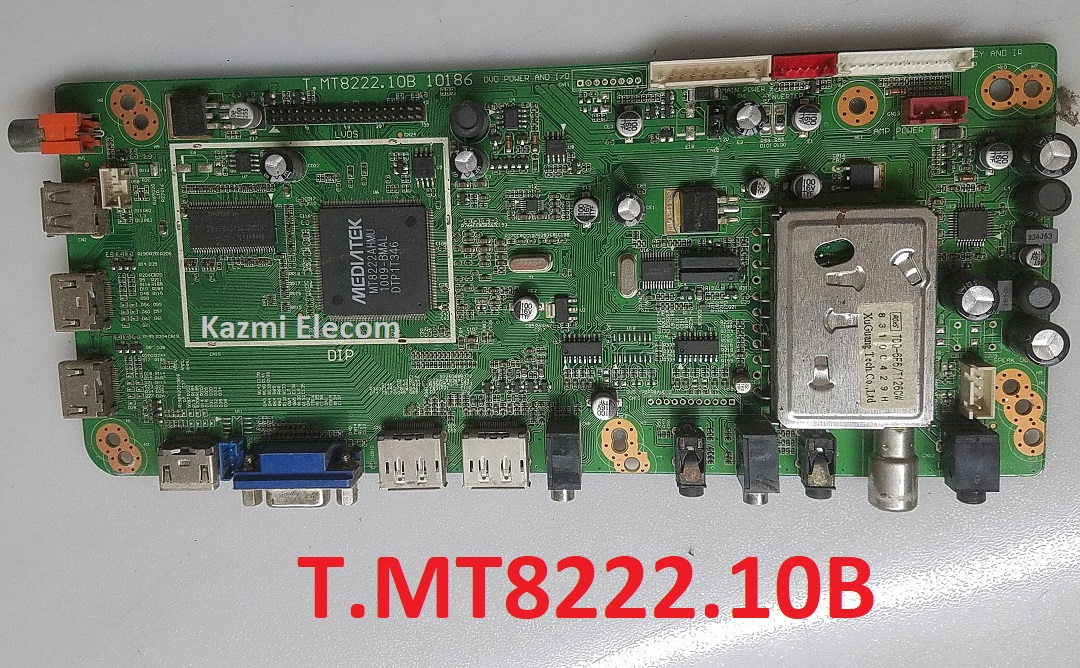
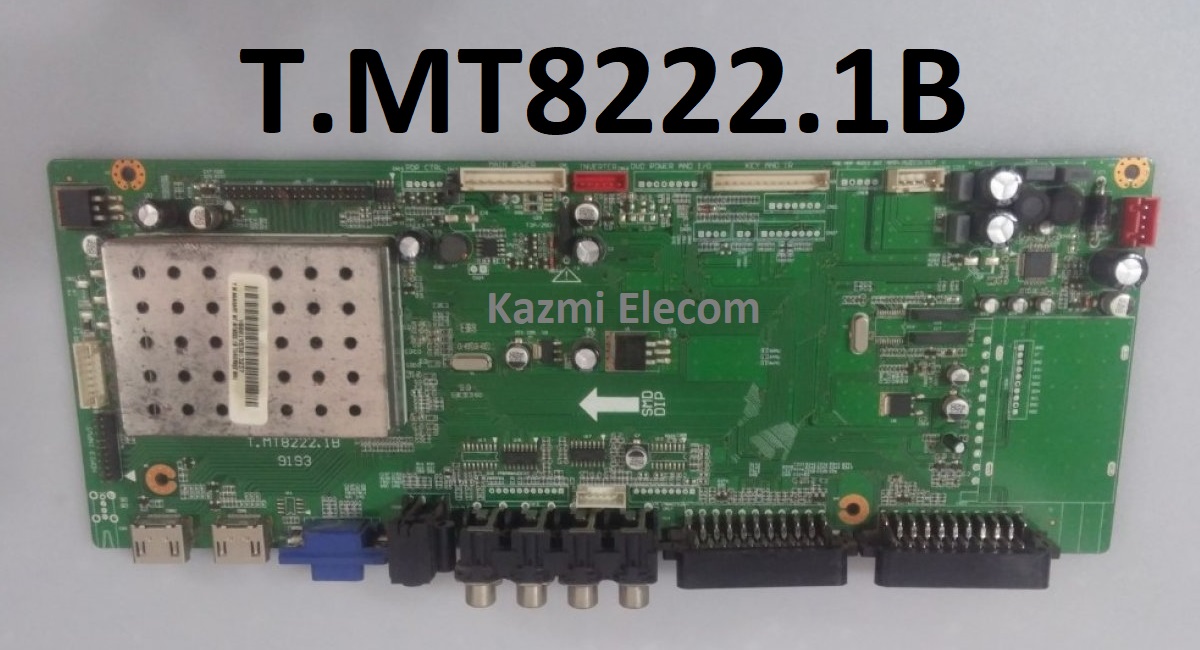
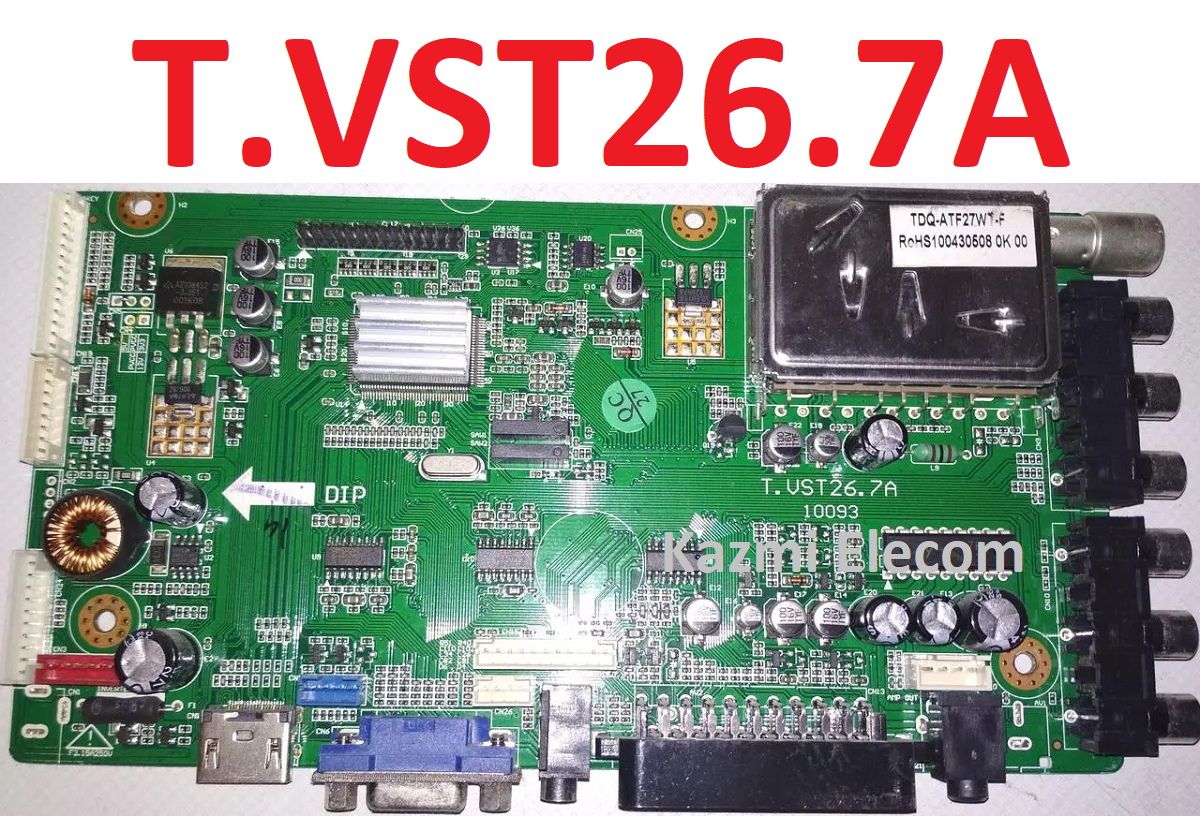
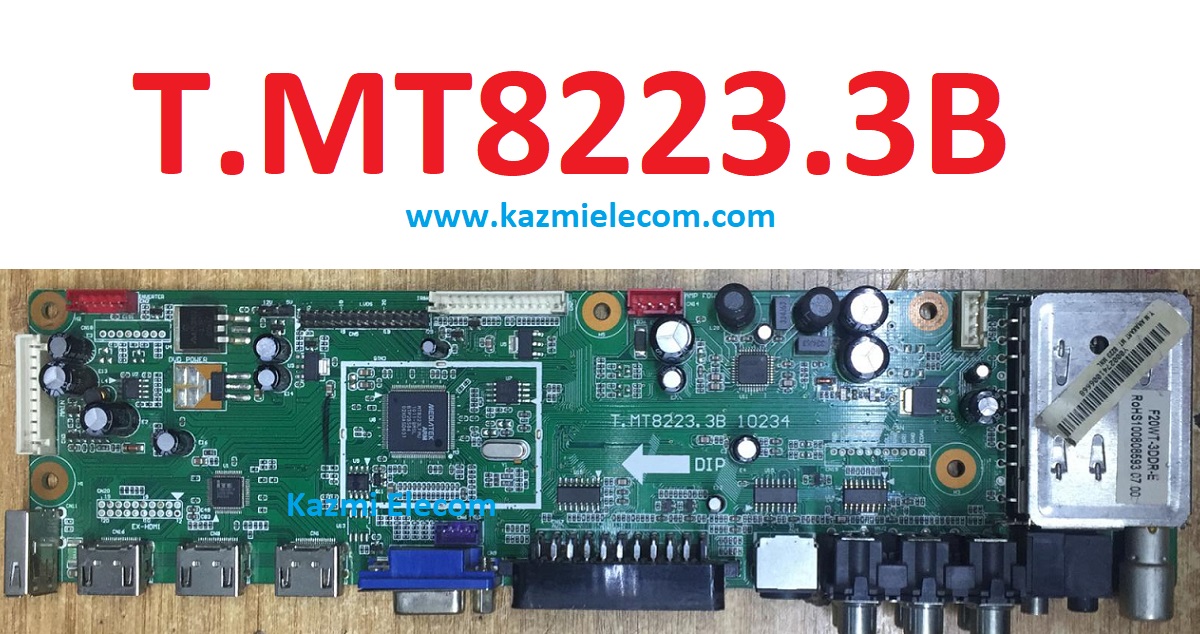
Input/Output Ports: HDMI, VGA, AV, USB, RF TV interface and Earphone Out Jack
Audio O/P Power: 2 x 5 Watt (8 ohm)
Panel Voltage: +3.3V/+5V/+12V DC (jumping cap setting)
USB Port: Yes (Firmware Upgrade and Multimedia Playback Support)
USB File Format: Audio (Mp3, wma, m4a/aac), Video (avi, mp4, ts/trp, mkv/mov, mpg, dat, vob, rm/rmvb), Picture (Jpg, jpeg, bmp, png), Text (text)
IR Control: Yes (Controllable by Remote Control)
Electrical Parameters:
Working Input Voltage: DC +12 Volt
Maximum Current: 2000mA (Without Panel)
Standby Power: <0.2W (for the motherboard only)
Maximum Current for USB: 500mA
How to Upgrade Firmware:
Copy the Required Firmware/software into the FAT32 USB Disk
Plug the U disk into the Mainboard USB port of the LCD/LED TV
Switch ON the power and Wait until even the IR indicator LED stops flashing
Done. Unplug the U-disk (It will take max 1 min to upgrade firmware)
Factory Service Mode:
MENU
Note:
The following given Software is a backup Dump and can be written by a programming tool. Kazmi Elecom Team is not responsible for any type of damage/loss as a result of uploading/downloading the firmware. First Check the mainboard and then install the software. If you are new and do not have enough knowledge of loading or installing software/firmware or dump files then read here first.
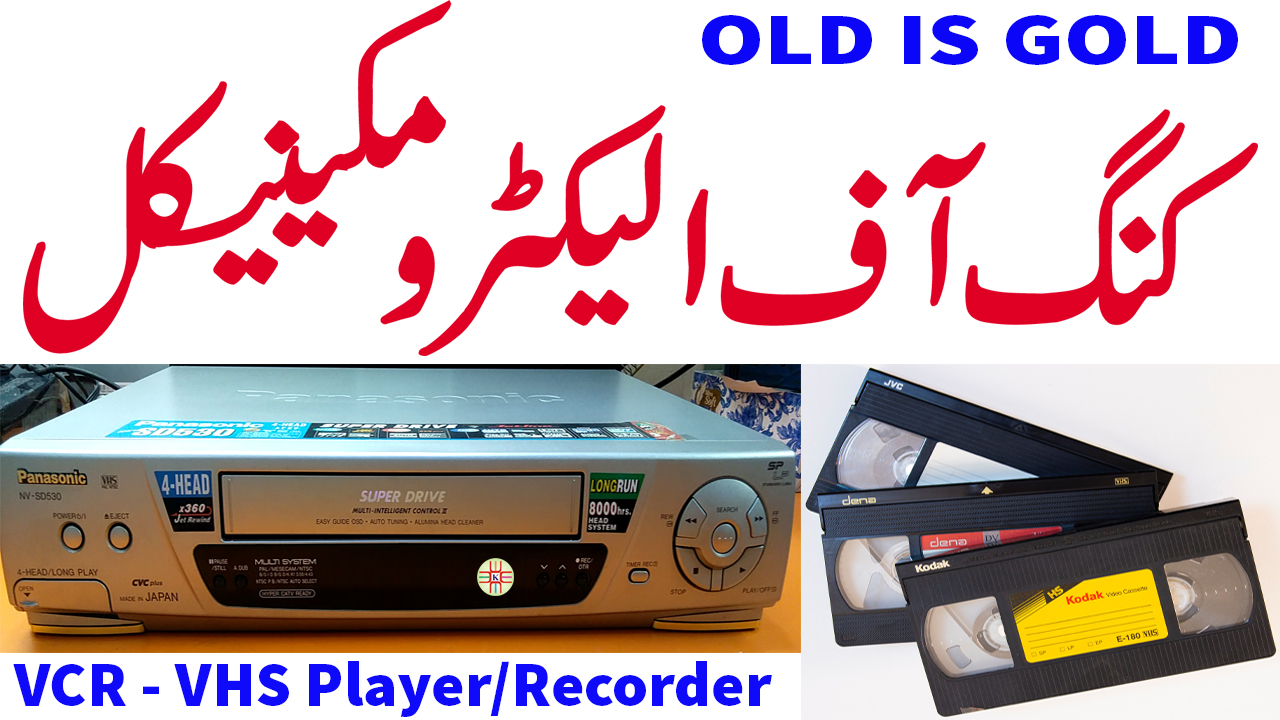
To know about the Vintage VCR, we should first know the VHS (Video Home System). There was a video format technology Betamax. but later on in 1976 VHS video format was introduced which became more popular than Betamax. So, nowadays VHS term is most popular in the television industry. VTR is a video tape recorder that was introduced to record audio and video analog data on magnetic tapes. However, it was costly technology, and machines were only used in television industries or on a commercial level.
There was the necessity for a machine that a domestic user could afford and use it. So, in the 80s an electromechanical machine was introduced that is called VCR. Which has both the features of VTR and Playback. To read more useful articles visit Here.
VCR:
VCR is a known term that is a video cassette recorder that can record the analog video audio data as per a given input source but it can also play back the pre-recorded tape as well. That means it can be used commercially and domestically as well. VCR is a single machine that was the king during the 80s and 90s even after 2000 on Video Home System (VHS) until the new technology Compact Disc (CD) Player was introduced in the market. VCR is further introduced in the market as per the following variants:
VCP:
Video cassette players designed for domestic purposes only can play back pre-recorded video cassettes but can not record video/audio as a recording option is not available in this machine. The program option is also not available on this machine. So, the clock display is also not available on that machine. The overall size of this machine is smaller or compact with respect to other recording machines.
TV/VCR Combo:
VCR and TV units both came into a single unit called combo TV/VCR and also called Televideo. But these units have not become popular in the market. Later on, some combo units were also introduced in the market with VCR and DVD along with TV units.
VCR/DVD Combo:
A combination of DVD player/writer and VCR in a single unit called VCR/DVD Combo. These units were introduced in 2000 and are available right now in the market but are not so popular nowadays as user requirements change or multiple resources with higher technology are available at this time.
Programming/Recording:
Video Cassette Recorder has the special feature of a recording option with LCD, LED, and VFD panels on its front. A real-time clock is built into it and the user can set the time and program the recorder to record the TV shows of his own choice. RF tuner is mounted in the circuit board which can receive the signal from the broadcaster directly and display it on the player output interface. Video Plus+, Show View, and G-Code are mentioned on the front panel of the machine which means this machine is capable of recording/downloading as well. The remote control of the video player/recorder has a button for clocker timer programming.
This machine has additional input RCA or Scart connectivity interface on the rear side or front side to get input source signal and record it as per user demand. This feature was mostly used for copying videotape from one player to another recorder machine to make a duplicate copy of the tape. Later combo machines have the option to record internally from DVD to VCR or from Video Player to DVD by pressing one key copying button without connection to any external cables.
Mostly the copying function was required by the companies that make films and distribute them in the market at a huge level. They use special machines called VTR for this purpose. After that, in local markets, further copies are made for rental purposes to meet customer demand.
Description and Memories:
This machine is a combination of electronic circuit board and mechanical system. The following are the major parts of this machine:
Circuit Board & Power Board
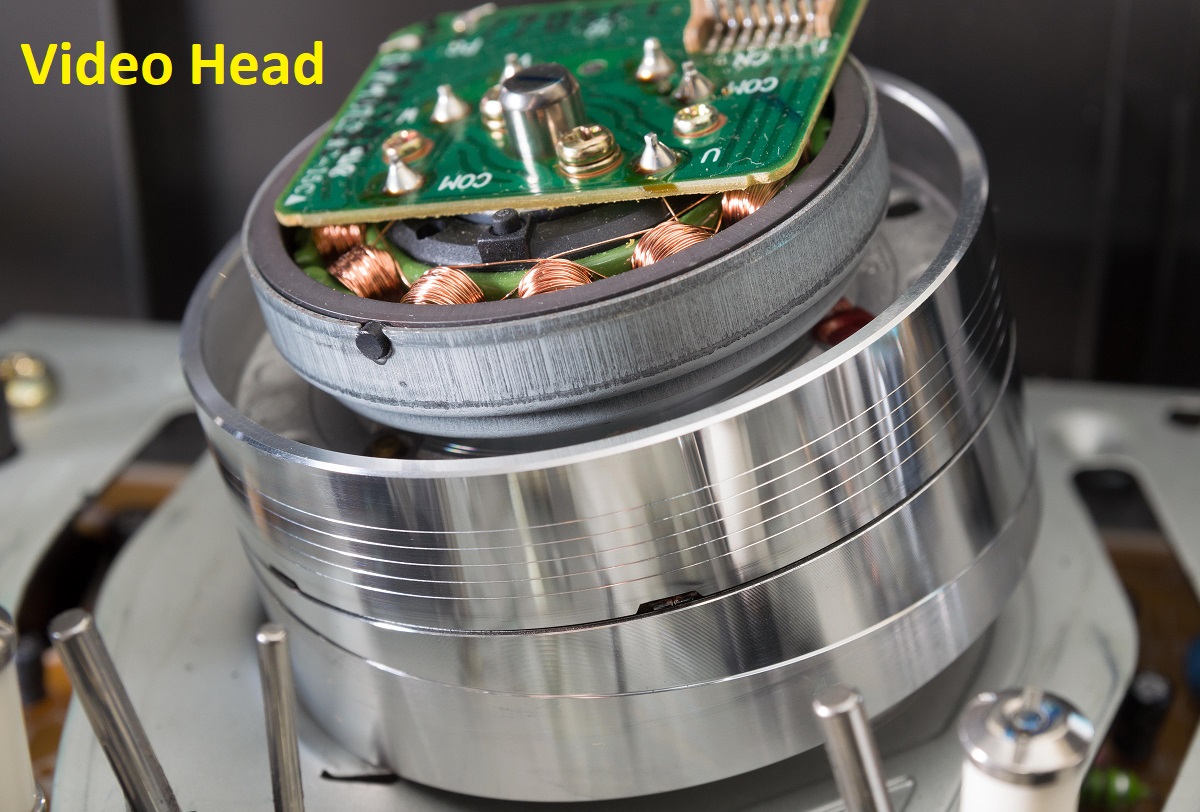
Video Head
Audio Control Head
Erase Head
Motors
Sensors
Mode Switch or Program Switch
The video head is the most important part of this machine. It consists of cylinders like the lower cylinder that is fixed and the upper cylinder that is moveable by a motor and head chips that are mounted on the upper cylinder which is also called a rotating head drum.
There was a time when the use of VCRs was very high to watch your own choice of videos, movies, dramas, etc. If anyone can not afford to purchase the VCR but he can afford to rent a video player and video cassette as well that was a good business in the market. Those days were really memorable days when someone carried the video player with movies on rent and the whole colony got together to watch movies in a single place.
At that time the TV was black and white but Life was colorful. Due to rental movies, the video head gets dirty and we have to clean it to clear the noisy picture with a 5 or 10-rupee note by an expert in the available crowd. Now whenever we remember those days, feel very happy. I think the young generation after 1995 missed all activities. After that, CDs and DVDs were introduced into the market, and the use of VHS Players is less nowadays.
Recent VCR’s USE:
Nowadays Video Cassette Player/Recorder is still being used for the following purpose:
VHS lovers still use it to watch old movies on VHS tapes.
Those who are converting VHS videos to digital media.
VCR Buying Guide:
VHS Players are very hard to find nowadays. So, Kazmi Elecom Team will assist you:
How to Purchase OLD/New Video Cassette Player.
Where to buy in Pakistan?
Which accessories are required to make it useful?
How to Repair:
Spare parts or replacement parts are very hard to find nowadays. So, Kazmi Elecom Team will assist you in arranging and repairing your non-functional Video Cassette Players. Please write in the comment box below and watch the video tutorials.
For video tutorials, visit “Kazmi Elecom” my YouTube channel.
Input/Output Ports: HDMI, VGA, AV, USB, RF TV interface and Earphone Out Jack
Audio O/P Power: 2 x 5 Watt (8 ohm)
Panel Voltage: +3.3V/+5V/+12V DC (jumping cap setting)
USB Port: Yes (Firmware Upgrade and Multimedia Playback Support)
USB File Format: Audio (Mp3, wma, m4a/aac), Video (avi, mp4, ts/trp, mkv/mov, mpg, dat, vob, rm/rmvb), Picture (Jpg, jpeg, bmp, png), Text (text)
IR Control: Yes (Controllable by Remote Control)
Electrical Parameters:
Working Input Voltage: DC +12 Volt
Maximum Current: 2000mA (Without Panel)
Standby Power: <0.2W (for the motherboard only)
Maximum Current for USB: 500mA
How to Upgrade Firmware:
Copy the Required Firmware/software into the FAT32 USB Disk
Plug the U disk into the Mainboard USB port of the LCD/LED TV
Switch ON the power and Wait until even the IR indicator LED stops flashing
Done. Unplug the U-disk (It will take max 1 min to upgrade firmware)
Factory Service Mode:
MENU
Note:
The following given Software is a backup Dump and can be written by a programming tool. Kazmi Elecom Team is not responsible for any type of damage/loss as a result of uploading/downloading the firmware. First Check the mainboard and then install the software. If you are new and do not have enough knowledge of loading or installing software/firmware or dump files then read here first.
Input/Output Ports: HDMI, VGA, AV, USB, RF TV interface and Earphone Out Jack
Audio O/P Power: 2 x 5 Watt (8 ohm)
Panel Voltage: +3.3V/+5V/+12V DC (jumping cap setting)
USB Port: Yes (Firmware Upgrade and Multimedia Playback Support)
USB File Format: Audio (Mp3, wma, m4a/aac), Video (avi, mp4, ts/trp, mkv/mov, mpg, dat, vob, rm/rmvb), Picture (Jpg, jpeg, bmp, png), Text (text)
IR Control: Yes (Controllable by Remote Control)
Electrical Parameters:
Working Input Voltage: DC +12 Volt
Maximum Current: 2000mA (Without Panel)
Standby Power: <0.2W (for the motherboard only)
Maximum Current for USB: 500mA
How to Upgrade Firmware:
Copy the Required Firmware/software into the FAT32 USB Disk
Plug the U disk into the Mainboard USB port of the LCD/LED TV
Switch ON the power and Wait until even the IR indicator LED stops flashing
Done. Unplug the U-disk (It will take max 1 min to upgrade firmware)
Factory Service Mode:
MENU 1147
Note:
The following given Software is a backup Dump and can be written by a programming tool. Kazmi Elecom Team is not responsible for any type of damage/loss as a result of uploading/downloading the firmware. First Check the mainboard and then install the software. If you are new and do not have enough knowledge of loading or installing software/firmware or dump files then read here first.
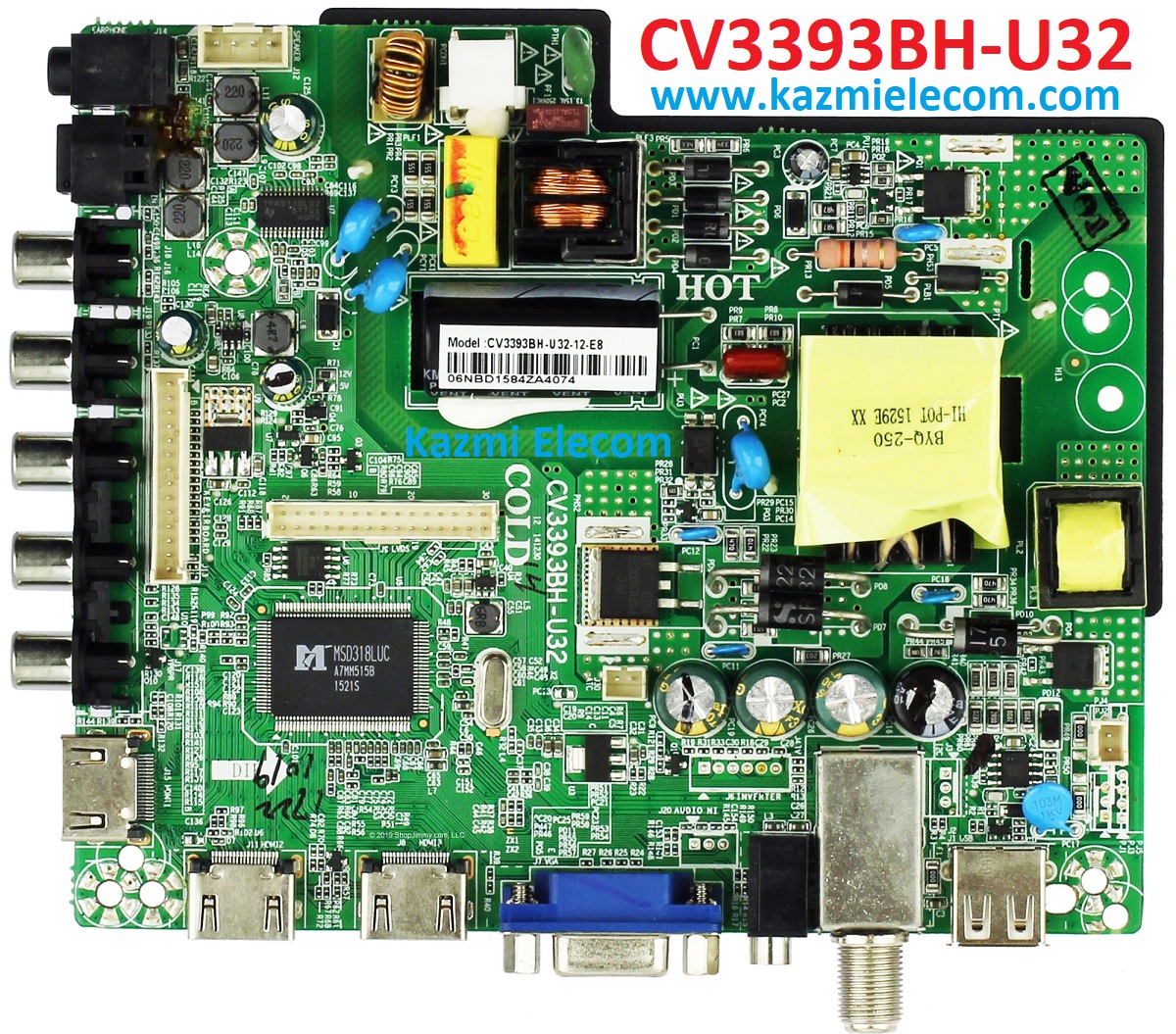
CV3393BH-U32 is a simple ATV Drive Board designed for LCD/LED TVs. This Board is suitable for the Asia Pacific and the Middle East markets. This Combo Board has the integration of the main power module, LED Backlight Inverter Circuit, and ATV Card in a single piece of a motherboard. This has all the features as per the latest requirements like HDMI input, USB interface, PC input, Component Input, TV, and Headphone jack. CV3393BH-U32 is compatible with all panel screens of backlight current 350mA-600mA depending on hardware specifications. CV3393BH.U32 firmware files are shared in this post below for the technician’s support.
General Specifications:
Brand/Mark: Universal HD Three-in-One Board
Model: CV3393BH-U32
Main Chip: MSD318LUC
Product: LED TV
LED Backlight Capacity: 300-350mA
LED Backlight: 72~79V
Flash IC: 2/4Mb
Screen supported: 32-65 inch
Resolution: Up to 1920×1080
Panel Voltage: 12V
Power Input: 220V AC
Tuner:
Mirror Option:
Service Code:
Input
Note:
The following given Software is a backup Dump and can be written by a programming tool. Kazmi Elecom Team is not responsible for any type of damage/loss as a result of uploading/downloading the firmware. First Check the mainboard and then install the software. If you are new and do not have enough knowledge of loading or installing software/firmware or dump files then read here first.
Input/Output Ports: HDMI, VGA, AV, USB, RF TV interface and Earphone Out Jack
Audio O/P Power: 2 x 5 Watt (8 ohm)
Panel Voltage: +3.3V/+5V/+12V DC (jumping cap setting)
USB Port: Yes (Firmware Upgrade and Multimedia Playback Support)
USB File Format: Audio (Mp3, wma, m4a/aac), Video (avi, mp4, ts/trp, mkv/mov, mpg, dat, vob, rm/rmvb), Picture (Jpg, jpeg, bmp, png), Text (text)
IR Control: Yes (Controllable by Remote Control)
Electrical Parameters:
Working Input Voltage: DC +12 Volt
Maximum Current: 2000mA (Without Panel)
Standby Power: <0.2W (for the motherboard only)
Maximum Current for USB: 500mA
How to Upgrade Firmware:
Copy the Required Firmware/software into the FAT32 USB Disk
Plug the U disk into the Mainboard USB port of the LCD/LED TV
Switch ON the power and Wait until even the IR indicator LED stops flashing
Done. Unplug the U-disk (It will take max 1 min to upgrade firmware)
Factory Service Mode:
MENU 1147
Note:
The following given Software is a backup Dump and can be written by a programming tool. Kazmi Elecom Team is not responsible for any type of damage/loss as a result of uploading/downloading the firmware. First Check the mainboard and then install the software. If you are new and do not have enough knowledge of loading or installing software/firmware or dump files then read here first.
Input/Output Ports: HDMI, VGA, AV, USB, RF TV interface and Earphone Out Jack
Audio O/P Power: 2 x 5 Watt (8 ohm)
Panel Voltage: +3.3V/+5V/+12V DC (jumping cap setting)
USB Port: Yes (Firmware Upgrade and Multimedia Playback Support)
USB File Format: Audio (Mp3, wma, m4a/aac), Video (avi, mp4, ts/trp, mkv/mov, mpg, dat, vob, rm/rmvb), Picture (Jpg, jpeg, bmp, png), Text (text)
IR Control: Yes (Controllable by Remote Control)
Electrical Parameters:
Working Input Voltage: DC +12 Volt
Maximum Current: 2000mA (Without Panel)
Standby Power: <0.2W (for the motherboard only)
Maximum Current for USB: 500mA
How to Upgrade Firmware:
Copy the Required Firmware/software into the FAT32 USB Disk
Plug the U disk into the Mainboard USB port of the LCD/LED TV
Switch ON the power and Wait until even the IR indicator LED stops flashing
Done. Unplug the U-disk (It will take max 1 min to upgrade firmware)
Factory Service Mode:
MENU 1147
Note:
The following given Software is a backup Dump and can be written by a programming tool. Kazmi Elecom Team is not responsible for any type of damage/loss as a result of uploading/downloading the firmware. First Check the mainboard and then install the software. If you are new and do not have enough knowledge of loading or installing software/firmware or dump files then read here first.
Input/Output Ports: HDMI, VGA, AV, USB, RF TV interface and Earphone Out Jack
Audio O/P Power: 2 x 5 Watt (8 ohm)
Panel Voltage: +3.3V/+5V/+12V DC (jumping cap setting)
USB Port: Yes (Firmware Upgrade and Multimedia Playback Support)
USB File Format: Audio (Mp3, wma, m4a/aac), Video (avi, mp4, ts/trp, mkv/mov, mpg, dat, vob, rm/rmvb), Picture (Jpg, jpeg, bmp, png), Text (text)
IR Control: Yes (Controllable by Remote Control)
Electrical Parameters:
Working Input Voltage: DC +12 Volt
Maximum Current: 2000mA (Without Panel)
Standby Power: <0.2W (for the motherboard only)
Maximum Current for USB: 500mA
How to Upgrade Firmware:
Copy the Required Firmware/software into the FAT32 USB Disk
Plug the U disk into the Mainboard USB port of the LCD/LED TV
Switch ON the power and Wait until even the IR indicator LED stops flashing
Done. Unplug the U-disk (It will take max 1 min to upgrade firmware)
Factory Service Mode:
MENU 1147
Note:
The following given Software is a backup Dump and can be written by a programming tool. Kazmi Elecom Team is not responsible for any type of damage/loss as a result of uploading/downloading the firmware. First Check the mainboard and then install the software. If you are new and do not have enough knowledge of loading or installing software/firmware or dump files then read here first.
Input/Output Ports: HDMI, VGA, AV, USB, RF TV interface and Earphone Out Jack
Audio O/P Power: 2 x 5 Watt (8 ohm)
Panel Voltage: +3.3V/+5V/+12V DC (jumping cap setting)
USB Port: Yes (Firmware Upgrade and Multimedia Playback Support)
USB File Format: Audio (Mp3, wma, m4a/aac), Video (avi, mp4, ts/trp, mkv/mov, mpg, dat, vob, rm/rmvb), Picture (Jpg, jpeg, bmp, png), Text (text)
IR Control: Yes (Controllable by Remote Control)
Electrical Parameters:
Working Input Voltage: DC +12 Volt
Maximum Current: 2000mA (Without Panel)
Standby Power: <0.2W (for the motherboard only)
Maximum Current for USB: 500mA
How to Upgrade Firmware:
Copy the Required Firmware/software into the FAT32 USB Disk
Plug the U disk into the Mainboard USB port of the LCD/LED TV
Switch ON the power and Wait until even the IR indicator LED stops flashing
Done. Unplug the U-disk (It will take max 1 min to upgrade firmware)
Factory Service Mode:
INPUT
MENU
Note:
The following given Software is a backup Dump and can be written by a programming tool. Kazmi Elecom Team is not responsible for any type of damage/loss as a result of uploading/downloading the firmware. First Check the mainboard and then install the software. If you are new and do not have enough knowledge of loading or installing software/firmware or dump files then read here first.
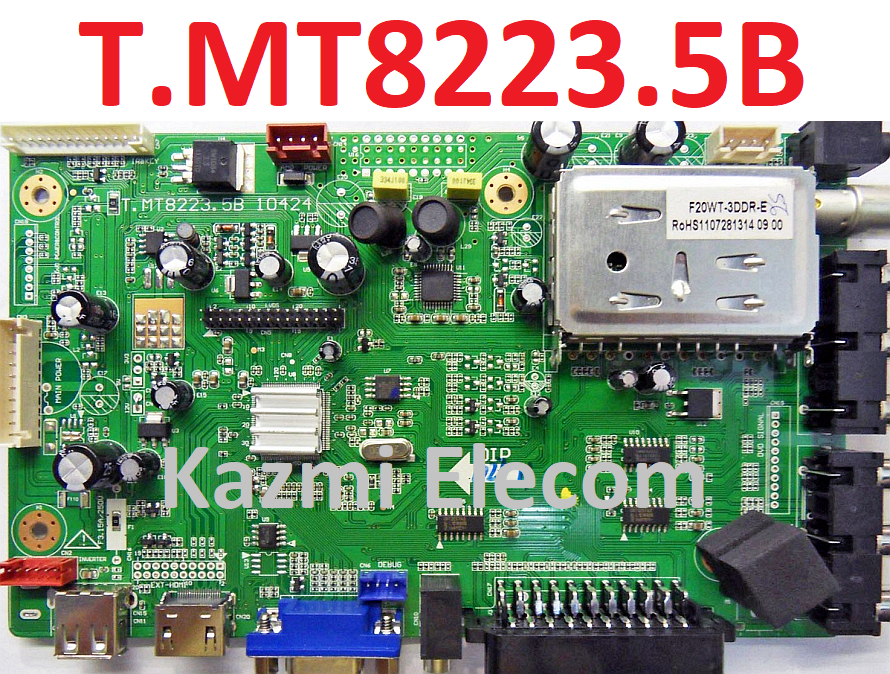
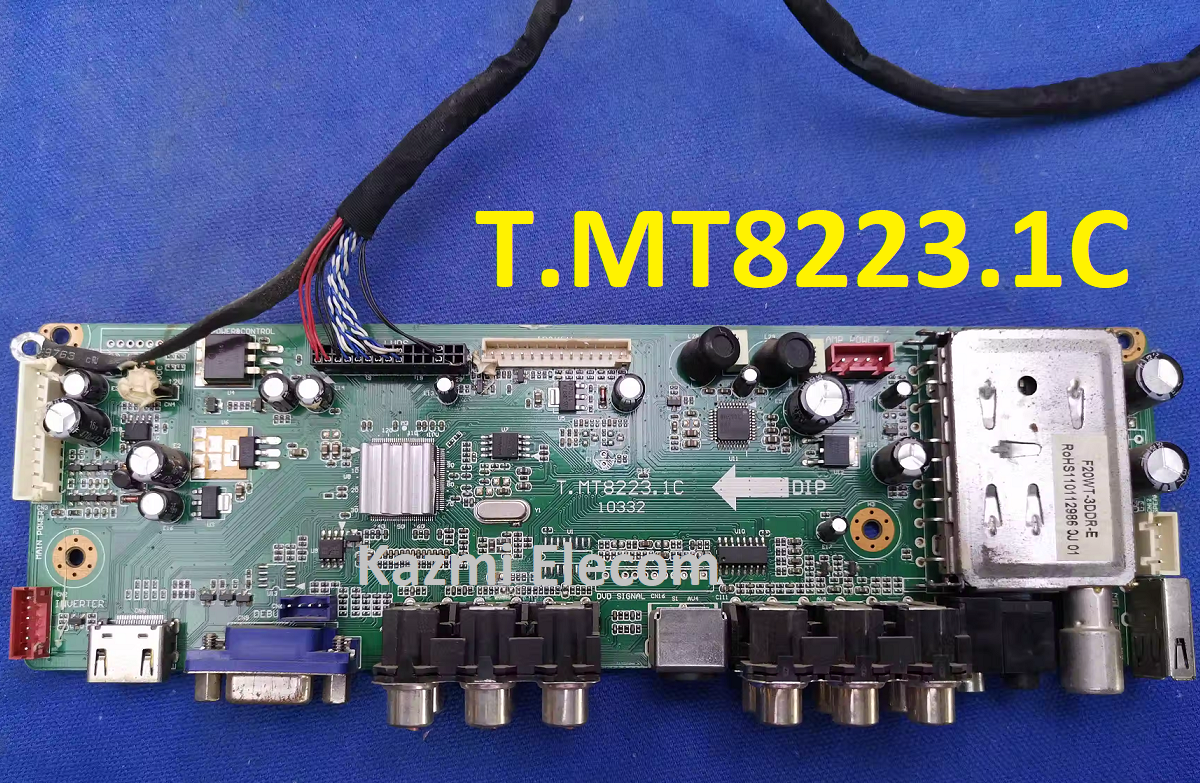
T.MT8223.1C Firmware All resolutions Free Download :
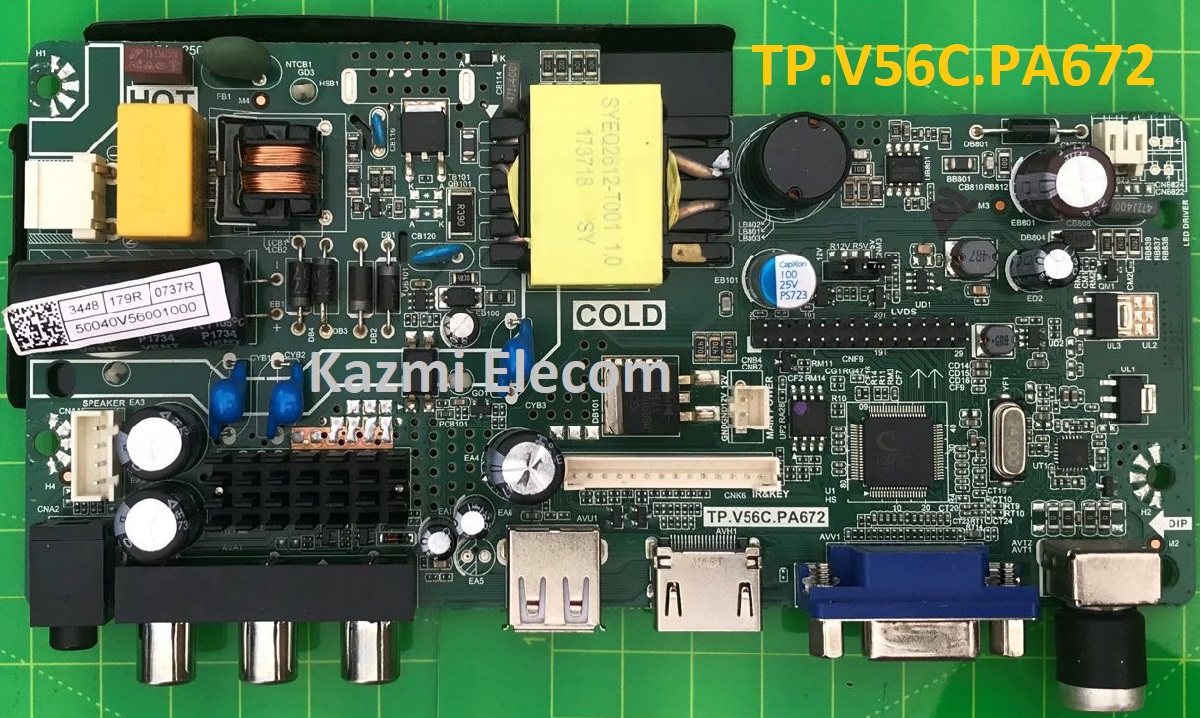
TP.V56C.PA672 is an analog TV board with the integration of a network driver board, power supply, and TV module. TP-V56C-PA672 with backlight power under 25W, the main promotion backlight voltage is between 25V-60V and single backlight output. TP_V56C_PA672 is mostly used for 18.5″ to 24″ screens and can support resolutions up to 1920×1080.
It has all the connectivity user interfaces like HDMI, AV, VGA, RF, and USB for multimedia playback and software upgrades as well. TP.V56C.PA672 firmware files are shared in this post for the technician’s support.
General Specifications:
Brand Name: China
Model Number: TP.V56C.PA672
Backlight Type: LED
Wide Screen Support: Yes
Display Format: 720P (HD)
Screen Size: 18.5-24 inch
Support Resolution: 1920×1080
Main IC: TSUMV56RJUL-Z1
OSD Language: English
Factory Mode: Menu+1147
Firmware Name: VST56C_4MB_57.bin
How to Update Software:
Step 1: Empty the U disk
Step 2: Copy the corresponding resolution program (*. Bin file) with the TXT file to the U disk based on your screen size
Step 3: Connect the U dish and TV Mainboard Via USB Interface
Step 4: Connect the Keyboard and TV Mainboard
Step 5: Connect the power supply, and check the keyboard light. If there is a flashing light, that is in the written program, waiting for the light to turn to Green, work is done.
If there is no flashing light, please cut off the power supply, then connect the USB once again, then connect the power supply again,
(Note:During Step 5, the power supply can’t be cut off *The same firmware can only be burned once time)
Boot Logo Setting:
Step 1: Put your logo into the U disk
Step 2: Connect your U disk with the mainboard
Step 3: Find your logo in Multi-media File
Step 4: Select your logo
Step 5: Press No.”6 ” on the remote control to change to fullscreen play, then press “ok” on the remote control, on the bottom of the option items, there is a ” catch”, choose it. Done
Note: The following given Software is a USB bootable and backup Dump and can be written by a programming tool. Kazmi Elecom Team is not responsible for any type of damage/loss as a result of uploading/downloading the firmware. First Check the mainboard and then install the software. If you are new and do not have enough knowledge of loading or installing software/firmware or dump files then read here first.