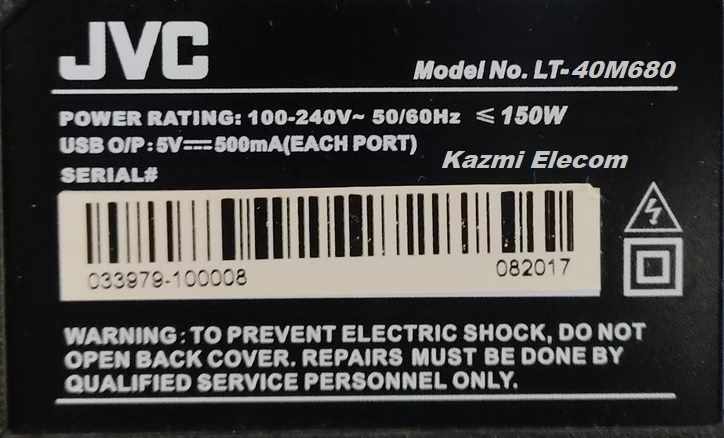
JVC LT-40M680 Smart LED TV
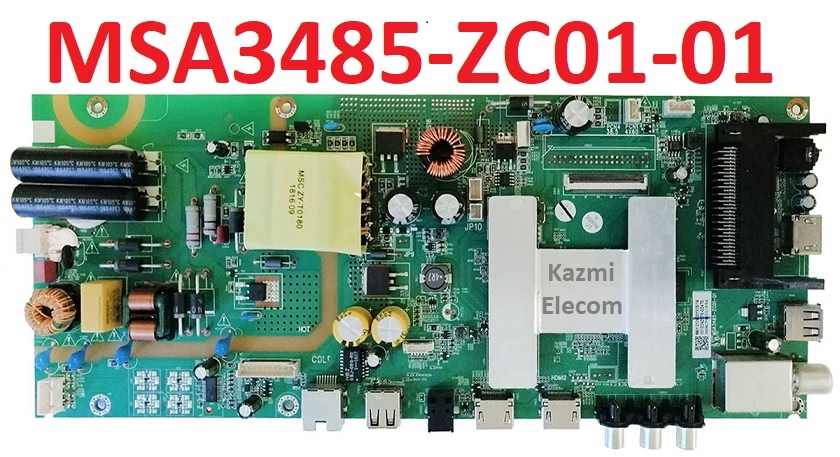
JVC LT-40M680 is a 40-inch (102 cm) Full HD Smart Direct LED TV. Its supported screen resolution is 1080 Pixels, 1920×1080. It has the main board (MSA3485), a combo board. This LED TV has a powerful sound system with a 16-watt (8×2 watts) stereo speaker system. It has a Worldwide NTSC/PAL/SECAM Color System, DVB-T, PAL BG/PAL I/SECAM BG, DK/ PAL DK TV, DVB-T, DVB-T2, DVB-C, tuners.
The JVC LT-40M680 Smart LED TV has multiple interfaces for user connectivity, such as triple HDMI input ports for connecting digital devices and a component input interface for analog device connectivity. It has SPDIF for digital audio out. This LED TV also has a dual USB input port for multimedia playback and software upgrades. Ethernet (RJ45) interface and Wifi connectivity.
General Specifications & Features :
Brand/Make: JVC
Model: LT-40M680 V1U03
Main Board: MSA3485-ZC01-01
Chipset: MSD6A348AX0
Panel: V400HJ6PE1
Supported Resolution: 1920×1080 FHD 1080P
Screen Format: 16:9
Operating System: Android 6.0
CPU: 4-core ARM Cortex-A53(64bit) 1.2GHz
GPU: Mali-450 MP3 up to 667MHz
RAM: 512M/1 GB DDR3
ROM: 8 GB EMMC
Backlight: 60-72V 300mA,
USB Input: 02
HDMI Input: 03
Scart: Yes
VGA: No
RJ45 (LAN): Yes
Wifi: Yes
Bluetooth: NA
AV Input: Yes
Sound Output: 16W DTS-HD
RF TUNER: DVB-C , DVB-S2 , DVB-T , DVB-T2
Video System: PAL/SECAM/NTSC
EMMC: KLM8G1GETF-B041
Product: Yasin, Kivi, Jvc
Firmware Name: MstarUpgrade.bin
Power Input: 100- 240V 50/60 Hz
How to Load Firmware:
Copy the MstarUpgrade.bin file to the root of the FAT32 USB drive. Turn off the TV using the remote control and insert the flash drive into the TV’s USB slot.
Press the power button on the TV panel and, without releasing it, turn on the TV using the remote control.
As soon as the firmware process begins, you can release the power key.
After the firmware, the TV boots up for a very long time, while none of the buttons on the front panel or the remote control work. Wait until the TV boots up completely after the firmware, do not turn off the power.
Note: The following JVC LT-40M680 firmware is a USB bootable File. Kazmi Elecom Team is not responsible for any damage/loss caused by uploading/downloading the firmware. First, check and verify the main board, then install the software. If you are new and do not have enough knowledge of loading/installing software/firmware or dump files, or are facing any issues during firmware installation, then visit and read here first.
JVC LT-40M680 Firmware for free download: