Tag Archives: kazmi elecom

T.HD.3663.031E Software Free Download

T.HD.3663.031E Universal Board

T.HD.3663.031E is a universal jumper board with multi-resolution panel screen-supported software.

Basic Info:

Model No. T.HD.3663.031E

Main Chipset:

Display Format: up to 1920×1080

Aspect Ratio: 4:3, 16:9 & 16:10

Tuner:

Sound:

Bin Name:
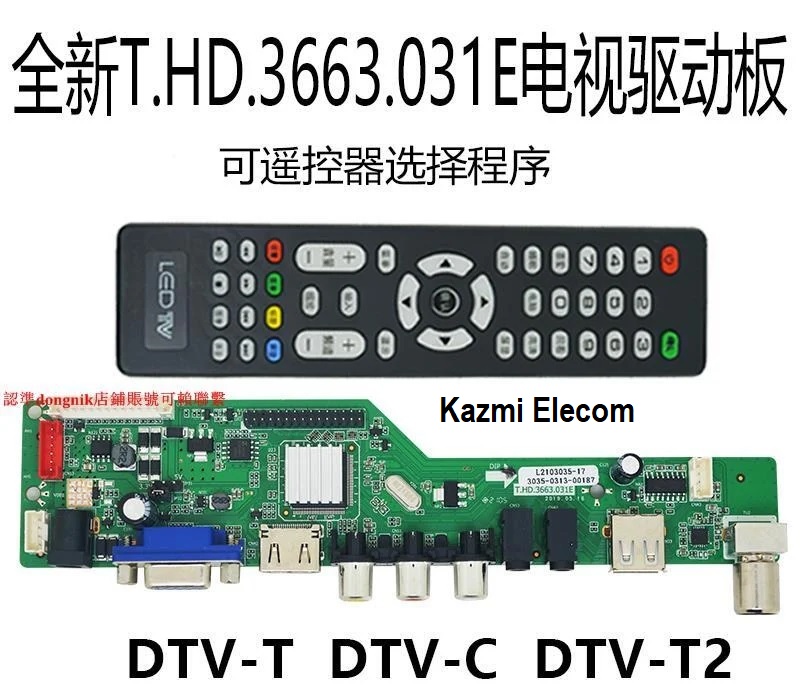
T.hd.3663.031E

General Specifications:

TV System: PAL/SECAM/NTSC

Panel Interface: Single-channel or Dual-channel LVDS

Key Button Functions: CH-/CH+/MENU/VOL-/VOL+Souce/Power

Multi-Language OSD: Yes

Input/Output Ports: HDMI, VGA, AV, USB, RF TV interface, and Earphone Out

Audio O/P Power: 2 x 3 Watt (8 ohms)

Panel Voltage: +3.3V/+5V/+12V DC (jumping cap setting)

USB Port: Yes (Firmware Upgrade and Multimedia Playback Support)

USB File Format: Audio (Mp3, wma, m4a/aac), Video (avi, mp4, ts/trp, mkv/mov, mpg, dat, vob, rm/rmvb),                                                 Picture (Jpg, jpeg, bmp, png), Text (text)

IR Control: Yes (Controllable by Remote Control)

Electrical Parameters:

Working Input Voltage: DC +12 Volt

Maximum Current: 2000mA (Without Panel)

Standby Power: <0.2W (for the motherboard only)

Maximum Current for USB: 500mA

How to Upgrade Firmware:

Copy the Required Firmware/software into FAT32 USB Disk
Plugin the U disk into the Mainboard USB port of the LCD/LED TV
Switch ON the power and Wait until even the IR indicator led stops flashing
Done. Unplug the U-disk (It will take a max half min to upgrade firmware)

Factory Service Mode:

Menu+1147

Resolution Code:

  • 1920×1080 INPUT 9006
  • 1366×768 INPUT 9003
  • 1280×768 INPUT 9012
  • 1280×1024 INPUT 9001
  • 1440×900 INPUT 9004
  • 1440×1050 INPUT 9013
  • 1600×900 INPUT 9008
  • 1600×1200 INPUT 9007
  • 1680×1050 INPUT 9005
  • 1024×600 INPUT 9014
  • 1024×768 INPUT 9002
  • 1024×800 INPUT 9011
  • 1920×1200 INPUT 9009

Note: The following firmware is a backup file. Kazmi Elecom Team is not responsible for any type of damage/loss as a result of uploading/downloading the firmware. First, check and verify the main board then install software. If you are new and do not have enough knowledge of loading/installing software/firmware or dump files, or facing any issues during firmware installation then visit and read here first.

How to Download:

Download your required resolution firmware/software and then extract it, you will get the folder. Now copy the files to USB or write flash by a programmer. For more Details about the download process watch the video Click Here

T.HD.3663.031E Firmware All resolutions Free Download:

Kazmi-Elecom

For video tutorials, visit “Kazmi Elecom” my YouTube channel.

LLOYD L24HDU Software Free Download

LLOYD L24HDU LED TV

LLOYD L24HDU is a inches HD Ready LED TV with a resolution of 1366×768. L24HDU is a non-smart tv. L24HDU led TV has all the latest features and connectivity ports as HDMI port and USB port, Dual Audio Video with a 60 Hz refresh rate. It has a powerful sound output system. Its aspect ratio is 16:09 and its dynamic ratio is 150000:1.

Its view angle is LLOYDal: 170 degrees and vertical: 160 degrees. L24HDU has additional edge led technology, smart power saving, digital noise reduction, intelligent picture technology, eye-safe t matrix, brightness is 250 cd/m2 and response time is 5 ms. LLOYD Software file is given below for the technician’s support. For more LLOYD Software collection visit here.

Lloyd L24Hdu

General Specifications & Features:

Make: LLOYD

Model: L24HDU

Display Size: ”

Storage Memory: MB

HD Technology: HD

Panel: HD

No of HDMI Ports:

No of USB Ports:

No of AV Ports:

Speaker Output RMS:

Power Requirement: AC 110 – 240 V, 50/60 Hz

Power Consumption: W, 0.5 W (Standby)

Software Type: Backup Dump

Software Name:

Main Board:

Note: Following given Software is backup dump. Kazmi Elecom Team is not responsible for any type of damage/loss as a result of uploading/downloading the Software.If you are new and do not have enough knowledge of loading or installing software/firmware or dump files then read here first.

Kazmi-Elecom

LLOYD L24HDU Software Free Download.

For video tutorials, visit “Kazmi Elecom” my youtube channel.

MST6M181-T7S Software Free Download

MST6M181-T7S LED TV Board

MST6M181-T7S is a simple ATV Driver Motherboard designed for LCD/LED TVs. This board is suitable for the Asia Pacific and the Middle East markets. It is designed to support Full HD LCD/LED Panel Screens. This is a Non-Combo Board. The main power module and LED Backlight Inverter Circuit module are required separatley but ATV Card is builtin into this motherboard. This board has all the features and connectivity ports as per the latest requirements like HDMI input, USB interface, PC input, Component Input, TV, and Scart. Its USB interface can be used for updating software/firmware and for playing multimedia files as well. It can also support Earphone output. MST6M181-T7S firmware files are given below for the technician’s support.

Mst6M181-T7S

General Specifications:

Brand/Mark: Universal Board

Model: MST6M181-T7S

Main Chip:

Product: LCD/LED TV

LED Backlight: mA

Flash IC: Mb

Sound Chip:

Tuner IC:

Screen supported: inch

Resolution: Up to 1920×1080

Panel Voltage: 5V, 12V

Power Input: 12V DC

Firmware Name:

Firmware Type:

Service Code:

Source/Input

Note: The following firmware is a backup file. Kazmi Elecom Team is not responsible for any type of damage/loss as a result of uploading/downloading the firmware. First check and verify the main board then install software. If you are new and do not have enough knowledge of loading/installing software/firmware or dumpfiles, or facing any issues during firmware installation then visit and read here first.

MST6M181-T7S firmware for free download:

Kazmi-Elecom

For video tutorials, visit “Kazmi Elecom” my YouTube channel.
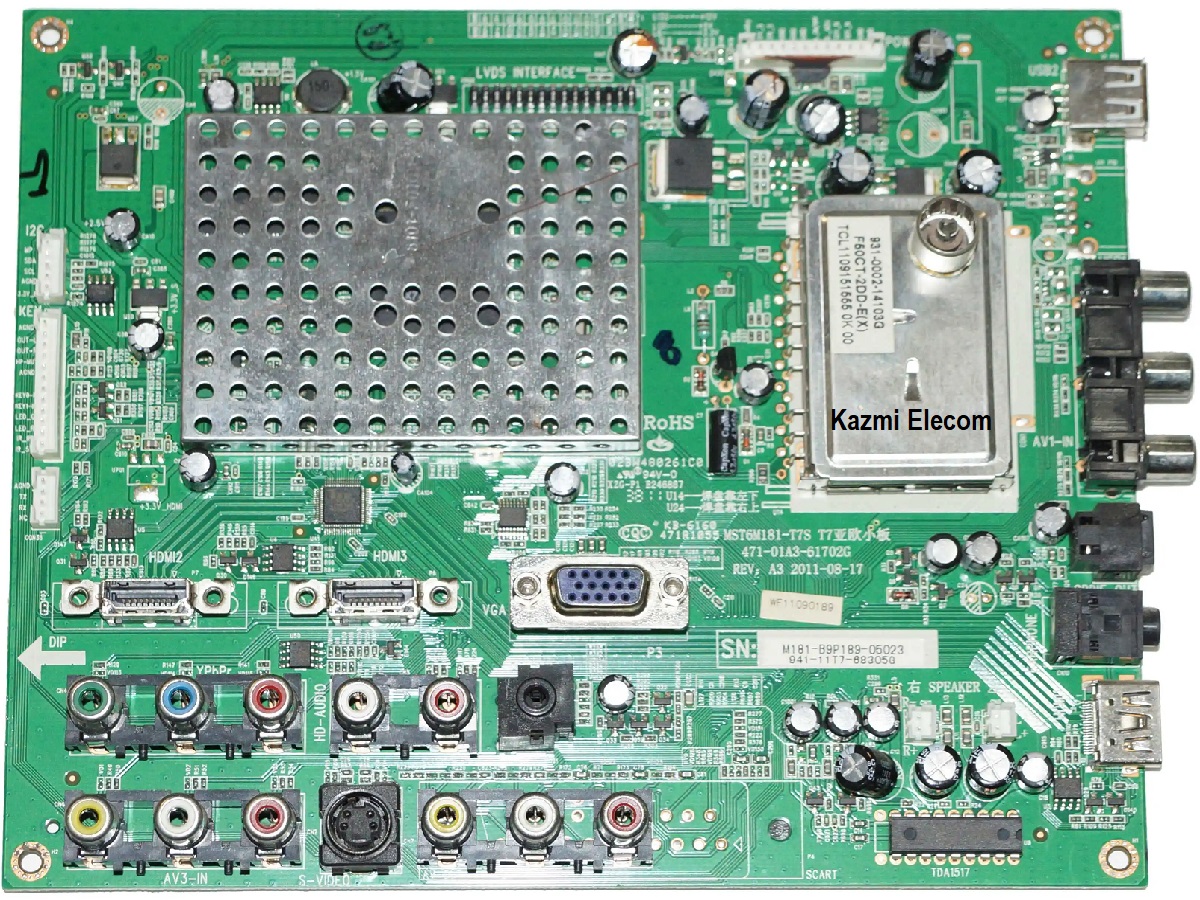
BRITON UVR7TJ04EH-D54G DVR Backup Free Download

BRITON UVR7TJ04EH-D54G DVR

BRITON UVR7TJ04EH-D54G DVR backup file is posted here in this post for the support of technicians to recover or repair DVR/NVR. In most of the cases video recorder is stuck on the startup or logo screen and does not completely boot due to software malfunctioning or bios problems and in some other cases, DVR/NVR may not power on or have no display but only on standby/red ligh. In such cases, there may be a software issue or hardware issue. So, first of all, if the video recorder is on standby/red light only then check the core voltage and ensure that all measurements are perfect and the main system IC is also normal then load the backup file.

BRITON UVR7TJ04EH-D54G DVR backup is saved from working DVR/NVR. Be careful when writing backup files. Make sure that the main board or chassis are same as you require and if possible verify the main processor. You should first keep the backup of old software and then write another. Always check the software backup size and flash memory size which will be the same in size. DVR/NVR channel capacity may be different in some cases but the main board and processor are the same. In these cases, you can write a backup file if there is no other option.

Briton Uvr7Tj04Eh-D54G Dvr

Technical Specifications of BRITON UVR7TJ04EH-D54G DVR:

Manufacturer/Make/Brand Name:

DVR/NVR Model:

Chassis/Main Board:

Chipset/System IC/Processor:

Channel/Ports:

Software Version:

SPI Flash Memory:

Note: The following firmware is a backup file and can be written by a programming tool or can be loaded by a loader tool. Kazmi Elecom Team is not responsible for any type of damage/loss as a result of uploading/downloading the firmware. First, check and verify the main board then install software. If you are new and do not have enough knowledge of loading/installing software/firmware or dump files, or facing any issues during firmware installation then visit and read here first.

How to Download:

Download your required DVR/NVR backup firmware/software and then extract it you will get the folder. Now copy the files to USB or load them with a programmer. For more Details about the download process watch the video Click Here

Kazmi-Elecom

BRITON UVR7TJ04EH-D54G DVR Software Backup File Free Download.

For video tutorials, visit “Kazmi Elecom” my YouTube channel.
LLOYD L40FGOW Software Free Download

LLOYD L40FGOW LED TV

LLOYD L40FGOW is a inches HD Ready LED TV with a resolution of 1366×768. L40FGOW is a non-smart tv. L40FGOW led TV has all the latest features and connectivity ports as HDMI port and USB port, Dual Audio Video with a 60 Hz refresh rate. It has a powerful sound output system. Its aspect ratio is 16:09 and its dynamic ratio is 150000:1.

Its view angle is LLOYDal: 170 degrees and vertical: 160 degrees. L40FGOW has additional edge led technology, smart power saving, digital noise reduction, intelligent picture technology, eye-safe t matrix, brightness is 250 cd/m2 and response time is 5 ms. LLOYD Software file is given below for the technician’s support. For more LLOYD Software collection visit here.

Lloyd L40Fgow

General Specifications & Features:

Make: LLOYD

Model: L40FGOW

Display Size: ”

Storage Memory: MB

HD Technology: HD

Panel: HD

No of HDMI Ports:

No of USB Ports:

No of AV Ports:

Speaker Output RMS:

Power Requirement: AC 110 – 240 V, 50/60 Hz

Power Consumption: W, 0.5 W (Standby)

Software Type: Backup Dump

Software Name:

Main Board:

Note: Following given Software is backup dump. Kazmi Elecom Team is not responsible for any type of damage/loss as a result of uploading/downloading the Software.If you are new and do not have enough knowledge of loading or installing software/firmware or dump files then read here first.

Kazmi-Elecom

LLOYD L40FGOW Software Free Download.

For video tutorials, visit “Kazmi Elecom” my youtube channel.

DAHUA DH-DVR5104H-V2 DVR Backup Free Download

DAHUA DH-DVR5104H-V2 DVR

DAHUA DH-DVR5104H-V2 DVR backup file is posted here in this post for the support of technicians to recover or repair DVR/NVR. In most of the cases video recorder is stuck on the startup or logo screen and does not completely boot due to software malfunctioning or bios problems and in some other cases, DVR/NVR may not power on or have no display but only on standby/red ligh. In such cases, there may be a software issue or hardware issue. So, first of all, if the video recorder is on standby/red light only then check the core voltage and ensure that all measurements are perfect and the main system IC is also normal then load the backup file.

DAHUA DH-DVR5104H-V2 DVR backup is saved from working DVR/NVR. Be careful when writing backup files. Make sure that the main board or chassis are same as you require and if possible verify the main processor. You should first keep the backup of old software and then write another. Always check the software backup size and flash memory size which will be the same in size. DVR/NVR channel capacity may be different in some cases but the main board and processor are the same. In these cases, you can write a backup file if there is no other option.

Dahua Dh-Dvr5104H-V2 Dvr

Technical Specifications of DAHUA DH-DVR5104H-V2 DVR:

Manufacturer/Make/Brand Name:

DVR/NVR Model:

Chassis/Main Board:

Chipset/System IC/Processor:

Channel/Ports:

Software Version:

SPI Flash Memory:

Note: The following firmware is a backup file and can be written by a programming tool or can be loaded by a loader tool. Kazmi Elecom Team is not responsible for any type of damage/loss as a result of uploading/downloading the firmware. First, check and verify the main board then install software. If you are new and do not have enough knowledge of loading/installing software/firmware or dump files, or facing any issues during firmware installation then visit and read here first.

How to Download:

Download your required DVR/NVR backup firmware/software and then extract it you will get the folder. Now copy the files to USB or load them with a programmer. For more Details about the download process watch the video Click Here

Kazmi-Elecom

DAHUA DH-DVR5104H-V2 DVR Software Backup File Free Download.

For video tutorials, visit “Kazmi Elecom” my YouTube channel.
LLOYD L32HD Software Free Download

LLOYD L32HD LED TV

LLOYD L32HD is a 32 inches HD Ready LED TV with a resolution of 1366×768. L32HD is a non-smart tv. L32HD led TV has all the latest features and connectivity ports as HDMI port and USB port, Dual Audio Video with a 60 Hz refresh rate. It has a powerful sound output system. Its aspect ratio is 16:09 and its dynamic ratio is 150000:1.

Its view angle is LLOYDal: 170 degrees and vertical: 160 degrees. L32HD has additional edge led technology, smart power saving, digital noise reduction, intelligent picture technology, eye-safe t matrix, brightness is 250 cd/m2 and response time is 5 ms. LLOYD Software file is given below for the technician’s support. For more LLOYD Software collection visit here.

Lloyd L32Hd

General Specifications & Features:

Make: LLOYD

Model: L32HD

Display Size: 32″

Storage Memory: MB

HD Technology: HD

Panel: HD

No of HDMI Ports:

No of USB Ports:

No of AV Ports:

Speaker Output RMS:

Power Requirement: AC 110 – 240 V, 50/60 Hz

Power Consumption: W, 0.5 W (Standby)

Software Type: Backup Dump

Software Name:

Main Board:

Note: Following given Software is backup dump. Kazmi Elecom Team is not responsible for any type of damage/loss as a result of uploading/downloading the Software.If you are new and do not have enough knowledge of loading or installing software/firmware or dump files then read here first.

Kazmi-Elecom

LLOYD L32HD Software Free Download.

For video tutorials, visit “Kazmi Elecom” my youtube channel.

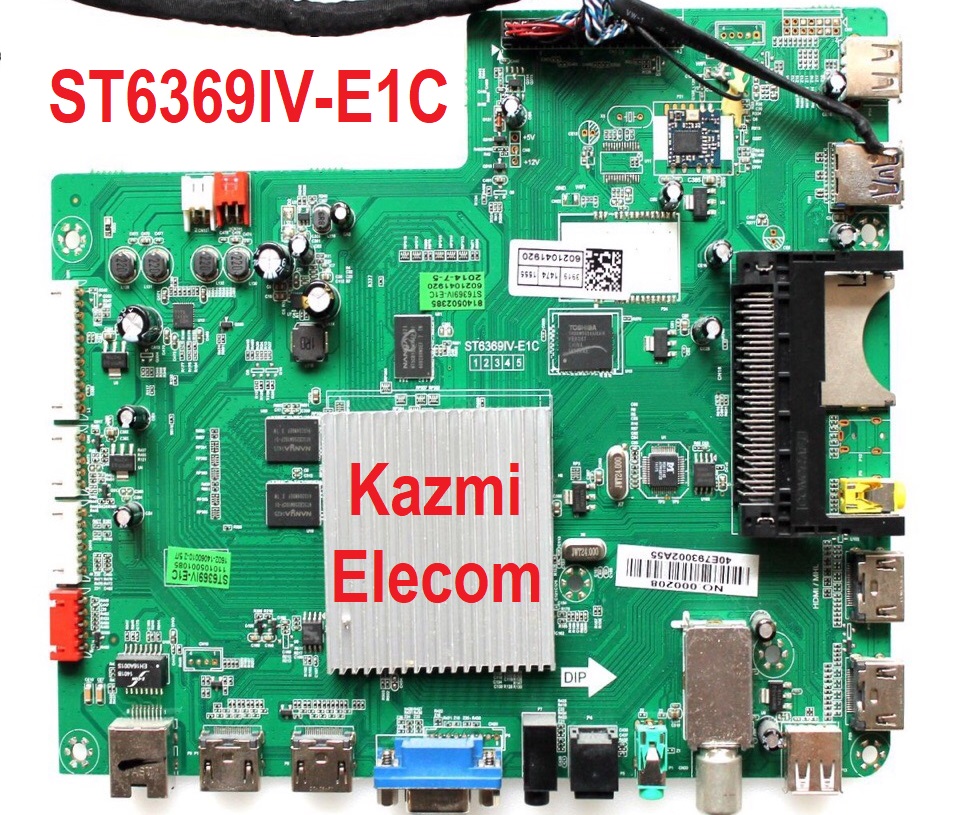
ST6369IV-E1C Software Free Download

ST6369IV-E1C LED TV Board

ST6369IV-E1C is a simple ATV Driver Motherboard designed for LCD/LED TVs. This board is suitable for the Asia Pacific and the Middle East markets. It is designed to support Full HD LCD/LED Panel Screens. This is a Non-Combo Board. The main power module and LED Backlight Inverter Circuit module are required separatley but ATV Card is builtin into this motherboard. This board has all the features and connectivity ports as per the latest requirements like HDMI input, USB interface, PC input, Component Input, TV, and Scart. Its USB interface can be used for updating software/firmware and for playing multimedia files as well. It can also support Earphone output. ST6369IV-E1C firmware files are given below for the technician’s support.

St6369Iv-E1C

General Specifications:

Brand/Mark: Universal Board

Model: ST6369IV-E1C

Main Chip:

Product: LCD/LED TV

LED Backlight: mA

Flash IC: Mb

Sound Chip:

Tuner IC:

Screen supported: inch

Resolution: Up to 1920×1080

Panel Voltage: 5V, 12V

Power Input: 12V DC

Firmware Name:

Firmware Type:

Service Code:

Source/Input

Note: The following firmware is a backup file. Kazmi Elecom Team is not responsible for any type of damage/loss as a result of uploading/downloading the firmware. First check and verify the main board then install software. If you are new and do not have enough knowledge of loading/installing software/firmware or dumpfiles, or facing any issues during firmware installation then visit and read here first.

ST6369IV-E1C firmware for free download:

Kazmi-Elecom

For video tutorials, visit “Kazmi Elecom” my YouTube channel.
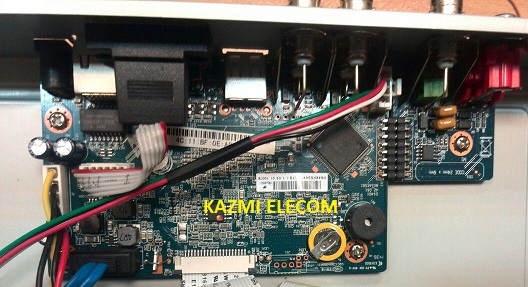
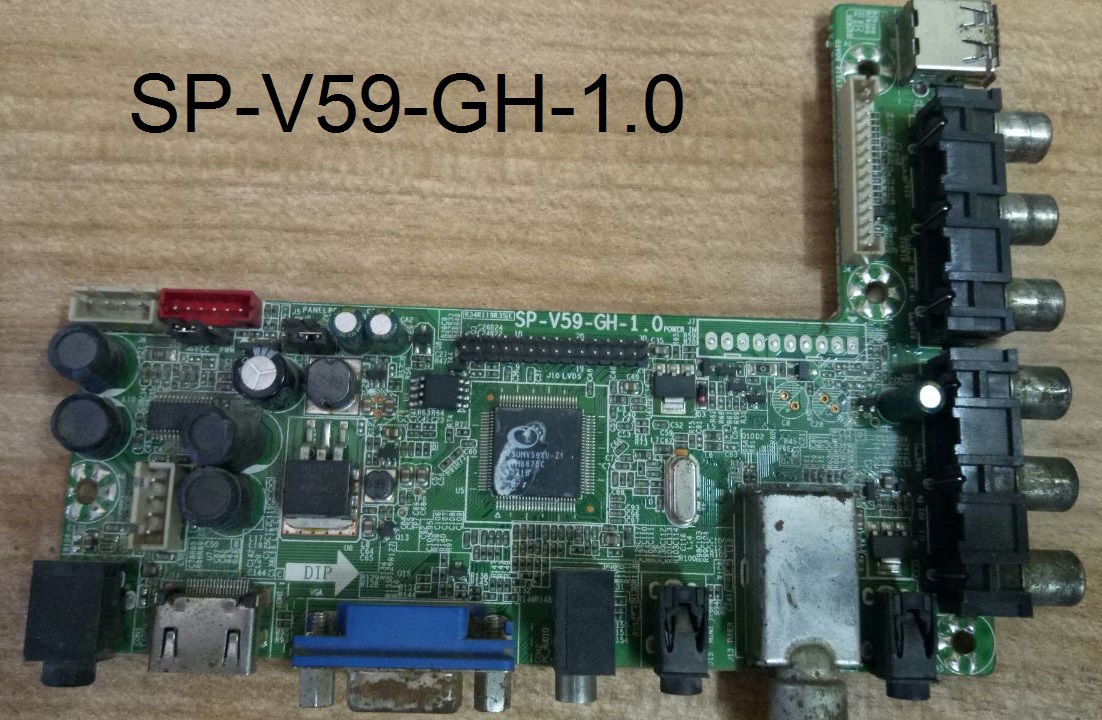
SP-V59-GH Software Free Download

SP-V59-GH V59 Universal Board

Basic Info:

Model No. SP-V59-GH-1.0, SP-V59-GH-1.1

Main Chipset: TSUMV59XU-Z1

Display Format: up to 1920×1080

Aspect Ratio: 4:3, 16:9 & 16:10

Sp_V59_Gh_Firmware

General Specifications:

TV System: PAL/SECAM/NTSC

Panel Interface: Single-channel or Dual-channel LVDS

Key Button Functions: CH-/CH+/MENU/VOL-/VOL+Souce/Power

Multi-Language OSD: Yes

Input/Output Ports: HDMI, VGA, AV, USB, RF TV interface and Earphone Out

Audio O/P Power: 2 x 3 Watt (8 ohm)

Panel Voltage: +3.3V/+5V/+12V DC (jumping cap setting)

Backlight: Yes

USB Port: Yes (Firmware Upgrade and Multimedia Playback Support)

USB File Format: Audio (Mp3, wma, m4a/aac), Video (avi, mp4, ts/trp, mkv/mov, mpg, dat, vob, rm/rmvb),                                                 Picture (Jpg, jpeg, bmp, png), Text (text)

IR Control: Yes (Controllable by Remote Control)

Electrical Parameters:

Working Input Voltage: DC +12 Volt

Maximum Current: 2000mA (Without Panel)

Standby Power: <0.2W (for the motherboard only)

Maximum Current for USB: 500mA

Factory Service Mode:

Menu+1147

Note: The following firmware collection is a Backup Dump saved from working LED TVs that can be loaded by a programmer. Kazmi Elecom Team is not responsible for any type of damage/loss as a result of uploading/downloading the firmware. If you are new and do not have enough knowledge of loading or installing software/firmware or dump files then read here first.

How to Download Firmware File:

Download your required file of the following firmware and then extract it you will get the folder. Now you can write the file with a programming tool. For more details about the download, process watch the video Click Here

SP-V59-GH Firmware Free Download Here :

Kazmi-Elecom

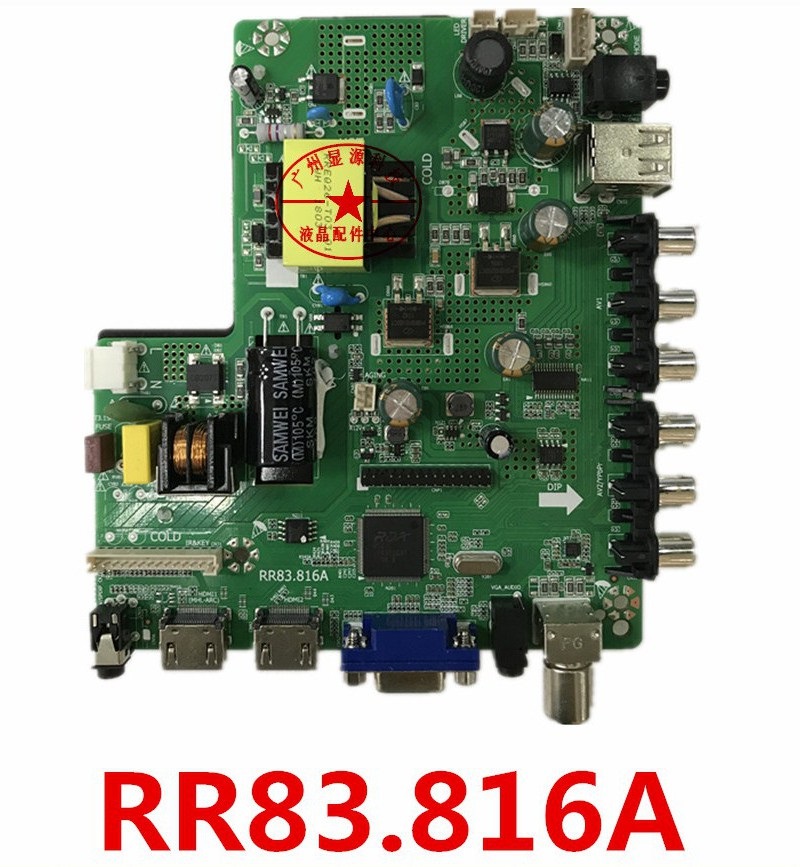
RR83.816A Software Free Download

RR83.816A LCD/LED TV Board

RR83.816A FHD three-in-one LCD/LED TV Driver Card for LED Display Screen 28″ to 32″. RR83_816A can support up to 1920×1080 screen panel resolution. The USB interface can be used for software Upgrade and Multimedia Playback functions. RR83-816A is specially designed for the Middle East and Asian Countries.

Basic Info:

Model No. RR83.816A (Combo Board)

Main Chipset: RDA8503C

LED Backlight: 25W

Display Format: 1080 Full HD

Panel Supported: 28″ to 32″

Aspect Ratio: 16:9

Wide Screen: Yes

Backlight: LED

Display: TFT-LCD

Rr83.816A_Firmware

General Specifications:

TV System: PAL/SECAM/NTSC

Panel Interface: Single channel or Dual-channel LVDS

Key Button Functions: CH-/CH+/MENU/VOL-/VOL+Souce/Power

Language OSD: English,Hindi,Simplified ,Chinese,Khmer,Myanmar,French,German,Italian,Spanish

Input/Output Ports: HDMI, VGA, AV, USB, RF TV interface, and Earphone Out

Audio O/P Power: 2 x 5 Watt (8 ohms)

Max. Resolution: 1920×1080

Panel Voltage:  12V, 5V

Backlight: 25-48W 36-42V 560mA

USB Port: USB interface for Firmware Upgrade and Multimedia Playback Support

Note: External DC 12V Power Jack is also available on this board

Electrical Parameters:

Working Input Voltage: 100-240V AC

Maximum Current: 5000mA (Without Panel)

Standby Power: <0.2W (for the motherboard only)

Maximum Current for USB: 500mA

Factory Service Mode:

Menu+1147

Note: Following the given firmware is USB upgradeable. Kazmi Elecom Team is not responsible for any type of damage/loss as a result of loading/installing the firmware. If you are new and do not have enough knowledge of loading or installing software/firmware or dump files then read here first.

How to Download  Firmware Files:

Download your required resolution and then extract it you will get the folder. Now copy the bin file to USB. For more Details about the download process watch the video Click Here

RR83.816A Firmware  for Free Download Here :

Download Button Kazmi Elecom

S.NO.BOARD/DESCRIPTIONDOWNLOAD LINK
1RR83.816A_1366x768_Samsung_Backup_DumpDownload
error: Content is protected !!