Tag Archives: kazmi elecom

TPD.RT2841A.PB782 Firmware Free Download

TPD.RT2841A.PB782 Smart Android Board

TPD.RT2841A.PB782 is a smart Android Intelligent Network LCD/LED TV Board. It is suitable for the LVDS interface and supports more than 32-46 inches LED panels, maximum resolution of up to 1920×1080 FHD. TPD_RT2841A_PB782 is a three-in-one (combo) board, i.e., a power card, a backlight driver module, and an ATV board are built into it. TPD-RT2841A-PB782 has multiple input interface ports like USB, HDMI, AV, Scart port, and LAN port for wired internet connectivity. It is also built with a Wireless interface.

TPD RT2841A PB782 came with some brand LED TVs like TCL LED TV, Union TV, Thomson LED TV, etc. Its USB interface can be used for loading software as well as for playing multimedia files. TPD.RT2841A.PB782 supports analog TV signals, and digital TV (DVB-C, DVB-S2, DVB-T2). TPD.RT2841A.PB782 firmware file is given below for the technician’s support.
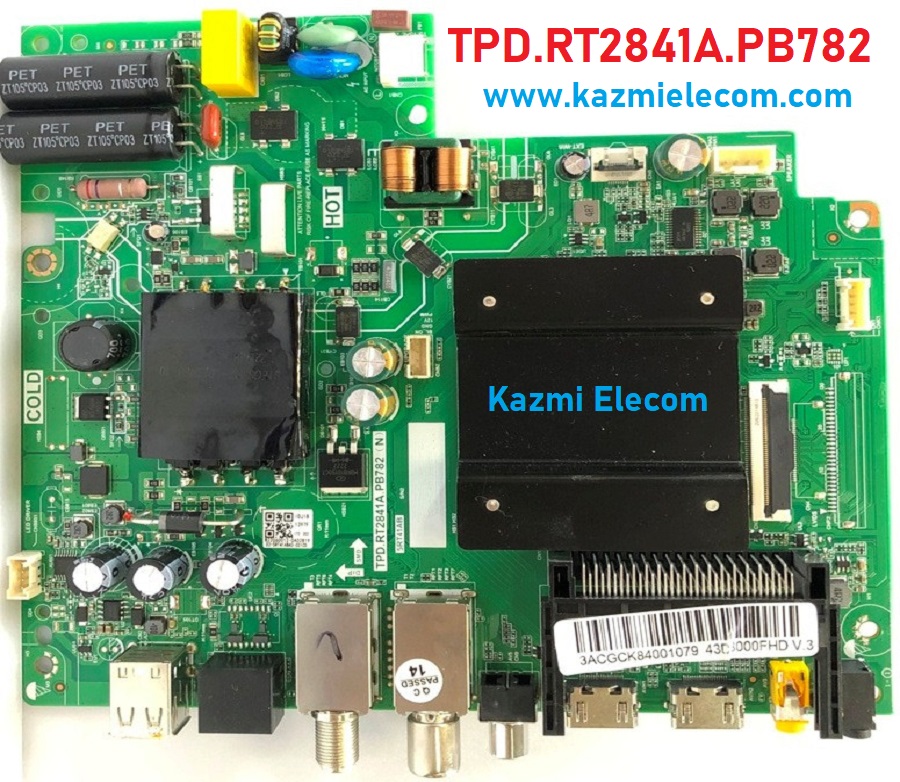
Tpd.rt2841A.pb782

General Specifications:

Model: TPD.RT2841A.PB782 (T), TPD.RT2841A.PB782 (N), 5RT41AB

Main Chipset: RT41K

Resolution Supported: 1920×1080

CPU: CA53*4 64-bit

CPU Frequency: 1.5 Hz

GPU: Mali470x2

OS: Android

Ram: 1G

Rom: 8Gb

Audio Output Power: 2X8 W (8Ω)

Tuner: Auto/PAL/NTSC/SECAM, DK/BG/I/M DTV:DVB-T2/T/C

Backlight: Adjustable

Backlight Power:

Service Code:

Power Input: AC 100V-240V 50/60Hz

Power Consumption: 75W

Firmware File: Install.img

Firmware Type: USB upgradable Firmware,

Firmware Version: V8-T841AGL-0000252-CTS

Product: Casper, Artel, Panasonic, and Multi Brands

Tpd.rt2841A.pb782

Note: The following given software/firmware is USB upgradeable and EMMC backup file. Kazmi Elecom Team is not responsible for any type of damage/loss as a result of uploading/downloading the firmware. First Check the mainboard and then install the software. If you are new and do not have enough knowledge of loading or installing software/firmware or dump files then read here first.

How to Download:

Download all parts of the following firmware/software and then extract any one of them, and you will get the folder. Now copy the files to the USB. For more Details about the download process, watch the video Click Here

TPD.RT2841A.PB782 Firmware file for Free Download:

Kazmi-Elecom

CV309L-S Software Free Download

CV309L-S LED TV Board

CV309L-S is a simple ATV Driver Motherboard designed for LCD/LED TVs. This board is suitable for the Asia Pacific and the Middle East markets. This is a Non-Combo Board. The main power module and LED Backlight Inverter Circuit module are required separately while the  ATV Card is builtin into this motherboard. This LED TV Board has all the features as per the latest requirements like HDMI input, USB interface, PC input,  TV, and Scart.CV309L-S firmware files are given below for the technician’s support.

Cv309L-S

General Specifications:

Brand/Mark: Universal Board

Model: CV309L-S

Main Chip: MSD309BT-SW

Product: LED TV

LED Backlight: NA

Flash IC: 4Mb

Screen supported: 15″ to 24″

Resolution: Up to 1920×1080

Panel Voltage: 5V, 12V

Power Input: 12v DC

Service Code:

Source/Input

Note: The following firmware is a backup file. Kazmi Elecom Team is not responsible for any type of damage/loss as a result of uploading/downloading the firmware. If you are facing some issues during the loading or installing firmware files then read here first.

How to Download Firmware Files:

Download all parts of the following firmware and then extract any one of them you will get the folder. Now copy the files to USB. for More Detail about the download process watch the video Click Here

CV309L-S firmware for free download:

Kazmi-Elecom

For video tutorials, visit “Kazmi Elecom” my youtube channel.

CV308H-A Software Free Download

CV308H-A LED TV Board

CV308H-A is an analog LCD/LED TV driver motherboard that is designed for Asian markets. CV308H_A is designed with different properties and features to support the different sizes of panel screens. CV308H-A is not a combo card which means a separate power supply module will be required to operate this board. CV308H A has multiple input ports like HDMI, VGA input, USB, AV-IN, AV-OUT, etc. Some boards have a dual AV input interface and Scart with an extension board.

Cv308H-A

General Specifications:

Model: CV308H-A

Main Chipset: MSD306

Resolution Supported: 1920×1080 FHD

Aspect ratio: 16:4

Screen Supported: 32″ to 42″

Flash size: 4 MB

Tuner: TDTC-G901D

How to Download Firmware Files:

Download your required firmware file and then extract it you will get the folder. Now copy the files to USB. for More Detail about the download process watch the video Click Here

Note: Following given firmware is a backup file and can be loaded by a programmer. Kazmi Elecom Team is not responsible for any type of damage/loss as a result of installing/loading the firmware. If you are new and do not have enough knowledge of loading or installing software/firmware or dump files then read here first.

CV308H-A firmware for free download:

Kazmi-Elecom

For video tutorials, visit “Kazmi Elecom” my youtube channel.

CV181L-Y Software Free Download

CV181L-Y LED TV Board

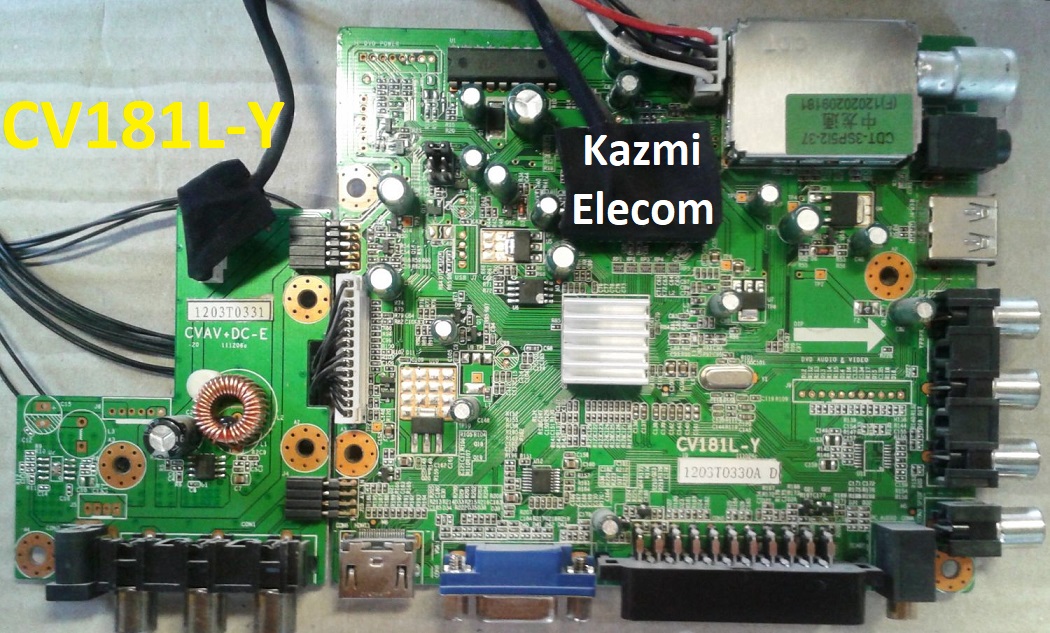
CV181L-Y is an analog LCD/LED TV driver motherboard that is designed for Asian markets. CV181L_Y is designed with different properties and features to support the different sizes of panel screens. CV181L-Y is not a combo card which means a separate power supply module will be required to operate this board. CV181L Y has multiple input ports like HDMI, VGA input, USB, AV-IN, AV-OUT, etc. Some boards have a dual AV input interface and Scart with an extension board.

Cv181L-Y

General Specifications:

Model: CV181H-A

Main Chipset:

Resolution Supported: 1920×1080 FHD

Aspect ratio: 16:4

Screen Supported: 15″ to 24″

Flash size: 4 MB

Tuner: CDT-3SP512-37

How to Download Firmware Files:

Download your required firmware file and then extract it you will get the folder. Now copy the files to USB. for More Detail about the download process watch the video Click Here

Note: Following given firmware is a backup file and can be loaded by a programmer. Kazmi Elecom Team is not responsible for any type of damage/loss as a result of installing/loading the firmware. If you are new and do not have enough knowledge of loading or installing software/firmware or dump files then read here first.

CV181L-Y firmware for free download:

Kazmi-Elecom

For video tutorials, visit “Kazmi Elecom” my youtube channel.

CV309H-X Software Free Download

CV309H-X LED TV Board

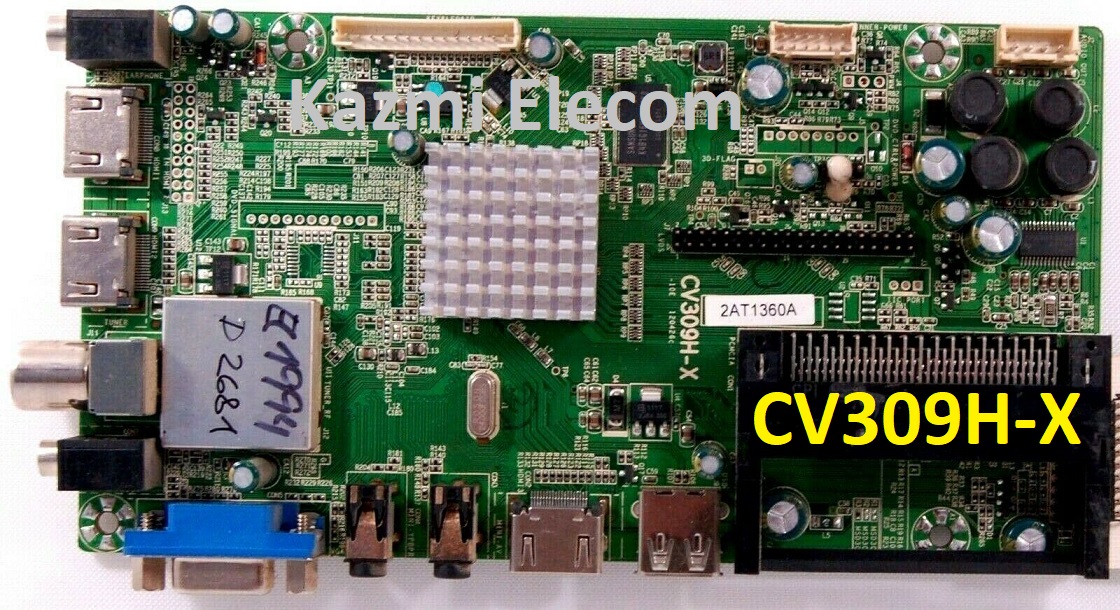
CV309H-X is a simple ATV Driver Motherboard designed for LCD/LED TVs. This board is suitable for the Asia Pacific and the Middle East markets. This is a Non-Combo Board. The main power module and LED Backlight Inverter Circuit module are required separately while the  ATV Card is builtin into this motherboard. This LED TV Board has all the features as per the latest requirements like HDMI input, USB interface, PC input,  TV, and Scart.CV309H-X firmware files are given below for the technician’s support.

Cv309H-X

General Specifications:

Brand/Mark: Universal Board

Model: CV306H-K

Main Chip: MSD309BT

Product: LED TV

LED Backlight: 32-55 v/25w

Flash IC: 4Mb

Screen supported: 32″ to 46″

Resolution: Up to 1920×1080

Panel Voltage: 5V, 12V

Power Input: 220V AC

Service Code:

Source/Input

Note: The following firmware is a backup file. Kazmi Elecom Team is not responsible for any type of damage/loss as a result of uploading/downloading the firmware. If you are facing some issues during the loading or installing firmware files then read here first.

How to Download Firmware Files:

Download all parts of the following firmware and then extract any one of them you will get the folder. Now copy the files to USB. for More Detail about the download process watch the video Click Here

CV309H-X firmware for free download:

Kazmi-Elecom

For video tutorials, visit “Kazmi Elecom” my youtube channel.

TP.SK529.PB815 Software Free Download

TP.SK529.PB815 Smart Android Board

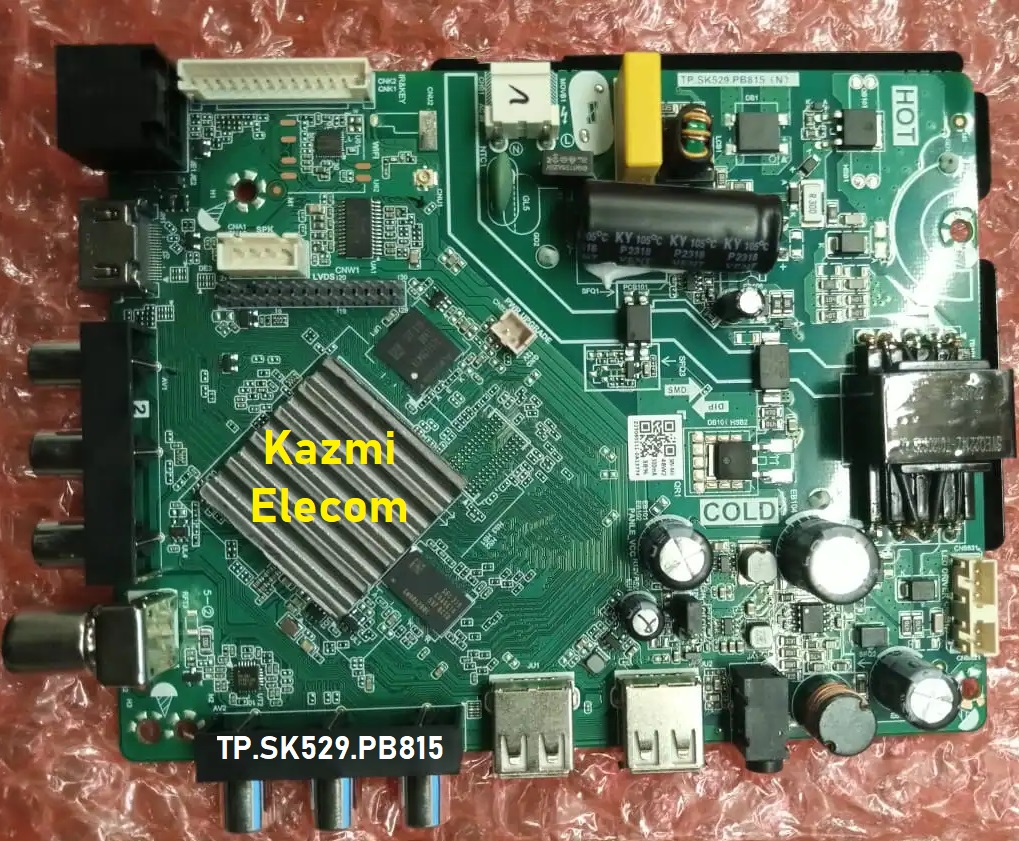
TP.SK529.PB815 is an Android network driver smart LED TV board with an FHD resolution of 1920×1080. TP_SK529_PB815 has a powerful wifi system. Smart FHD TV With the latest Android Platform and great features to entertain Full HD Wide Screen with better-to-work SMART. TP SK529 PB815 Smart Board has multiple ports A/V, USB interface Ports, and a single HDMI port, as well as the VGA interface for computers. TP-SK529-PB815 has a LAN/RJ45 Connector interface port for the wired internet network.

TP.SK529.PB815 is a Combo Network Triple play board that has the Digital TV tuner built-in in it (DTMB/DVB-C/ATSC/ISDB-T). The Graphics and Sound quality of this android board are very good and the Response rate is very efficient. TP.SK529.PB815 China smart network board is the best fit for 32″ to 42″ LED Panels. TP.SK529.The PB815 firmware file is available for technician support. If you are facing any issues during firmware installation then visit and read here first.

Tp.sk529.Pb815

General Specifications:

Brand/Mark: Main Board (Android WIFI Network Drive Smart Board)

Main Board: TP.SK529.PB815

Main Chipset: HV352

Operating System: Android 12

CPU: Multi Core Arm Cortex A53 64-bit

GPU: Mali 450

CPU Frequency: 1.2GHz

GPU Frequency: 432MHz

RAM: 512MB

ROM: 4 Gb

Resolution: up to 1920×1080

Backlight: 35V-52V 25W480mA

Screen Size supported: 32 to 42 Inch

Audio Output power: 2x8W

Mirror Mode: Yes

Logo Change: Yes

Bluetooth: Yes

Tuner: SI2159

Input Voltage: 200-240V AC

Firmware Name:allupgrade_V3520N0E_4G_512M_60.bin

Firmware Type: USB Updateable Firmware

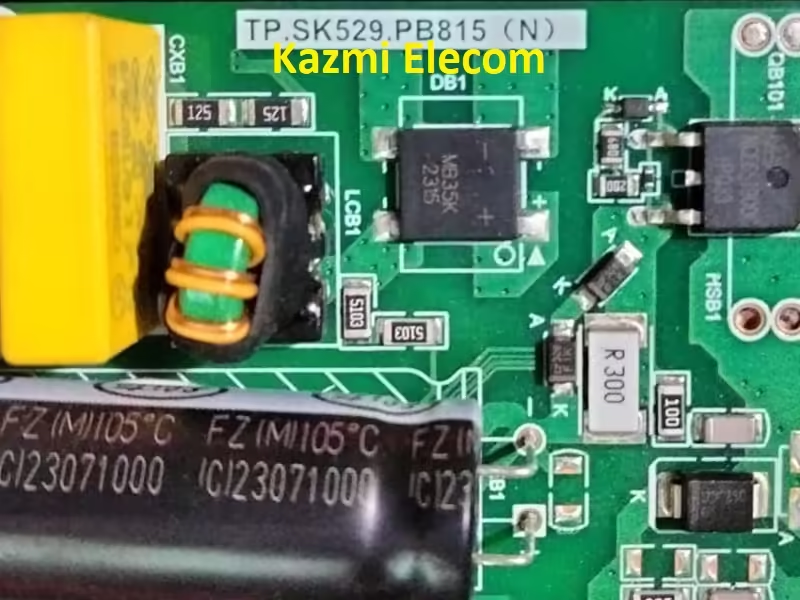
Tp.sk529.Pb815.Jpeg Jpg

Note The following given Software/firmware is USB upgradeable. Kazmi Elecom Team is not responsible for any type of damage/loss as a result of uploading/downloading the firmware.

How to Download Firmware Files:

Download all parts of the following given firmware/Software and then extract any one of them you will get the folder. Now copy the files to USB. For more Details about the download process watch the video Click Here

TP.SK529.PB815 Software file for free download:

Kazmi-Elecom

TP.MS1306.PB775 Software Free Download

TP.MS1306.PB775 LED TV Board

Model No. TP.MS1306.PB775 MS06XP1 (Combo Board)

Main Chipset: MSD1306XS-Z1

LED Backlight: 63v 600mA

Display Format: up to 1920×1080

Panel Supported: 39″ t0 43″

Aspect Ratio: 4:3, 16:9 & 16:10

Tp.ms1306.Pb775

General Specifications:

TV System: PAL/SECAM/NTSC

Panel Interface: Single channel or Dual-channel LVDS

Key Button Functions: CH-/CH+/MENU/VOL-/VOL+Souce/Power

Multi-Language OSD: Yes

Input/Output Ports: HDMI, VGA, AV, USB, RF TV interface, and Earphone Out

Audio O/P Power: 2 x 8 Watt (8 ohms)

Panel Voltage: 12V DC Default

USB Port: Yes (Firmware Upgrade and Multimedia Playback Support)

USB File Format: Audio (Mp3, wma, m4a/aac), Video (avi, mp4, ts/trp, mkv/mov, mpg, dat, vob, rm/rmvb), Picture (Jpg, jpeg, bmp, png), Text (text)

IR Control: Yes (Controllable by Remote Control)

Electrical Parameters:

Working Input Voltage: AC 220V

Maximum Current: 3000mA (Without Panel)

Standby Power: <0.2W (for the motherboard only)

Maximum Current for USB: 500mA

Note: The following is given MS06XP1 firmware as a backup file. Kazmi Elecom Team is not responsible for any type of damage/loss as a result of uploading/downloading the firmware. If you are new and do not have enough knowledge of loading or installing software/firmware or dump files then read here first.

How to Download MS06XP1 Firmware files:

Download the following given MS06XP1 firmware and then extract you will get the folder. Now load the file by the programmer. For More Detail about the download, process watch the video Click Here

TP.MS1306.PB775 Firmware Free Download Here :

Kazmi-Elecom

For video tutorials, visit “Kazmi Elecom” my youtube channel.

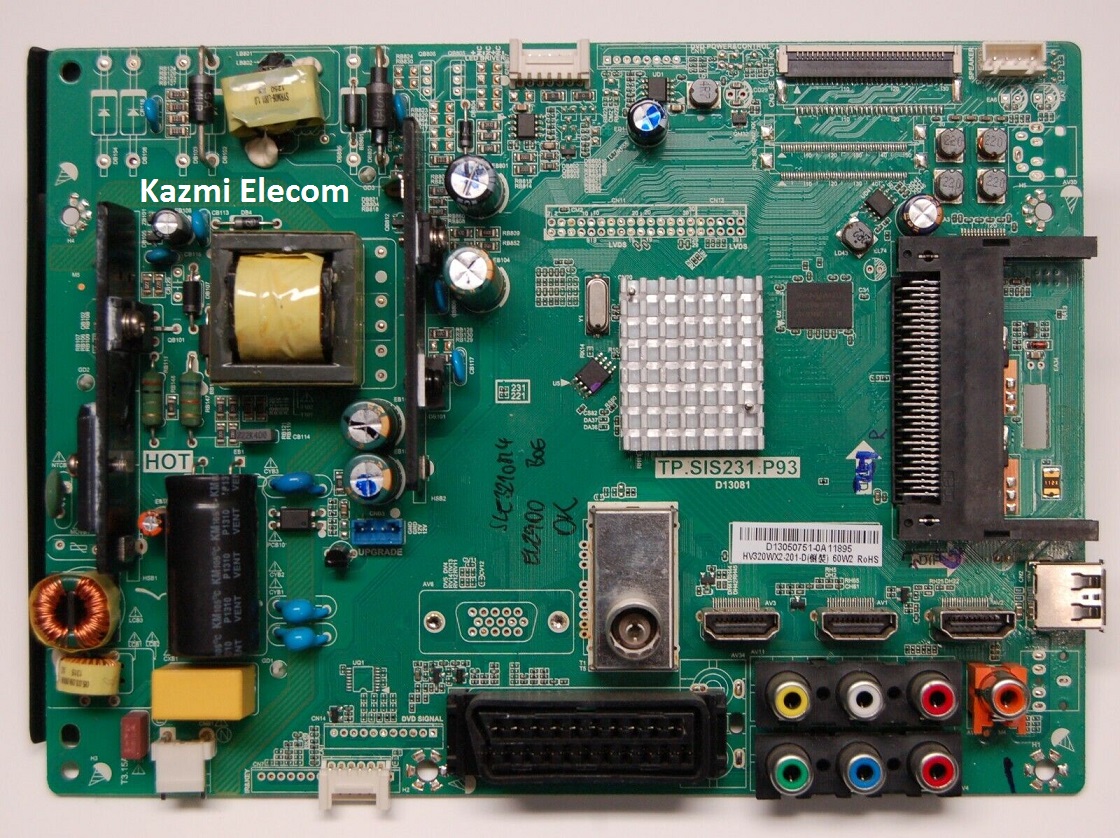
TP.SIS231.P93 Software Free Download

TP.SIS231.P93 LED TV Board

TP.SIS231.P93 is an LCD/LED TV Board. It is suitable for the LVDS interface and supports more than 27-32 inches of LED panels, with a maximum resolution of up to 1920*1080. TP_SIS231_P93 is a three-in-one (combo) board i.e power card, backlight driver module, and ATV board builtin in it. TP-SIS231-P93 has multiple input interface ports like USB, HDMI, AV, Scart port, and VGA port for computer connectivity.

TP SIS231 P93 for many brands of LED TVs like Fuego, Saba, Crown, Bush, etc. Its USB interface can be used for loading software as well as for playing multimedia files. TP.SIS231.P93 support for analog TV signals. TP.SIS231.P93 firmware files are given below for the technician’s support.

Tp.sis231.P93

General Specifications:

Model: TP.SIS231.P93

Main Chipset: SIS231

Resolution Supported: 1920×1080

Flash Memory: 25Q64

Television System: PAL (BG, DK), SECAM (BG, DK, LL)

Tuner: DVB-T, DVB-C

Audio Output Power: 2X6 W (8Ω)

Backlight: 300mA

Backlight Power: 60 W

Power Input: 100 to 240V

Power Consumption: 45W

Service Code: Menu 1147, Balance (value is “0”) +1969

Firmware Name: SISEU23X8M.bin

Firmware Type: USB Bootable Firmware and Flash Backup Dump

Note: The following given software/firmware is USB upgradeable and Backup Dump Files. Kazmi Elecom Team is not responsible for any type of damage/loss as a result of loading/installing the firmware. If you are new and do not have enough knowledge of loading or installing software/firmware or dump files then read here first.

How to Download:

Download the following given firmware/software and then extract you will get the folder. Now copy the files to USB. for More Detail about the download process watch the video Click Here

TP.SIS231.P93 Firmware files for Free Download:

Kazmi-Elecom

S.NO.BOARD/DESCRIPTIONDOWNLOAD LINK
1TP.SIS231.P93_1366x768_AKAI_DUMPDownload
2TP.SIS231.P93_1366x768_DAEWOO_DUMPDownload
3TP.SIS231.P93_1366x768_HOBEK_DUMPDownload
4TP.SIS231.P93_1366x768_QONIX_DUMPDownload
5TP.SIS231.P93_1366x768_SENCOR_DUMPDownload

For video tutorials, visit “Kazmi Elecom” my youtube channel.

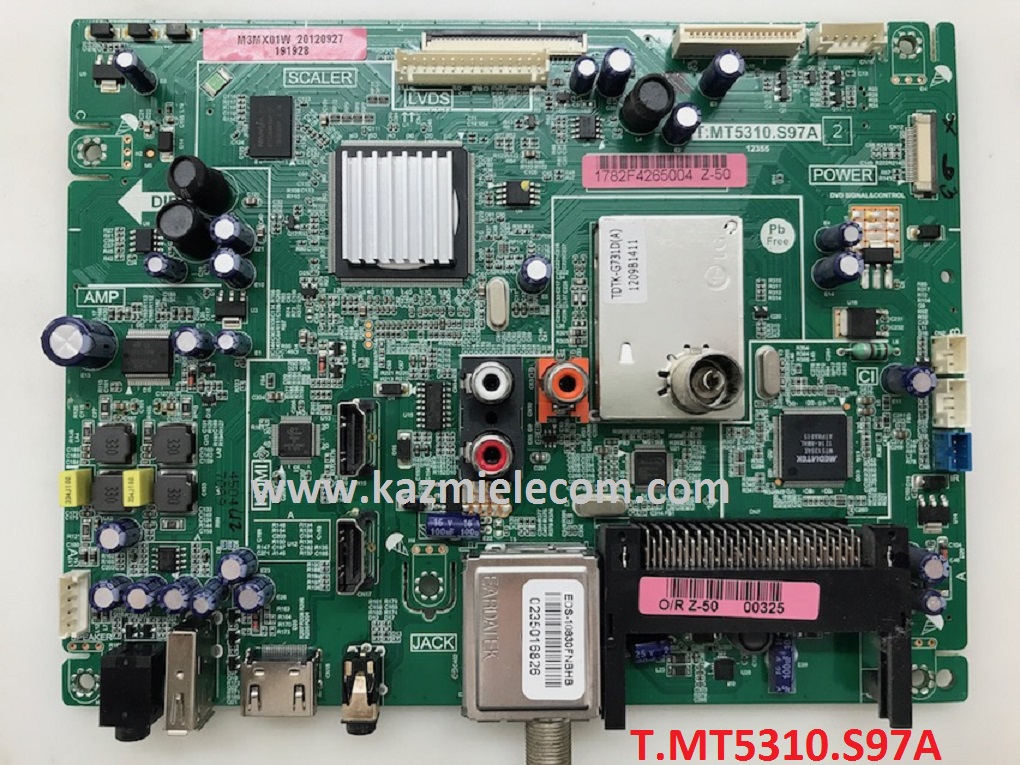
T.MT5310.S97A Software Free Download

T.MT5310.S97A LED TV Board

TP.MT5310.S97A is an LCD/LED TV Board. It is suitable for the LVDS interface and supports more than 27-39 inches of LED panels, with a maximum resolution of up to 1920*1080. TP_MT5310_S97A is a non-combo board i.e power card, backlight driver module is required separately while an ATV board is built-in into it. TP-MT5310-S97A has multiple input interface ports like USB, HDMI, AV, Scart port, and VGA port for computer connectivity.

TP MT5310 S97A for many brands of LED TVs like Fuego, Saba, Crown, Bush, etc. Its USB interface can be used for loading software as well as for playing multimedia files. TP.MT5310.S97A support for analog TV signals. TP.MT5310.S97A firmware files are given below for the technician’s support.

T.mt5310.S97A

General Specifications:

Model: T.MT5310.S97A

Main Chipset: MT5310

Resolution Supported: 1920×1080

Flash Memory: 25Q64

Television System: PAL (BG, DK), SECAM (BG, DK, LL)

Tuner: DVB-T, DVB-C

Audio Output Power: 2X6 W (8Ω)

Backlight: 300mA

Backlight Power: 45 W

Power Input: 100 to 240V

Power Consumption: 45W

Service Code: Menu 1147

Firmware Name: upgrade_5310_s2.pkg

Firmware Type: USB Bootable Firmware and Flash Backup Dump

Note: The following given software/firmware is USB upgradeable and Backup Dump Files. Kazmi Elecom Team is not responsible for any type of damage/loss as a result of loading/installing the firmware. If you are new and do not have enough knowledge of loading or installing software/firmware or dump files then read here first.

How to Download:

Download the following given firmware/software and then extract you will get the folder. Now copy the files to USB. for More Detail about the download process watch the video Click Here

T.MT5310.S97A Firmware files for Free Download:

Kazmi-Elecom

S.NO.BOARD/DESCRIPTIONDOWNLOAD LINK
1T.MT5310.S97A_1366x768_JVC_DUMPDownload
2T.MT5310.S97A_1366x768_ORION_DUMPDownload
3T.MT5310.S97A_1366x768_ORION_USBDownload
4T.MT5310.S97A_1920x1080_JVC_DUMPDownload
5T.MT5310.S97A_1920x1080_ORION_DUMPDownload

For video tutorials, visit “Kazmi Elecom” my youtube channel.

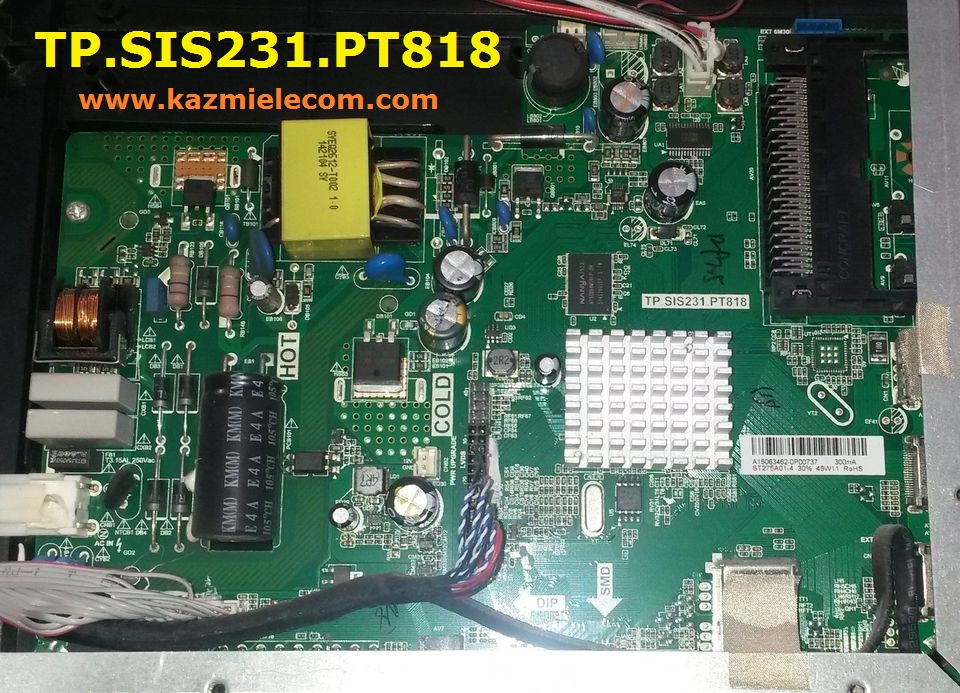
TP.SIS231.PT818 Software Free Download

TP.SIS231.PT818 LED TV Board

TP.SIS231.PT818 is an LCD/LED TV Board. It is suitable for the LVDS interface and supports more than 27-32 inches of LED panels, with a maximum resolution of up to 1920*1080. TP_SIS231_PT85 is a three-in-one (combo) board, i.e, power card, backlight driver module, and ATV board builtin in it. TP-SIS231-PT818 has multiple input interface ports like USB, HDMI, AV, Scart port, and VGA port for computer connectivity.

TP SIS231 PT818 for many brands of LED TVs like Fuego, Saba, Crown, Bush, etc. Its USB interface can be used for loading software as well as for playing multimedia files. TP.SIS231.PT85 supports analog TV signals. TP.SIS231.PT818 firmware files are given below for the technician’s support.

Tp.sis231.Pt818

General Specifications:

Model: TP.SIS231.PT818

Main Chipset: SIS231

Resolution Supported: 1920×1080

Flash Memory: 25Q64

Television System: PAL (BG, DK), SECAM (BG, DK, LL)

Tuner: DVB-T, DVB-C

Audio Output Power: 2X6 W (8Ω)

Backlight: 300mA

Backlight Power: 45 W

Power Input: 100 to 240V

Power Consumption: 45W

Service Code: Menu 1147, Balance (value is “0”) +1969

Firmware Name: SISEU23X8M.bin

Firmware Type: USB Bootable Firmware and Flash Backup Dump

Note: The following given software/firmware is USB upgradeable and Backup Dump Files. Kazmi Elecom Team is not responsible for any type of damage/loss as a result of loading/installing the firmware. If you are new and do not have enough knowledge of loading or installing software/firmware or dump files then read here first.

How to Download:

Download the following given firmware/software and then extract you will get a folder. Now copy the files to USB. for More Detail about the download process watch the video Click Here

TP.SIS231.PT818 Firmware files for Free Download:

Kazmi-Elecom

For video tutorials, visit “Kazmi Elecom” on my YouTube channel.

error: Content is protected !!