Tag Archives: kazmi elecom

SHIVAKI LCD-3210DVD Software Free Download

SHIVAKI LCD-3210DVD LED TV

SHIVAKI LCD-3210DVD is a 32 inches HD Ready LED TV with a resolution of 1366×768. LCD-3210DVD is a non-smart tv. LCD-3210DVD led TV has all the latest features and connectivity ports as HDMI port and USB port, Dual Audio Video with a 60 Hz refresh rate. It has a powerful sound output system. Its aspect ratio is 16:09 and its dynamic ratio is 150000:1.

Its view angle is SHIVAKIal: 170 degrees and vertical: 160 degrees. LCD-3210DVD has additional edge led technology, smart power saving, digital noise reduction, intelligent picture technology, eye-safe t matrix, brightness is 250 cd/m2 and response time is 5 ms. SHIVAKI Software file is given below for the technician’s support. For more SHIVAKI Software collection visit here.

Shivaki Lcd-3210Dvd

General Specifications & Features:

Make: SHIVAKI

Model: LCD-3210DVD

Display Size: 32″

Storage Memory: MB

HD Technology: HD

Panel: HD

No of HDMI Ports:

No of USB Ports:

No of AV Ports:

Speaker Output RMS:

Power Requirement: AC 110 – 240 V, 50/60 Hz

Power Consumption: W, 0.5 W (Standby)

Software Type: Backup Dump

Software Name:

Main Board:

Note: Following given Software is backup dump. Kazmi Elecom Team is not responsible for any type of damage/loss as a result of uploading/downloading the Software.If you are new and do not have enough knowledge of loading or installing software/firmware or dump files then read here first.

Kazmi-Elecom

SHIVAKI LCD-3210DVD Software Free Download.

For video tutorials, visit “Kazmi Elecom” my youtube channel.

SHIVAKI STV-22L6 Software Free Download

SHIVAKI STV-22L6 LED TV

SHIVAKI STV-22L6 is a 22 inches HD Ready LED TV with a resolution of 1366×768. STV-22L6 is a non-smart tv. STV-22L6 led TV has all the latest features and connectivity ports as HDMI port and USB port, Dual Audio Video with a 60 Hz refresh rate. It has a powerful sound output system. Its aspect ratio is 16:09 and its dynamic ratio is 150000:1.

Its view angle is SHIVAKIal: 170 degrees and vertical: 160 degrees. STV-22L6 has additional edge led technology, smart power saving, digital noise reduction, intelligent picture technology, eye-safe t matrix, brightness is 250 cd/m2 and response time is 5 ms. SHIVAKI Software file is given below for the technician’s support. For more SHIVAKI Software collection visit here.

Shivaki Stv-22L6

General Specifications & Features:

Make: SHIVAKI

Model: STV-22L6

Display Size: 22″

Storage Memory: MB

HD Technology: HD

Panel: HD

No of HDMI Ports:

No of USB Ports:

No of AV Ports:

Speaker Output RMS:

Power Requirement: AC 110 – 240 V, 50/60 Hz

Power Consumption: W, 0.5 W (Standby)

Software Type: Backup Dump

Software Name:

Main Board:

Note: Following given Software is backup dump. Kazmi Elecom Team is not responsible for any type of damage/loss as a result of uploading/downloading the Software.If you are new and do not have enough knowledge of loading or installing software/firmware or dump files then read here first.

Kazmi-Elecom

SHIVAKI STV-22L6 Software Free Download.

For video tutorials, visit “Kazmi Elecom” my youtube channel.

SHIVAKI STV-19L06 Software Free Download

SHIVAKI STV-19L06 LED TV

SHIVAKI STV-19L06 is a 19 inches HD Ready LED TV with a resolution of 1366×768. STV-19L06 is a non-smart tv. STV-19L06 led TV has all the latest features and connectivity ports as HDMI port and USB port, Dual Audio Video with a 60 Hz refresh rate. It has a powerful sound output system. Its aspect ratio is 16:09 and its dynamic ratio is 150000:1.

Its view angle is SHIVAKIal: 170 degrees and vertical: 160 degrees. STV-19L06 has additional edge led technology, smart power saving, digital noise reduction, intelligent picture technology, eye-safe t matrix, brightness is 250 cd/m2 and response time is 5 ms. SHIVAKI Software file is given below for the technician’s support. For more SHIVAKI Software collection visit here.

Shivaki Stv-19L06

General Specifications & Features:

Make: SHIVAKI

Model: STV-19L06

Display Size: 19″

Storage Memory: MB

HD Technology: HD

Panel: HD

No of HDMI Ports:

No of USB Ports:

No of AV Ports:

Speaker Output RMS:

Power Requirement: AC 110 – 240 V, 50/60 Hz

Power Consumption: W, 0.5 W (Standby)

Software Type: Backup Dump

Software Name:

Main Board:

Note: Following given Software is backup dump. Kazmi Elecom Team is not responsible for any type of damage/loss as a result of uploading/downloading the Software.If you are new and do not have enough knowledge of loading or installing software/firmware or dump files then read here first.

Kazmi-Elecom

SHIVAKI STV-19L06 Software Free Download.

For video tutorials, visit “Kazmi Elecom” my youtube channel.

SHIVAKI LCD-4230 Software Free Download

SHIVAKI LCD-4230 LED TV

SHIVAKI LCD-4230 is a 42 inches HD Ready LED TV with a resolution of 1366×768. LCD-4230 is a non-smart tv. LCD-4230 led TV has all the latest features and connectivity ports as HDMI port and USB port, Dual Audio Video with a 60 Hz refresh rate. It has a powerful sound output system. Its aspect ratio is 16:09 and its dynamic ratio is 150000:1.

Its view angle is SHIVAKIal: 170 degrees and vertical: 160 degrees. LCD-4230 has additional edge led technology, smart power saving, digital noise reduction, intelligent picture technology, eye-safe t matrix, brightness is 250 cd/m2 and response time is 5 ms. SHIVAKI Software file is given below for the technician’s support. For more SHIVAKI Software collection visit here.

Shivaki Lcd-4230

General Specifications & Features:

Make: SHIVAKI

Model: LCD-4230

Display Size: 42″

Storage Memory: MB

HD Technology: HD

Panel: HD

No of HDMI Ports:

No of USB Ports:

No of AV Ports:

Speaker Output RMS:

Power Requirement: AC 110 – 240 V, 50/60 Hz

Power Consumption: W, 0.5 W (Standby)

Software Type: Backup Dump

Software Name:

Main Board:

Note: Following given Software is backup dump. Kazmi Elecom Team is not responsible for any type of damage/loss as a result of uploading/downloading the Software.If you are new and do not have enough knowledge of loading or installing software/firmware or dump files then read here first.

Kazmi-Elecom

SHIVAKI LCD-4230 Software Free Download.

For video tutorials, visit “Kazmi Elecom” my youtube channel.

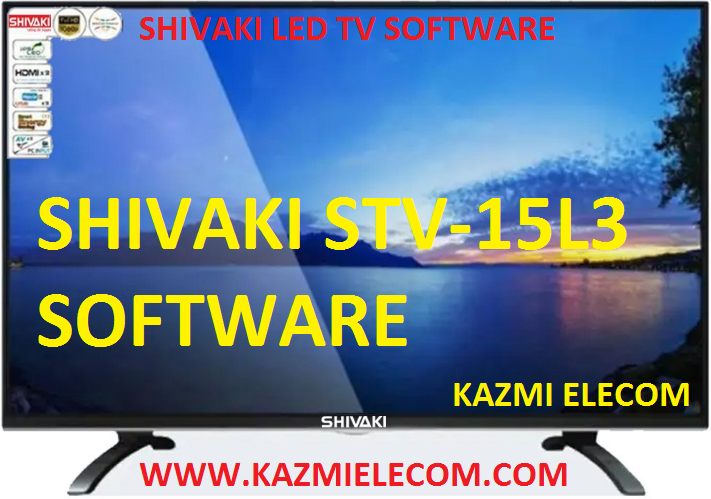
SHIVAKI STV-15L3 Software Free Download

SHIVAKI STV-15L3 LED TV

SHIVAKI STV-15L3 is a 15 inches HD Ready LED TV with a resolution of 1366×768. STV-15L3 is a non-smart tv. STV-15L3 led TV has all the latest features and connectivity ports as HDMI port and USB port, Dual Audio Video with a 60 Hz refresh rate. It has a powerful sound output system. Its aspect ratio is 16:09 and its dynamic ratio is 150000:1.

Its view angle is SHIVAKIal: 170 degrees and vertical: 160 degrees. STV-15L3 has additional edge led technology, smart power saving, digital noise reduction, intelligent picture technology, eye-safe t matrix, brightness is 250 cd/m2 and response time is 5 ms. SHIVAKI Software file is given below for the technician’s support. For more SHIVAKI Software collection visit here.

Shivaki Stv-15L3

General Specifications & Features:

Make: SHIVAKI

Model: STV-15L3

Display Size: 15″

Storage Memory: MB

HD Technology: HD

Panel: HD

No of HDMI Ports:

No of USB Ports:

No of AV Ports:

Speaker Output RMS:

Power Requirement: AC 110 – 240 V, 50/60 Hz

Power Consumption: W, 0.5 W (Standby)

Software Type: Backup Dump

Software Name:

Main Board:

Note: Following given Software is backup dump. Kazmi Elecom Team is not responsible for any type of damage/loss as a result of uploading/downloading the Software.If you are new and do not have enough knowledge of loading or installing software/firmware or dump files then read here first.

Kazmi-Elecom

SHIVAKI STV-15L3 Software Free Download.

For video tutorials, visit “Kazmi Elecom” my youtube channel.

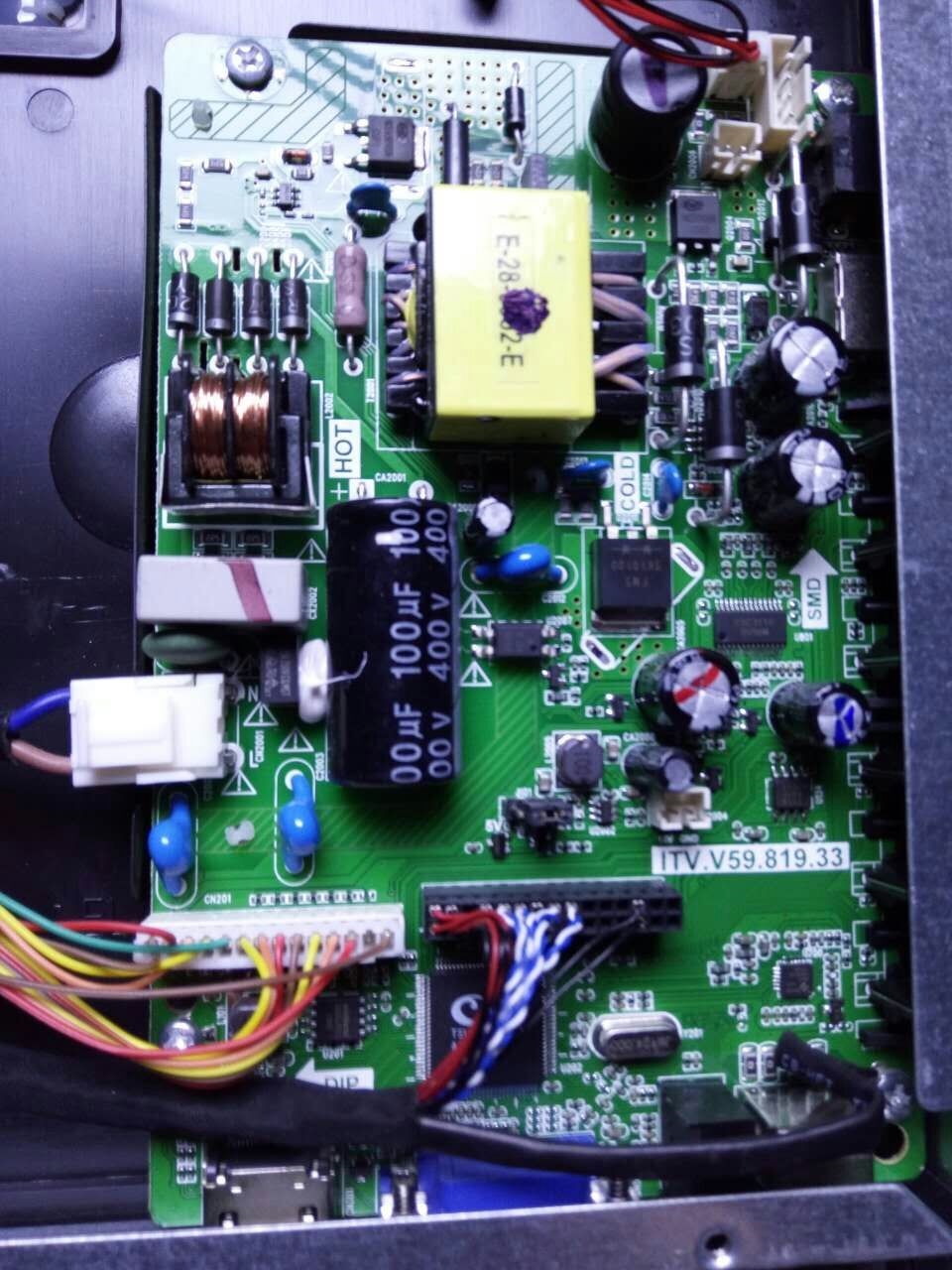
ITV.V59.819.33 Firmware Free Download

ITV.V59.819.33 LCD/LED TV Board

ITV.V59.819.33 is a combo LCD/LED driver controller board suitable for 32 to 42-inch TVs. ITV-V59.819.33 can support Full HD Panels with a supported resolution of 1920×1080. This Board is best according to its features and works as a universal driver board with any type of HD and FHD panels. ITV_V59.819.33 is best suitable for the Asia Pacific and the Middle East as well. ITV.V59.819.33 firmware files are given below for the technician’s support.

Itv.v59.819.33_Firmware

General Specifications:

Model Number: ITV.V59.819.33

Main Chip: TSUMV59

Screen Supported: 32 inch

Resolution: 1920×1080

Backlight Current: 450mA (50W)

Mirror Option:

Backlight Adjustment:

Panel Voltage: 12V

Capture Logo:

Service Menu:

Menu 1147

Firmware Type: Backup Dump

Firmware Name:

Note: The following firmware is a backup dump. Kazmi Elecom Team is not responsible for any type of damage/loss as a result of uploading/downloading the firmware. If you are new and do not have enough knowledge of loading or installing software/firmware or dump files then read here first.

How to Download ITV-V59.819.33 Firmware File:

Download the given firmware and then extract it you will get the folder. Now copy the files to USB. for More Detail about the download process watch the video Click Here

ITV.V59.819.33 firmware for free download:

Kazmi-Elecom

S.NO.BOARD/DESCRIPTIONDOWNLOAD LINK
1ITV.V59.819.33_1366x768_Backup_DumpDownload
2ITV.V59.819.33_1366x768_M90_BackupDownload

For video tutorials, visit “Kazmi Elecom” my youtube channel.

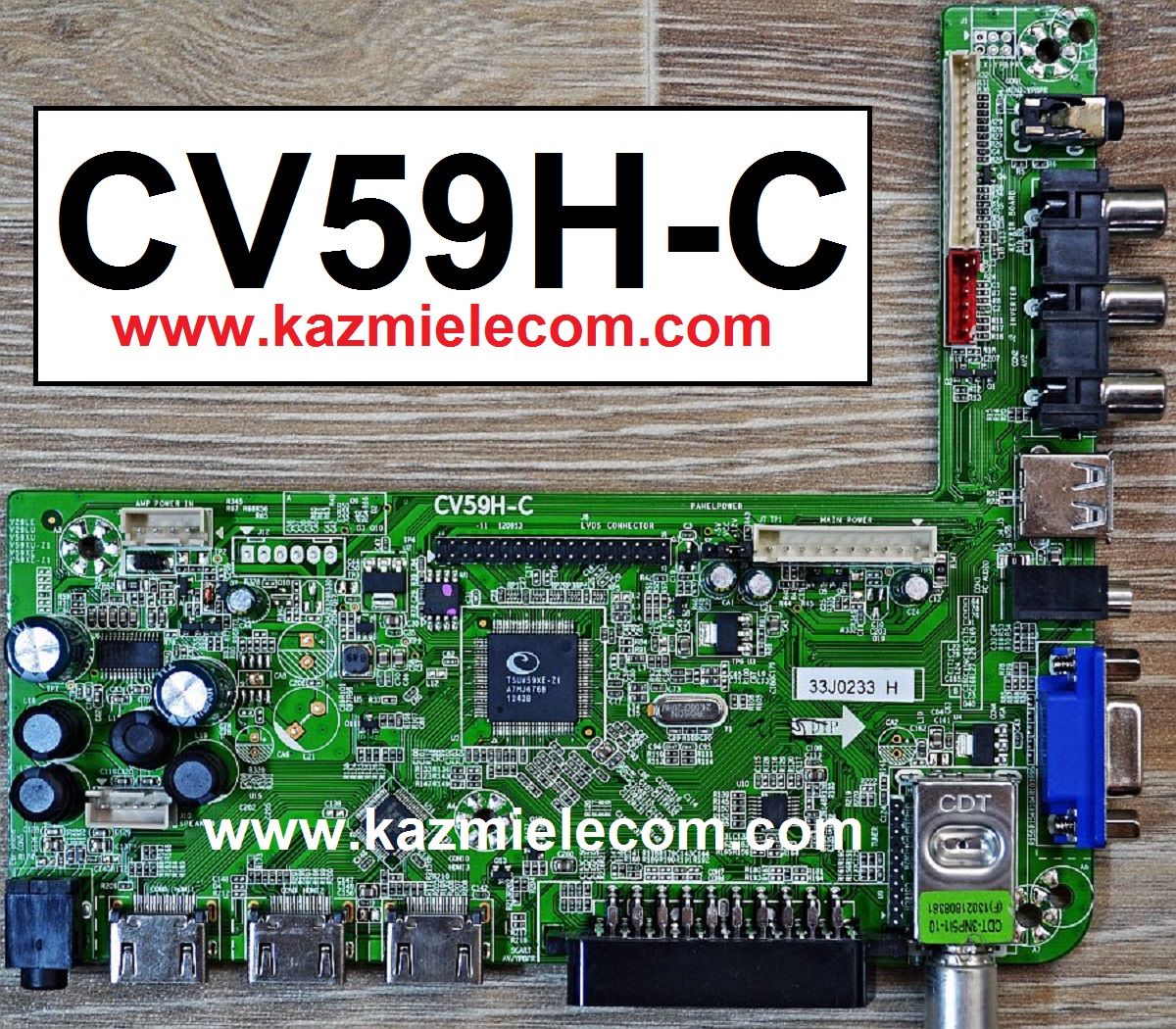
CV59H-C Software Download Free

CV59H-C LED TV Board

CV59H-C is a simple ATV Drive Board designed for LCD/LED TVs. This Board is suitable for the Asia Pacific and the Middle East markets. This is a Non-Combo Board. The main power module and LED Backlight Inverter module are required separately while the TV Tuner is placed into this PCB of the motherboard. This has all the features and connectivity interface as per the latest requirements like HDMI input, USB interface, PC input, Component Input, TV, and Headphone jack. CV59H-C software files are given for the technician’s support.

Cv59H-C

General Specifications:

Brand/Mark: Universal FHD Board

Model: CV59H-C

Main Chip: TSUMV59XE-Z1

Product: LED TV

LED Backlight: NA

Backlight Current: mA

Flash IC: 4Mb

Screen supported: 43~65 inch

Resolution: Up to 1920×1080

Panel Voltage: 12V

Power Input: 220V AC

Service Code:

Menu+1147

Note: The following given software/firmware is USB upgradeable and Backup Dump Files. Kazmi Elecom Team is not responsible for any type of damage/loss as a result of loading/installing the firmware. If you are new and do not have enough knowledge of loading or installing software/firmware or dump files then read here first.

How to Download:

Download the following given firmware/software and then extract you will get the folder. Now copy the files to USB. for More Detail about download process watch the video Click Here

CV59H-C firmware for free download:

Kazmi-Elecom

S.NO.BOARD/DESCRIPTIONDOWNLOAD LINK
1CV59H-C_1366x768_ORION_DUMPDownload
2CV59H-C_1920x1080_ARAGON_DUMPDownload
3CV59H-C_1920x1080_NIKAI_DUMPDownload
4CV59H-C_1920x1080_STARSAT_DUMPDownload
5CV59H-C_1920x1080_STAR-X_DUMPDownload

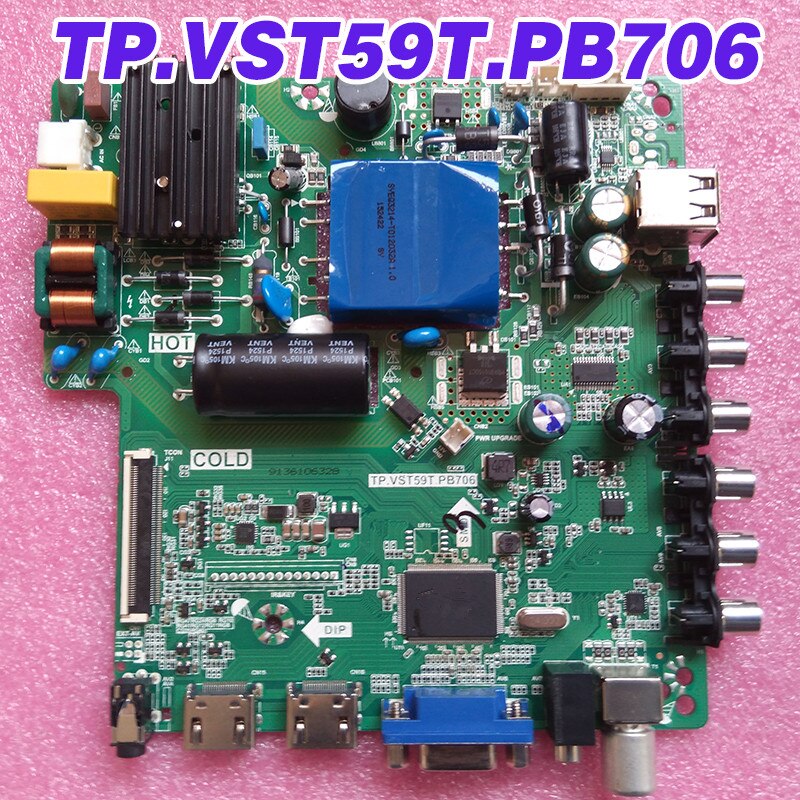
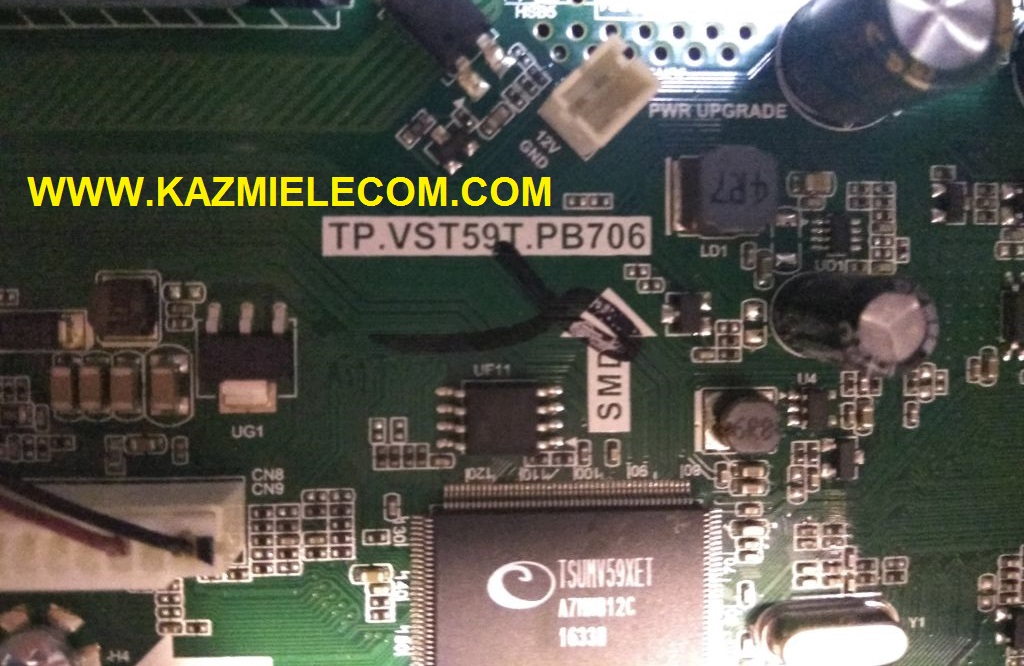
TP.VST59T.PB706 Firmware Free Download

TP.VST59T.PB706 LCD/LED TV Board

TP.VST59T.PB706 is a universal LCD/LED Board that has Full HD resolution Supported up to 1920×1080. TP_VST59T_PB706 is a combo board which means the main power supply, ATV board, and LED backlight driver board is a built-in single PCB. TP-VST59T-PB706 firmware files are given below for the technician’s support.

Tp.vst59T.pb706_Firmware

General Specifications:

Brand/Mark: China Universal

Model: TP.VST59T.PB706

Main Chip: TSUMV59

TV System: PAL\SECAM\NTSC PLAYBACK

Product: LED TV

Input Voltage: 220V AC

MAX Backlight Watt: 45W

Backlight voltage:

Resolution: up to 1920×1080

Service Menu:

Menu 1147

Tp.vst59T.pb706

Note: The following firmware is a dump backup. Kazmi Elecom Team is not responsible for any type of damage/loss as a result of uploading/downloading the firmware. If you are new and do not have enough knowledge of loading or installing software/firmware or dump files then read here first.

How to Download:

Download the following firmware and then extract you will get the folder. Now load the file by a programmer. For More Detail about download, process watch the video Click Here

Here is below TP.VST59T.PB706 firmware for free download:

Kazmi-Elecom

S.NO.BOARD/DESCRIPTIONDOWNLOAD LINK
1TP.VST59.PB706_ACONATIC AN-LT3221_Backup_DumpDownload
2TP.VST59T.PB706_COOCAA 32E20W_Backup_DumpDownload
3TP.VST59T.PB706_ERGO LE32CT1000AU_Backup_DumpDownload
4TP.VST59T.PB706_INTEX LED-3213_Backup_DumpDownload
5TP.VST59T.PB706_ONIDA LEO32HBX1_Backup_DumpDownload
6TP.VST59T.PB706_RECONNECT RELEG3206_Backup_DumpDownload

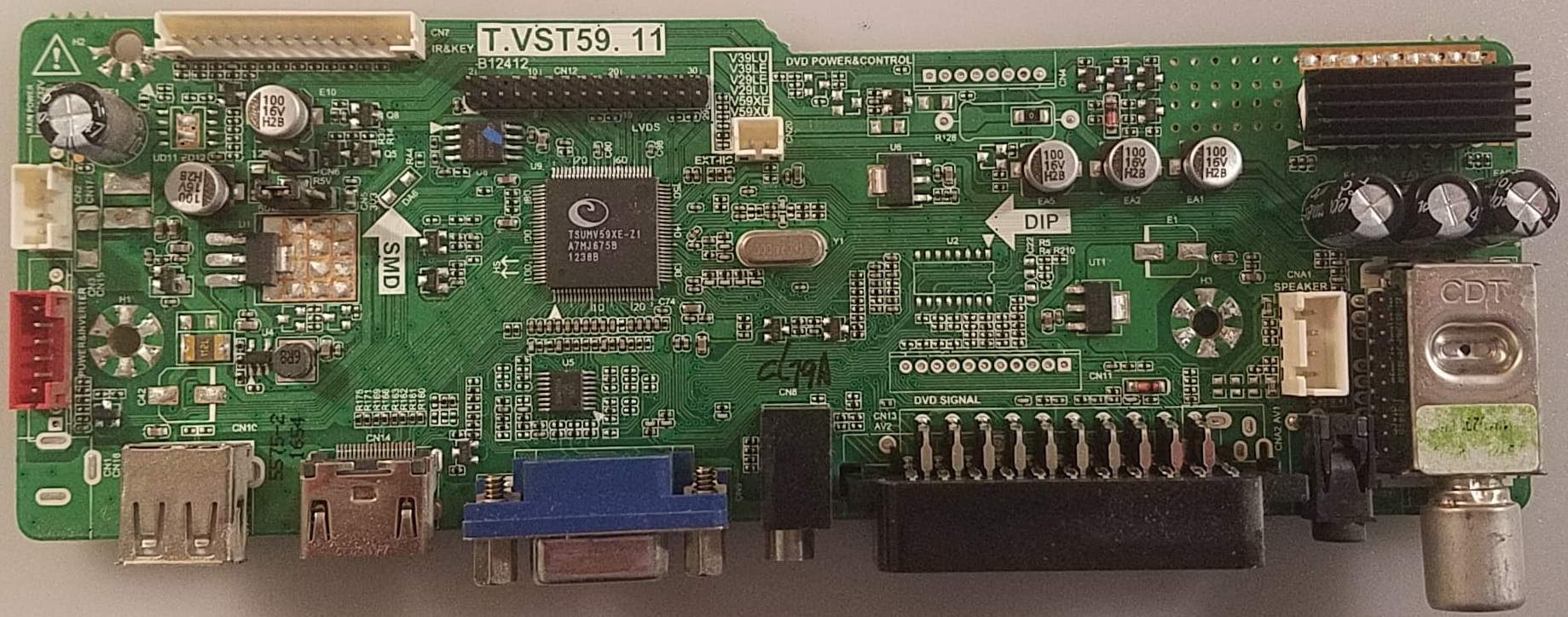
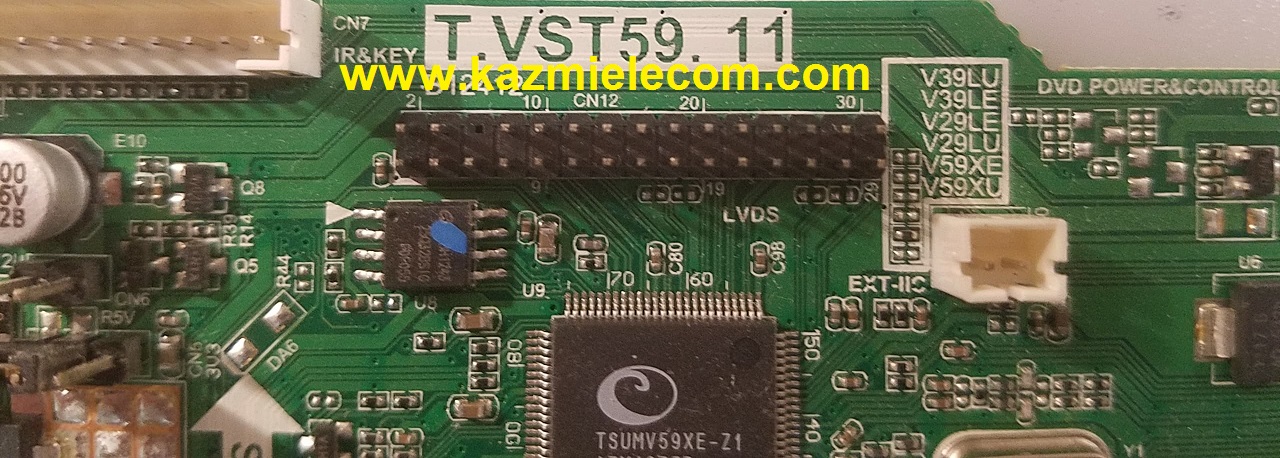
T.VST59.11 Firmware Free Download

T.VST59.11 Universal LCD/LED TV Board

T.VST59.11 is an analog LCD/LED TV Control Board that is suitable for the Asia Pacific and the Middle East Market. It can support more than 26-inch LCD panels which a resolution is up to 1920×1080. Its USB interface supports Multimedia Playback and Software upgrades as well. Its multiple HDMI ports support 1.4 and its HDCP support 1.1. T_VST59_11 is compatible with 10-32 inch screens. T.VST59.11 is widescreen supported and also has a multi-language option. T-VST59-11 has its special feature of Dual AV extendable.T.VST59.11 software collection is given below for free download.

T.vst59.11_Firmware

General Specifications:

Model: T.VST59.11

Main Chipset: TSUMV59XE-Z1

TV System: PAL/SECAM/NTSC

Panel Interface: Single channel or Dual-channel LVDS

Key Button Functions: CH-/CH+/MENU/VOL-/VOL+Souce/Power

Multi-Language: Yes

Input/Output Ports: HDMI, VGA, AV, USB, RF TV interface and Earphone Out

Audio O/P Power: 2 x 5 Watt (8 ohms)

Panel Voltage: +5V/+12V DC

USB Port: Yes (Firmware Upgrade and Multimedia Playback Support)

IR Control: Yes (Controllable by Remote Control)

Electrical Parameters:

Working Input Voltage: DC +12 Volt

Maximum Current: 2000mA (Without Panel)

Standby Power: <0.2W

Maximum Current for USB: 500mA

Flash IC: 4MB

Firmware Type: Backup Dump

Factory Service Mode:

Menu+1147

T.vst59.11

Note: Following firmware collection is a Backup Dump saved from working LED TVs that can be loaded by a programmer. Kazmi Elecom Team is not responsible for any type of damage/loss as a result of uploading/downloading the firmware. If you are new and do not have enough knowledge of loading or installing software/firmware or dump files then read here first.

How to Download Firmware File:

Download your required file of the following firmware and then extract it you will get the folder. Now you can write the file with a programming tool. for More Detail about the download, process watch the video Click Here

T.VST59.11 Firmware Collection Free Download Here :

Kazmi-Elecom

S.NO.BOARD/DESCRIPTIONDOWNLOAD LINK
1T.VST59.11_1024x768_Sanyo_Backup_DumpDownload
2T.VST59.11_1366×768_Supra_Backup_DumpDownload
3T.VST59.11_1366x768_Fusion_Backup_DumpDownload
4T.VST59.11_1920×1080_Supra_Backup_DumpDownload
5T.VST59.11_1920x1080_Fusion_Backup_DumpDownload

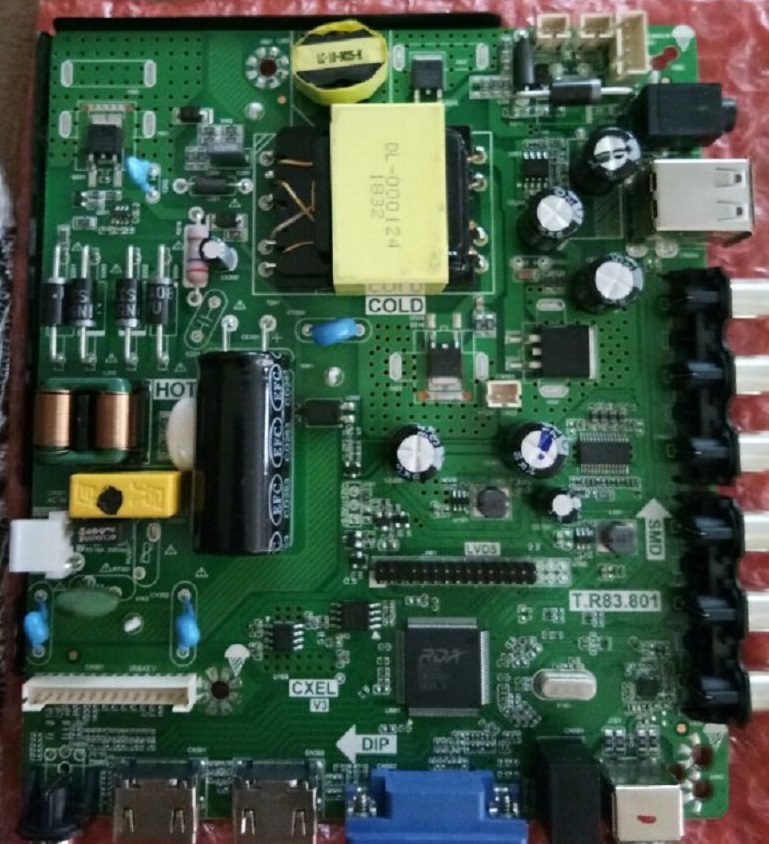
T.R83.801 Firmware Free Download

T.R83.801 LCD/LED TV Board

T.R83.801 FHD three-in-one LCD/LED TV Driver Card for LED Display Screen 32″ to 42″. T_R83_801 can support up to 1920×1080 screen panel resolution. The USB interface can be used for software Upgrades and Multimedia Playback functions. T-R83-801 is specially designed for the Middle East and Asian Countries.

Basic Info:

Model No. ZYCF-T.R83.801 (Combo Board)

Main Chipset: RDA8563B

LED Backlight: 65W to 75W

Display Format: 1080 Full HD

Panel Supported: 32″ to 42″

Aspect Ratio: 16:9

Wide Screen: Yes

Backlight: LED

Display: TFT-LCD

PCB Size: 129.5mm(L)*146mm(W)
T.r83.801_Firmware

General Specifications:

TV System: PAL/SECAM/NTSC

Panel Interface: Single channel or Dual-channel LVDS

Key Button Functions: CH-/CH+/MENU/VOL-/VOL+Souce/Power

Language OSD: English,Hindi,Simplified ,Chinese,Khmer,Myanmar,French,German,Italian,Spanish

Input/Output Ports: HDMI, VGA, AV, USB, RF TV interface and Earphone Out

Audio O/P Power: 2 x 5 Watt (8 ohms)

Max. Resolution: 1920×1080

Panel Voltage:  12V, 5V

Backlight: 2PIN-2.0+3PIN-2.0 or 2PIN-2.0+2PIN-2.0

65W 12V/19V 30V-44V/32W
65W 12V/24V 45V-63V/35W
65W 12V/32V 64V-94V/35W
75W 12V/24V 45V-63V/40W
75W 12V/32V 64V-94V/45W
75W 12V/50V 95V-140V/45W

USB Port: USB interface for Firmware Upgrade and Multimedia Playback Support

Note: External DC 12V Power Jack is also available on this board

Electrical Parameters:

Working Input Voltage: 100-240V AC

Maximum Current: 5000mA (Without Panel)

Standby Power: <0.2W (for the motherboard only)

Maximum Current for USB: 500mA

Factory Service Mode:

Menu+1147

Flash IC: 4MB

Firmware Type: Backup Dump

Caution: 

All the pictures and specification details related to T.R83.801 in this post is for reference only. If you are a user and do not have any experience of repairing then it is better to visit the nearest technician first without loading the software/firmware. Sometimes, the fault is different as per the visual observations. So, please do not try it at home.

How to Load USB Firmware:

  • Copy the Required Firmware/software into FAT32 USB Disk
  • Plugin the U disk into the Mainboard USB port of the LCD/LED TV
  • Switch ON the power and Wait until even the IR indicator led stops flashing
  • Done. Unplug the U-disk (It will take a max half min to upgrade firmware)

Pros:

There are many advantages to installing the given T.R83.801 USB software or backup dump file. A few benefits are described below:

  • The dead board can be recovered and operational by loading the given software backup file
  • Remote and Logo may change at your own choice to satisfy the customer
  • Money saving instead of changing the mainboard
  • Time-saving instead of arranging a new board
  • Customer satisfaction to do an urgent job
  • Skill and confidence improvement

Cons:

There may be some disadvantages to installing the given T.R83.801 USB software or backup dump file. But it depends on the technician or user as per his understandings. A few drawbacks are described below:

  • The working board may go to the standby position
  • Remote Control may not work and the Logo may change by writing the given software
  • Panel screen parameters may be changed

T.R83.801 Version Upgrade:

Please note that the installed version in this board is the final version. So, no need to upgrade the software if the board is working normally. Only in case the default software malfunctions due to some bugs then the manufacturer will provide the software update. Otherwise, no version update is issued.
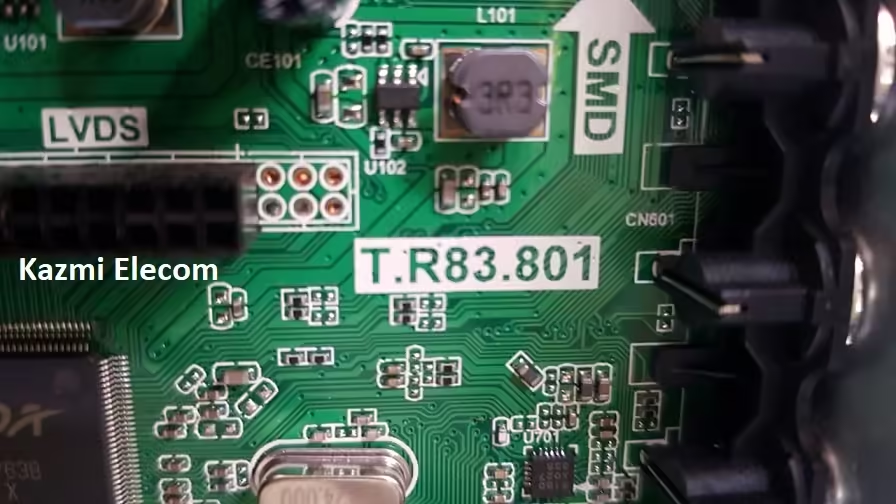
T.r83.801 Board Jpeg

T.R83.801 Board Replacement:

If the board is completely dead and no chance to repair then replace the same board as already installed. And if the same board is not available on the market then search for the board that has the same specifications and latest features to avoid any difficulties. If the backlight module is faulty in the combo board then you can install only the backlight module separately then no need to change the whole board.

Note: The following firmware is USB bootable and a backup file that can be loaded by a programming tool. Kazmi Elecom Team is not responsible for any type of damage/loss as a result of uploading/downloading the firmware. First, check and verify the main board then install software. If you are new and do not have enough knowledge of loading/installing software/firmware or dump files, or facing any issues during firmware installation then visit and read here first. Always keep a backup before writing the flash.

How to Download T.R83.801 Firmware File:

Download your required file of the following T.R83.801 firmware and then extract it you will get the folder. Now you can write the file with a programming tool. For more details about the download, process watch the video Click Here

T.R83.801 Firmware  for Free Download Here :

Kazmi-Elecom

error: Content is protected !!