HAIER LE32K6000S is a 32 inches HD Ready LED TV with a resolution of 1366×768. LE32K6000S is a non-smart tv. LE32K6000S led TV has all the latest features and connectivity ports as HDMI port and USB port, Dual Audio Video with a 60 Hz refresh rate. It has a powerful sound output system. Its aspect ratio is 16:09 and its dynamic ratio is 150000:1.
Its view angle is horizontal: 170 degrees and vertical: 160 degrees. LE32K6000S has additional edge led technology, smart power saving, digital noise reduction, intelligent picture technology, eye-safe t matrix, brightness is 250 cd/m2 and response time is 5 ms. HAIER Software file is given below for the technician’s support. For more HAIER Software collection visit here.
General Specifications & Features:
Make: HAIER
Model: LE32K6000S
Display Size: 32″
Storage Memory: MB
HD Technology: HD
Panel: HD
No of HDMI Ports:
No of USB Ports:
No of AV Ports:
Speaker Output RMS:
Power Requirement: AC 110 – 240 V, 50/60 Hz
Power Consumption: W, 0.5 W (Standby)
Software Type: Backup Dump
Software Name:
Main Board:
Note: Following given Software is backup dump. Kazmi Elecom Team is not responsible for any type of damage/loss as a result of uploading/downloading the Software.If you are new and do not have enough knowledge of loading or installing software/firmware or dump files then read here first.
CONROWA TC-3418 is a inches HD Ready LED TV with a resolution of 1366×768. TC-3418 is a non-smart tv. TC-3418 LED TV has all the latest features and connectivity ports as HDMI port and USB port, and Dual Audio Video with a 60 Hz refresh rate. It has a powerful sound output system. Its aspect ratio is 16:09 and its dynamic ratio is 150000:1.
Its view angle is very good as vertically 160 degrees and horizontally 170 degrees. TC-3418 has a lower response time as low as 5 mili second. It has some extra features as well like Digital Noise Reduction, Comb Filter, and Intelligent picture scan. Contract, sharpness, and brightness are very good. CONROWA Software file is given below for the technician’s support.
Black LED tv television screen blank on background
General Specifications & Features:
Make: CONROWA
Model: TC-3418
Display Size: ”
Storage Memory: MB
HD Technology: HD
Panel: HD
No of HDMI Ports:
No of USB Ports:
No of AV Ports:
Speaker Output RMS:
Power Supply Input: 240 V AC
Power Consumption: 0.5 W (Standby)
Software Type: Backup Dump
Software Name:
Main Board:
Caution:
All the pictures and specification details related to CONROWA TC-3418 in this post are for reference only. If you are a user and do not have any repair experience, it is better to visit the nearest technician first without loading the software/firmware. Sometimes, the fault is different based on the visual observations. So, please do not try it at home.
Pros:
There are many advantages to installing the given CONROWA TC-3418 USB software or backup dump file. A few benefits are described below:
The dead board can be recovered and operational by loading the given software backup file
The Original Remote and Logo as per the model specifications
Money saving instead of changing the mainboard
Time-saving instead of arranging a new board
Customer satisfaction to do an urgent job
Skill and confidence improvement
Cons:
There may be some disadvantages to installing the given CONROWA TC-3418 USB software or backup dump file. But it depends on the technician or user, as per his understanding. A few drawbacks are described below:
The working board may go to the standby position
Version change may cause trouble
Panel screen parameters may be changed
CONROWA TC-3418 Version Upgrade:
Please note that the installed version in this board is the final version. So, no need to upgrade the software if the board is working normally. Only if, the default software is malfunctioning due to some bugs then the manufacturer will provide the software update. Otherwise, no version update is issued.
CONROWA TC-3418 Board Replacement:
If the board is completely dead and no chance to repair then replace the same board as already installed. And if the same board is not available on the market then a universal china non-combo board can be installed in it. If the backlight module is faulty in the combo board then you can install only the backlight module separately then no need to change the whole board.
Note: The following firmware is a USB bootable file. Kazmi Elecom Team is not responsible for any damage/loss caused by uploading/downloading the firmware. First, check and verify the main board then install software. If you are new and do not have enough knowledge of loading/installing software/firmware or dump files, or facing any issues during firmware installation then visit and read here first. Always keep a backup before writing the flash.
HAIER LE32K6000T is a 32 inches HD Ready LED TV with a resolution of 1366×768. LE32K6000T is a non-smart tv. LE32K6000T led TV has all the latest features and connectivity ports as HDMI port and USB port, Dual Audio Video with a 60 Hz refresh rate. It has a powerful sound output system. Its aspect ratio is 16:09 and its dynamic ratio is 150000:1.
Its view angle is horizontal: 170 degrees and vertical: 160 degrees. LE32K6000T has additional edge led technology, smart power saving, digital noise reduction, intelligent picture technology, eye-safe t matrix, brightness is 250 cd/m2 and response time is 5 ms. HAIER Software file is given below for the technician’s support. For more HAIER Software collection visit here.
General Specifications & Features:
Make: HAIER
Model: LE32K6000T
Display Size: 32″
Storage Memory: MB
HD Technology: HD
Panel: HD
No of HDMI Ports:
No of USB Ports:
No of AV Ports:
Speaker Output RMS:
Power Requirement: AC 110 – 240 V, 50/60 Hz
Power Consumption: W, 0.5 W (Standby)
Software Type: Backup Dump
Software Name:
Main Board:
Note: Following given Software is backup dump. Kazmi Elecom Team is not responsible for any type of damage/loss as a result of uploading/downloading the Software.If you are new and do not have enough knowledge of loading or installing software/firmware or dump files then read here first.
HAIER LE50K6000SF is a 50 inches HD Ready LED TV with a resolution of 1366×768. LE50K6000SF is a non-smart tv. LE50K6000SF led TV has all the latest features and connectivity ports as HDMI port and USB port, Dual Audio Video with a 60 Hz refresh rate. It has a powerful sound output system. Its aspect ratio is 16:09 and its dynamic ratio is 150000:1.
Its view angle is horizontal: 170 degrees and vertical: 160 degrees. LE50K6000SF has additional edge led technology, smart power saving, digital noise reduction, intelligent picture technology, eye-safe t matrix, brightness is 250 cd/m2 and response time is 5 ms. HAIER Software file is given below for the technician’s support. For more HAIER Software collection visit here.
General Specifications & Features:
Make: HAIER
Model: LE50K6000SF
Display Size: 50″
Storage Memory: MB
HD Technology: HD
Panel: HD
No of HDMI Ports:
No of USB Ports:
No of AV Ports:
Speaker Output RMS:
Power Requirement: AC 110 – 240 V, 50/60 Hz
Power Consumption: W, 0.5 W (Standby)
Software Type: Backup Dump
Software Name:
Main Board:
Note: Following given Software is backup dump. Kazmi Elecom Team is not responsible for any type of damage/loss as a result of uploading/downloading the Software.If you are new and do not have enough knowledge of loading or installing software/firmware or dump files then read here first.
HAIER LE40K6000SF is a 40 inches HD Ready LED TV with a resolution of 1366×768. LE40K6000SF is a non-smart tv. LE40K6000SF led TV has all the latest features and connectivity ports as HDMI port and USB port, Dual Audio Video with a 60 Hz refresh rate. It has a powerful sound output system. Its aspect ratio is 16:09 and its dynamic ratio is 150000:1.
Its view angle is horizontal: 170 degrees and vertical: 160 degrees. LE40K6000SF has additional edge led technology, smart power saving, digital noise reduction, intelligent picture technology, eye-safe t matrix, brightness is 250 cd/m2 and response time is 5 ms. HAIER Software file is given below for the technician’s support. For more HAIER Software collection visit here.
General Specifications & Features:
Make: HAIER
Model: LE40K6000SF
Display Size: 40″
Storage Memory: MB
HD Technology: HD
Panel: HD
No of HDMI Ports:
No of USB Ports:
No of AV Ports:
Speaker Output RMS:
Power Requirement: AC 110 – 240 V, 50/60 Hz
Power Consumption: W, 0.5 W (Standby)
Software Type: Backup Dump
Software Name:
Main Board:
Note: Following given Software is backup dump. Kazmi Elecom Team is not responsible for any type of damage/loss as a result of uploading/downloading the Software.If you are new and do not have enough knowledge of loading or installing software/firmware or dump files then read here first.
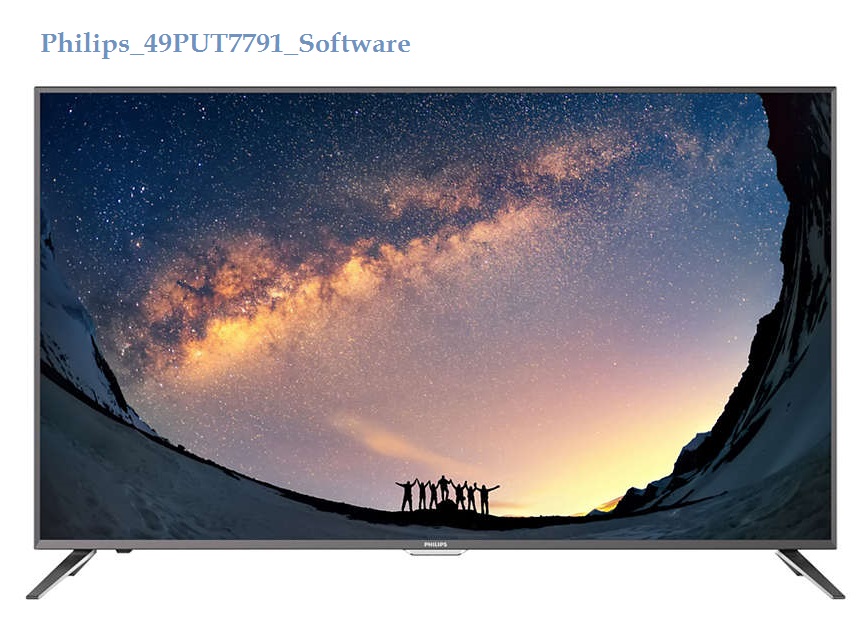
PHILIPS 49PUT7791 is a 49-inch Ultra HD Ultra Slim 4K Smart LED TV with a supported resolution of 3840×2160. PHILIPS_49PUT7791 UHD ultra Slim LED TV with tuner (MPEG-4). It has multiple input interface ports like HDMI, USB, and AV. PHILIPS-49PUT7791-V7 is MPEG4 VHF-UHF transmission functions. It has two built-in speakers with 20w powerful audio output with an Auto volume Leveller.
Its firmware can be upgraded by USB interface and Multimedia playback is also available by USB. PHILIPS 49PUT7791-V7 firmware files are given for the technician’s support.
General Features and Specifications:
Brand: PHILIPS
Model: 49PUT7791/V7
Product: LED TV
Diagonal screen size (inch): 49 inches
Panel resolution: 3840×2160
Panel Type: IPS
Aspect ratio: 16:9
Operating System: Smart
Mainboard: T.MT5508.U801
Processor type:
Memory: GB
Tuner: VHF-UHF (PAL, NTSC)
Video System: PAL/SECAM/NTSC
Audio Out Power: 20W (10Wx2)
Main Power Input: AC 110 – 240 V 50/60Hz
Power Consumption: 130 W
Standby Power Consumption: < 1W
Firmware Type: USB Boot
Firmware Name: allupgrade_5508.pkg
Product: Philips India
Note: The following given firmware is USB upgradeable. Kazmi Elecom Team is not responsible for any type of damage/loss in a result with loading/installing the firmware. First, check and verify the main board then install software. If you are new and do not have enough knowledge of loading/installing software/firmware or dump files, or facing any issues during firmware installation then visit and read here first. Always keep a backup before writing the flash.
How to Download:
Download your required resolution and then extract it you will get the folder. Now copy the bin file to USB. for More Details about the download process watch the video Click Here
PHILIPS 49PUT7791 Firmware file for free download;
CONROWA TN-2183AC is a inches HD Ready LED TV with a resolution of 1366×768. TN-2183AC is a non-smart tv. TN-2183AC LED TV has all the latest features and connectivity ports as HDMI port and USB port, and Dual Audio Video with a 60 Hz refresh rate. It has a powerful sound output system. Its aspect ratio is 16:09 and its dynamic ratio is 150000:1.
Its view angle is very good as vertically 160 degrees and horizontally 170 degrees. TN-2183AC has a lower response time as low as 5 mili second. It has some extra features as well like Digital Noise Reduction, Comb Filter, and Intelligent picture scan. Contract, sharpness, and brightness are very good. CONROWA Software file is given below for the technician’s support.
Black LED tv television screen blank on background
General Specifications & Features:
Make: CONROWA
Model: TN-2183AC
Display Size: ”
Storage Memory: MB
HD Technology: HD
Panel: HD
No of HDMI Ports:
No of USB Ports:
No of AV Ports:
Speaker Output RMS:
Power Supply Input: 240 V AC
Power Consumption: 0.5 W (Standby)
Software Type: Backup Dump
Software Name:
Main Board:
Caution:
All the pictures and specification details related to CONROWA TN-2183AC in this post are for reference only. If you are a user and do not have any repair experience, it is better to visit the nearest technician first without loading the software/firmware. Sometimes, the fault is different based on the visual observations. So, please do not try it at home.
Pros:
There are many advantages to installing the given CONROWA TN-2183AC USB software or backup dump file. A few benefits are described below:
The dead board can be recovered and operational by loading the given software backup file
The Original Remote and Logo as per the model specifications
Money saving instead of changing the mainboard
Time-saving instead of arranging a new board
Customer satisfaction to do an urgent job
Skill and confidence improvement
Cons:
There may be some disadvantages to installing the given CONROWA TN-2183AC USB software or backup dump file. But it depends on the technician or user, as per his understanding. A few drawbacks are described below:
The working board may go to the standby position
Version change may cause trouble
Panel screen parameters may be changed
CONROWA TN-2183AC Version Upgrade:
Please note that the installed version in this board is the final version. So, no need to upgrade the software if the board is working normally. Only if, the default software is malfunctioning due to some bugs then the manufacturer will provide the software update. Otherwise, no version update is issued.
CONROWA TN-2183AC Board Replacement:
If the board is completely dead and no chance to repair then replace the same board as already installed. And if the same board is not available on the market then a universal china non-combo board can be installed in it. If the backlight module is faulty in the combo board then you can install only the backlight module separately then no need to change the whole board.
Note: The following firmware is a USB bootable file. Kazmi Elecom Team is not responsible for any damage/loss caused by uploading/downloading the firmware. First, check and verify the main board then install software. If you are new and do not have enough knowledge of loading/installing software/firmware or dump files, or facing any issues during firmware installation then visit and read here first. Always keep a backup before writing the flash.
CONROWA TN-2192AA is a inches HD Ready LED TV with a resolution of 1366×768. TN-2192AA is a non-smart tv. TN-2192AA LED TV has all the latest features and connectivity ports as HDMI port and USB port, and Dual Audio Video with a 60 Hz refresh rate. It has a powerful sound output system. Its aspect ratio is 16:09 and its dynamic ratio is 150000:1.
Its view angle is very good as vertically 160 degrees and horizontally 170 degrees. TN-2192AA has a lower response time as low as 5 mili second. It has some extra features as well like Digital Noise Reduction, Comb Filter, and Intelligent picture scan. Contract, sharpness, and brightness are very good. CONROWA Software file is given below for the technician’s support.
Black LED tv television screen blank on background
General Specifications & Features:
Make: CONROWA
Model: TN-2192AA
Display Size: ”
Storage Memory: MB
HD Technology: HD
Panel: HD
No of HDMI Ports:
No of USB Ports:
No of AV Ports:
Speaker Output RMS:
Power Supply Input: 240 V AC
Power Consumption: 0.5 W (Standby)
Software Type: Backup Dump
Software Name:
Main Board:
Caution:
All the pictures and specification details related to CONROWA TN-2192AA in this post are for reference only. If you are a user and do not have any repair experience, it is better to visit the nearest technician first without loading the software/firmware. Sometimes, the fault is different based on the visual observations. So, please do not try it at home.
Pros:
There are many advantages to installing the given CONROWA TN-2192AA USB software or backup dump file. A few benefits are described below:
The dead board can be recovered and operational by loading the given software backup file
The Original Remote and Logo as per the model specifications
Money saving instead of changing the mainboard
Time-saving instead of arranging a new board
Customer satisfaction to do an urgent job
Skill and confidence improvement
Cons:
There may be some disadvantages to installing the given CONROWA TN-2192AA USB software or backup dump file. But it depends on the technician or user, as per his understanding. A few drawbacks are described below:
The working board may go to the standby position
Version change may cause trouble
Panel screen parameters may be changed
CONROWA TN-2192AA Version Upgrade:
Please note that the installed version in this board is the final version. So, no need to upgrade the software if the board is working normally. Only if, the default software is malfunctioning due to some bugs then the manufacturer will provide the software update. Otherwise, no version update is issued.
CONROWA TN-2192AA Board Replacement:
If the board is completely dead and no chance to repair then replace the same board as already installed. And if the same board is not available on the market then a universal china non-combo board can be installed in it. If the backlight module is faulty in the combo board then you can install only the backlight module separately then no need to change the whole board.
Note: The following firmware is a USB bootable file. Kazmi Elecom Team is not responsible for any damage/loss caused by uploading/downloading the firmware. First, check and verify the main board then install software. If you are new and do not have enough knowledge of loading/installing software/firmware or dump files, or facing any issues during firmware installation then visit and read here first. Always keep a backup before writing the flash.
CONROWA TN-2188AD is a inches HD Ready LED TV with a resolution of 1366×768. TN-2188AD is a non-smart tv. TN-2188AD LED TV has all the latest features and connectivity ports as HDMI port and USB port, and Dual Audio Video with a 60 Hz refresh rate. It has a powerful sound output system. Its aspect ratio is 16:09 and its dynamic ratio is 150000:1.
Its view angle is very good as vertically 160 degrees and horizontally 170 degrees. TN-2188AD has a lower response time as low as 5 mili second. It has some extra features as well like Digital Noise Reduction, Comb Filter, and Intelligent picture scan. Contract, sharpness, and brightness are very good. CONROWA Software file is given below for the technician’s support.
Black LED tv television screen blank on background
General Specifications & Features:
Make: CONROWA
Model: TN-2188AD
Display Size: ”
Storage Memory: MB
HD Technology: HD
Panel: HD
No of HDMI Ports:
No of USB Ports:
No of AV Ports:
Speaker Output RMS:
Power Supply Input: 240 V AC
Power Consumption: 0.5 W (Standby)
Software Type: Backup Dump
Software Name:
Main Board:
Caution:
All the pictures and specification details related to CONROWA TN-2188AD in this post are for reference only. If you are a user and do not have any repair experience, it is better to visit the nearest technician first without loading the software/firmware. Sometimes, the fault is different based on the visual observations. So, please do not try it at home.
Pros:
There are many advantages to installing the given CONROWA TN-2188AD USB software or backup dump file. A few benefits are described below:
The dead board can be recovered and operational by loading the given software backup file
The Original Remote and Logo as per the model specifications
Money saving instead of changing the mainboard
Time-saving instead of arranging a new board
Customer satisfaction to do an urgent job
Skill and confidence improvement
Cons:
There may be some disadvantages to installing the given CONROWA TN-2188AD USB software or backup dump file. But it depends on the technician or user, as per his understanding. A few drawbacks are described below:
The working board may go to the standby position
Version change may cause trouble
Panel screen parameters may be changed
CONROWA TN-2188AD Version Upgrade:
Please note that the installed version in this board is the final version. So, no need to upgrade the software if the board is working normally. Only if, the default software is malfunctioning due to some bugs then the manufacturer will provide the software update. Otherwise, no version update is issued.
CONROWA TN-2188AD Board Replacement:
If the board is completely dead and no chance to repair then replace the same board as already installed. And if the same board is not available on the market then a universal china non-combo board can be installed in it. If the backlight module is faulty in the combo board then you can install only the backlight module separately then no need to change the whole board.
Note: The following firmware is a USB bootable file. Kazmi Elecom Team is not responsible for any damage/loss caused by uploading/downloading the firmware. First, check and verify the main board then install software. If you are new and do not have enough knowledge of loading/installing software/firmware or dump files, or facing any issues during firmware installation then visit and read here first. Always keep a backup before writing the flash.
PHILIPS 43PUT7690 is a 43-inch Ultra HD Ultra Slim 4K Smart LED TV with a supported resolution of 3840×2160. PHILIPS_43PUT7690 UHD ultra Slim LED TV with tuner (MPEG-4). It has multiple input interface ports like HDMI, USB, and AV.
PHILIPS-43PUT7690-V7 is MPEG4 VHF-UHF transmission functions. It has two built-in speakers with 20w powerful audio output. Its firmware can be upgraded by USB interface and Multimedia playback is also available by USB. PHILIPS 43PUT7690-V7 firmware files are given for the technician’s support.
General Features and Specifications:
Brand: PHILIPS
Model: 43PUT7690/V7
Product: LED TV
Diagonal screen size (inch): 43 inches
Panel resolution: 3840×2160
Panel Type: IPS
Aspect ratio: 16:9
Operating System: Smart
Mainboard:
Processor type:
Memory: GB
Tuner: VHF-UHF (PAL, NTSC)
Video System: PAL/SECAM/NTSC
Audio Out Power: 20W (10Wx2)
Main Power Input: AC 110 – 240 V 50/60Hz
Power Consumption: 98 W
Standby Power Consumption: < 1W
Firmware Type: USB Boot
Firmware Name: MstarUpgrade.bin
Product: Philips India
Note: The following given firmware is USB upgradeable. Kazmi Elecom Team is not responsible for any type of damage/loss in result with loading/installing the firmware. First, check and verify the main board then install software. If you are new and do not have enough knowledge of loading/installing software/firmware or dump files, or facing any issues during firmware installation then visit and read here first. Always keep a backup before writing the flash.
How to Download:
Download your required resolution and then extract it you will get the folder. Now copy the bin file to USB. For more Details about the download process watch the video Click Here
PHILIPS 43PUT7690 Firmware file for free download;