Tag Archives: kazmi elecom

TP.SK518D.PB818 Firmware Free Download

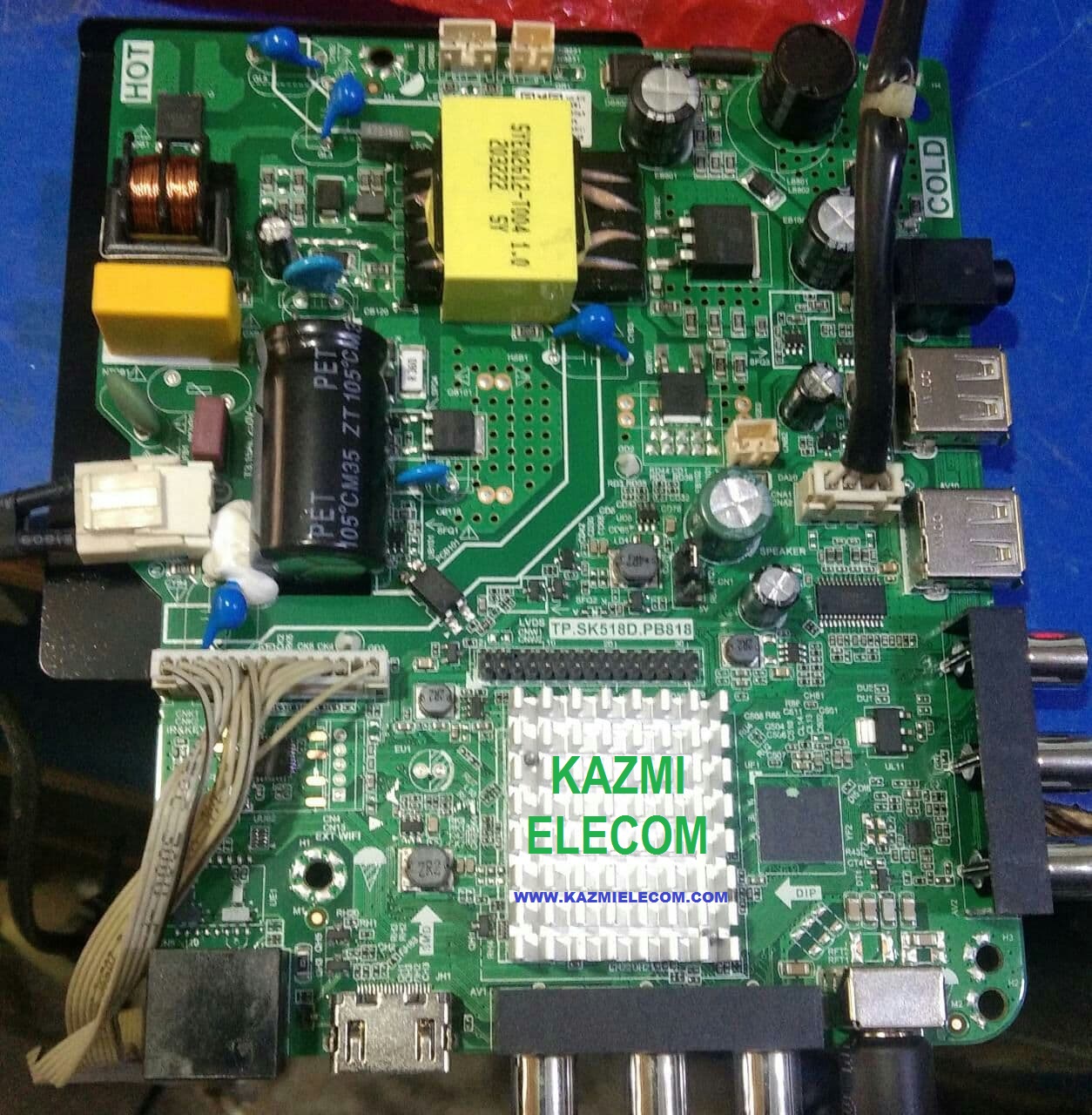
TP.SK518D.PB818 Smart Android Board

TP.SK518D.PB818 is an android network driver smart led tv board with an FHD resolution of 1920×1080. TP_SK518D_PB818 has a powerful wifi system. Smart FHD TV With the latest Android Platform and great features to entertain Full HD Wide Screen with better-to-work SMART. TP SK518D PB818 Smart Board has multiple ports A/V, USB interface Ports, and a single HDMI port as well in addition to the VGA interface for computers. TP-SK518D-PB818 has a LAN/RJ45 Connector interface port also for the wired internet network.

TP.SK518D.PB818 is a Combo Network Triple play board that has the Digital TV tuner built-in in it (DTMB/DVB-C/ATSC/ISDB-T). The Graphics and Sound quality of this android board are very good and the Response rate is very efficient. TP.SK518D.PB818 china smart network board is the best fit for 32″ LED Panels. TP.SK518D.PB818 firmware file is available for the technician’s support. If you are facing any issues during firmware installation then visit and read here first.
Tp.sk518D.pb818_Firmware

General Specifications:

Brand/Mark: Main Board (Android WIFI Network Drive Smart Board)

Main Board: TP.SK518D.PB818

Main Chipset: MT9255

Operating System: Android 9.0

CPU: Multi Core Arm Cortex A53 64-bit

GPU: Mali-G31MP2

CPU Frequency: 1.2GHz

GPU Frequency: 432MHz

RAM: 512MB/1GB

ROM: 4/8 Gb

Resolution: up to 1920×1080

Screen Size supported: 32 to 42 Inch

Audio Output power: 2x8W

Mirror Mode: Yes

Logo Change: Yes

Bluetooth: Yes

Tuner: ATBM253

Input Voltage: 200-240V AC

Firmware Name: allupgrade518_4GB_512MB_sos.bin, allupgrade518_8GB_1GB_sos.bin

Firmware Type: USB Updateable Firmware

Note The following given Software/firmware is USB upgradeable. Kazmi Elecom Team is not responsible for any type of damage/loss as a result of uploading/downloading the firmware.

How to Download Firmware Files:

Download all parts of the following given firmware/Software and then extract any one of them you will get the folder. Now copy the files to USB. for More Detail about the download process watch the video Click Here

TP.SK518D.PB818 Software file for free download:

Kazmi-Elecom

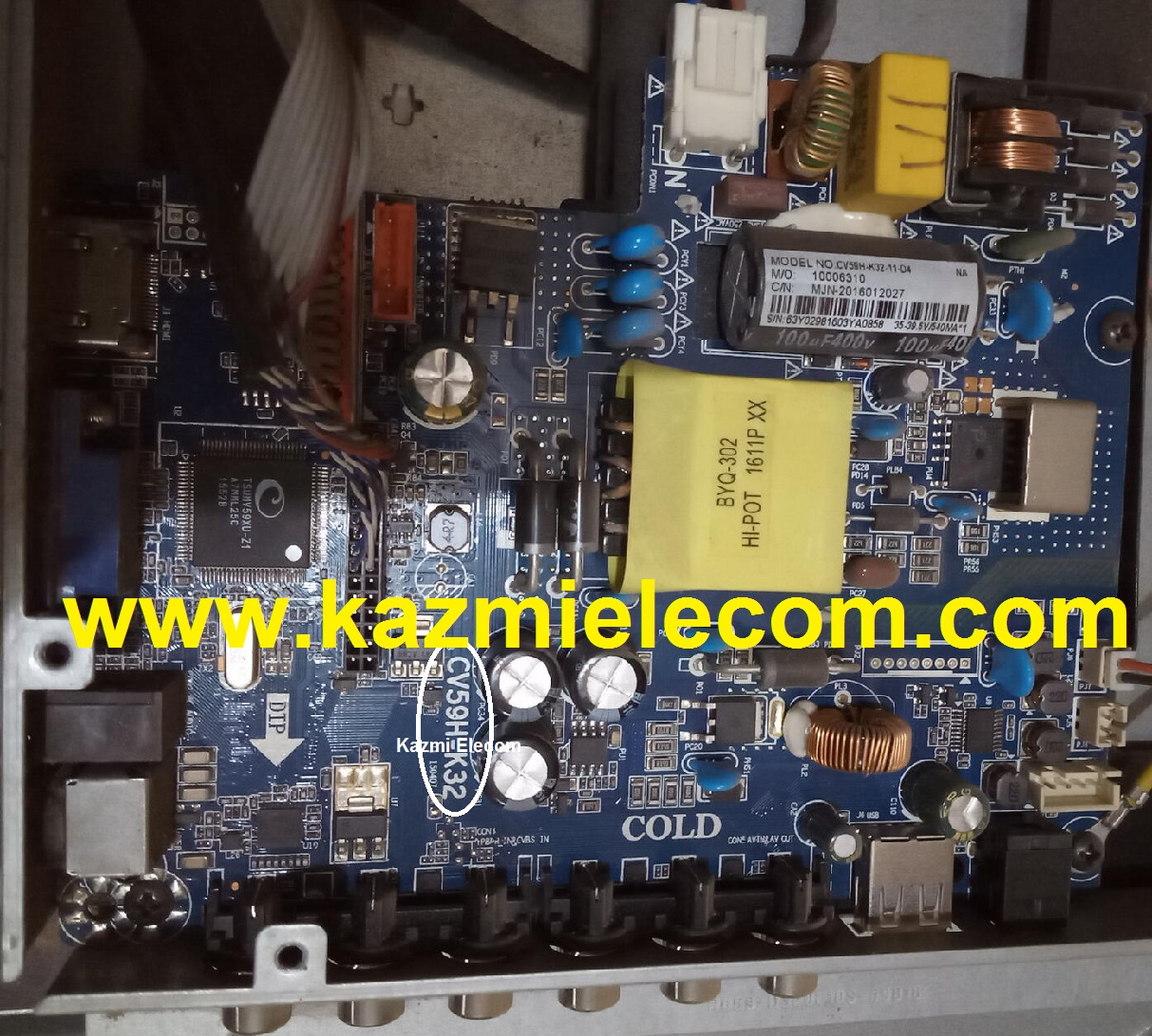
CV59H-K32 Software Free Download

CV59H-K32 LED TV Board

CV59H-K32 is a simple ATV Drive Board designed for LCD/LED TVs. This Board is suitable for the Asia Pacific and the Middle East markets. This is a Combo Board the main power module and LED Backlight Inverter module are in-built and the TV Tuner is placed into this PCB of the motherboard. This has all the features and connectivity interface as per the latest requirements like HDMI input, USB interface, PC input, Component Input, TV, and Headphone jack. CV59H-K32 software files are given for the technician’s support.

Cv59H-K32

General Specifications:

Brand/Mark: Universal FHD Board

Model: CV59H-K32

Main Chip: TSUMV59XU

Product: LED TV

LED Backlight: 35~39.5V

Backlight Current: 540mA

Flash IC: 4Mb

Screen supported: 32~40 inch

Resolution: Up to 1920×1080

Panel Voltage: 12V

Power Input: 220V AC

Service Code:

Menu+1147

Note: The following given software/firmware is USB upgradeable and Backup Dump Files. Kazmi Elecom Team is not responsible for any type of damage/loss as a result of loading/installing the firmware. If you are new and do not have enough knowledge of loading or installing software/firmware or dump files then read here first.

How to Download:

Download the following given firmware/software and then extract you will get the folder. Now copy the files to USB. for More Detail about download process watch the video Click Here

CV59H-K32 firmware for free download:

Kazmi-Elecom

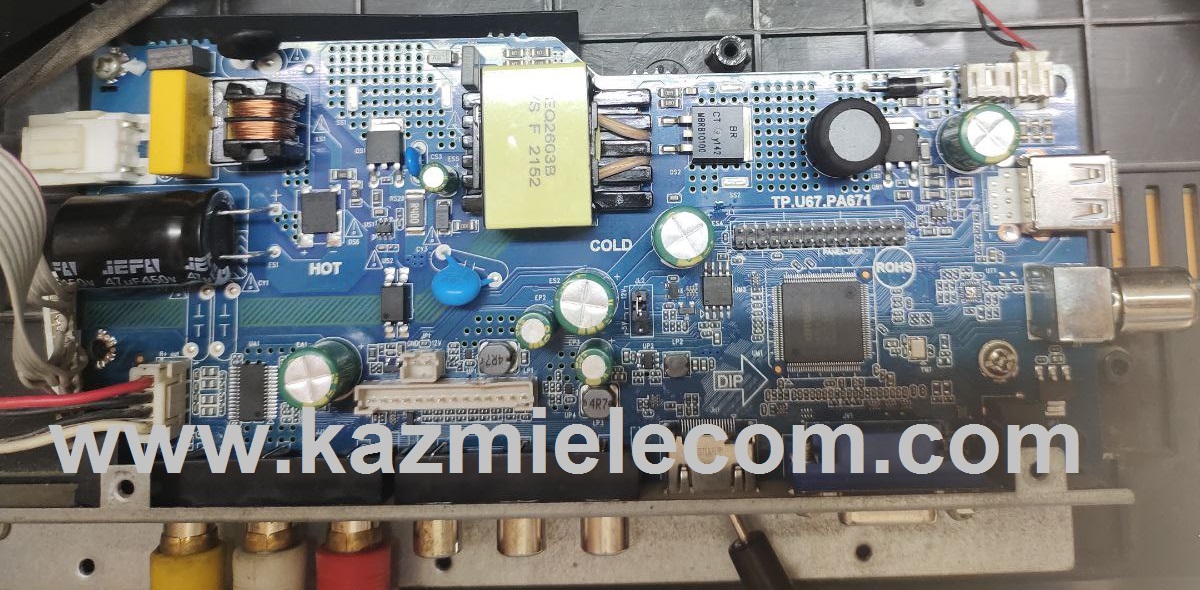
TP.U67.PA671 Software Free Download

TP.U67.PA671 LED TV Board

TP.U67.PA671 is a universal combo board with multi-resolution software. It is suitable for 17-27 inches screens.

Basic Info:

Model No. TP.U67.PA671

Main Chipset: UTS6710-X

Display Format: up to 1920×1080

Aspect Ratio: 4:3, 16:9 & 16:10

Tuner:

Sound:

Backlight: 18-60V 200mA-600mA 15W-40W

Multi-Resolution Codes

Tp.u67.Pa671

General Specifications:

TV System: PAL/SECAM/NTSC

Panel Interface: Single-channel or Dual-channel LVDS

Key Button Functions: CH-/CH+/MENU/VOL-/VOL+Souce/Power

Multi-Language OSD: Yes

Input/Output Ports: HDMI, VGA, AV, USB, RF TV interface, and Earphone Out

Audio O/P Power: 2 x 3 Watt (8 ohms)

Panel Voltage: +5V/+12V DC

USB Port: Yes (Firmware Upgrade and Multimedia Playback Support)

USB File Format: Audio (Mp3, wma, m4a/aac), Video (avi, mp4, ts/trp, mkv/mov, mpg, dat, vob, rm/rmvb),                                                 Picture (Jpg, jpeg, bmp, png), Text (text)

IR Control: Yes (Controllable by Remote Control)

Electrical Parameters:

Working Input Voltage: AC 220

Maximum Current: 2000mA (Without Panel)

Standby Power: <0.2W (for the motherboard only)

Maximum Current for USB: 500mA

Factory Service Mode:

Input/Source 208

Multi-Resolution Code:

  • INPUT/SOURCE 03661 FOR 1920X1080
  • INPUT/SOURCE 03662 FOR 1366X768

TP.U67.PA671 Firmware Free Download Here :

Kazmi-Elecom

For video tutorials, visit “Kazmi Elecom” my youtube channel.

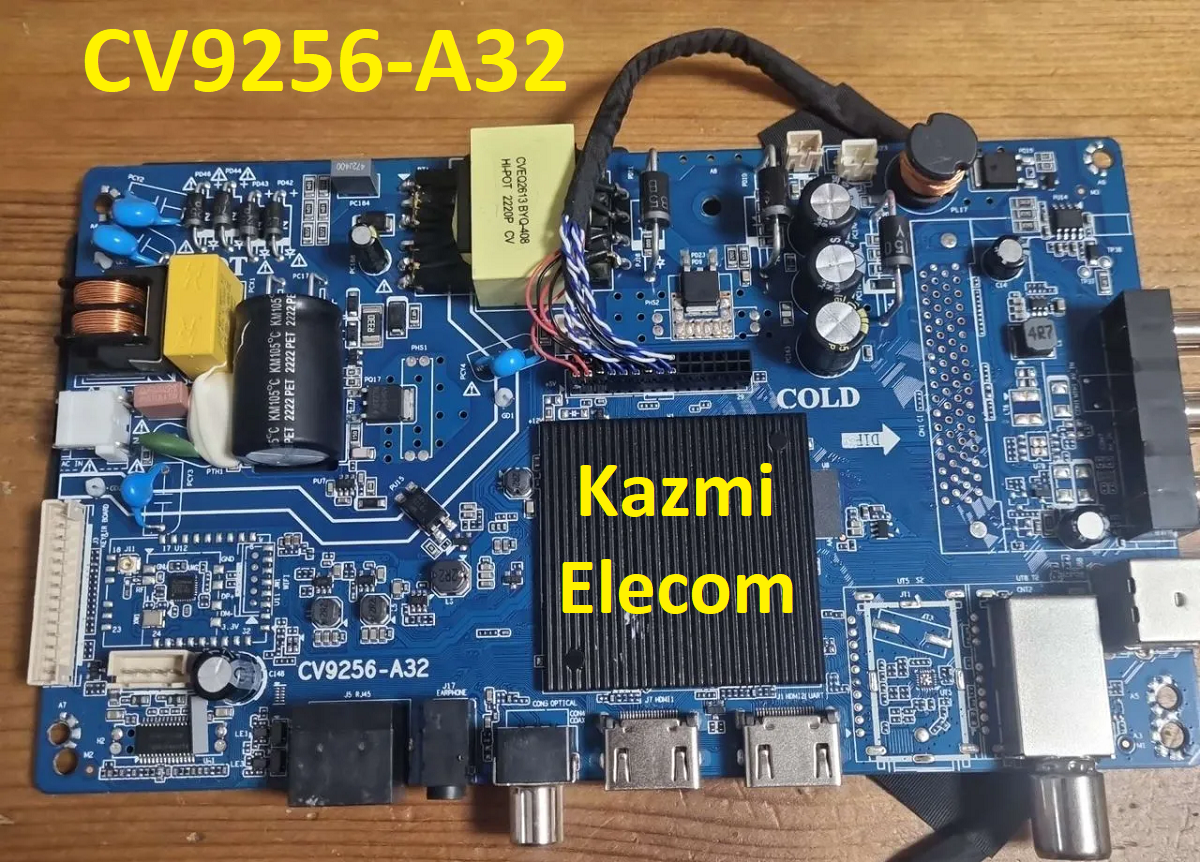
CV9256-A32 Software Free Download

CV9256-A32 Smart Android Board

CV9256-A32 is an Android network driver board with an FHD resolution of 1920×1080. CV9256_A32 has a powerful wifi system. Smart FHD TV With Android Platform and great features to entertain Full HD Wide Screen with better-to-work SMART. CV9256 A32 Smart Board has multiple ports A/V, USB interface Ports, and many HDMI ports as well in addition to VGA and Earphones. CV9256.A32 has a LAN/RJ45 Connector interface port also for the wired internet network.

CV9256-A32 is a Combo Network Triple play board that has a Digital TV tuner built in it. The Graphics and Sound quality of the CV9256_A32 Android board are very good and the Response rate is very efficient. CV9256.A32 China smart network board can support 32″ to 39″ screen panels. CV9256-A32 firmware is available for technician support.

Cv9256-A32

General Specifications:

Brand/Mark: China Universal Android WIFI Board

Main Board: CV9256-A32

Main Chipset:

OS: Android 11.0

CPU: Cortex-A53 Quad Core 1.5GHz

GPU: Mali-450MP Quad Core 750MHz

Back Light Volt: 35-50v

Ram: 1GB DDR3

Rom: 8GB

Resolution: up to 1920×1080

Panel Voltage: 12V

Tuner: ATV&DVBT

Firmware: Factory Update

Firmware Type: USB Updateable Firmware

Product: Universal

Note: The following given firmware is USB upgradeable. Kazmi Elecom Team is not responsible for any type of damage/loss as a result of uploading/downloading the firmware. If you are new and do not have enough knowledge of loading or installing software/firmware or dump files then read here first.

How to Download Firmware Files:

Download all parts of the following given firmware and then extract any one of them you will get the folder. Now copy the files to USB. For more Details about the download process watch the video Click Here

CV9256-A32 firmware for free download:

Kazmi-Elecom

For video tutorials, visit “Kazmi Elecom” my YouTube channel.

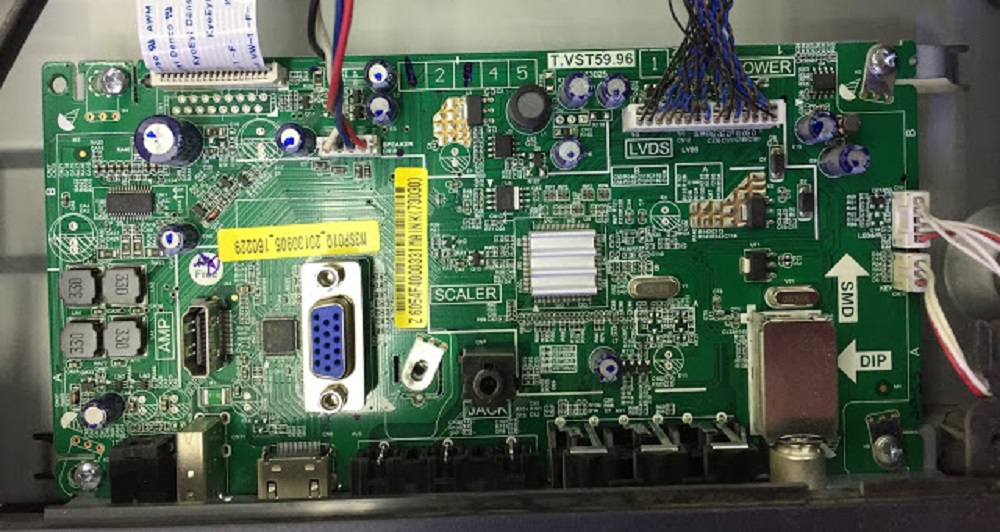
T.VST59.96 Software Free Download

T.VST59.96 LED TV Board

T.VST59.96 is an analog High Definition V59 Dual AV universal LCD/LED TV driver motherboard that is designed for Asian Markets and the Middle East markets. T_VST59_96 has all required interface ports like AV, PC VGA, HDMI, Headphone, RF, and USB interface. T-VST59-96 can support Full HD resolution 1920×1080 panel screens. Its sound and picture quality are good. This board is mostly used in SHARP LCD TVs and other brands as well. Its USB interface can be used for software upgrades and multimedia playback. T VST59 96 has a 30 pin LVDS connector. It can support 24 inches to 55-inch screen-size panels. If you are facing any issue during firmware installation then visit and read here first.

T.vst59.96_Firmware

General Specifications:

Model Name: T.VST59.96

Main Chipset: VST59XE

Supported Resolution : 1920×1080

Input: PC, HDMI, AV, RF, USB

Operating voltage: 12 V single

Interface screen: lvds / individual 6 / single 8 / double 6 / double 8

Panel Volt : 5 v / 12 V

Screen Compatibility: 24 to 55 inch

Service Menu:

Menu

Note: Following given firmware is a backup file. Kazmi Elecom Team is not responsible for any type of damage/loss as a result of uploading/downloading the firmware.

How to Download T.VST59.96 Firmware Files:

Download all parts of the following given firmware and then extract any one of them you will get the folder. Now copy the files to USB. for More Detail about the download process watch the video Click Here

Here are below some T.VST59.96 firmware for free download:


S.NO.BOARD/DESCRIPTIONDOWNLOAD LINK
1T.VST59.96_1366X768_SHARP LC-24LE440M_USBDownload
2T.VST59.96_1366X768_SHARP LC-29LE448RU_DUMPDownload
3T.VST59.96_1366X768_SHARP LC-39LE448M_DUMPDownload

40-MT10B2-MAC2XG Software Free Download

40-MT10B2-MAC2XG LED TV Board

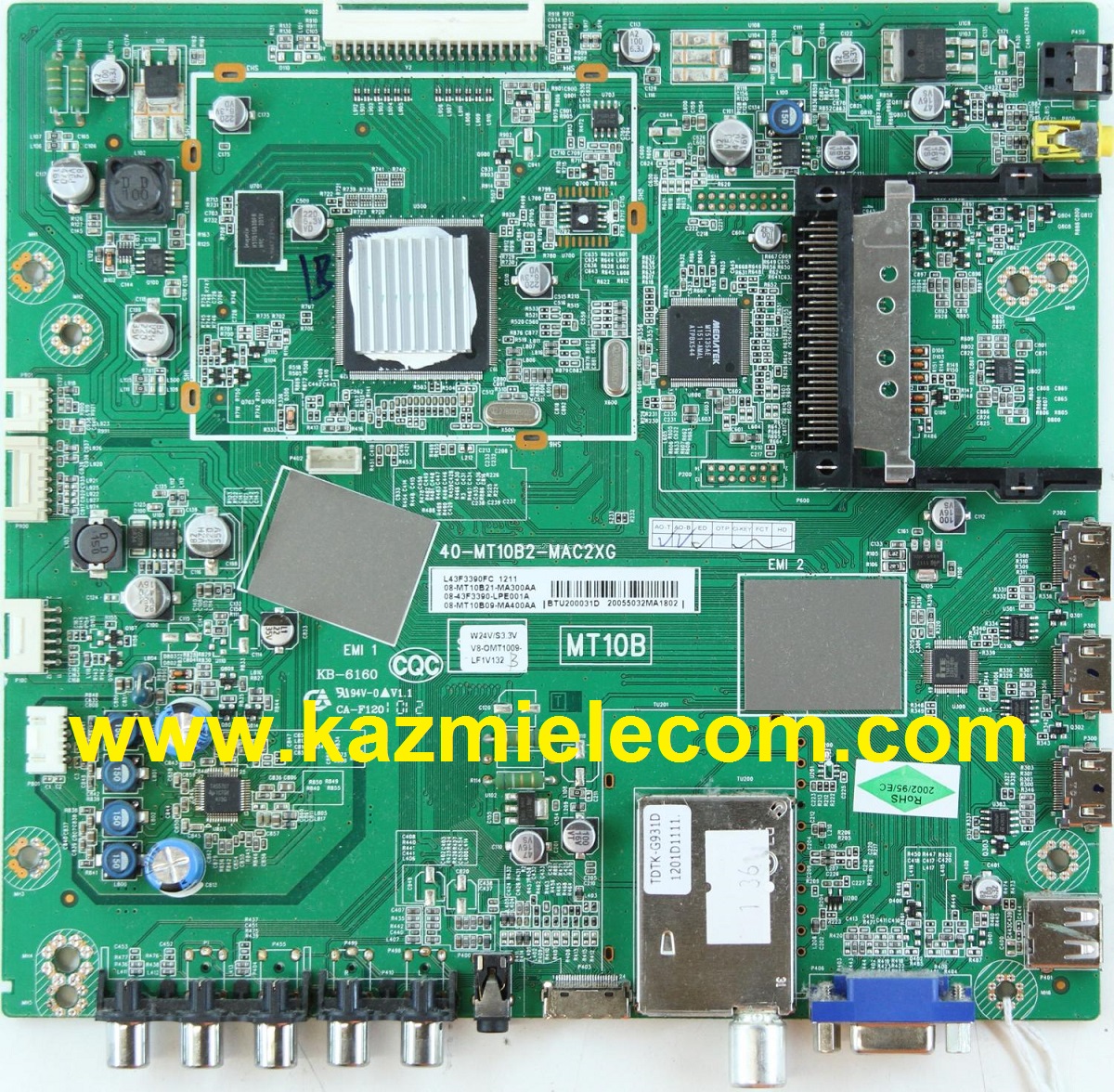
40-MT10B2-MAC2XG is a universal LCD/LED Board that has FHD resolution Supported up to 1920X1080. 40_MT10B2_MAC2XG is a combo board which means the main power supply, ATV board, and LED backlight driver board is a built-in single PCB. It has multiple user interface ports to connectivity like HDMI, AV, USB, DISPLAY, etc. 40-MT10B2-MAC2XG firmware files are given below for the technician’s support.

40-Mt10B2-Mac2Xg

General Specifications:

Brand/Mark: China Universal

Model: 40-MT10B2-MAC2XG

Main Chip:

TV System: PAL\SECAM\NTSC PLAYBACK

Product: LED TV

Input Voltage: 220V AC

MAX Backlight Watt: W

Backlight voltage:

Resolution: 1920×1080

Firmware Name: .bin

Firmware Type:  Backup Dump

Tuner:

Service Menu:

Menu

Note: The following firmware is a dump backup. Kazmi Elecom Team is not responsible for any type of damage/loss as a result of uploading/downloading the firmware. If you are new and do not have enough knowledge of loading or installing software/firmware or dump files then read here first.

How to Download Software:

Download the following firmware and then extract you will get the folder. Now load the file by a programmer. For More Detail about the download, process watch the video Click Here

40-MT10B2-MAC2XG firmware for free download:

Kazmi-Elecom

For more video tutorials, visit “Kazmi Elecom” my youtube channel.

P75-2842V6.2 Firmware Free Download

P75-2842V6.2 Smart Android Board

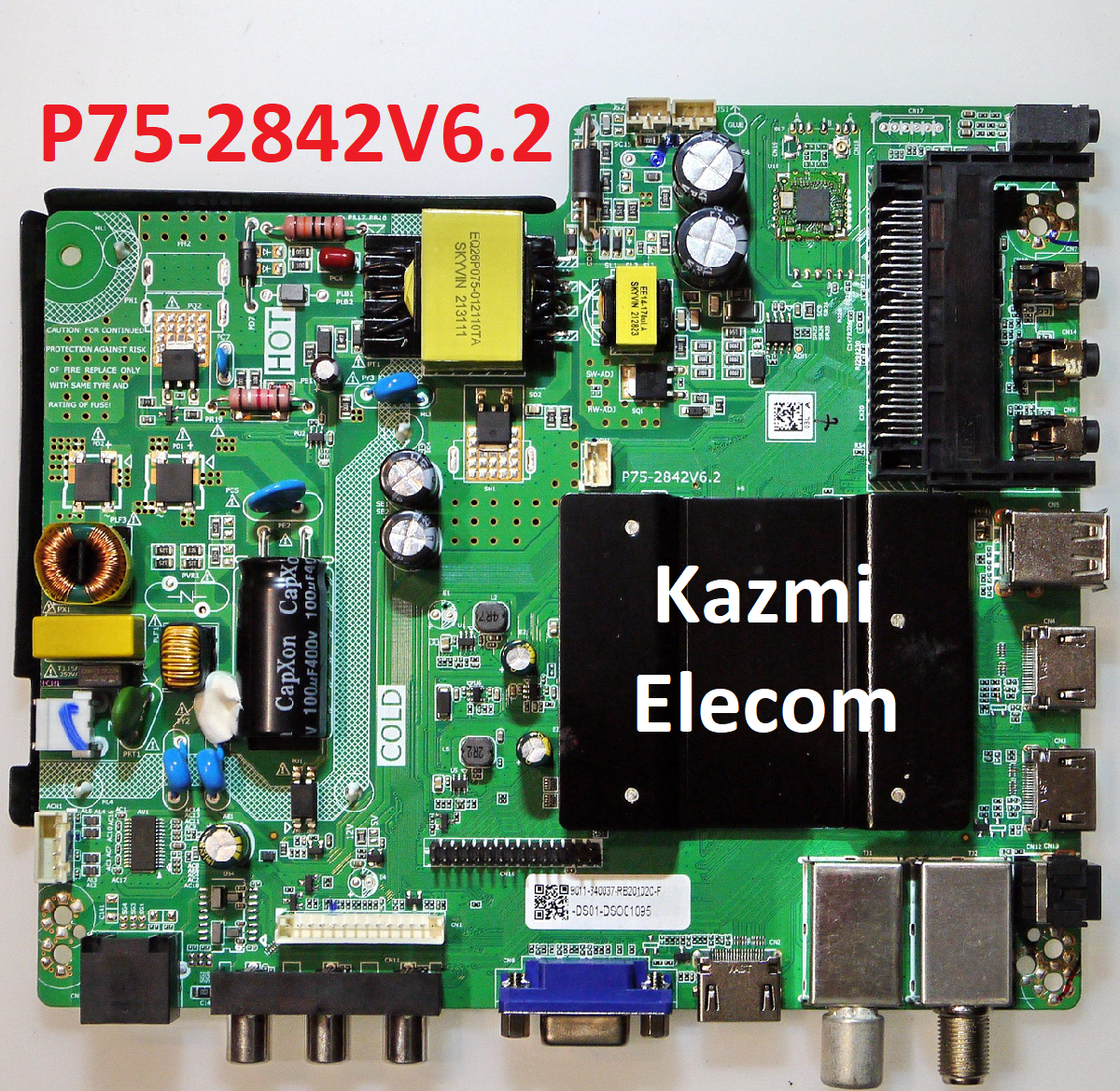
P75-2842V6.2 is a high-speed smart network universal driver board with an FHD resolution of 1920×1080. It is dedicated to 43″ to 55″ screens. It has a powerful wifi system. Smart FHD TV features With Android Platform and great features to entertain Full HD Wide Screen with better to work SMART feature. P75-2842 V6.2 Smart Board has multiple ports A/V, USB interface Ports, and many HDMI ports as well in addition to VGA, Scart, and Headphones. P75_2842_V6.2 also has a LAN/RJ45 Ethernet Connector interface port for the wired/cable internet network.

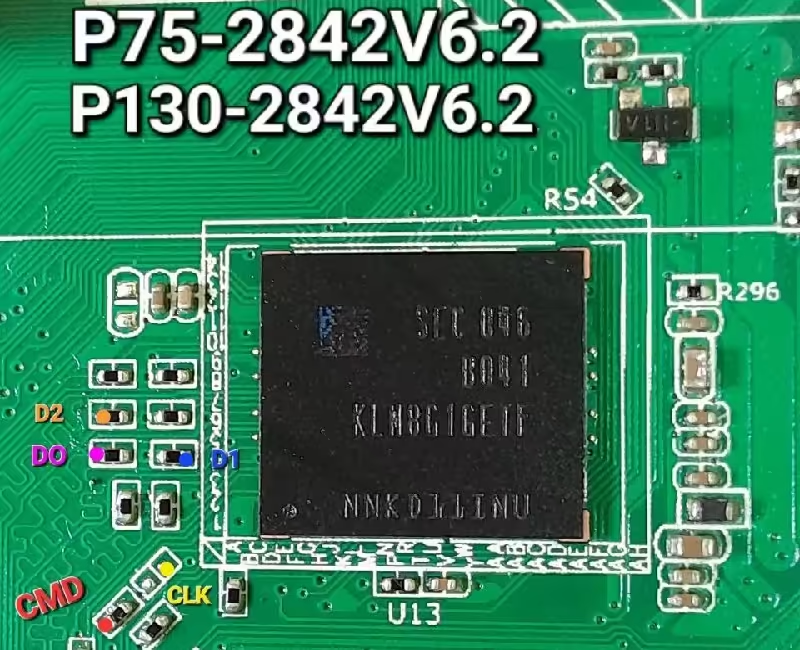
P75 2842 V6.2 is a Combo high-speed Network Triple play motherboard that has the  ATV, Backlight Driver Board, and Power Supply Module built-in in it. The Video and Sound quality of the P75-2842-V6.2 Android board are very good and the Response rate is very efficient. P75.2842.V6.2 China smart network board has an Android 9. x version. P75-2842V6.2 board bifurcated into two types according to its configuration that is given in the picture below.

P75-2842V6.2

Specifications & Features:

Brand/Mark: FHD Smart LED TV Main Board

Main Board Model: P75-2842V6.2

Main Chipset: RTD2851SSA

Interface: Single/Dual LVDS

TV System:  DVB-T/T2/S/S2/C

Operating System: Android 9.0

Ram: 1Gb

Rom: 8Gb eMMC

Backlight: 72 to 79 V 560 mA

Audio Output: 2x8w (8 Ω)

Resolution: up to 1920×1080 (43” to 55″)

Panel Power: 12V

Power Input: 100-240V AC

Service Menu Code: Source/Input 2008, Menu 1201

Firmware Name: install_2842.img

Firmware Type: USB Bootable

Service Code:

Menu+2008

P75-2842V6.2

Note: The following given Software/Firmware is USB upgradeable. Kazmi Elecom Team is not responsible for any type of damage/loss as a result of installing/downloading the firmware/software. If you are new and do not have enough knowledge of loading or installing software/firmware or dump files then read here first.

How to Download:

Download all parts of your required resolution and then extract any one of them you will get the folder. Now copy the files to USB. For more Details about the download process watch the video Click Here

P75-2842V6.2 firmware for free download:

Kazmi-Elecom

TOSHIBA 43L5069 Firmware Free Download

TOSHIBA 43L5069 Smart LED TV

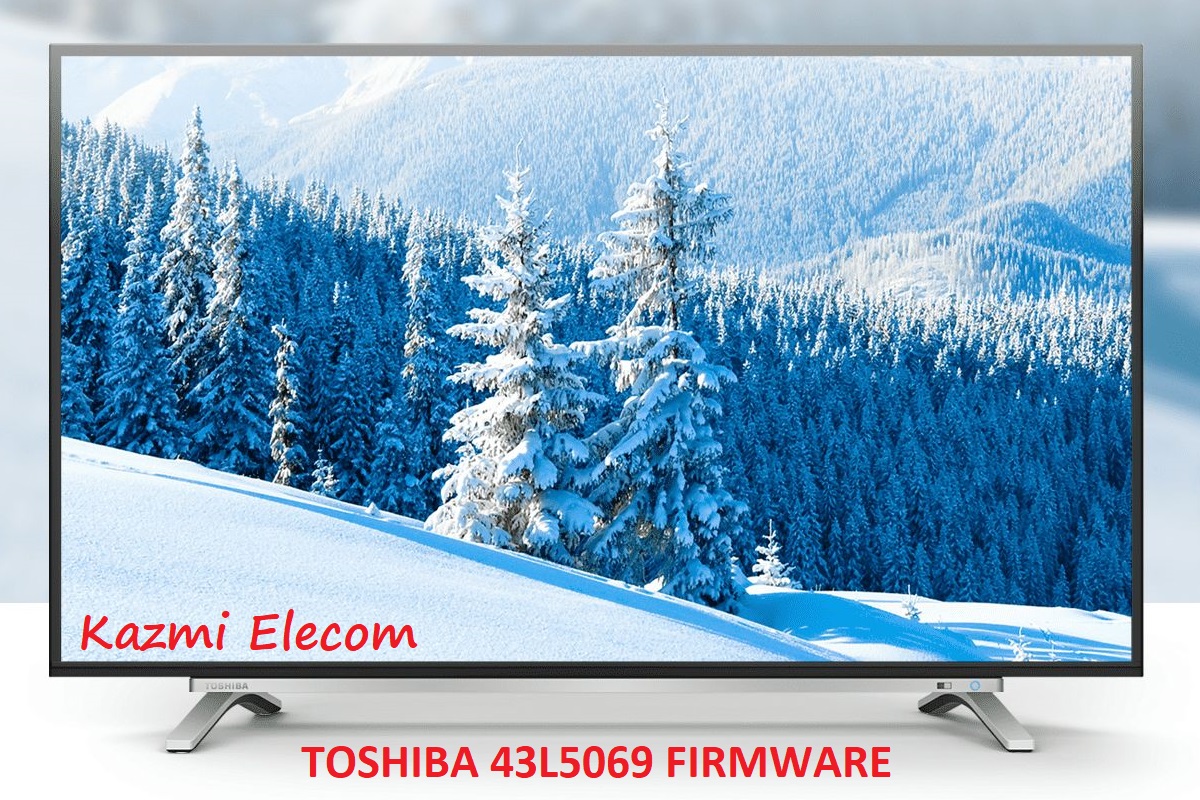
Toshiba 43L5069 is a 43-inch FHD Smart TV Quad-Core Twin Tuner DVB-T/T2 with Ambilight 2-sided and Pixel Precise Ultra HD. Toshiba 43L5069 Full HD TV has a 4 Core Processor that shows the best video quality pictures and the best graphic images. With over 8 million pixels and our unique Pixel Plus Ultra HD engine, you’ll experience improved images, sharpness, increased depth perception, superior contrast, smooth natural motion, and flawless details.

It’s a powerful video engine that gives you extra-wide viewing angles of 178/178 degrees, making it possible to view the display from almost any angle. The USB connector allows access to jpeg photos, mp3 music, and video files through USB drives. Toshiba 43L50 HD TV includes two powerful 10W speakers, with Dolby Digital Plus technology, for mind-blowing sound quality. Toshiba 43L5069   firmware is given for Technician support.

Toshiba 43L5069

Technical Specifications:

Brand/Make: Toshiba

Model: 43L5069

Diagonal screen size (inch): 43 inch

Panel resolution: 1920×1080

Panel: 43″

Main Board: TP.MS6683T.PB758

Processor: Quad-Core

Internal Memory: 4/8 GB

OS Version: Smart Android 9

Lifestyle apps: YouTube, Netflix, Facebook, Flicker, etc.

Special Features: Voice Search, Screen Mirroring, Bluetooth

On-Screen Display languages: Multi-Language
Screen Format Adjustments: 16:9

Sound Output power: 30W (2×15) Dolby Digital
Sound System: Stereo
Sound Enhancement
Auto Volume Leveller

Number of HDMI connections: 2
Number of USB connections: 2

Tuners: Freeview HD

Power consumption: 120 W
Power supply: 110-240VAC, 50/60Hz
Standby power consumption: 0.5 watt

Firmware Name: upgrade_loader_no_tvcertificate-GOOGLE-USER-EUT-7865954.pkg

Firmware Type: USB Upgradeable

Note: The following given Toshiba 43L5069 software/firmware is USB upgradeable. Kazmi Elecom Team is not responsible for any type of damage/loss as a result of uploading/downloading the firmware. If you are new and do not have enough knowledge of loading or installing software/firmware or dump files then read here first.

How to Download Toshiba Firmware files:

Download all parts of the following given Toshiba 43L5069 firmware/software and then extract any one of them you will get the folder. Now copy the files to USB. For more Details about the download process watch the video Click Here

Toshiba 43L5069 firmware files for free download:

Kazmi-Elecom

For video tutorials, visit “Kazmi Elecom” my YouTube channel.

TPD.MT9216.PB793 Firmware Free Download

TPD.MT9216.PB793 Smart Android Board

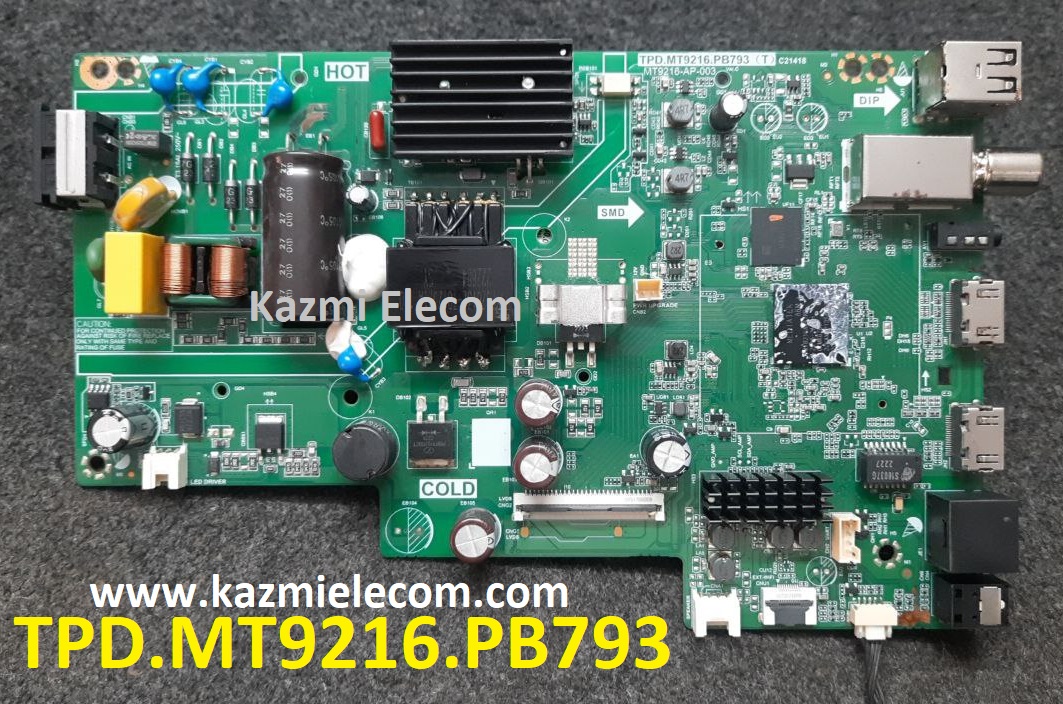
TPD.MT9216.PB793 is an Android network driver smart LED TV board with an FHD resolution of 1920×1080. TP_MT9216_PB793 has a powerful Wi-Fi system. Smart FHD TV With Android Platform and great features to entertain Full HD Wide Screen with better-to-work SMART. TPD MT9216 PB793 Smart Board has multiple ports of A/V, SCART, USB interface Port, and Dual HDMI ports as well. TP-MT9216-PB793 has a LAN/RJ45 Connector interface port also for the wired internet network.

TPD.MT9216.PB793 is a Combo Network Triple play board. The Graphics and Sound quality of the TPD-MT9216-PB793 Android board are very good and the Response rate is very efficient. TPD_MT9216-PB793 China’s smart network board can support up to 32-inch to 43-inch LED Panels. TPD.MT9216.PB793 firmware file is available for the technician’s support.

Tpd.mt9216.Pb793

General Specifications:

Brand/Mark: Main Board (Android WIFI Network Drive Smart Board)

Main Board: TPD.MT9216.PB793

Main Chipset: MT9216

Operating System: Android 11.0

CPU: ARM Cortex-A53 quad-core 804MHz

GPU: Mali-450 Dual-Core 432MHZ

RAM: 1Gb

ROM: 8Gb

Back Light: 48w 600mA

Resolution: up to 1920×1080

Screen Size supported: 32 to 43 Inch

Audio Output power: 2x8W

Video System: PAL, SECAM, NTSC

DTV Transmission: DVB-T/C/T2/S/S2

Input Voltage: 100-240V AC

Firmware Name: dubai_no_tvcertificate.pkg

Firmware Type: USB Updateable Firmware

Product User: OnePlus

Note: The following given Software/firmware is USB upgradeable. Kazmi Elecom Team is not responsible for any type of damage/loss as a result of uploading/downloading the firmware. If you are new and do not have enough knowledge of loading or installing software/firmware or dump files then read here first.

How to Download Firmware Files:

Download all parts of the following given Software/firmware and then extract any one of them you will get the folder. Now copy the files to USB. For more Details about the download process watch the video Click Here

TPD.MT9216.PB731 firmware file for free download:

Kazmi-Elecom

TP.SK105A.PB801 Software Free Download

TP.SK105A.PB801 LED TV Board

TP.SK105A.PB801 is a Three-In-One Full High Definition LCD LED TV driver Motherboard that is designed for especially 32″ to 39-inch TC screen panels. This is a combo board that has three modules integrated into a single piece of printed circuit board (PCB) such as a power card module for the main input supply, a Backlight driver controller module, and an ATV tuner Module. TP-SK105A-PB801 is a universal LCD LED TV controller board that is compatible with many panel screens.

TP.SK105A.PB801 is a Universal Combination of Main Boards that can be used for a variety of different television models. This board has all the connectivity input-output interface ports such as HDMI, USB, VGA, RCA, and Headphones.

Tp.sk105A.pb801

General Info and Features:

Brand/Mark: China Universal

Model: TP.SK105A.PB819

Main Chip: UNISOC UTS6710

Resolution: FHD (1920*1080)

TV System: PAL\SECAM\NTSC

Product: LED TV

Input Voltage: 100-240V AC

Backlight Current: 480ma

MAX Backlight Watt: 25W

Backlight voltage: 30v-87v

Multi-Language:

Default language: English

Remote control: M90

Firmware Type: USB Boot

Firmware Name: UTS6710_75.bin

Service Menu:

Menu 1147

USB Upgrade Method:

  • Plug the U disk into the USB port.
  • Insert the AC cord and the machine go to standby status, then it will begin to update the SW, it will take you about 30 seconds to complete the whole update.
  • There is one feature when it updates, like below:
  • The LED will blink, it will be red, green, red, and green slowly, then change quickly, then the LED changes to red, TV powers on itself.

Note: The following given firmware is USB upgradeable. Kazmi Elecom Team is not responsible for any type of damage/loss as a result of uploading/downloading the firmware. If you are new and do not have enough knowledge of loading or installing software/firmware or dump files then read here first.

How to Download:

Download the following given firmware and then extract you will get the folder. Now load the file by the USB/programmer. For More Details about the download, process watch the video Click Here

TP.SK105A.PB801 firmware for free download:

Kazmi-Elecom

error: Content is protected !!