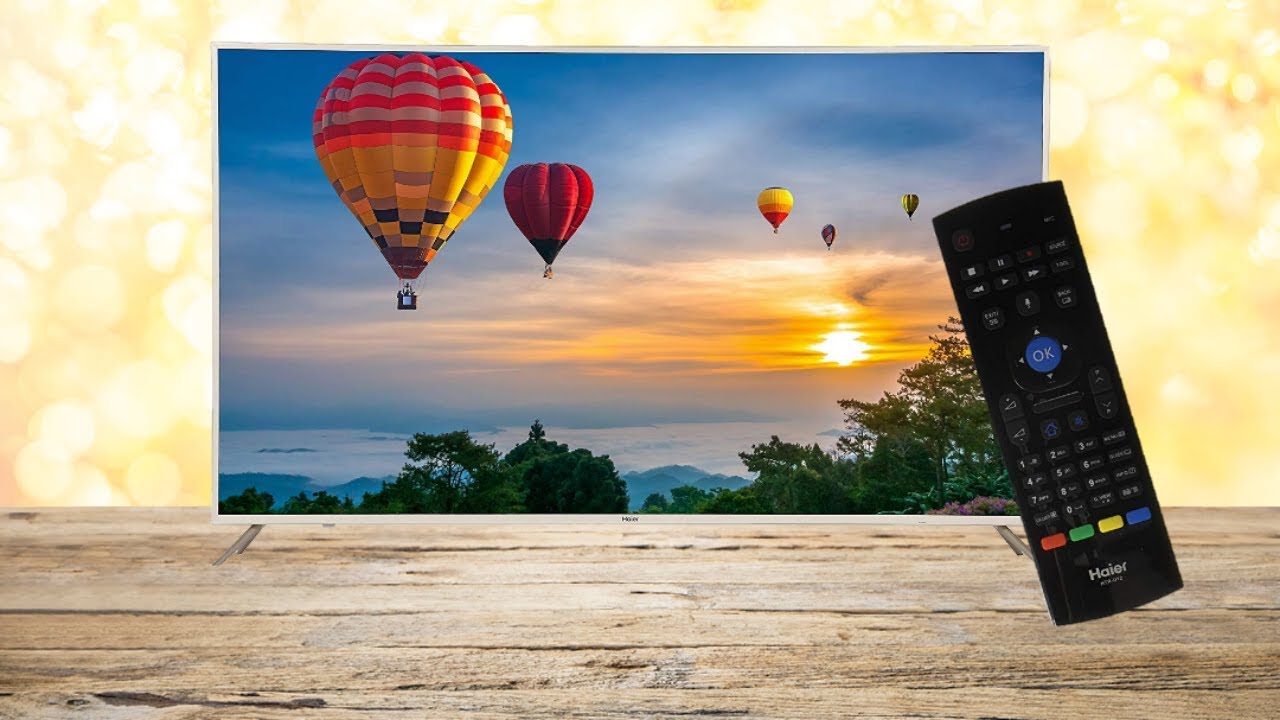
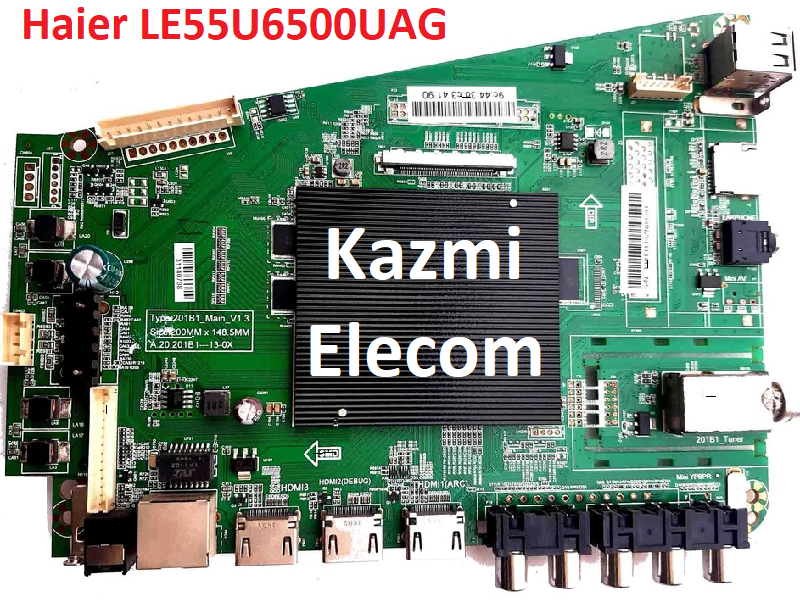
Haier LE55U6500UAG is 4K Ultra HD (Ultra High Definition) and has a resolution of 3840*2160, which is 4 times the resolution of 1080P. It shows a clearer and more smooth picture with more real-life details. Haier Smart LED TV Haier LE55U6500UAG brings you into an intelligent world with an Android operating system (6.0) and built-in WIFI connectivity. Its Smart Remote can Control and access all your entertainment with a single remote with a QWERTY keypad at the backside of the remote.
Internet Surfing and Gameplay are very convenient with the smart remote. Simply move your smart remote cursor over the content and play it with a simple click. Haier LE55U6500UAG software is given below for the technician’s support.
Specification & Features:
Brand/Make: Haier
Model: LE55U6500UAG
Type: LED
Screen Size: 55 Inch
Resolution: 4K, 3840 x 2160 Pixels
OS: Android 6.0
Aspect Ratio: 16: 9
Ultra Slim TV: Yes
Other Display Features: HDR (High Dynamic Range), Quantum Dot Color
Analog TV Reception Formats: PAL, NTSC, SECAM
Total Speaker Output: 20 Watt
USB Ports: 2
HDMI Ports: 3
MHL Enabled: Yes
Headphone/Speaker output ports: 1
RF Input(Analog Coaxial) Ports: 1
Ethernet Sockets: 1
Miracast/Screen Mirroring Support: Yes
Inbuilt Apps: Yes
Facebook and Social Media Integration: Yes
Games: Yes
Other Smart Features: Display Mirroring, Double USB Sharing, MHL, Screen Casting, SmartShare, SmartView, WiFi Direct, Android
Voltage Requirement: 100 – 240 V
Power Consumption Running: 120 W
Power Consumption Standby: 0.5 W
Power Saving Mode: Yes
Firmware Name: MstarUpgrade.bin
Firmware Type: USB Upgradeable Firmware
Caution:
All the pictures and specification details related to Haier LE55U6500UAG in this post are for reference only. If you are a user and do not have any repair experience, it is better to visit the nearest technician first without loading the software/firmware. Sometimes, the fault is different based on the visual observations. So, please do not try it at home.
Pros:
There are many advantages to installing the given Haier LE55U6500UAG USB software or backup dump file. A few benefits are described below:
The Logo stuck or dead board can be recovered and operational by loading the given software backup file
The Original Remote and Logo as per the model specifications
Money saving instead of changing the mainboard
Time-saving instead of arranging a new board
Customer satisfaction to do an urgent job
Skill and confidence improvement
Cons:
There may be some disadvantages to installing the given Haier LE55U6500UAG USB software or backup dump file. But it depends on the technician or user, as per his understanding. A few drawbacks are described below:
The working board may go to the standby position
Version change may cause trouble
Panel screen parameters may be changed
Haier LE55U6500UAG Version Upgrade:
Please note that the installed version in this board is the final version. So, no need to upgrade the software if the board is working normally. Only if, the default software is malfunctioning due to some bugs then the manufacturer will provide the software update. Otherwise, no version update is issued.
Haier LE55U6500UAG Board Replacement:
If the board is completely dead and no chance to repair then replace the same board as already installed. And if the same board is not available on the market then a universal china non-combo board can be installed in it. If the backlight module is faulty in the combo board then you can install only the backlight module separately then no need to change the whole board.
Note: The following firmware is a USB bootable file. Kazmi Elecom Team is not responsible for any damage/loss caused by uploading/downloading the firmware. First, check and verify the main board then install software. If you are new and do not have enough knowledge of loading/installing software/firmware or dump files, or facing any issues during firmware installation then visit and read here first.
How to Download:
Download all parts of the following given firmware and then extract any one of them you will get the folder. Now copy the files to USB. For more Details about the download process watch the video Click Here
How to Install:
Copy the .bin file into the USB disk
Connect the USB Disk to the TV
Switch on the TV
Standby lights start flashing. when the light flashing speed increases it means it’s complete. Done
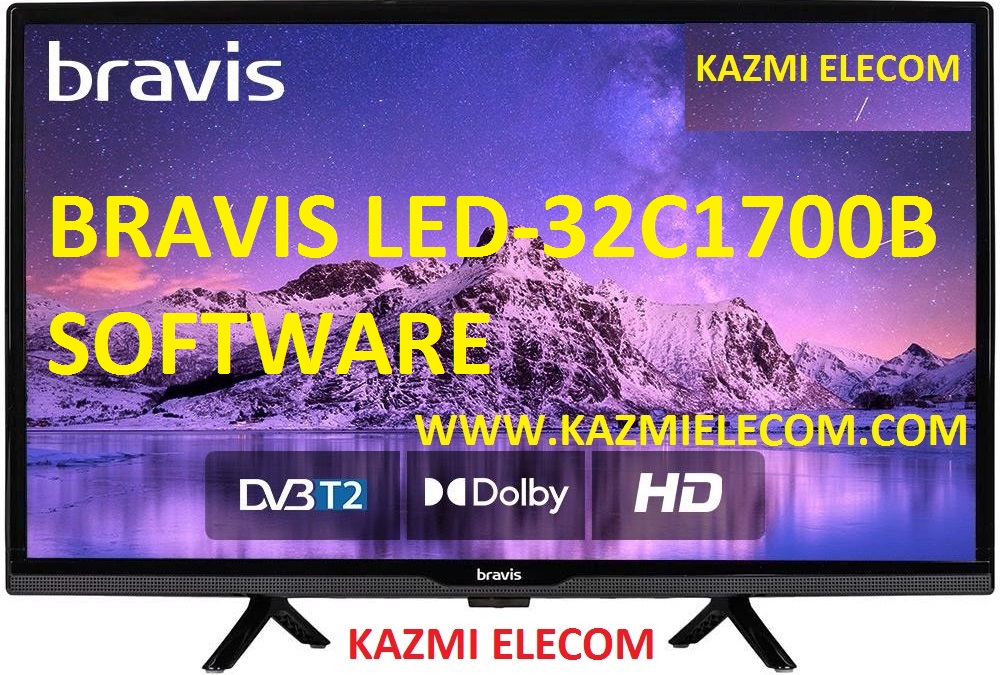
BRAVIS LED-32C1700B is a 32 inches HD Ready LED TV with a resolution of 1366×768. LED-32C1700B is a non-smart tv. LED-32C1700B led TV has all the latest features and connectivity ports as HDMI port and USB port, Dual Audio Video with a 60 Hz refresh rate. It has a powerful sound output system. Its aspect ratio is 16:09 and its dynamic ratio is 150000:1.
Its view angle is horizontal: 170 degrees and vertical: 160 degrees. LED-32C1700B has additional edge led technology, smart power saving, digital noise reduction, intelligent picture technology, eye-safe t matrix, brightness is 250 cd/m2 and response time is 5 ms. BRAVIS Software file is given below for the technician’s support. For more BRAVIS Software collection visit here.
General Specifications & Features:
Make: BRAVIS
Model: LED-32C1700B
Display Size: “32
Storage Memory: MB
HD Technology: HD
Panel: HD
No of HDMI Ports:
No of USB Ports:
No of AV Ports:
Speaker Output RMS:
Power Requirement: AC 110 – 240 V, 50/60 Hz
Power Consumption: W, 0.5 W (Standby)
Software Type: Backup Dump
Software Name:
Main Board: JUC7.820.00081373
Note: Following given Software is backup dump. Kazmi Elecom Team is not responsible for any type of damage/loss as a result of uploading/downloading the Software.If you are new and do not have enough knowledge of loading or installing software/firmware or dump files then read here first.
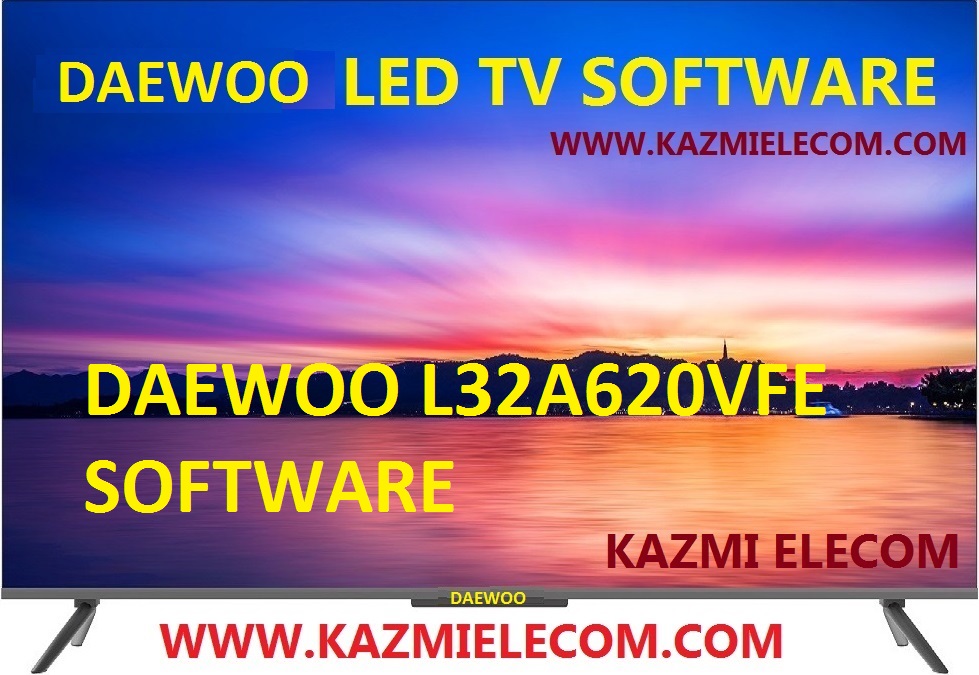
DAEWOO L32A620VFE is a 32 inches HD Ready LED TV with a resolution of 1366×768. L32A620VFE is a non-smart tv. L32A620VFE led TV has all the latest features and connectivity ports as HDMI port and USB port, Dual Audio Video with a 60 Hz refresh rate. It has a powerful sound output system. Its aspect ratio is 16:09 and its dynamic ratio is 150000:1.
Its view angle is horizontal: 170 degrees and vertical: 160 degrees. L32A620VFE has additional edge led technology, smart power saving, digital noise reduction, intelligent picture technology, eye-safe t matrix, brightness is 250 cd/m2 and response time is 5 ms. DAEWOO Software file is given below for the technician’s support. For more DAEWOO Software collection visit here.
General Specifications & Features:
Make: DAEWOO
Model: L32A620VFE
Display Size: “32
Storage Memory: MB
HD Technology: HD
Panel: HD
No of HDMI Ports:
No of USB Ports:
No of AV Ports:
Speaker Output RMS:
Power Requirement: AC 110 – 240 V, 50/60 Hz
Power Consumption: W, 0.5 W (Standby)
Software Type: Backup Dump
Software Name:
Main Board: TP.MS3663S.PB818
Note: Following given Software is backup dump. Kazmi Elecom Team is not responsible for any type of damage/loss as a result of uploading/downloading the Software.If you are new and do not have enough knowledge of loading or installing software/firmware or dump files then read here first.
BBK 50LEM-1056 is a 50 inches HD Ready LED TV with a resolution of 1366×768. 50LEM-1056 is a non-smart tv. 50LEM-1056 led TV has all the latest features and connectivity ports as HDMI port and USB port, Dual Audio Video with a 60 Hz refresh rate. It has a powerful sound output system. Its aspect ratio is 16:09 and its dynamic ratio is 150000:1.
Its view angle is horizontal: 170 degrees and vertical: 160 degrees. 50LEM-1056 has additional edge led technology, smart power saving, digital noise reduction, intelligent picture technology, eye-safe t matrix, brightness is 250 cd/m2 and response time is 5 ms. BBK Software file is given below for the technician’s support. For more BBK Software collection visit here.
General Specifications & Features:
Make: BBK
Model: 50LEM-1056
Display Size: “50
Storage Memory: MB
HD Technology: HD
Panel: HD
No of HDMI Ports:
No of USB Ports:
No of AV Ports:
Speaker Output RMS:
Power Requirement: AC 110 – 240 V, 50/60 Hz
Power Consumption: W, 0.5 W (Standby)
Software Type: Backup Dump
Software Name:
Main Board:
Note: Following given Software is backup dump. Kazmi Elecom Team is not responsible for any type of damage/loss as a result of uploading/downloading the Software.If you are new and do not have enough knowledge of loading or installing software/firmware or dump files then read here first.
BRAVIS LED-3268 is a 32 inches HD Ready LED TV with a resolution of 1366×768. LED-3268 is a non-smart tv. LED-3268 led TV has all the latest features and connectivity ports as HDMI port and USB port, Dual Audio Video with a 60 Hz refresh rate. It has a powerful sound output system. Its aspect ratio is 16:09 and its dynamic ratio is 150000:1.
Its view angle is horizontal: 170 degrees and vertical: 160 degrees. LED-3268 has additional edge led technology, smart power saving, digital noise reduction, intelligent picture technology, eye-safe t matrix, brightness is 250 cd/m2 and response time is 5 ms. BRAVIS Software file is given below for the technician’s support. For more BRAVIS Software collection visit here.
General Specifications & Features:
Make: BRAVIS
Model: LED-3268
Display Size: “32
Storage Memory: MB
HD Technology: HD
Panel: HD
No of HDMI Ports:
No of USB Ports:
No of AV Ports:
Speaker Output RMS:
Power Requirement: AC 110 – 240 V, 50/60 Hz
Power Consumption: W, 0.5 W (Standby)
Software Type: Backup Dump
Software Name:
Main Board: TP.VST59.P83
Note: Following given Software is backup dump. Kazmi Elecom Team is not responsible for any type of damage/loss as a result of uploading/downloading the Software.If you are new and do not have enough knowledge of loading or installing software/firmware or dump files then read here first.
BBK 29LEM-5095T2C is a 29 inches HD Ready LED TV with a resolution of 1366×768. 29LEM-5095T2C is a non-smart tv. 29LEM-5095T2C led TV has all the latest features and connectivity ports as HDMI port and USB port, Dual Audio Video with a 60 Hz refresh rate. It has a powerful sound output system. Its aspect ratio is 16:09 and its dynamic ratio is 150000:1.
Its view angle is horizontal: 170 degrees and vertical: 160 degrees. 29LEM-5095T2C has additional edge led technology, smart power saving, digital noise reduction, intelligent picture technology, eye-safe t matrix, brightness is 250 cd/m2 and response time is 5 ms. BBK Software file is given below for the technician’s support. For more BBK Software collection visit here.
General Specifications & Features:
Make: BBK
Model: 29LEM-5095T2C
Display Size: “29
Storage Memory: MB
HD Technology: HD
Panel: HD
No of HDMI Ports:
No of USB Ports:
No of AV Ports:
Speaker Output RMS:
Power Requirement: AC 110 – 240 V, 50/60 Hz
Power Consumption: W, 0.5 W (Standby)
Software Type: Backup Dump
Software Name:
Main Board: E309B-Y2-F0
Note: Following given Software is backup dump. Kazmi Elecom Team is not responsible for any type of damage/loss as a result of uploading/downloading the Software.If you are new and do not have enough knowledge of loading or installing software/firmware or dump files then read here first.
CHANGHONG E32F898EB is a 32 inches HD Ready LED TV with a resolution of 1366×768. E32F898EB is a non-smart tv. E32F898EB led TV has all the latest features and connectivity ports as HDMI port and USB port, Dual Audio Video with a 60 Hz refresh rate. It has a powerful sound output system. Its aspect ratio is 16:09 and its dynamic ratio is 150000:1.
Its view angle is horizontal: 170 degrees and vertical: 160 degrees. E32F898EB has additional edge led technology, smart power saving, digital noise reduction, intelligent picture technology, eye-safe t matrix, brightness is 250 cd/m2 and response time is 5 ms. CHANGHONG Software file is given below for the technician’s support. For more CHANGHONG Software collection visit here.
General Specifications & Features:
Make: CHANGHONG
Model: E32F898EB
Display Size: “32
Storage Memory: MB
HD Technology: HD
Panel: HD
No of HDMI Ports:
No of USB Ports:
No of AV Ports:
Speaker Output RMS:
Power Requirement: AC 110 – 240 V, 50/60 Hz
Power Consumption: W, 0.5 W (Standby)
Software Type: Backup Dump
Software Name:
Main Board: JUG7.820.1100
Note: Following given Software is backup dump. Kazmi Elecom Team is not responsible for any type of damage/loss as a result of uploading/downloading the Software.If you are new and do not have enough knowledge of loading or installing software/firmware or dump files then read here first.
LCD/LED & PLASMA TV Blinking Codes. Blink codes are the auto diagnostic system in some TV Brands. Blink code can tell us the faulty section of the TV by the number of times blinking the standby led light. When a system diagnoses the fault in any section of the tv it turns the tv on into standby/protection mode and displays the blinking. Here is below the details about LCD/LED & PLASMA TV Blinking Codes.
Sony Blinking Code:
Following blinking codes behaviors may be different according to different models:
No Blink: it means the unit is dead. Check VDR and Fuse is the Power Supply
Continuous Blinking: Problem in Jungle IC. Communication is broken
One Blink: Not used for most models
Two Time Blinking: 2 Blinks Error
Over Current Protection (OCP)
Excessive PFC Voltage
Low Voltage Protection (LVP)
Over Voltage Protection (OVP)
Over Temperature Protection (OTP)
Short Circuit in Power Supply Circuit
Three Time Blinking: 3 Blinks Error
Over Voltage Protection (OVP)
Loss of 12V (Open Fuse)
Defective Power Circuit
Defective DC Regulator
Audio Error/Speaker Connection Failure
Defective Audio Amplifier
Abnormal Audio
Four-Time Blinking: 4 Blinks Error
No Vertical (CRT)
Video Signal Mute (CRT)
Balancing Error (Back-light Dimming) (LED)
Panel Balancer Error
Five Time Blinking: 5 Blinks Error
AKB Circuit or Video Out Fault (CRT)
HFR Error
T-Con Error
Panel ID NVM Error
Isolation of T-Con and Mainboard
Communication Error Between T-Con Processor and Main Board Microprocessor
Six-Time Blinking: 6 Blinks Error
No Horizontal, No raster (CRT)
Panel Supply Failure
Defective Lamps
Panel Back-light Fault
Defective 24v Power Supply
Defective Backlight Inverter
Defective TV Microprocessor
Seven-Time Blinking: 7 Blinks Error
High voltage shutdown (CRT)
Thermal Error
Fan Error
Excessive Ambient Room Temperature
Failure of Temperature Sensor
Dust, Ventilation issue
Software Error
Eight Time Blinking: 8 Blinks Error
Audio Problem (CRT)
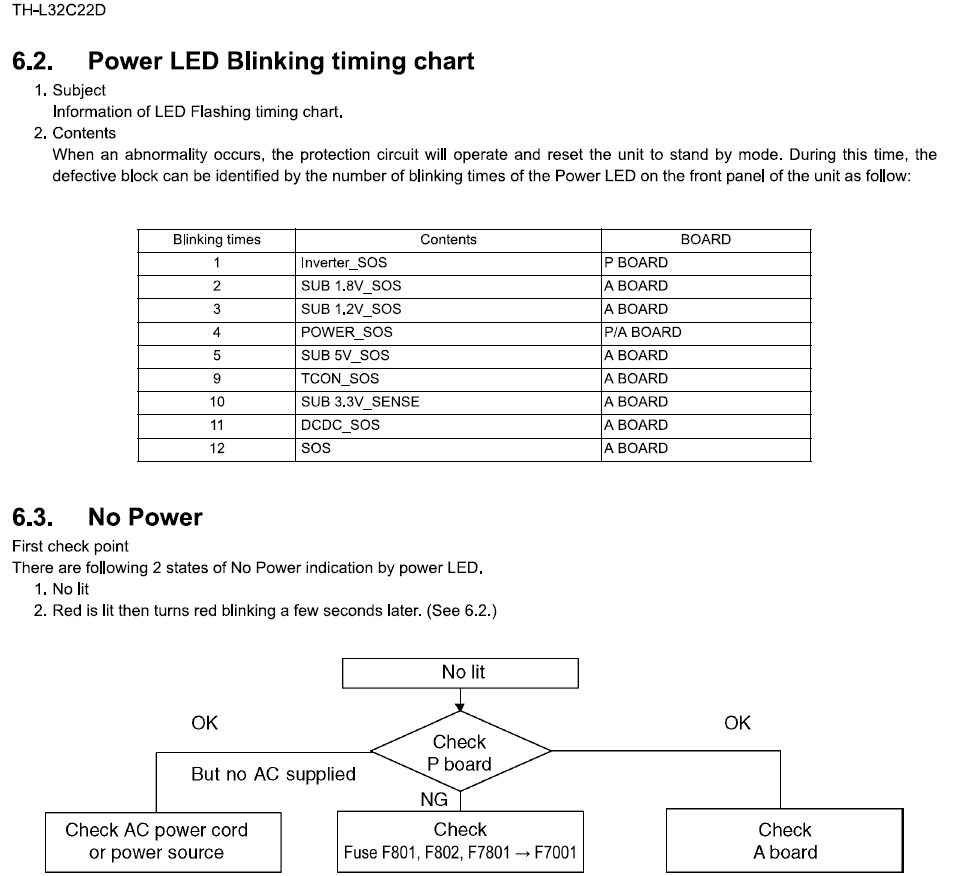
Panasonic Blinking Code:
One Time Blinking: 1 Blink Error
One blink of the power LED indicates a problem in the inverter circuit located on the LCD panel. The inverter board is not to be repaired in
the field. Therefore a replacement is required.
Three Time Blinking: 3 Blinks Error
Three blinks of the power LED indicates an over-current or over-voltage condition in one of the DC supplies of the AP board. The AP
board is repairable. Therefore the use of an ohmmeter and a peak-hold voltmeter is required to determine the cause of the shutdown. An over-voltage condition is definitely a defect of the AP board. An over-current condition may be due to a short circuit located in the AP board, Aboard, or the LCD panel.
Four or Six-Time Blinking: 4 Blinks, 6 Blinks Error
The AP board is responsible for four or six blinks of the power LED. The DTV9V and SUB_5V sources are produced on the AP board.
The MPU IC1100 monitors for their presence when the unit is connected to AC Power. A short or open circuit on the A board may also be responsible for their absence.
Five, Seven, or Eight Time Blinking: 5 Blinks, 7 Blinks, 8 Blinks Error
The A board is responsible for five, seven, or eight blinks of the power LED. The MAIN +3.3V, MAIN +5V, and MAIN +9V
sources are all produced the Aboard. The detection input pins of the MPU, IC1100, monitor for their presence.
Nine Time Blinking: 9 Blinks Error
Nine blinks of the power LED are due to a short circuit in the audio output circuit (s) of the unit. The audio output circuit is located the Aboard. Confirm the status of the speakers. If defective, perform a replacement. If ok, replace the Aboard.
Ten Time Blinking: 10 Blinks Error
Ten blinks of the power LED indicates a malfunction of IC4200, the frame converter. This IC resides the Aboard. Therefore ten blinks of
the power LED requires the replacement of the Aboard.
Panasonic Plasma Blinking Code:
All Panasonic Plasma TVs feature a protection circuit that will force the TV to shut down in case of a problem. The malfunctioning part can be identified by the number of blinks of the power light.
11G Models: VX100U / VX100E
2 blinks 15v SOS P-Board.
3 blinks 3.3v SOS D-Board / DN-Board
4 blinks Power SOS P-Board
5 blinks 5v SOS P-Board / D-Board / DN-Board
6 blinks Driver SOS 1 SC-Board
7 blinks Driver SOS 2 SC-Board / SU-Board / SD-Board
8 blinks Driver SOS 3 SS-Board / SS2-Board
9 blinks Panel Config. SOS D-Board / DN-Board
10 blinks Communication Error Btwn Terminal Board / DS-Board Panel MPU & SCW4-MPU.
11 blinks Fan SOS PB-Board / Fan
12 blinks DN Config SOS DN-Board
13 blinks 3.5 / 2.5 / 1.8v SOS DN-Board.
9G Models : PS9UK / PH9UK / PF9UK
2 blinks 15v SOS P-Board
3 blinks 3.3v SOS D-Board / DA-Board
4 blinks Power SOS P-Board
5 blinks 5v SOS P-Board / D-Board / DA-Board
6 blinks Driver SOS 1 SC-Board / SU-Board / SD-Boards
7 blinks Driver SOS 2 SC-Board / SS-Board
8 blinks Driver SOS 3 SS-Board
9 blinks Panel Config. SOS D-Board
10 blinks PF SOS P-Board
11 blinks Fan SOS Fan / PB-Board
D Board = Format Converter / Plasma AI / Sub-Field Processor
DA Board = Digital Signal Processor / Micon
P Board = Power Supply
PB Board = Fan Control
SC Board = Scan Drive
SD Board = Scan Out (Lower)
SS Board = Sustain Drive
SU Board = Scan Out (Upper)
10G Models: PH10UK / PF10UK
2 blinks 15v SOS P-Board
3 blinks 3.3v SOS D-Board / DN-Board
4 blinks Power SOS P-Board
5 blinks 5v SOS P-Board / D-Board / DN-Board
6 blinks Driver SOS 1 SC-Board
7 blinks Driver SOS 2 SU-Board / SD-Board / SC-Board
8 blinks Driver SOS 3 SS-Board
9 blinks Panel Config. SOS D-Board
10 blinks Terminal Board SOS Terminal Board / DS-Board
11 blinks Fan SOS DN-Board / Fan
2006 — 8G Models : PD60U / PX6U / PX60U / PX600U
2 blinks 15v SOS D-Board
3 blinks 3.3v SOS D-Board
4 blinks Power SOS P-Board
5 blinks 5v SOS D-Board
6 blinks Driver SOS 1 SU-Board / SD-Board / SC-Board / SC Energy Recovery Circuit)
7 blinks Driver SOS 2 SU-Board / SD-Board / SC-Board (SC Floating Voltage Area)
8 blinks Driver SOS 3 SS-Board (SS Energy Recovery Circuit)
9 blinks Panel Status
10 blinks PA SOS / Tuner SOS PA-Board / H-Board
11 blinks Fan SOS Fan
12 blinks Sound SOS PA-Board
1 blink STB 5v SENSE Time Out DG-Board
2 blinks 15v SOS D-Board
3 blinks 3.3v SOS D-Board
4 blinks Power SOS P-Board
5 blinks 5v SOS D-Board
6 blinks Driver SOS 1 SU-Board / SD-Board / SC-Board (SC Energy Recovery Circuit)
7 blinks Driver SOS 2 SU-Board / SD-Board / SC-Board (SC Floating Voltage Area)
8 blinks Driver SOS 3 SS-Board SS Energy Recovery Circuit
9 blinks Panel Config SOS
10 blinks Sub 5v SOS / Main 3.3v SOS DG-Board DTV 9v SOS / Tuner Power SOS
11 blinks Fan SOS PB-Board
12 blinks Sound SOS H-Board
13 blinks Communication Error with DG-Board IC8001 (Pesks Lite 2)
1 blink STB 5v SENSE time out A-Board
2 blinks 15v SOS D-Board
3 blinks 3.3v SOS A-Board
4 blinks Power SOS P-Board
5 blinks 5v SOS D-Board
6 blinks Driver SOS 1 SU-Board / SD-Board / SC-Board (SC Energy Recovery Circuit)
7 blinks Driver SOS 2 SU-Board / SD-Board / SC-Board (SC Floating Voltage Area)
8 blinks Driver SOS 3 SS-Board / SS2-Board (SS Energy Recovery Circuit)
9 blinks Communication Error between A-Board / D-Board Panel-MPU and SYS -MPU
10 blinks Sub 5v SOS / Main 3.3v SOS A-Board DTV 9v SOS / Tuner Power SOS
11 blinks Fan SOS PB-Board
12 blinks Sound SOS A-Board
13 blinks Communication Error A-Board with IC8001 (Pesks PRO)
1 blink STB 5v SENSE Time Out A-Board
2 blinks 15v SOS A-Board
3 blinks 3.3v SOS A-Board
4 blinks Power SOS P-Board
5 blinks 5v SOS A-Board
6 blinks Driver SOS 1 SU-Board / SD-Board / SC-Board / SS-Board (SC/ SS Energy Recovery Circuit)
7 blinks Driver SOS 2 SU-Board / SD-Board / SC-Board (SC Floating Voltage Area)
8 blinks Driver SOS 3 SS-Board / SS2-Board (SS FPC/ DET)
9 blinks Communication Error between A-Board Panel-MPU and SYS-MPU
10 blinks Sub 5V SOS / Main 3.3v SOS A-Board DTV 9V SOS / Tuner Power SOS
11 blinks Fan SOS A-Board
13 blinks Communication Error A-Board with IC8001
2 blinks 15v SOS D-Board / P-Board
3 blinks 3.3v SOS D-Board
4 blinks Power SOS P-Board
5 blinks 5v SOS D-Board
6 blinks Driver SOS 1 SC-Board / D-SC FPC SC Energy Recovery Circuit D-SC FPC DET
7 blinks Driver SOS 2 SU-Board / SD-Board SU/ SD Connector DET SU/ SD Scan and Logic IC
8 blinks Driver SOS 3 SS-Board / SS2-Board SS FPC Detect SS Energy Recovery Circuit
9 blinks Discharge Control SOS D-Board
10 blinks Sub 5V SOS / Sub 3.3v SOS A-Board / SC-Board / SS-Board / PBoard Sub 9V SOS / Tuner Power SOS MIHO 3.3 SOS / LED 8v SOS
11 blinks Fan SOS A-Board / Fan
12 blinks Sound SOS A-Board / Speaker
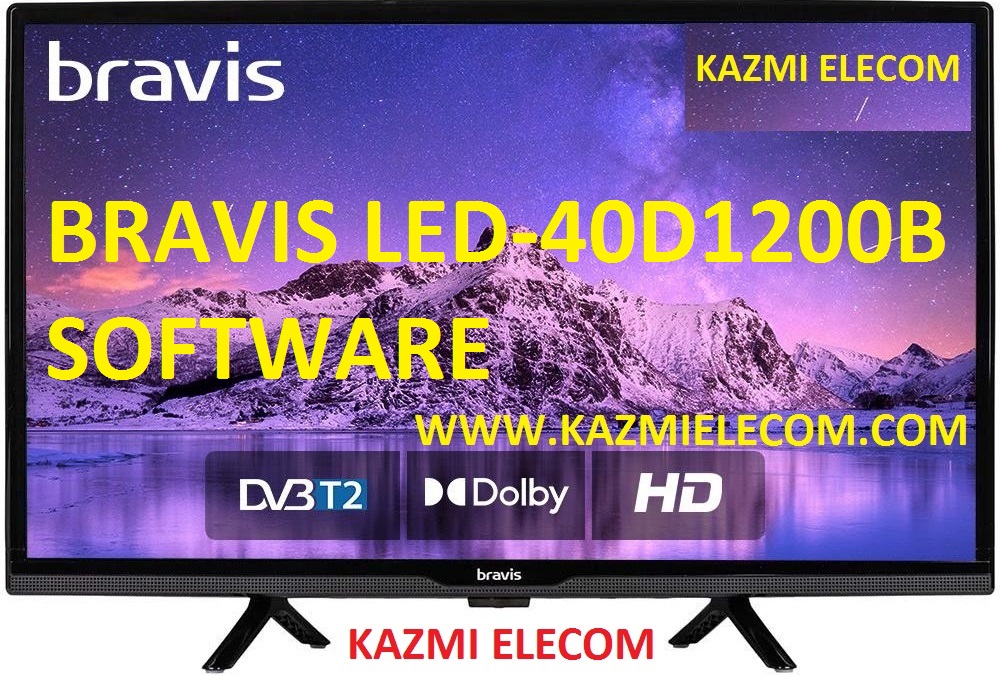
BRAVIS LED-40D1200B is a 40 inches HD Ready LED TV with a resolution of 1366×768. LED-40D1200B is a non-smart tv. LED-40D1200B led TV has all the latest features and connectivity ports as HDMI port and USB port, Dual Audio Video with a 60 Hz refresh rate. It has a powerful sound output system. Its aspect ratio is 16:09 and its dynamic ratio is 150000:1.
Its view angle is horizontal: 170 degrees and vertical: 160 degrees. LED-40D1200B has additional edge led technology, smart power saving, digital noise reduction, intelligent picture technology, eye-safe t matrix, brightness is 250 cd/m2 and response time is 5 ms. BRAVIS Software file is given below for the technician’s support. For more BRAVIS Software collection visit here.
General Specifications & Features:
Make: BRAVIS
Model: LED-40D1200B
Display Size: “40
Storage Memory: MB
HD Technology: HD
Panel: HD
No of HDMI Ports:
No of USB Ports:
No of AV Ports:
Speaker Output RMS:
Power Requirement: AC 110 – 240 V, 50/60 Hz
Power Consumption: W, 0.5 W (Standby)
Software Type: Backup Dump
Software Name:
Main Board: JUC7.820.00108543
Note: Following given Software is backup dump. Kazmi Elecom Team is not responsible for any type of damage/loss as a result of uploading/downloading the Software.If you are new and do not have enough knowledge of loading or installing software/firmware or dump files then read here first.
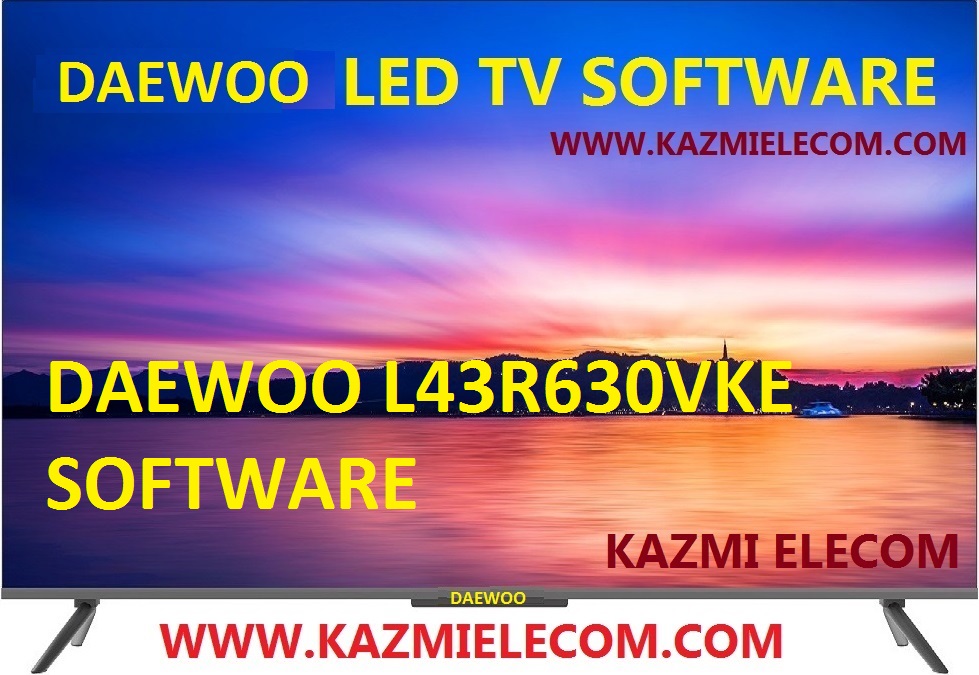
DAEWOO L43R630VKE is a 43 inches HD Ready LED TV with a resolution of 1366×768. L43R630VKE is a non-smart tv. L43R630VKE led TV has all the latest features and connectivity ports as HDMI port and USB port, Dual Audio Video with a 60 Hz refresh rate. It has a powerful sound output system. Its aspect ratio is 16:09 and its dynamic ratio is 150000:1.
Its view angle is horizontal: 170 degrees and vertical: 160 degrees. L43R630VKE has additional edge led technology, smart power saving, digital noise reduction, intelligent picture technology, eye-safe t matrix, brightness is 250 cd/m2 and response time is 5 ms. DAEWOO Software file is given below for the technician’s support. For more DAEWOO Software collection visit here.
General Specifications & Features:
Make: DAEWOO
Model: L43R630VKE
Display Size: “43
Storage Memory: MB
HD Technology: HD
Panel: HD
No of HDMI Ports:
No of USB Ports:
No of AV Ports:
Speaker Output RMS:
Power Requirement: AC 110 – 240 V, 50/60 Hz
Power Consumption: W, 0.5 W (Standby)
Software Type: Backup Dump
Software Name:
Main Board: MSD3463-T8C1
Note: Following given Software is backup dump. Kazmi Elecom Team is not responsible for any type of damage/loss as a result of uploading/downloading the Software.If you are new and do not have enough knowledge of loading or installing software/firmware or dump files then read here first.