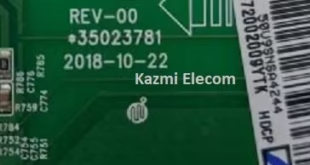
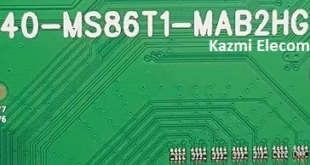
40-NT67HU-MAA4HG UHD Smart Board
40-NT67HU-MAA4HG software version files for different TCL models are described below. The main chassis is NT67FE, which runs a Linux operating system. 40-NT67HU-MAA4HG board has multiple input interfaces for user connectivity. It has a dual tuner, SCART, multiple USB ports, HDMI ports, a card reader slot, an RJ45 jack, and an RCA input. Basic specifications are described below:
- Main Board: NT67, 40-NT67HU-MAA4HG
- Software Version: V8-NT67F01-LF1V
- Board Type: Smart, 4K
- Display Format: 2160P (UHD)

Technical Specifications:
Chassis: NT67CU
Resolution Supported: 3840×2160
CPU: Novatek
CPU Frequency: GHz
GPU: MALI450
GPU Frequency: MHz
RAM: GB DDR3
ROM: 4/8 GB
Operating System: Smart
Audio Output: 20W
Tuner:
Power Supply: AC 110V-240V 50/60Hz
Power Consumption: 150W
Power Consumption: ﹤0.5W (Standby)
Firmware Name: V8-NT67F01-LF1Vxxx.bin
Firmware Type: USB Boot
Product User: TCL, THOMSON
These firmware files are suitable for TCL and other Smart UHD LED TV Series:
- TCL U58S7806S
- TCL U40S6806S
- TCL 55C1US
- TCL 65C1US
- TCL 40E5900US
- TCL 49UA7706
- TCL 50E5900US
- TCL 55E5900US
- TCL 65E5900US
- TCL 60E6000US
- TCL 55C1CUS
- TCL 65C1CUS
- Thomson 55UA7706
- Thomson 55UB6406
- Thomson 50UA6406
- Thomson 55UA6406W
- ARTEL 65/S9000
and Many More
Caution:
All the pictures and specification details related to TCL V8-NT67F01 in this post are for reference only. If you are a user and do not have any repair experience, it is better to visit the nearest technician first without loading the software/firmware. Sometimes, the fault is different based on the visual observations. So, please do not try it at home.
Pros:
There are many advantages to installing the given TCL V8-NT67F01 USB software or backup dump file. A few benefits are described below:
- The dead board can be recovered and made operational by loading the given software backup file
- The Original Remote and Logo as per the model specifications
- Money-saving instead of changing the mainboard
- Time-saving instead of arranging a new board
- Customer satisfaction by doing an urgent job
- Skill and confidence improvement
Cons:
There may be some disadvantages to installing the given TCL V8-NT67F01 USB software or backup dump file. But it depends on the technician or user and their understanding. A few drawbacks are described below:
- The working board may go to the standby position
- Version changes may cause trouble
- Panel screen parameters may be changed

Note: The following given UHD Smart 40-NT67HU-MAA4HG firmware is USB upgradeable and EMMC backup. Kazmi Elecom Team is not responsible for any type of damage/loss as a result of loading/installing the firmware. You should first check the mainboard number, then the hardware ID, then the software version; then you can load it. If you are new and do not have enough knowledge of loading/installing software/firmware or dump files, or are facing any issues during firmware installation, then visit and read here first.
How to Download Firmware Files:
Download your required version and then extract it; you will get the folder. Now copy the bin file to a USB. For more Details about the download process, watch the video Click Here
40-NT67HU-MAA4HG Firmware file for free download;