ONIDA 43FIS Firmware
Onida 43FIS is a 43-inch Full HD Smart Android LED TV that features a 43-inch, LED, FHD, 1920×1080 display for your viewing pleasure. The Aspect Ratio of this screen is 16: 9 to meet the latest standards and consumes 75 W as power (when running). Other features of this TV include Display Mirroring, Double USB Sharing, Hotel Mode, MHL, Screen Casting, SmartView, and WiFi Direct. Also, the total speaker output of this TV is 16 W. Onida_43FISH has the Android operating system of 4.4 version.
Onida 43FIS supports the following video formats: AVI, MKV, MP4, MPEG, MPEG-4, and WMV. The TV has a brightness peak of 300 Nits and a contrast ratio of 3000:1. Its 85-degree horizontal viewing angle is quite broad. The Onida has a stereo speaker system with a 16 W total output rating for audio. Audio formats like AAC, MP3, MPEG, WAV, and WMA are supported. You have numerous typical sound mode presets and Auto volume levelers.
Balance as customization choices. Three USB 2.0 ports, three HDMI ports, one RF input port, one Ethernet port, one VGA input port, and one digital audio output port are among the ports that are available. Wireless and Bluetooth are components of wireless connection. Among its clever features.
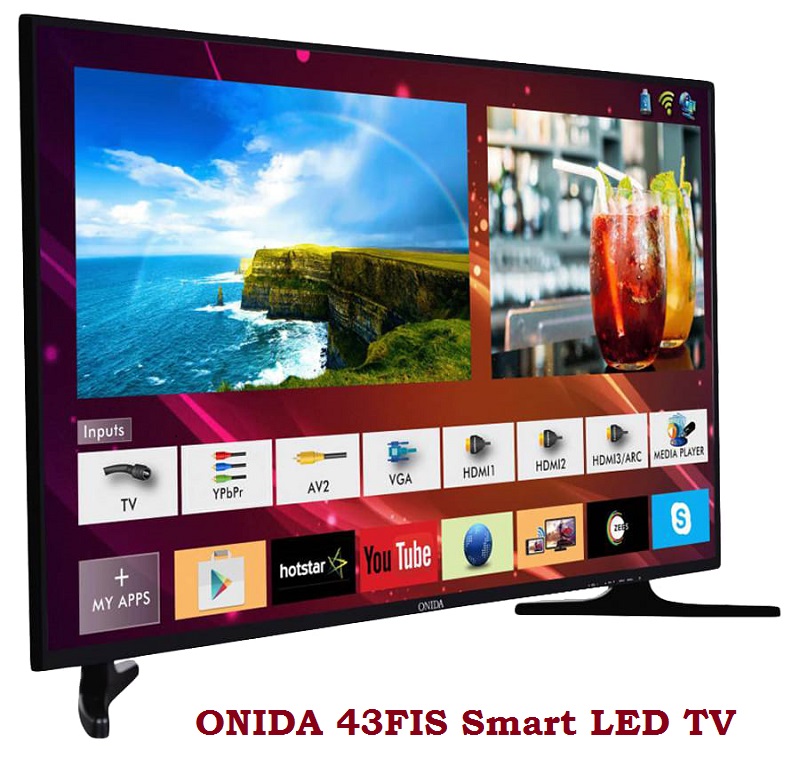
General Specifications:
Brand/Make: ONIDA
LED Model: 43FIS
Resolution: 1920×1080
Board: P75-628VX V6.0
Android Version: 4.4
CPU: ARM Cortex A7 Quad-Core CPU 1GHz
GPU: Multi-core Mali -450MP2
RAM: 512Mb
Rom: 4Gb
Power Input: 115v-240 v
Power Consumption: 75w
Support RJ45 network signal, USB3.0 & 2.0, HDMI 1.4, analog TV, DVB-T/T2,
DTMB, ISDB-T. It also supports WIFI access and headphone output.
Firmware: MstarUpgrade.bin
Firmware Type: USB Updateable Firmware
Note: The following given firmware is USB upgradeable. Kazmi Elecom Team is not responsible for any type of damage/loss as a result of uploading/downloading the firmware. If you are new and do not have enough knowledge of loading or installing software/firmware or dump files then read here first.
How to Download:
Download all parts of the following given firmware and then extract any one of them you will get the folder. Now copy the files to USB. for More Detail about the download process watch the video Click Here
Onida 43FIS firmware for free download:



Dear Friend,
Nice to see your video and your work.
I was trying to download software for the LAN port of Onida 43FIS. Otherwise, TV is working fine.
Can you help me? Pl send me a mail
Gp Capt Atul Jain
No need to update dear
Hii friend,
I am using onida FIS 43 inch led smart tv. While i swtching it on, its just flashing onida logo & getting off by its own. I never did factory reset. Is it a software problem or something else? Can you please help me with this? Thanks.
yes, it seems to be a software issue but first, try to hard reset. get idea from youtube videos otherwise search software and load it
how do I hard rest my TV. I have same issue
https://www.kazmielecom.tech/category/document/how-to-reset-lcd-led-tv
I am searching software for ONIDA43FISP75-628VXV6.0FHD
My tv is not detecting any firmware to install even though i have downloaded and placed it in usb
change the pen drive
Do I have to do anything else after attaching the pen-drive like Press any button???
It’s not working I tried all possible ways, is this update file or the rest setup
No need to update
I got another file from a youtuber it started with blue scree with percentage but my bad lock power cut occurred and now just power lamp is blinking no response
try with programmer
can you send me the software plz [email protected] Gopi chand
from where you get the firmware software
Do I need to press any button on TV after attaching the pen-drive???
why you want to do this? what is the issue?
I accidentally did factory reset and now tv isn’t booting up. It stucks at onida logo
try again. it will take some time after reset
I updated my onida TVs firmware version using one of above bin but now TV panel buttons not working
oh noon. no need to update dear
Can i ise for 43FIW/2018
No. may be different boards
i downloaded all file
now tell me what to do
i have onida 43Fis smart tv
its start very slow
i already do factory reset but its same
current version is : 1.20171204.0.1
pendrive is not working i already try another pen drive
Fat and ntfs partition also
how to upgrade firmware
please tell me step by step
this is not update file. So, do not need to update. Tv will be dead
from where you get the firmware software
Good
My Onida 43UIB smart tv continously getting error com.mstar.tv.service unfortunately stopped and now also getting com.tvsetting service unfortunately stopped. Can you please help with solution.
try to reset it to factory default otherwise reload software
Bro just recharge your Remote
onida leo43fiab2 how to download
will be shared soon
hi,
can you please suggest the steps which buttons need to press after attaching the pen drive ?
need to update new version
thnx
this software is not for update. Do not try. Tv will be dead
accidentally reset done.now logo showing switch off again logo..i have downloaded all parts and copied the MstarUpgrade.bin to pendrive and connected to TV but it’s not working please help..
DEAR FRIEND, ACCIDENTALY I RESET MY ONIDA 43FIS SMART TV NOW ONLY ONIDA LOGO IS FLASHING ON TV SCREEN AND NO BUTTONS OR COMMANDS OF REMOTE CONTROL ARE WORKING ON TV, I TRY SEVERAL TIMES TO DOWNLOAD SOFTWARE FROM THIS SITE GIVEN BY YOU,BUT I DON’T KNOW WHAT IS WRONG I’M DOING AND STILL I’M UNABLE TO DOWNLOAD FILES,PLEASE HELP..
hard reset to recovery mode or reload software
Software for 43FIE 8G 2017105.0.1
https://www.kazmielecom.tech/2020/04/02/onida-42fie43fie-software.html
While trying to download Onida 43 FIS software it is giving message that file has been removed.
What is this Dlink1 and 2?
link 1 and 2 are different servers. you can download missing part from other link
DEAR I AM RESET MY ONIDA 43FIS SMART TV AFTER RESET ONLY ONODA TV LOGO FLASH BLINK AND AGAIN LOGO FLASH WHAT I M DO
PLS HELP ME
try to boot it in recovery mode then reset it to factory default and clear cache memory. otherwise, load firmware
I’ve an ONIDA 43FIS TV and when I check for updates, it says the device is up-to-date. It has 4 years old software and yet there is no new update for the TV. Seems strange. Also the files that you’ve uploaded, are those any update files, should I download them? Because the 3P apps on my TV hardly loads and takes much time to start. Also the system is comparatively slow.
The Playstore as well doesnt load all time, says its not supported.
Kindly please revert back to me asap.
just reset it to factory default nothing else
these model no need to update because the installed version is final
its same with me , its android version is 4.4.4, i just giga fibre of jio, but i cant use any apps like zee5, voot and alt balaji, its no use buying this android tv. i’m really frustrated with onida. plzz help if u were able to solve it.
as slawalekum kazmi bhai ap ke softwer dawnlod karne ke bad an zip karte he to err batate hy or crpt bata te hy koi masla btaeiy
7zip se extract karen
Sir how do I install the sowtwere in TV, I have downloaded
not for update purpose. if tv is stuck then first try to reset otherwise load firmware by usb boot
sir i just took jio giga fibre connection, and i have onida 43fis/2017 android tv, buts its android version is 4.4.4 and when i check for updates it says its up to date. there is no problem while using a STB but i cannot use any apps like ZEE5 ,VOOT,ALT BALAJI. so i guess my money was wasted for buying this tv. sir plz help me , can we upgrade android version oF ONIDA 43FIS/2017 . PLZZ SIR HELP.
no way dear. you have to change the TV
my model details are onida model 43uib1 can i install this firmware in this
No. Board maybe different
sir i want 43FIS-W/2018 LED TV softwere.i dont know my TV card number
Hello Sir,
I have onida 43FIS model tv. I did factory reset from settings and after that in my tv only “onida” logo is coming. I managed to enter recovery mode by using mstar upgrade.bin but sir not able to select factory reset option as the highlighted cursor(selected at 1st option system reboot) is not moving down or up from any button on tv. I have pressed volume up/down, channel up/down, power button infact all the buttons on tv. No movement. Please help
Should i rename mstar upgrade.bin to any other name or any other way..
load software
My onida tv (After Resetting) is showing its logo on the screen. I have downloaded all the ten parts and extracted one of them and copied all the files to my pendrive.when connected to tv it isn’t showing anything (only the onida tv logo is showing up). Can you explain the process of installation?
first, try to hard reset. otherwise, load firmware at your own risk. extract any one part then you will get the folder. copy all bin files to pen driver and load
Good job
Kazmi bhai .. I have Ondia 43FIS.. is there any way . we can upgrade android version Kitkat 4.4 to higher version.
No Way
Sir I have Onida 43FIF and I want to install it’s firmware
NA
i want onida 43fs tv software
send complete detail
i updated my tv using this file
but my tv model is onida 43UIR
now my tv is not turning on. power button also not working.
nothing is working. what to do now
visit a technician
Onida tv 43 FIS Tv is software send me
sir, i am having onida 43FIS model led smart tv problem with on/off. if you are having solution and software update, kindly sent me my email id.
I NEED ONIDA 43FIZ-43R1 SOFTWARE DOWNLOAD
NA
please send Software ONIDA_43FIS_P75-628VX V6.0