Tag Archives: kazmi elecom

LAD.MV56U.D48 Software Free Download

LAD.MV56U.D48 LED TV Board

LAD.MV56U.D48 is an analog LCD/LED TV Combo Control Board with Power Supply and LED Driver with ATV Module. LAD_MV56U_D48 is designed for Asia-Pacific and the Middle-East market. Its USB slot can be used for updating software and playing multimedia files such as MP3, MP4, and JPEG. The Power Supply part is Energy-Efficient. Ultra-thin DC line switching power supply unit is with 45 watts Multi-Output which can support led backlight TFT Panels from up to 39″.LAD-MV56U-D48 supports maximum resolution up to 1920×1080.
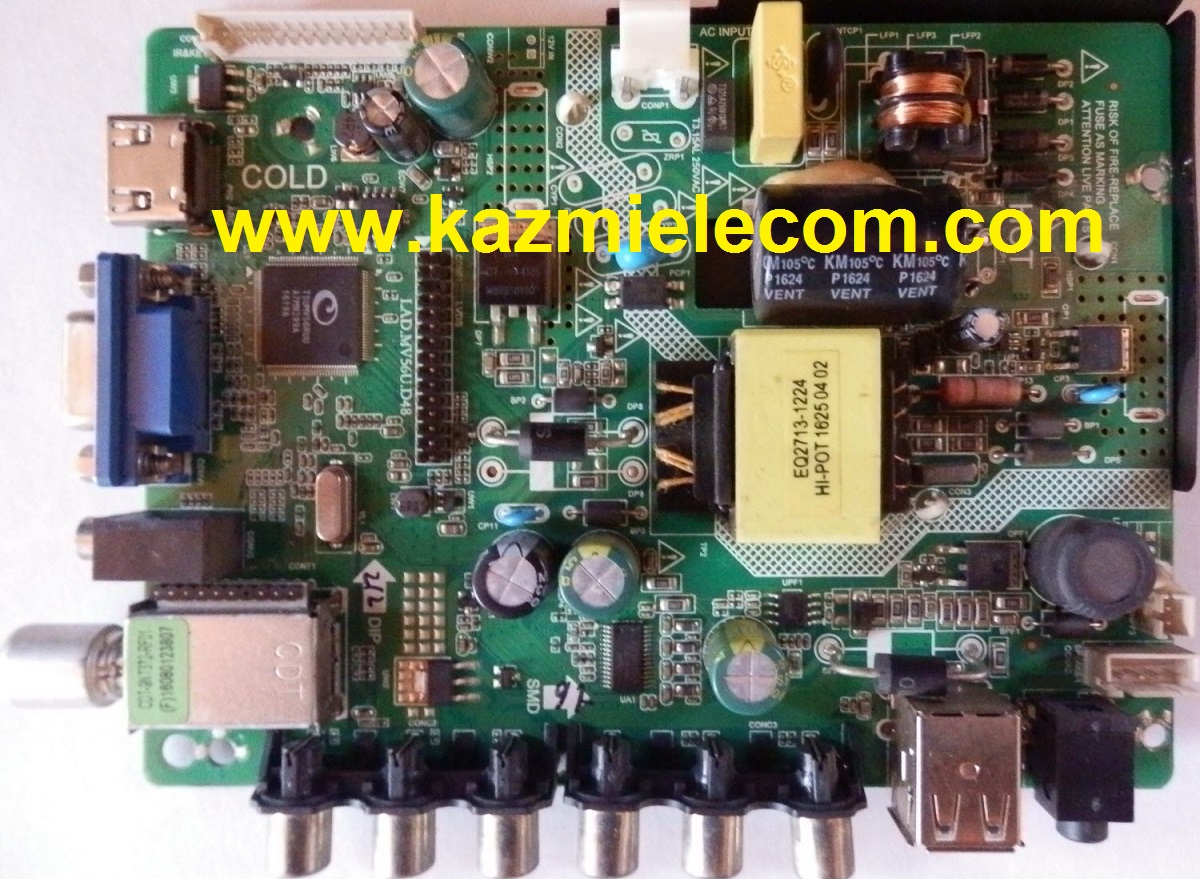
Lad.mv56U.d48

This Board is also available in different versions like:

  • LAD-MV56U-A36
  • LAD-MV56U-A48
  • LAD-MV56U-A75
  • LAD-MV56U-B48
  • LAD-MV56U-C36

General Specifications:

Brand/Mark: China Universal HD Three in One Board

Model: LAD-MV56U-D48

Main Chipset: TSUMV56RUU

Product: LED TV

LED Backlight Voltage:

LED Backlight Current:

Flash IC: 4Mb

Screen supported: up to 39 inch

Resolution: Up to 1920×1080

Sound IC:

Tuner IC:

Power Supply: 100V~240V AC

Panel Power: 12V

Standby Power Consumption: <0.5W

Frequency Range: 47Hz To 63 Hz

Service Code:

Menu+1147
Kazmi-Elecom

Note: The following given software/firmware is USB upgradeable and Backup Dump Files. Kazmi Elecom Team is not responsible for any type of damage/loss as a result of loading/installing the firmware. If you are new and do not have enough knowledge of loading or installing software/firmware or dump files then read here first.

How to Download:

Download the following given firmware/software and then extract you will get the folder. Now copy the files to USB. for More Detail about download process watch the video Click Here

LAD.MV56U.D48 firmware for free download:

Kazmi-Elecom

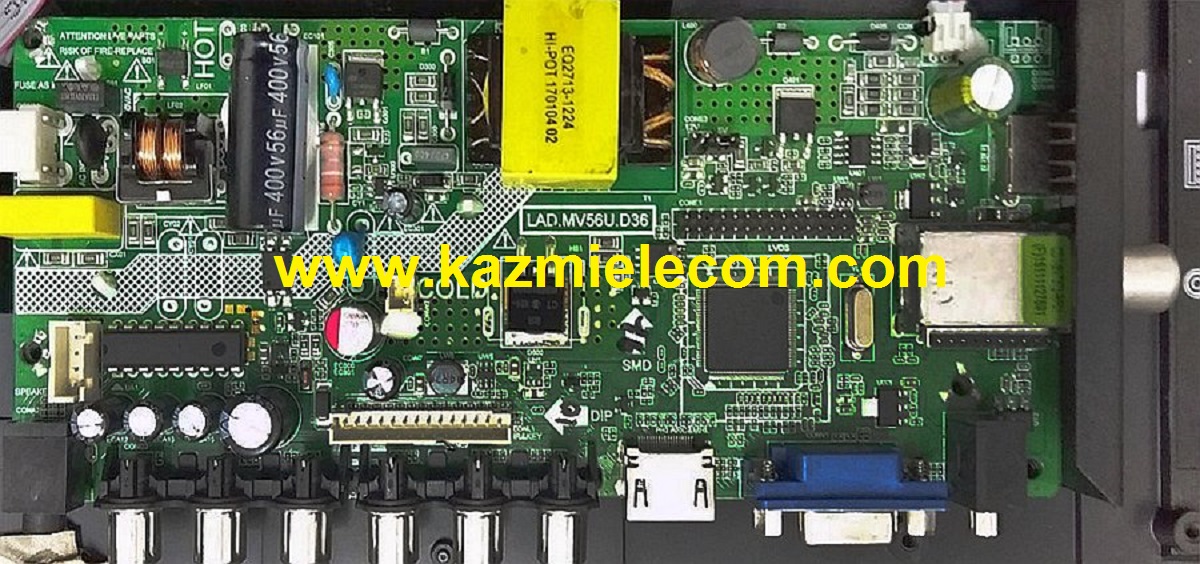
LAD.MV56U.D36 Software Free Download

LAD.MV56U.D36 LED TV Board

LAD.MV56U.D36 is an analog LCD/LED TV Combo Control Board with Power Supply and LED Driver with ATV Module. LAD_MV56U_D36 is designed for Asia-Pacific and the Middle-East market. Its USB slot can be used for updating software and playing multimedia files such as MP3, MP4, and JPEG. The Power Supply part is Energy-Efficient. Ultra-thin DC line switching power supply unit is with 45 watts Multi-Output which can support led backlight TFT Panels from up to 24″.LAD-MV56U-D36 supports maximum resolution up to 1920×1080.

Lad.mv56U.d36

This Board is also available in different versions like:

  • LAD-MV56U-A36
  • LAD-MV56U-A48
  • LAD-MV56U-A75
  • LAD-MV56U-B48
  • LAD-MV56U-C36

General Specifications:

Brand/Mark: China Universal HD Three in One Board

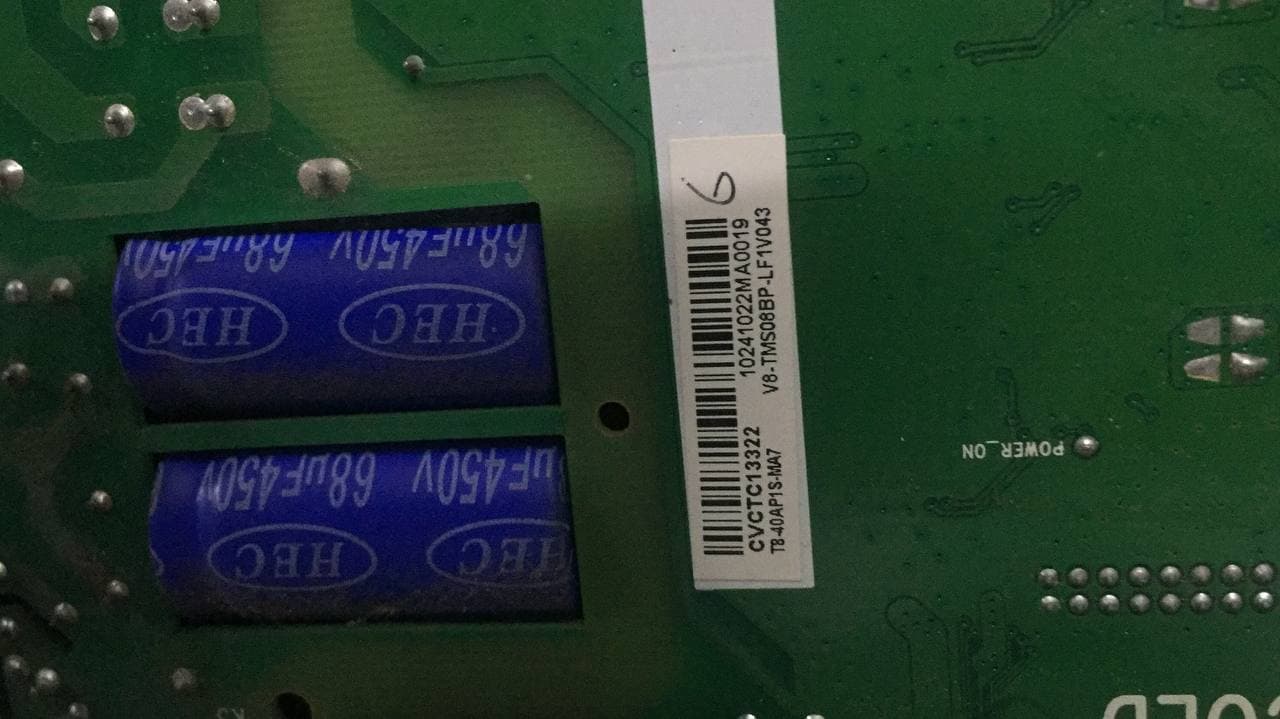
Model: LAD-MV56U-D36

Main Chipset: TSUMV56RUU-Z1

Product: LED TV

LED Backlight Voltage: 18-21V

LED Backlight Current: 300mA*2

Flash IC: 4Mb

Screen supported: up to 24 inch

Resolution: Up to 1920×1080

Sound IC: CD1517CP

Tuner IC: R842, 5010

Power Supply: 100V~240V AC

Panel Power: 5V, 12V (Jumper Cap Setting)

Standby Power Consumption: <0.5W

Frequency Range: 47Hz To 63 Hz

Service Code:

Menu+1147

Kazmi-Elecom

Note: The following given software/firmware is USB upgradeable and Backup Dump Files. Kazmi Elecom Team is not responsible for any type of damage/loss as a result of loading/installing the firmware. If you are new and do not have enough knowledge of loading or installing software/firmware or dump files then read here first.

How to Download:

Download the following given firmware/software and then extract you will get the folder. Now copy the files to USB. for More Detail about download process watch the video Click Here

LAD.MV56U.D36 firmware for free download:
Kazmi-Elecom

N.M358.818 Firmware Free Download

N.M358.818 Android Board

N.M358.818 is a smart Android Intelligent Network LCD/LED TV Board. It is suitable for the LVDS interface and supports more than 32-46 inches LED panels, with maximum resolution up to 1920*1080. N_M358_818 is a three-in-one (combo) board, i.e, power card, backlight driver module, and ATV board are integrated into a single motherboard. N-M358-818 has multiple input interface ports like USB, HDMI, AV, Scart port, and LAN port for wired internet connectivity. It also has a built-in wireless interface.

N.M358.818 came with some brand LED TVs. Its USB interface can be used for loading software as well as for playing multimedia files. N M358 818 support for analog TV signals, digital TV (DVB-C/T/T2). The N-M358-818 firmware file is given below for the technician’s support. If you are facing any issue during firmware installation, then visit and read here first.

N.m358.818

General Specifications:

Model: N.M358.818

Main Chipset: MSD6A358ATG-8-003D

Resolution Supported: 1920×1080

CPU: Quad-core ARM A53 processor

GPU: Dual Core

OS: Android 4.4/8.0

Ram: 512 MByte (Android 4.4)/1 GByte (Android 8.0)

Rom: 4GByte/8GByte emmc flash

Audio Output Power: 2X8 W (8Ω)

Backlight: 54-64v 350mA

Backlight Power: 48w

Service Code: Menu 1147

Firmware File: MstarUpgrade358.bin

Firmware Type: USB upgradable Firmware

Note: The following given software/firmware is USB upgradeable. Kazmi Elecom Team is not responsible for any type of damage/loss as a result of loading/installing the firmware.

How to Download N.M358.818 Firmware Files:

Download all parts of the following given firmware/software and then extract any one of them, you will get the folder. Now copy the files to the USB. For more details about the download process, watch the video Click Here

N.M358.818 Firmware files for Free Download:

Kazmi-Elecom

S.NO.BOARD/DESCRIPTIONDOWNLOAD LINK
1N.M358.818_1366x768_512M_4G_Samsung.part1Download
N.M358.818_1366x768_512M_4G_Samsung.part2Download
N.M358.818_1366x768_512M_4G_Samsung.part3Download
N.M358.818_1366x768_512M_4G_Samsung.part4Download
N.M358.818_1366x768_512M_4G_Samsung.part5Download

For video tutorials, visit “Kazmi Elecom” on my YouTube channel.

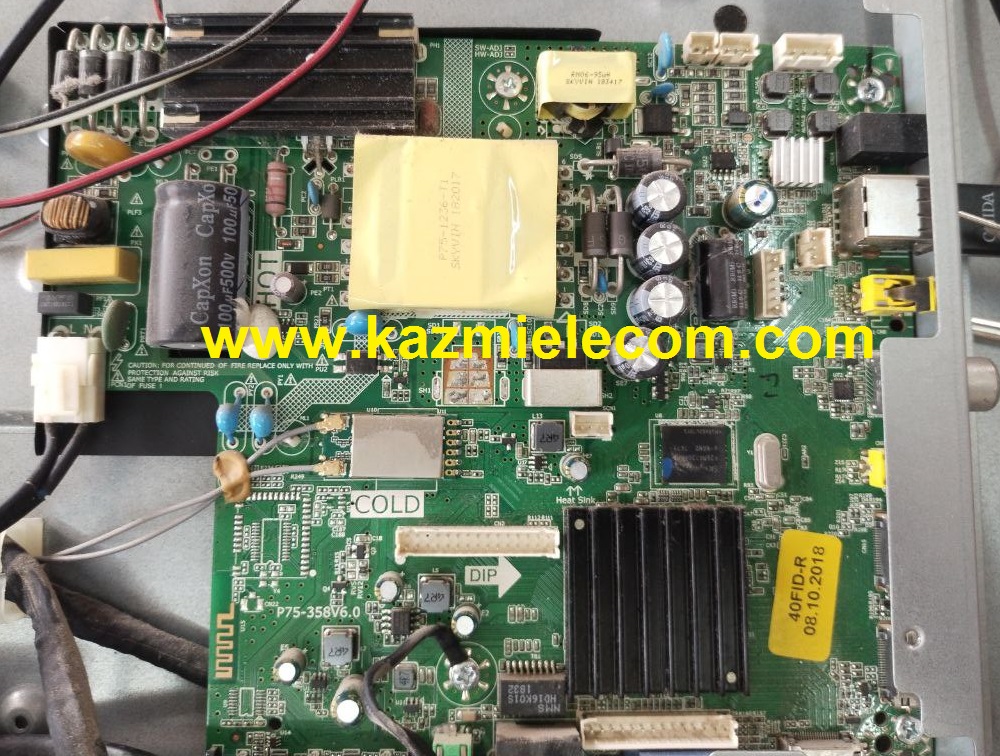
P75-358V6.0 Firmware Free Download

P75-358V6.0 Smart Board

P75-358V6.0 is a high-speed network universal driver board with an FHD resolution of 1920×1080. It is dedicated to 32″ to 43″ screens. has a powerful wifi system. Smart FHD TV features With Android Platform and great features to entertain Full HD Wide Screen with better to work SMART feature. P75-358-V6.0 Smart Board has multiple ports A/V, USB interface Ports, and many HDMI ports as well in addition to VGA and Headphones also.

P75_358_V6.0 has a LAN/RJ45 Ethernet Connector interface port also for the wired/cable internet network. P75 358V6.0 is a Combo high-speed Network Triple play motherboard that has the  ATV, Backlight Driver Board, and Power Supply Module built-in in it. The Video and Sound quality of the P75-358-V6.0 android board are very good and the Response rate is very efficient. P75.358.V6.0 china smart network board has an android 6.0 version.

P75-358V6.0

Specifications & Features:

Brand/Mark: FHD Smart LED TV Main Board

Main Board Model: P75-358V6.0

Main Chipset: MSD6A358

OSD Language: Chinese, English

Interface: Single/Dual LVDS

VIDEO INPUT:  ATV&DTV

Analog TV Signal Reception: PAL/NTSC/SECAM) (PAL /SECAM

Digital TV Signal Reception: DVB-T/T2/C/S2 ATSC ISDB DMBT

Cable/Arial port: 1
HDMI/Audio port: 2
Component Video Port (YPbPr/YCbCr): 1
Composite video port: 1

Audio port (LR): 1
PC port (D-sub): 1
Computer audio port (mini port): 1

Headphone port: 1
USB port: 2
SPDIF port: 1
Ethernet (LAN) port: Yes

Operating System: Android 6.0

CPU: 4 Core A7

CPU Frequency: 1.2 GHz

GPU: Mali400*2

GPU Frequency: 500MHz

Ram: 1 Gb

Rom: 8Gb eMMC

Audio Output: 2x8w

Resolution: up to 1920×1080 (32” to 65″)

Panel Power: 12V

Power Input: 110-240V AC

Product: Universal

Remote: Onida, Skyline

Firmware Name: MST358O.BIN

Firmware Type: USB Upgradeable

Note: The following given firmware is USB upgradeable. Kazmi Elecom Team is not responsible for any type of damage/loss as a result of uploading/downloading the firmware. If you are new and do not have enough knowledge of loading or installing software/firmware or dump files then read here first.

How to Download P75-358V6.0 Firmware Files:

Download all parts of your required resolution and then extract any one of them you will get the folder. Now copy the files to USB. for More Detail about the download process watch video Click Here

P75-358V6.0 firmware for free download:
Kazmi-Elecom

S.NO.BOARD/DESCRIPTIONDOWNLOAD LINK
1P75-358V6.0_1366x768_1G_8G_SKYLINE.part1Download
P75-358V6.0_1366x768_1G_8G_SKYLINE.part2Download
P75-358V6.0_1366x768_1G_8G_SKYLINE.part3Download
2P75-358V6.0_1920x1080_1G_8G_ONIDA.part1Download
P75-358V6.0_1920x1080_1G_8G_ONIDA.part2Download
P75-358V6.0_1920x1080_1G_8G_ONIDA.part3Download
3P75-358V6.0_1920x1080_1G_8G_SKYLINE.part1Download
P75-358V6.0_1920x1080_1G_8G_SKYLINE.part2Download
P75-358V6.0_1920x1080_1G_8G_SKYLINE.part3Download

For video tutorials, visit “Kazmi Elecom” my youtube channel.

How can we Upgrade the Smart TV Android 4.4? Installation of YT Smart Beta App.


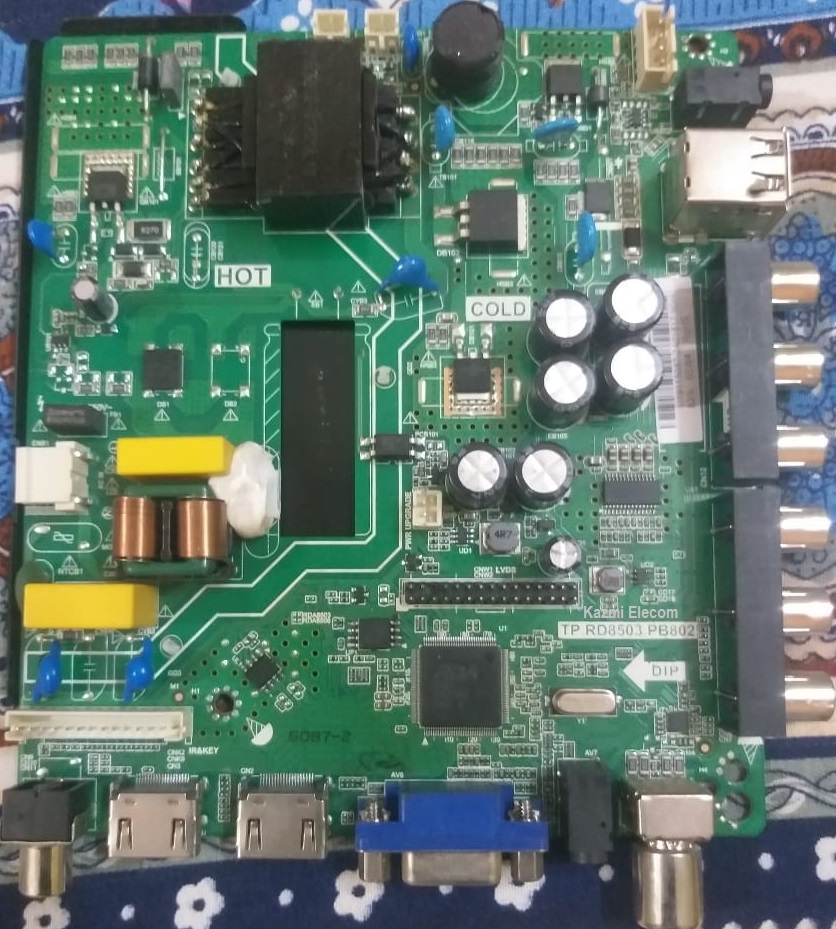
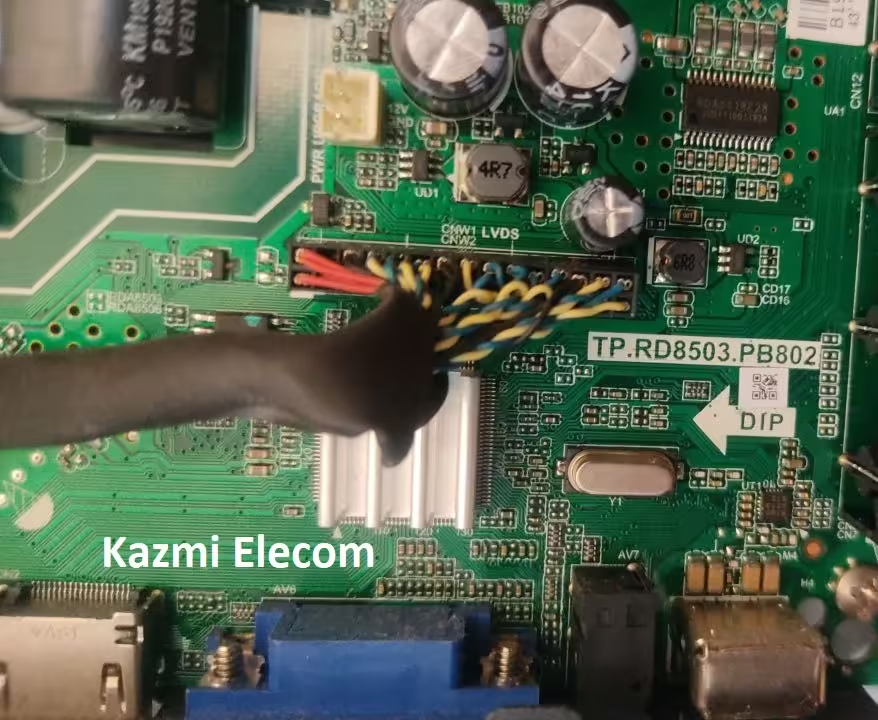
TP.RD8503.PB802 Software Free Download

TP.RD8503.PB802 Universal Driver Board

TP.RD8503.PB802 FHD three-in-one LCD Driver board LED Display Screen Combo TV Card with Dual AV, Dual HDMI, Dual USB, VGA connectivity, RF input, and PC audio. TP-RD8503-PB802 can support up to 1920×1080 screen panel resolution. The USB interface can be used for Firmware Upgrades and Multimedia Playback.

Basic Info:

Model No. TP. RD8503.PB802 (Combo Board)

Main Chipset: RDA8503

LED Backlight: 220mA to 300mA

Display Format: up to 1920×1080 FHD

Panel Supported: 26″ 42″

Aspect Ratio: 4:3, 16:9 & 16:10

Tp.rd8503.Pb802_Firmware

General Specifications:

TV System: PAL/SECAM/NTSC

Panel Interface: Single channel or Dual-channel LVDS

Key Button Functions: CH-/CH+/MENU/VOL-/VOL+Souce/Power

Multi-Language OSD: Yes

Input/Output Ports: HDMI, VGA, AV, USB, RF TV interface, and Earphone Out

Audio O/P Power: 2 x 5 Watt (8 ohms)

Panel Voltage: 5V/12V (12V default)

USB Port: USB interface for Firmware Upgrade and Multimedia Playback Support

Electrical Parameters:

Working Input Voltage: AC 230V

Maximum Current: 3000mA (Without Panel)

Standby Power: <0.2W (for the motherboard only)

Maximum Current for USB: 500mA

How to Upgrade Firmware:

Step 1: Empty the FAT32 USB disk

Step 2: Copy the required resolution program (*. Bin file) to the USB disk.

Step 3: Connect the USB disk with the Mainboard

Step 4: Connect the Keypad and IR also

Step 5: Connect the power supply, check the keyboard light. If there is a flashing light, that is in the written program, waiting for the light to stop flashing, work is done. If there is no flashing light, please cut off the power supply, then connect the USB once again, then connect the power supply again. Do not turn off the power during the software upgrade process, it may cause damage to equipment.

Tp.rd8503.Pb802

Factory Service Mode:

Menu+1147

Firmware Name: SKR8503_00.bin

Firmware Type: USB upgradeable

How to Download Firmware Files:

Download your required firmware file and then extract it you will get the folder. Now copy the files to USB. For more Details about the download process watch the video Click Here

Note: The following given Software is a USB bootable and backup Dump and can be written by a programming tool. Kazmi Elecom Team is not responsible for any type of damage/loss as a result of uploading/downloading the firmware. First Check the mainboard and then install the software. If you are new and do not have enough knowledge of loading or installing software/firmware or dump files then read here first.

TP.RD8503.PB802 Firmware  for Free Download Here :

Download Button Kazmi Elecom

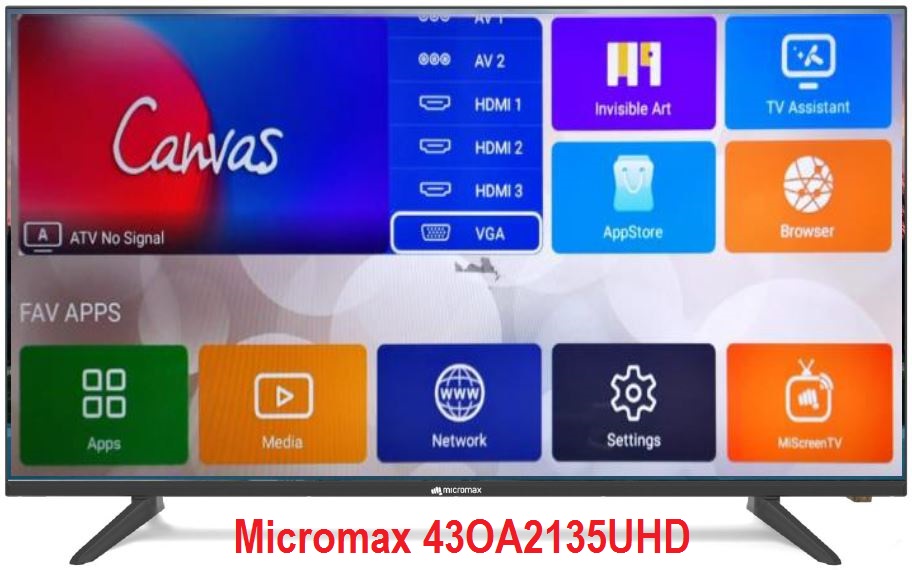
Micromax 43OA2135UHD Software Free Download

Micromax 43OA2135UHD 4K LED TV

Micromax 43OA2135UHD is a 43 Inches LED canvas series Ultra HD (4K) Certified Android TV. It has a 4K Ultra HD resolution of 3840×2160 and the Refresh Rate is 60 hertz. It has multiple HDMI ports to connect a set-top box, Blu Ray players, gaming console, and multiple USB ports to connect hard drives and other USB devices and playing multimedia as well. It has Dolby DTS Support 20 Watts sound output and HDR Display viewing.

Micromax L43OA2135UHD has the Smart TV Features as Certified Android, Google Play Store, TV Assistant App, Media Center App, Google Voice Search, Remote with Voice & Air Mouse, E-share, and also have Front Firing Speakers. Micromax L43OA2135UHD firmware files are given below for free of cost download.

Micromax_43Oa2135Uhd_Firmware

General Features & Specifications:

Brand: Micromax

Model: L43OA2135UHD

Display Size: 43 inch

Screen Type: DLED

Features Format: Smart

OS Version: Android 9.0

Chipset: AMLogic AML972

Processor: 4-Core A53 1GHz

Graphic Processor: Mali-450 MP2

RAM Capacity: 1 GB DDR3

Storage Memory: 8 GB ROM

Bluetooth: Yes

Screen Resolution: 4K 3840×2160 (Ultra Hd)

No of HDMI Ports:  3

No of USB Ports:  2

Wi-Fi Type: Wi-Fi

Built-In Wi-Fi: Yes

Ethernet (RJ45): Yes

Speaker Output RMS: 20W (10W*2)

Power Requirement: AC 110 – 240 V, 50/60 Hz

Power Consumption: 100 W

Firmware Type: USB Update

Firmware Name: allupgrade_aml972_8G_1G_80.img

Firmware Version:

Main Board: TP_SK708D_PC821

Note: The following given MICROMAX 43OA2135UHD Software is USB upgradeable. Kazmi Elecom Team is not responsible for any type of damage/loss as a result of uploading/downloading the firmware. If you are new and do not have enough knowledge of loading or installing software/firmware or dump files then read here first.

How to Download MICROMAX 43OA2135UHD Firmware:

Download all parts of the following given MICROMAX 43OA2135UHD firmware and then extract any one of them you will get the folder. Now copy the files to USB. for More Detail about download process watch the video Click Here

MICROMAX 43OA2135UHD Firmware for free download:
Download Button Kazmi Elecom

TCL L40D2730A Firmware Free Download

TCL L40D2730A LED TV

TCL L40D2730A is 40 inches ultra-slim ISDBT Smart Full HD LED TV. TCL_L40D2730A uses LED backlight technology (ED TV). TCL-L40D2730A Screen LED Backlight screen line using CMO panels 178 degrees wide viewing angle brings Images fresh and sharp with FHD 1920×1080 px resolution. TCL L40D2730A LED TV integrated dual speakers beneath the screen.

TCL LED TV L40D2730A fully integrated connectivity allows users to use it as a computer monitor or TV and also the USB, Component, and HDMI connectivity. TCL LED TV Models L40D2730A firmware file is given below for the Technician’s support.

Tcl L40D2730A

General Specifications:

Make/Model: TCL L40D2730A

Size: 40″

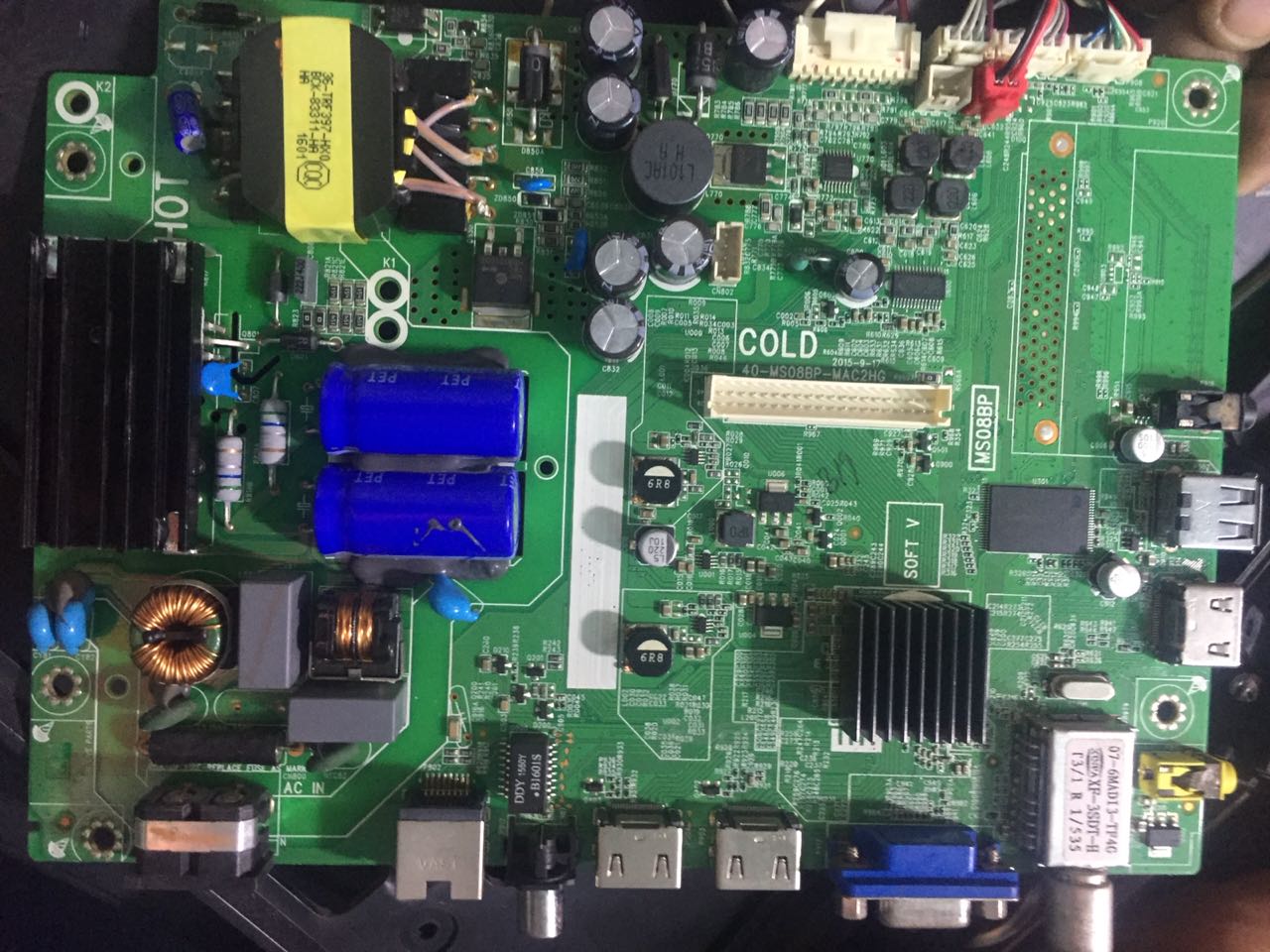
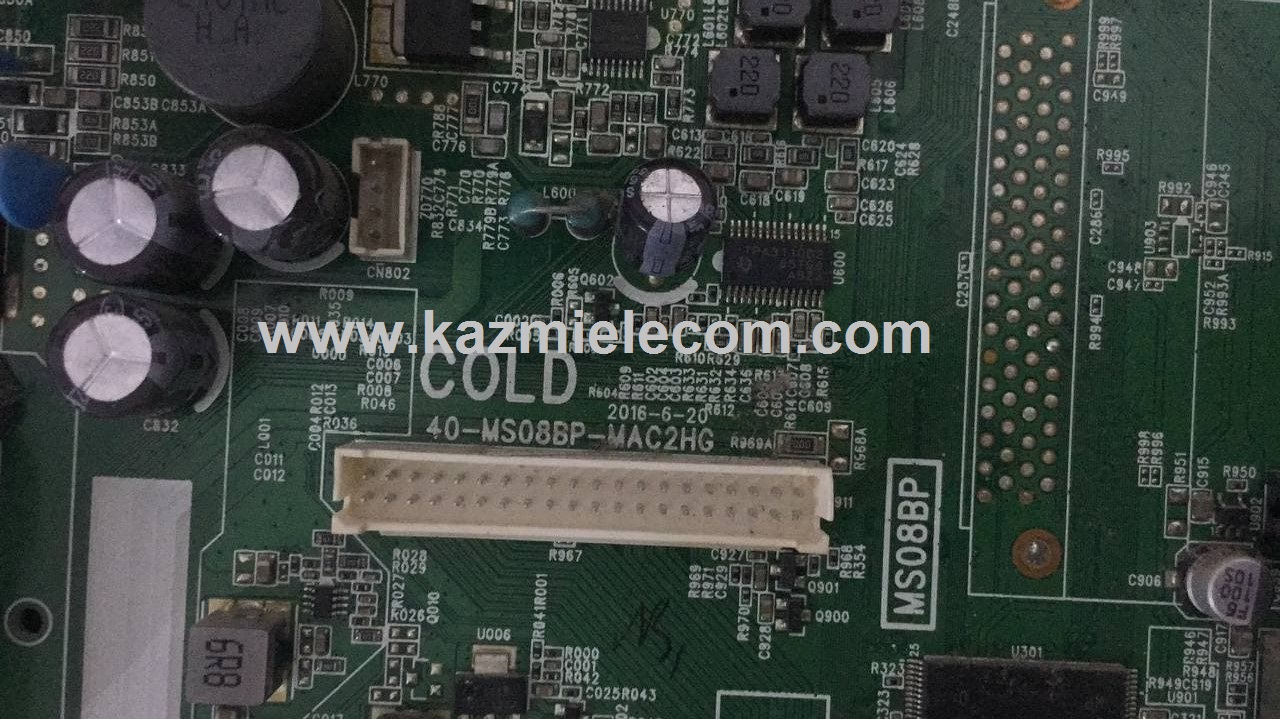
Main Board: 40-MS08BP-MAc2HG

Screen: LED

OS: Smart

Resolution: 1920×1080

Receiving System: PAL, NTSC

Audio Output: 16W Dolby Digital

Digital Tuner: ISDB-T / DVB-T

Power Consumption: 75W

Software Version: V8-TMS08BP-LF1V036

Firmware File: MS08BPupgrade.bin

Firmware Type: USB Upgradeable Firmware, TCL U-Disk Program data

Tcl L40D2730A

Note: The following given software is USB upgradeable. Kazmi Elecom Team is not responsible for any type of damage/loss as a result of uploading/downloading the firmware. First Check the mainboard and then install the software. If you are new and do not have enough knowledge of loading or installing software/firmware or dump files then read here first.

How to Download TCL L40D2730A firmware files:

Download all parts of the following given firmware and then extract any one of them you will get the folder. Now copy the files to USB. for More Detail about download process watch the video Click Here

Tcl L40D2730A

TCL L40D2730A  firmware file free download:

Kazmi-Elecom

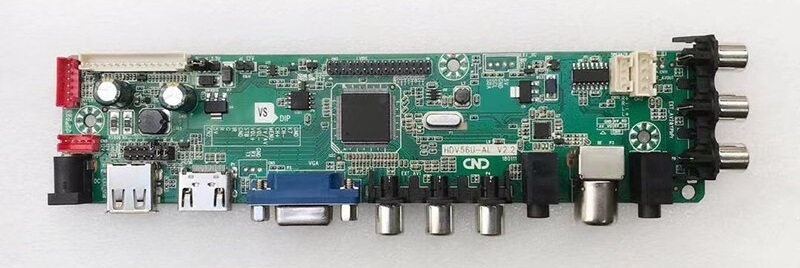
HDV56U-AS Software Free Download

HDV56U-AS Universal TV Board

Basic Info:

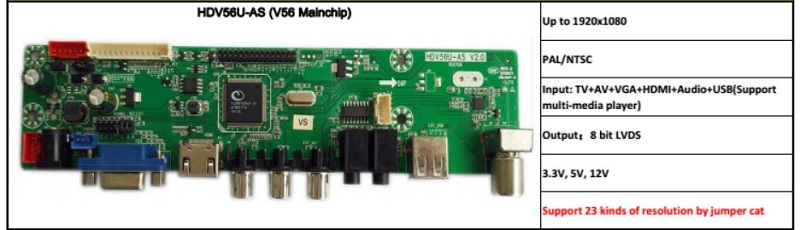
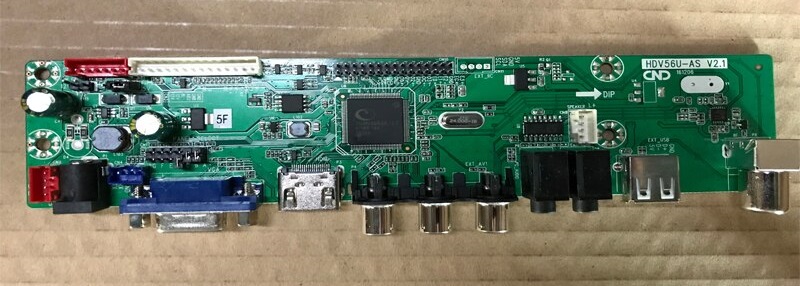
Model No. HDV56U-AS V2.1, HDV56U-AS V2.2, HDV56U-AS V2.0

Main Chipset: TSUMVV56RUUL-Z1

Display Format: up to 1920×1080

Aspect Ratio: 4:3, 16:9 & 16:10

Special Feature: Support multiple resolution formats with Jumper setting

Hdv56U_As_V2.0

Hdv56U_As_V2.1

Hdv56U_As_V2.2

General Specifications:

TV System: PAL/SECAM/NTSC

Panel Interface: Single-channel or Dual-channel LVDS (2X15 pins)

Key Button Functions: CH-/CH+/MENU/VOL-/VOL+Souce/Power

Multi-Language OSD: Yes

Default Language: Chinese/English

Input/Output Ports: HDMI, VGA, AV, USB, RF TV interface, and Earphone Out

Audio O/P Power: 2 x 3 Watt (8 ohm)

Panel Voltage: +3.3V/+5V/+12V DC (jumping cap setting)

Backlight: Yes

USB Port: Yes (Firmware Upgrade and Multimedia Playback Support)

USB File Format: Audio (Mp3, wma, m4a/aac), Video (avi, mp4, ts/trp, mkv/mov, mpg, dat, vob, rm/rmvb),                                                 Picture (Jpg, jpeg, bmp, png), Text (text)

IR Control: Yes (Controllable by Remote Control)

Electrical Parameters:

Working Input Voltage: DC +12 Volt

Maximum Current: 2000mA (Without Panel)

Standby Power: <0.2W (for the motherboard only)

Maximum Current for USB: 500mA

Factory Service Mode:

Menu+8896

Note: No need to load resolution firmware. if the software corrupts then load the backup dump and change the resolution by jumper setting.

Boot Logo Setting:

1. Put the required logo image in Pendrive
2. Connect the Pendrive with the tv
3. Find the logo in Multi-media File
4. Select the logo
5. Press No.”6 ” on the remote control to change to fullscreen play, then press “ok” on
the remote control, on the bottom of the option items, there is a ” catch”, choose it. Logo Change Done

Note: Following firmware collection is a Backup Dump saved from working LED TVs that can be loaded by a programmer. Kazmi Elecom Team is not responsible for any type of damage/loss as a result of uploading/downloading the firmware. If you are new and do not have enough knowledge of loading or installing software/firmware or dump files then read here first.

How to Download Firmware File:

Download your required file of the following firmware and then extract it you will get the folder. Now you can write the file with a programming tool. for More Detail about the download, process watch the video Click Here

HDV56U-AS Firmware Free Download Here :

Kazmi-Elecom

S.NO.BOARD/DESCRIPTIONDOWNLOAD LINK
1HD56U-AS_V2.1_Backup_DumpDownload

For video tutorials, visit “Kazmi Elecom” my youtube channel.

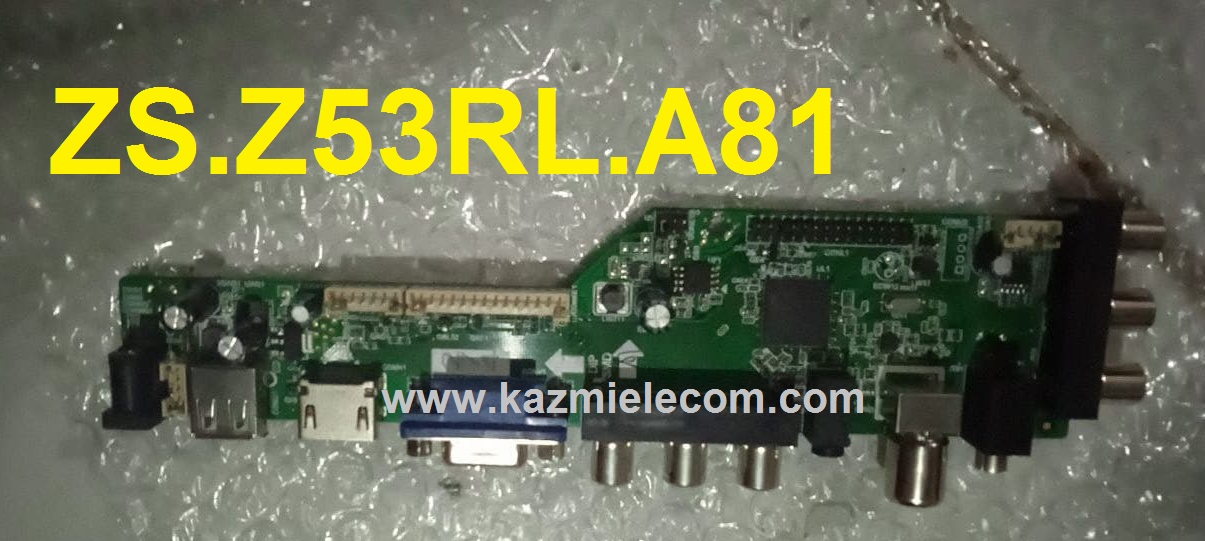
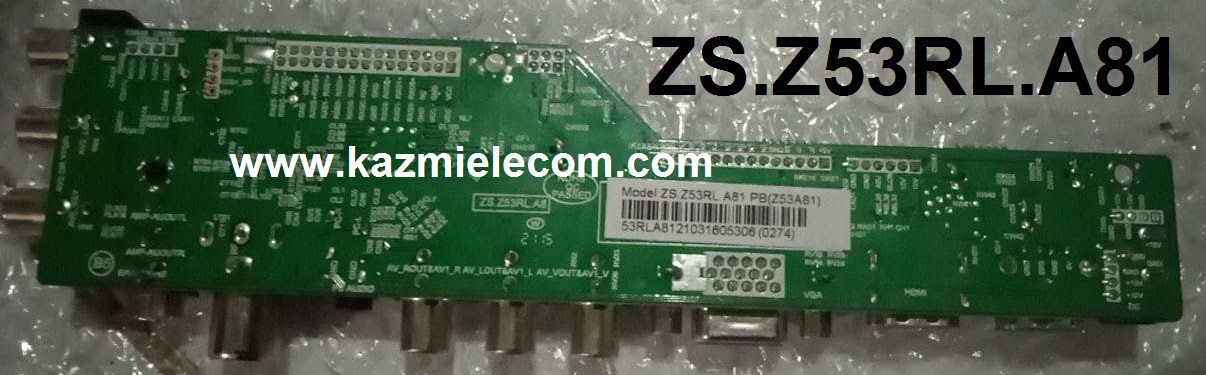
ZS.Z53RL.A81 Firmware Free Download

ZS.Z53RL.A81 Universal Board

Basic Info:

Model No. ZS.Z53RL.A81

Main Chipset: TSUMV53RUUL-Z1

Trademark:

Display Format: up to 1920×1200 (FHD)

Screen Panel Supported: 8.9-42 inch

Aspect Ratio: 4:3, 16:9 & 16:10

Board Size:

Zs.z53Rl.a81

General Specifications:

TV System: PAL/SECAM/NTSC

Panel Interface: Single-channel or Dual-channel LVDS

Key Button Functions: CH-/CH+/MENU/VOL-/VOL+Souce/Power

Multi-Language OSD: Yes (Russian, English, Hindi, Simplified Chinese, Khmer, Vietnamese, Chinese, Italian, Spanish)

Input/Output Ports: HDMI, VGA, DUAL AV, USB, RF TV interface, and Earphone Out

Audio O/P Power: 2 x 3 Watt (8 ohms)

Panel Voltage: +3.3V/+5V/+12V DC (jumping cap setting)

USB Port: Yes (Firmware Upgrade and Multimedia Playback Support)

USB File Format: Audio (Mp3, wma, m4a/aac), Video (avi, mp4, ts/trp, mkv/mov, mpg, dat, vob, rm/rmvb),                                                 Picture (Jpg, jpeg, bmp, png), Text (text)

IR Control: Yes (Controllable by Remote Control)

Electrical Parameters:

Working Input Voltage: DC +12 Volt

Maximum Current: 2000mA (Without Panel)

Standby Power: <0.2W (for the motherboard only)

Maximum Current for USB: 500mA

How to Upgrade Firmware:

  1. Copy the Required Firmware/software into FAT32 USB Disk
  2. Plugin the U disk into the Mainboard USB port of the LCD/LED TV
  3. Switch ON the power and Wait until even the IR indicator led stops flashing
  4. Done. Unplug the U-disk (It will take max 1 min to upgrade firmware)

Factory Service Mode:

Menu+1147

Zs.z53Rl.a81

Note: The following firmware is USB upgradeable. Kazmi Elecom Team is not responsible for any type of damage/loss as a result of uploading/downloading the firmware. If you are new and do not have enough knowledge of loading or installing software/firmware or dump files then read here first. No need to install panel resolution firmware. Just enter to service menu and change the panel type.

How to Download ZS.Z53RL.A81 Firmware File:

Download all parts of the following firmware and then extract any one of them you will get the folder. Now copy the files to USB. for More Detail about the download process watch the video Click Here

ZS.Z53RL.A81 Firmware Free Download:

Download Button Kazmi Elecom

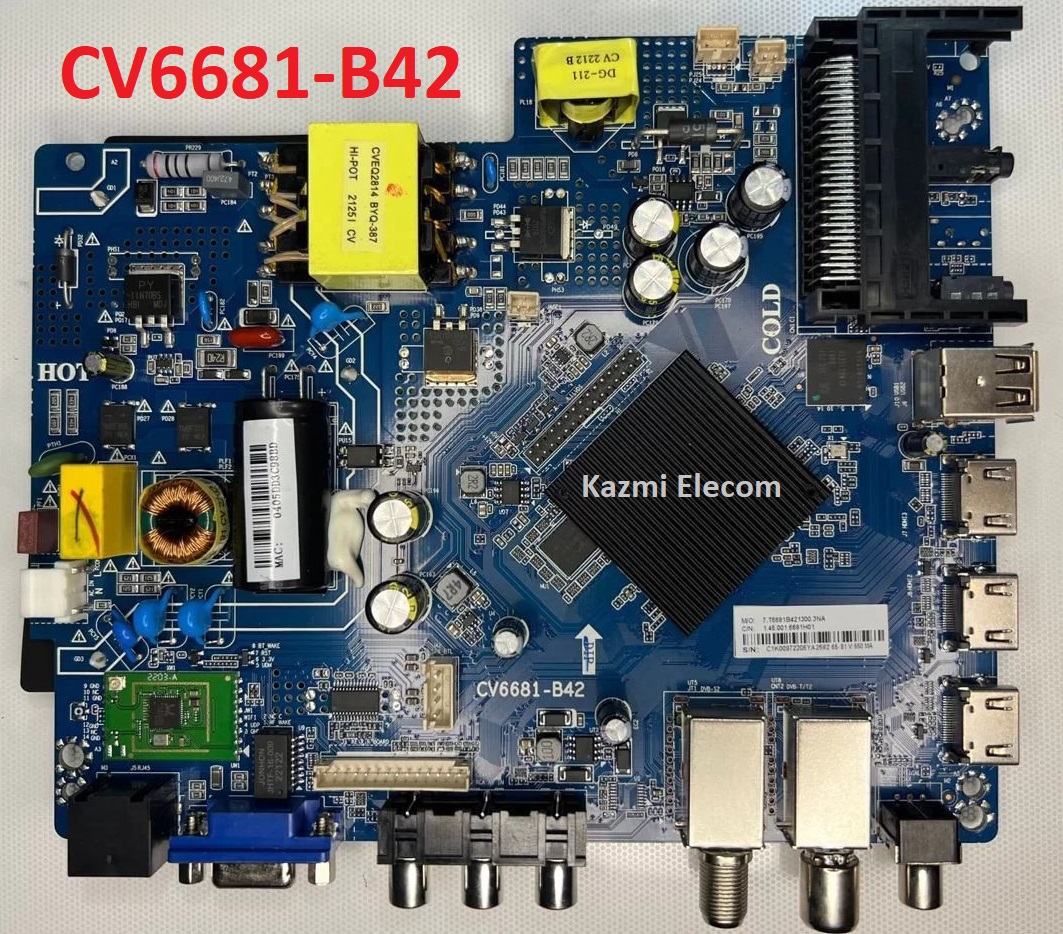
CV6681-B42 Firmware Free Download

CV6681-B42 Smart Android Board

CV6681-B42 is an Android network driver smart LED TV board with an FHD resolution of 1920×1080. CV6681_B42 has a powerful wifi system. Smart FHD TV With Android Platform and great features to entertain Full HD Wide Screen with better-to-work SMART. CV6681 B42 Smart Board has multiple ports of A/V, USB interface Ports, and many HDMI ports as well in addition to SCART. VGA interface is not available on this board. CV6681-B42 has a LAN/RJ45 Connector interface port also for the wired internet network.

CV6681.B42 is a Combo Network Triple play board that has a Digital TV tuner built-in in it (digital terrestrial receiver). The Graphics and Sound quality of the CV6681.B42 Android board are very good and the Response rate is very efficient. CV6681.B42 China smart network board can support up to 43″ LED Panels. CV6681.B42 firmware file is available for the technician’s support.

Cv6681-B42

General Specifications:

Brand/Mark: LCD/LED Main Board (Android WIFI Network Drive Board)

Main Board: CV6681-B42

Main Chipset: CV9632-CV6681

OS: Android 9.0

CPU: Multi Core Arm Cortex A53 64-bit

GPU: Multi-Core Mali-T450

CPU Frequency: 1.2GHz

GPU Frequency: 432MHz

Back Light V/C : 37.2-42v 600mA

Ram: 1Gb

Rom: 8 Gb eMMC

Resolution: up to 1920×1080

Speakers: 2 x 8W

RF connectivity X 1
HDMI X 3
USB X 2
YPbPr X 1
HEADPHONES X 1
CI + X 1
RJ45 X 1

Firmware: CtvUpgrade.bin

Firmware Type: USB Updateable Firmware

Firmware Installation Guide: Click Here

Note: The following given firmware is USB upgradeable. Kazmi Elecom Team is not responsible for any type of damage/loss as a result of uploading/downloading the firmware.

How to Download CV6681-B42 Firmware Files:

Download all parts of the following given firmware and then extract any one of them you will get the folder. Now copy the files to USB. For more Details about the download process watch the video Click Here

How to Load Software:

  1. Transfer the required resolution file into a USB Disk
  2. Plugin the USB Disk into the Main Board
  3. Keep Pressing the Standby/Power button and Power on the board
  4. Wait until the LED light starts flashing
  5. Note: The USB file must be the name “CtvUpgrade.bin”

CV6681-B42 firmware for free download:
Kazmi-Elecom

For video tutorials, visit “Kazmi Elecom” my YouTube channel.

error: Content is protected !!