Tag Archives: kazmi elecom

VS.TP56U22.2 Software Free Download

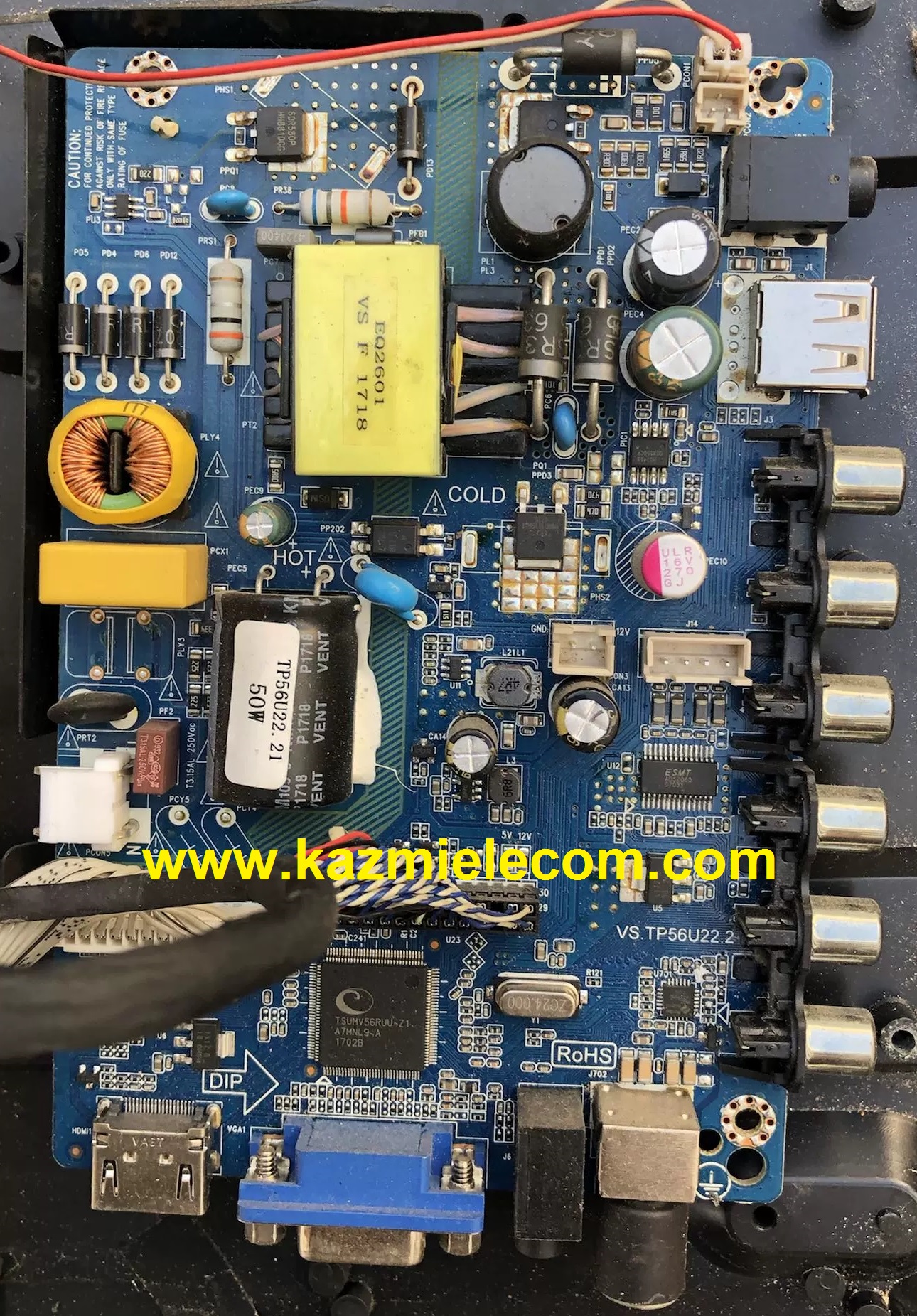
VS.TP56U22.2 LED TV Board

VS.TP56U22.2 is an analog combo LCD/LED driver controller board suitable for 27-32inch TVs. This new Board is best according to its features like backlight adjustment, Mirroring option, and Logo capture. VS.TP56U22.2 is best suitable for the Asia Pacific and the Middle East as well. TP56U22.2 can support a maximum resolution of 1920×1080 Full HD. TP56U22.2 is a 3 IN 1 TV board with video +Power+LED driver.

Vs.tp56U22.2

General Specifications:

Model Number: VS.Tp56U22.2

Main Chip: TSUMV56RUUL-Z1

Screen Supported: 27-32inch

Resolution: up to 1920×1080@60Hz

Audio Output: 6w*2

Video System: PAL, SECAM

Backlight Voltage: 30V-65V

Backlight Current: 210-600mA

Max Output Power: 50W

Mirror Option: Yes

Backlight Adjustment: Yes

Panel Voltage: 12V, 5V

AC Input Power: AC90V-AC264V

Standby Consumption: < 0.5W

Output Power Consumption: 50W

Service Menu:

Input + 308

Note: Following given firmware is USB upgradeable. Kazmi Elecom Team is not responsible for any type of damage/loss in result with loading/installing the firmware. If you are new and do not have enough knowledge of loading or installing software/firmware or dump files then read here first.

How to Download:

Download your required resolution and then extract it you will get the folder. Now copy the bin file to USB. for More Detail about download process watch the video Click Here

Here are below VS.TP56U22.2 firmware for all resolution free download:

Kazmi-Elecom

S.NO.BOARD/DESCRIPTIONDOWNLOAD LINK
1VS.TP56U22.2_1920x1080_CHINADownload
2VS.TP56U22.2_1920x1080_MULTI LOGODownload
3VS.TP56U22.2_1920x1080_NOCDownload
4VS.TP56U22.2_1920x1080_SAMSUNG-IRDownload
5VS.TP56U22.2_LD32DJDD1-DUMPDownload

For video tutorials, visit “Kazmi Elecom” my youtube channel.

TP.SK529S.PB803 Firmware Free Download

TP.SK529S.PB803 Smart Android Board

The Android network motorist smart LED television board TP.SK529S.PB803( N) has a 1920 x 1080 FHD resolution. The wifi system on TP_SK529S_PB803 is veritably important. Smart FHD television with the most recent Android Platform and fantastic features for Full HD Wide Screen entertainment with better Smart functionality In addition to the VGA interface for computers, the TP SK529S PB803 Smart Board has multiple A/ V harborage, USB interface anchorages, and three HDMI interface harborage. The wired internet network can use the LAN/ RJ45 Connector interface harborage on the TP- SK529S- PB803.

The Digital TV tuner( DTMB/ DVB- C/ ATSC/ ISDB- T) is embedded in the Combo Network Triple Play board TP.SK529S.PB803. This Android board has excellent plates and sound quality, and its response time is very quick. The China smart network board TP.SK529S.PB803 is ideal for LED panels ranging in size from 32″ to 43″. The technician can get support from the firmware train TP.SK529S.PB803( N). On the off chance that you’re facing any issues during firmware installation, visit and read them first.

Tp.sk529S.pb803

Technical and General Specifications:

Brand/Mark: Main Board (Android WIFI Network Drive Smart Board)

Main Board: TP.SK529S.PB803 (N)

Main Chipset: HV352

Operating System: Android 13

CPU: Multi-Core ARM Cortex A53 64-bit

GPU: Mali 450

CPU Frequency: 1.2GHz

GPU Frequency: 432MHz

RAM: 1GB

ROM: 8 Gb

Resolution: up to 1920×1080

Backlight: 35V-52V 25W480mA

Screen Size supported: 32 to 43 inches

Audio Output power: 2x8W

Mirror Mode: Yes

Logo Change: Yes

Bluetooth: Yes

Tuner: SI2159

Input Voltage: 200-240V AC

Firmware Name: allupgrade_an12_V3520N0E_8G_512X2MB_68.bin

Firmware Type: USB Updatable Firmware and EMMC Backup Dump

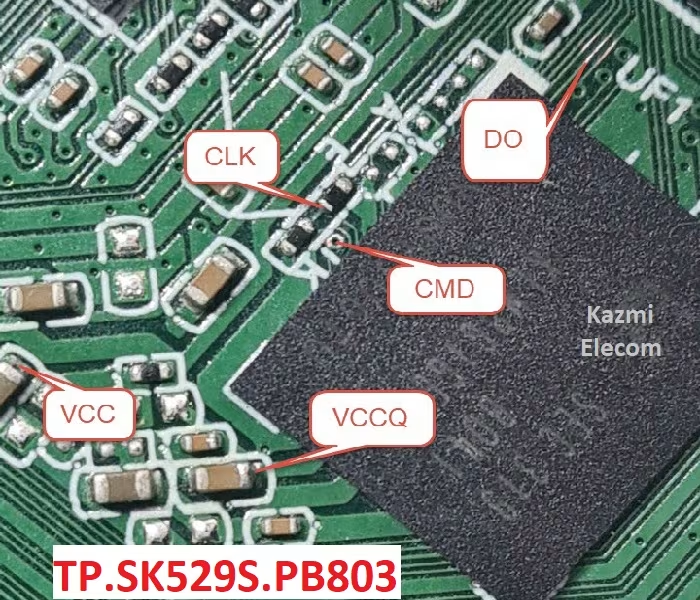
Tp.sk529S.pb803 Emmc Pinout Kazmi Elecom

Note The following given Software/firmware is USB upgradeable and EMMC backup Dump. Kazmi Elecom Team is not responsible for any type of damage/loss as a result of uploading/downloading the firmware.

How to Download Firmware Files:

Download all parts of the following given firmware/Software and then extract any one of them you will get the folder. Now copy the files to USB. For more Details about the download process watch the video Click Here

TP.SK529S.PB803 Software file for free download:

Kazmi-Elecom

TP56U91.2 Software Free Download

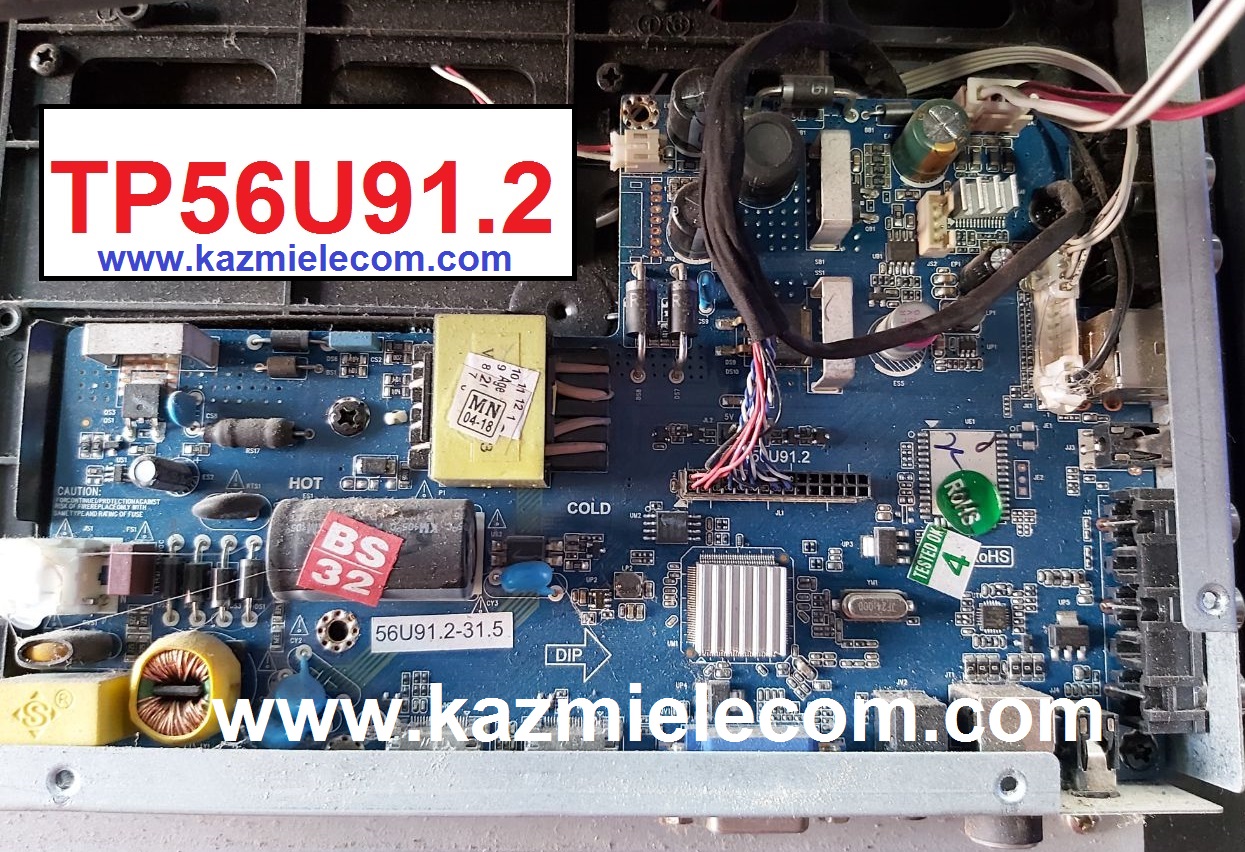
TP56U91.2 LED TV Board

TP56U91.2 is an analog combo LCD/LED driver controller board suitable for 18.5 to 24 inches TVs. This new Board is best according to its features like backlight adjustment, Mirroring option, and Logo capture. TP56U91_2 is best suitable for the Asia Pacific and the Middle East as well. TP56U91-2 can support a maximum resolution of 1920×1080 Full HD. TP56U91.2 is a 3 IN 1 TV board with video +Power+LED driver.

Tp56U91.2

General Specifications:

Model Number: TP56U91.2

Main Chip: TSUMV56

Screen Supported: 18.5-24 inch

Resolution: 1920×1080

Backlight Voltage:

Backlight Current:

Max Output Power: 50W

Mirror Option: Yes

Backlight Adjustment: Yes

Panel Voltage: 12V, 5V

AC Input Power: AC150V-AC264V

Standby Consumption: < 0.5W

Output Power Consumption: 50W

Service Menu:

Input + 2580, 8869, 8893, 1147, 6964

Note: Following given firmware is USB upgradeable. Kazmi Elecom Team is not responsible for any type of damage/loss as a result of loading/installing the firmware. If you are new and do not have enough knowledge of loading or installing software/firmware or dump files then read here first.

How to Download:

Download your required resolution and then extract it you will get the folder. Now copy the bin file to USB. for More Detail about the download process watch the video Click Here

Here are below TP56U91.2 firmware for all resolution free download:

Kazmi-Elecom

S.NO.BOARD/DESCRIPTIONDOWNLOAD LINK
1TP56U91.2_1366x768_BESTON_DUMPDownload
2TP56U91.2_1366x768_DRKTRON_DUMPDownload
3TP56U91.2_1366x768_F&D_DUMPDownload
4TP56U91.2_1366x768_TEXLA VISION_DUMPDownload
5TP56U91.2_1366x768_VTONE_DUMPDownload

For video tutorials, visit “Kazmi Elecom” my youtube channel.

CV59H-J Firmware Free Download

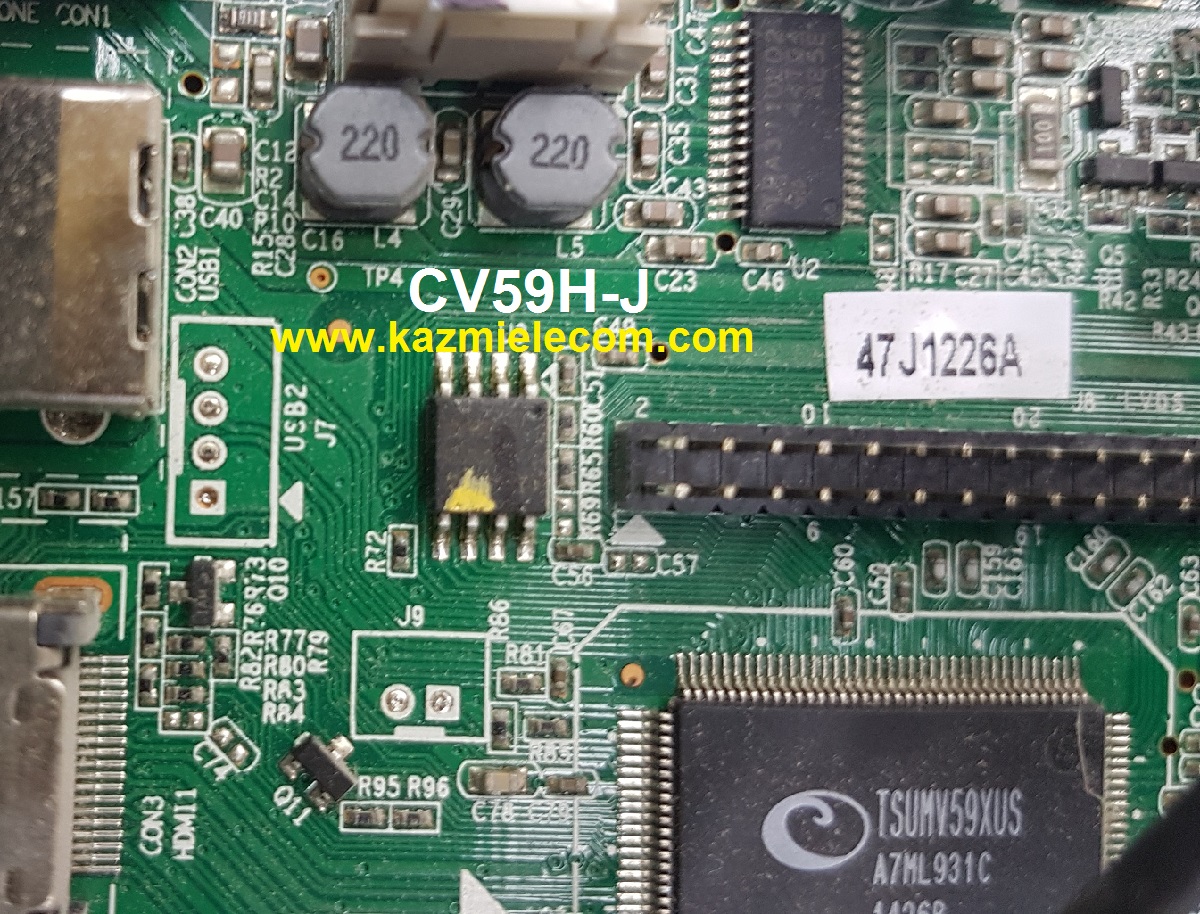
CV59H-J LED TV Board

CV59H-J is a simple ATV Drive Board designed for LCD/LED TVs. This Board is suitable for the Asia Pacific and the Middle East markets. This is not a Combo Board the main power module and LED Backlight Inverter module is required separately while the TV Tuner and Android Chip Circuit are placed into this PCB of the motherboard. This has all the features and connectivity interface as per the latest requirements like HDMI input, USB interface, PC input, Component Input, TV, and Headphone jack. CV59H-J software files are given for the technician’s support.

Cv59H-J

General Specifications:

Brand/Mark: Universal FHD Board

Model: CV59H- J

Main Chip: TSUMV59XUS

Product: LED TV

LED Backlight: NA

Flash IC: 4Mb

Screen supported: 26-46 inch

Resolution: Up to 1920×1080

Panel Voltage: 12V

Power Input: 220V AC

Service Code:

Menu+1147

Note: The following given software/firmware is USB upgradeable Files. Kazmi Elecom Team is not responsible for any type of damage/loss as a result of loading/installing the firmware. If you are new and do not have enough knowledge of loading or installing software/firmware or dump files then read here first.

How to Download:

Download the following given firmware/software and then extract you will get the folder. Now copy the files to USB. for More Detail about download process watch the video Click Here

CV59H-J firmware for free download:

Kazmi-Elecom

S.NO.BOARD/DESCRIPTIONDOWNLOAD LINK
1L32Y8 CV59H-J+LG LC320DXJ-SEE2 HKC MIRROR.rarDownload
2L32Y8 CV59H-J+LG LC320EXJ-SEE1 HKC MIRROR.rarDownload
3L42V7 CV59H-J+AUO T420HVD01.2 HKC.rarDownload
4L42V7 CV59H-J+AUO T420HVN02-V0 HKC.rarDownload
5L42V7 CV59H-J+AUO T420HW06-V0 HKC.rarDownload
6L42V7 CV59H-J+AUO T420HW09-V2 HKC.rarDownload
7L42V7 CV59H-J+CMO V420H2-P01 HKC.rarDownload
8CV59H-J-HKC-USB-ALL-FIRMWAREDownload

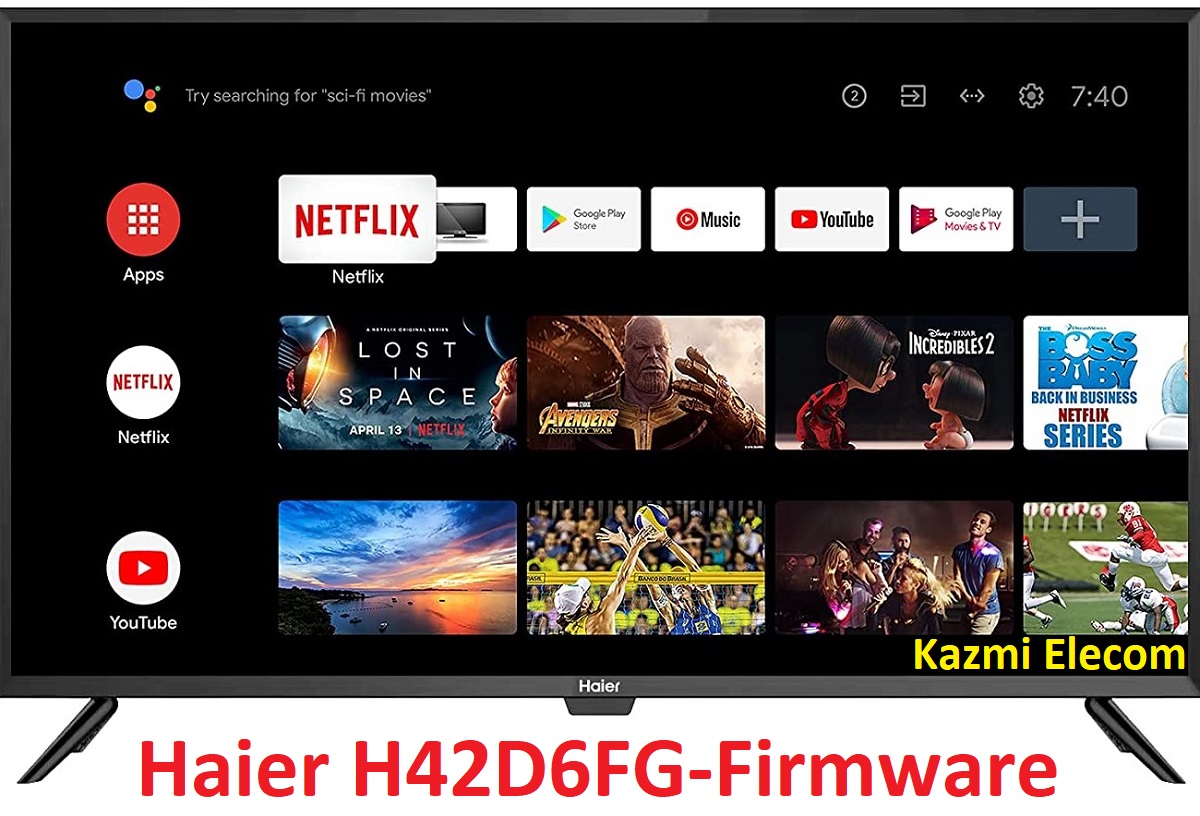
HAIER H42D6FG Firmware Free Download

HAIER H42D6FG Smart Android TV

Haier H42D6FG is a Full HD Smart LED TV with a resolution of 1920*1080, showing more explicit, smoother pictures in real life. Haier H42D6FG brings you into an intelligent world with an Android operating system and WIFI connectivity. You can also view and enjoy your mobile content on your LED TV Big Screen. Haier H42D6FGG improves efficiency With the WIFI function, multi-screen sharing and controlling via TV, Computer, and smartphone are so easy.

It is straightforward to browse and enjoy digital media directly from USB flash drives. Its HDMI interface allows you to connect your entertainment gadgets to LED and conveniently switch to each device & have an enjoyable multimedia experience. The Haier H42D6FG firmware file is given below for the technician’s support.

Haier H42D6Fg

General Specifications & Features:

Brand/Make: Haier

Model: H42D6FG

Mainboard: CV6683H-C42

Chipset:

Supported Resolution: 1920×1080

Screen Format: 16:9

Operating System: Android 9.0 Pie

CPU: ARM A53*4@1.1GHz

GPU: Mali 470 MP3

RAM: 1 GB DDR3

ROM: 8Gb

Sound Output: 08Wx2

TUNER: Analog & Digital Tuner DVB-T2

Video System: PAL/SECAM/NTSC

Power Input: 100-240 V AC

Power Consumption: 80W

Standby Power: 0.5W

Firmware: upgrade_no_tvcertificate.pkg

Firmware Type: USB Updateable Firmware

Product User: HAIER

Note: The following given software/firmware is USB upgradeable. Kazmi Elecom Team is not responsible for any type of damage/loss as a result of uploading/downloading the firmware. If you are new and do not have enough knowledge of loading or installing software/firmware or dump files then read here first.

How to Download Firmware Files:

Download all parts of the following given firmware/software and then extract any one of them you will get the folder. Now copy the files to USB. For more Details about the download process watch the video Click Here

Haier H42D6FG firmware file for free download:

Kazmi-Elecom

For video tutorials, visit “Kazmi Elecom” my YouTube channel.

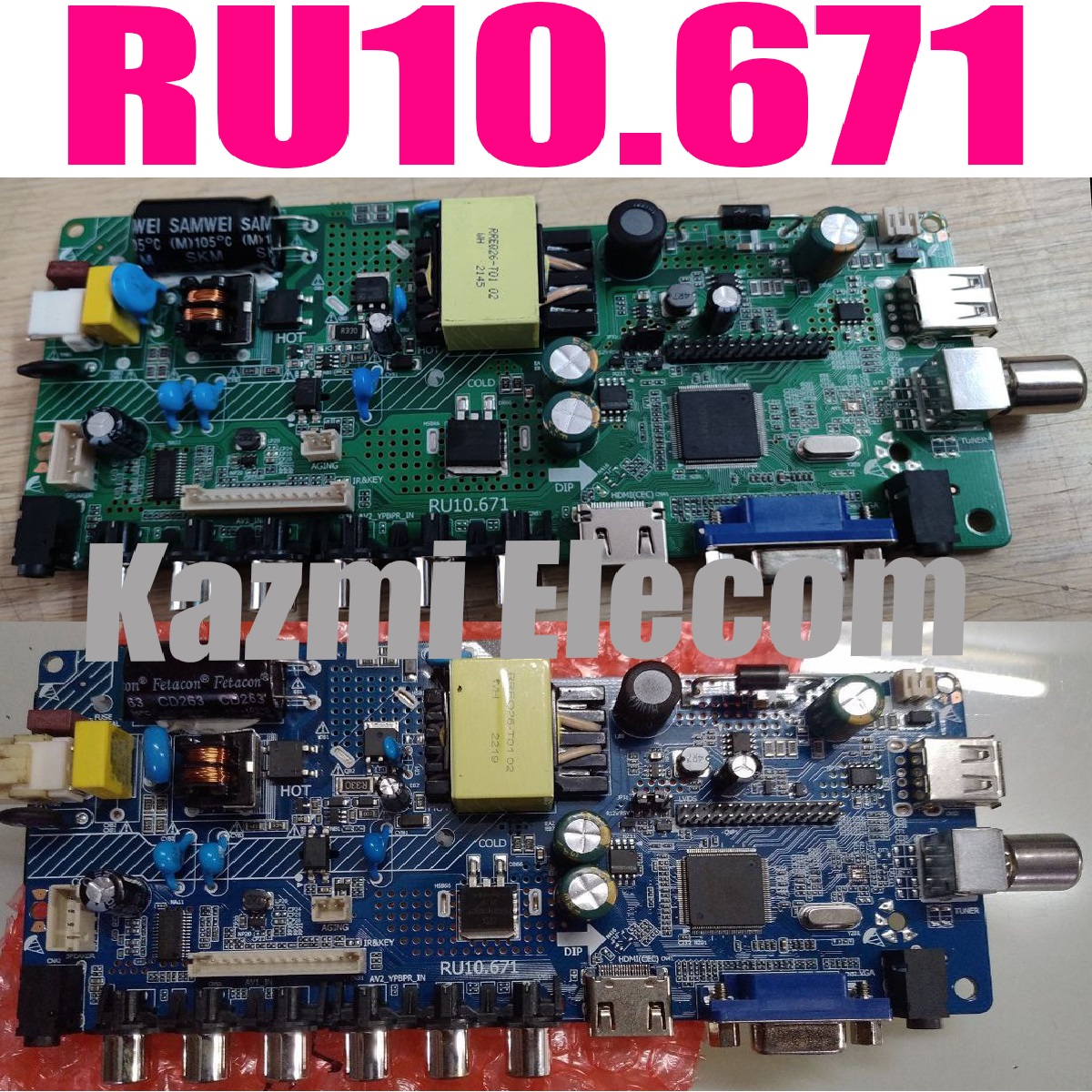
RU10.671 Software Free Download

RU10.671 Universal Combo Board

RU10.671 is a universal ATV LCD/LED TV Board that is designed for 19 to 26-inch screen panels with full HD 1920×1080 screen resolution. RU10_671 is a combo ATV board that is the inbuilt power supply, LED backlight Inverter board, and ATV Module in a single PCB card. RU10-671 is an efficient board for small LCD/LED panels. RU10.671 is a universal LCD/LED controller board that is compatible with any panel.

Basic Info:

Model No. RU10.671

Main Chipset: UTS6710-X

LED Backlight: 18 to 60V 220mA to 300mA

Display Format: up to 1920×1080

Panel Supported: 19″ t0 26″

Aspect Ratio: 4:3, 16:9 & 16:10

Multi-Resolution Codes

Ru10.671

General Specifications:

TV System: PAL/SECAM/NTSC

Panel Interface: Single channel or Dual channel LVDS

Key Button Functions: CH-/CH+/MENU/VOL-/VOL+Souce/Power

Multi-Language OSD: Yes

Input/Output Ports: HDMI, VGA, AV, USB, RF TV interface and Earphone Out

Audio O/P Power: 2 x 5 Watt (8 ohm)

Panel Voltage: 5V/12V DC (jumping cap setting)

USB Port: Yes (Firmware Upgrade and Multimedia Playback Support)

USB File Format: Audio (Mp3, wma, m4a/aac), Video (avi, mp4, ts/trp, mkv/mov, mpg, dat, vob, rm/rmvb),                                                 Picture (Jpg, jpeg, bmp, png), Text (text)

IR Control: Yes (Controllable by Remote Control)

Electrical Parameters:

Working Input Voltage: AC 220V

Maximum Current: 3000mA (Without Panel)

Standby Power: <0.2W (for the motherboard only)

Maximum Current for USB: 500mA

How to Upgrade Firmware:

No firmware is required for the new board. Multi-resolution software is builtin into this board. if the board goes to standby then you can load a backup file with a programming tool to get the board normal and then use your required resolution code.

Factory Service Mode:

Menu+1148, Source/Input+1150

Multi-Resolution Code:

  • INPUT/SOURCE 0432 FOR 1920X1080
  • INPUT/SOURCE 0431 FOR 1366X768
  • INPUT/SOURCE 05432 FOR 1920X1080
  • INPUT/SOURCE 05431 FOR 1366X768

Note: The following firmware is a backup file. Kazmi Elecom Team is not responsible for any type of damage/loss as a result of uploading/downloading the firmware. If you are facing any issues during firmware installation then visit and read here first.

How to Download Firmware Files:

Download all parts of the following firmware and then extract any one of them you will get the folder. Now copy the files to USB. for More Detail about the download process watch the video Click Here

SKR.671 Firmware Multi Resolutions Free Download:

Kazmi-Elecom

For video tutorials, visit “Kazmi Elecom” my youtube channel.

Universal Smart Android Board Installation Guide With Original 40 Inches SONY LED TV

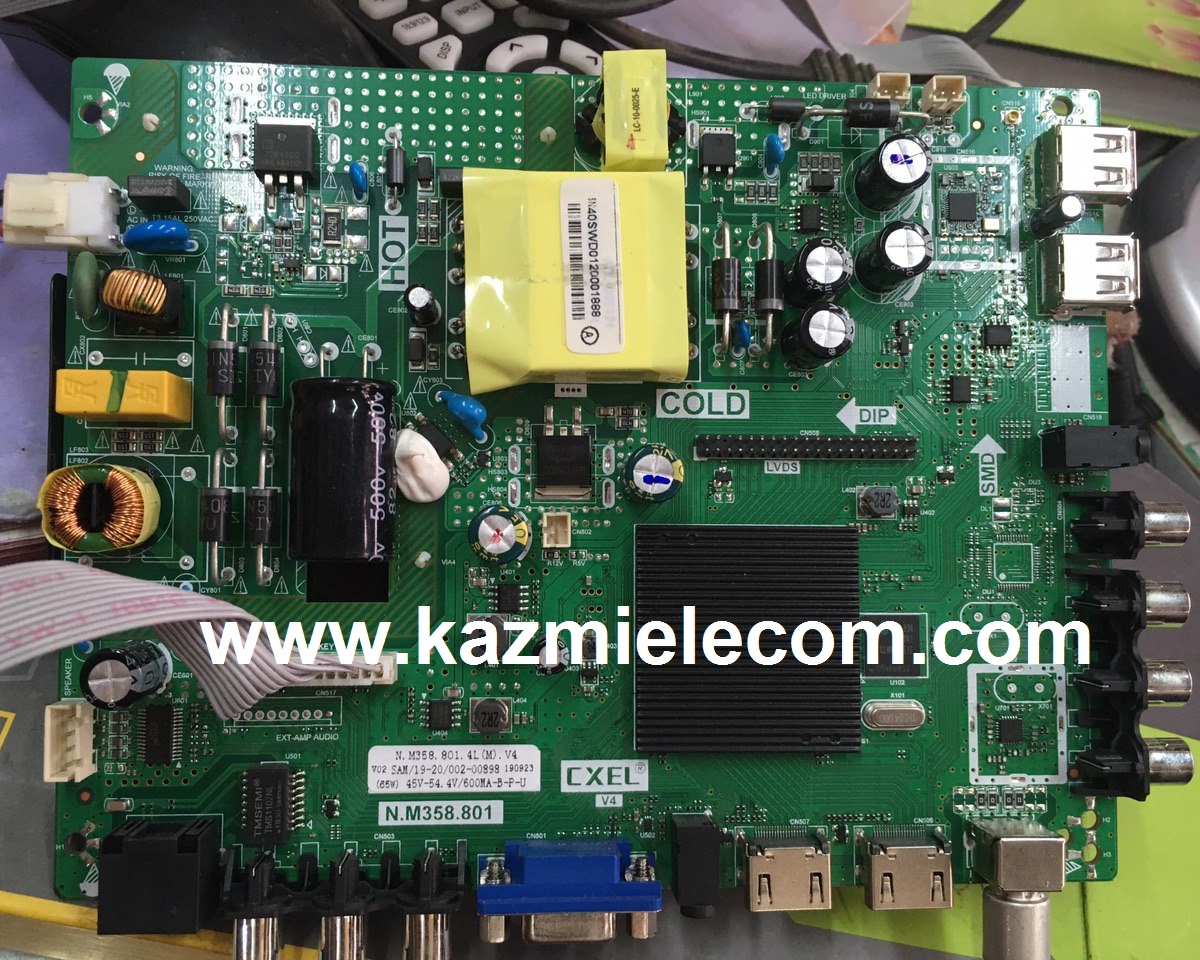
N.M358.801 Firmware Free Download

N.M358.801 Smart Board

N.M358.801 is a smart android Intelligent Network LCD/LED TV Board. It is suitable for the LVDS interface and supports more than 32-46 inches LED panels, with maximum resolution up to 1920*1080. N_M358_801 is a three-in-one (combo) board i.e power card, backlight driver module, and ATV board integrated into a single motherboard. N-M358-801 has multiple input interface ports like USB, HDMI, AV, Scart port, and LAN port for wired internet connectivity. It is also built in a Wireless interface.

N.M358.801 came with some brand LED TVs. Its USB interface can be used for loading software as well as for playing multimedia files. N M358 801 supports analog TV signals, and digital TV (DVB-C/T/T2). N-M358-801 firmware file is given below for the technician’s support. If you are facing any issues during firmware installation then visit and read here first.

N.m358.801

General Specifications:

Model: N.M358.801

Main Chipset: MSD6A358ATG-8-003D

Resolution Supported: 1920×1080

CPU: Quad-core ARM core processor A53

GPU: Dual Core

OS: Android 4.4/8.0

Ram: 512 MByte (Android 4.4)/1 GByte (Android 8.0)

Rom: 4GByte/8GByte emmc flash

Features: TV,DTV,RJ45,AV IN*2,HDMI IN*2,USB IN*2,VGA, PC AUDIO IN,COAX OUT, EARPHONE OUT

TV: PAL/DTMB/DVB-C/DVB-T/DVB-T2

Audio Output Power: 2X8 W (8Ω)

Backlight: 45-54.4v

Backlight Current: 600mA

Backlight Power: 45~65w

Service Code: Menu 1147

Firmware File: MstarUpgrade358.bin

Firmware Type: USB upgradeable Firmware

Note: The following given software/firmware is USB upgradeable. Kazmi Elecom Team is not responsible for any type of damage/loss as a result of loading/installing the firmware.

How to Download N.M358.801 Firmware Files:

Download all parts of the following given firmware/software and then extract any one of them you will get the folder. Now copy the files to USB. for More Detail about download process watch the video Click Here

N.M358.801 Firmware files for Free Download:

Kazmi-Elecom

S.NO.BOARD/DESCRIPTIONDOWNLOAD LINK
1N.M358.801_1366x768_512M_4G_Samsung.part1Download
N.M358.801_1366x768_512M_4G_Samsung.part2Download
N.M358.801_1366x768_512M_4G_Samsung.part3Download

For video tutorials, visit “Kazmi Elecom” my youtube channel.

KK.RV22.819 Software Free Download

KK.RV22.819 Smart Android Board

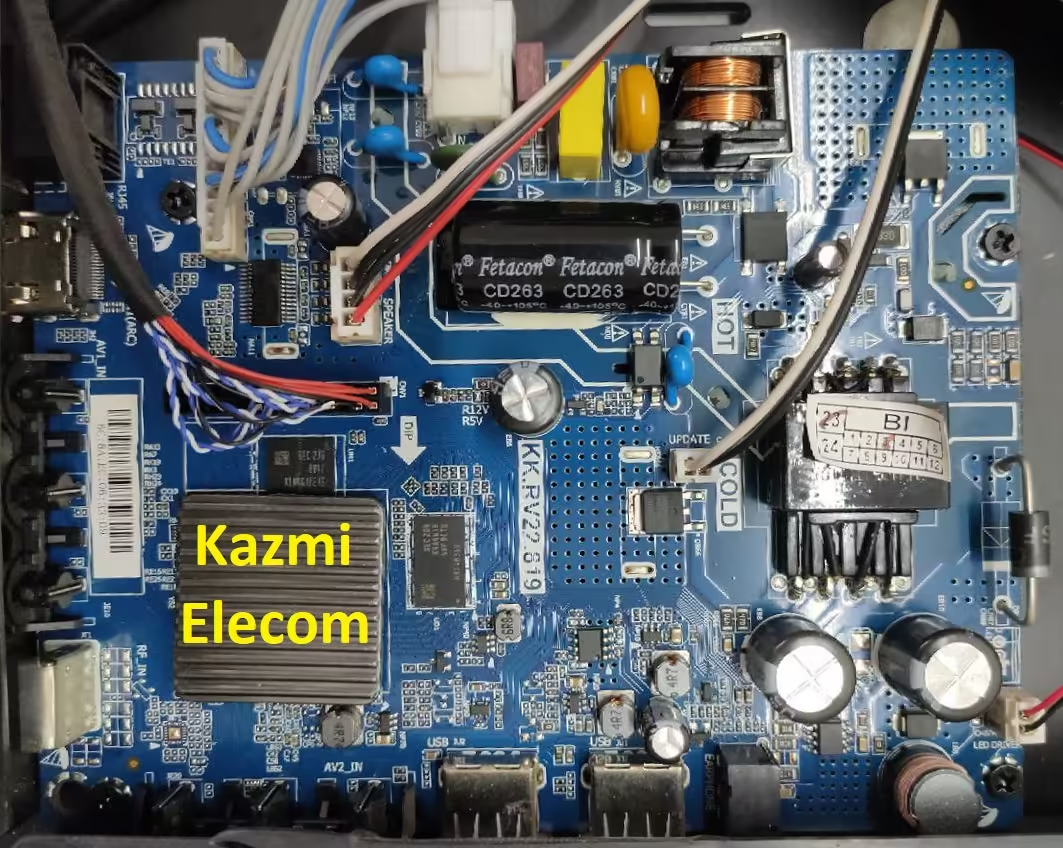
KK.RV22.819 is a Smart Network LED TV Driver Controller Board that is designed for Universal LCD LED panel screens with Android, WI-FI, and ATV functions. This board is suitable for all HD and FHD LCD/LED screen panels. Multi-Core CPU Hi-Silicon HI3751 makes it fast, smooth, and reliable. KK-RV22-819 Supports RJ45 network signal, USB 2.0, HDMI 1.4, and TV.VGA, AV input, and earphone output. KK_RV22_819 has an inbuilt application such as an internet browser that can support HTML5 web page format which makes it easy to watch random videos and browse the web.

KK.RV22.819 is intended with a Hi-Silicon chipset which results in full HD. An external wireless keyboard mouse can be connected to this board for easy internet surfing. KK.RV22.819 is a three-in-one driver motherboard which is also called the combo board. Its graphics and sound quality are good. KK.RV22.819 firmware file is given below for the technician’s support.
Kk.rv22.819

General Specifications:

Brand/Mark: Universal

Main Board Model: KK.RV22.819

Main Chip: HI3751

OSD Language: Chinese, English, Espoal, French, Vietnamese

TV Signal: ATV

Input Interface: PC / VGA / HDMI / TV / Network / USB / TF / Dual AV

Panel Voltage: 5V/12V

Screen Supported: 32-43 inch

Resolution Supported: 1920×1080

OS: Android 4.4

CPU: 1.0Gb

GPU: Multi-core Mali -400MP2

Backlight: 560mA

Ram: 512M/1 Gb

Rom: 4/8Gb eMMC

Flip/Mirror Mode: Yes

Display/Boot Logo: Yes

Power Input: 220v AC

Power Rating: 12V/4Amp DC

Service Code:

Input/Source 1147, 336

Resolution Code:

Source 2020810, 03661, 04031

Source 2020811, 03662, 04032

Caution: 

All the pictures and specification details related to KK.RV22.819 in this post are for reference only. If you are a user and do not have any repair experience, it is better to visit the nearest technician first without loading the software/firmware. Sometimes, the fault is different based on the visual observations. So, please do not try it at home. If the LED TV is slow then reset it to Factory Default only.

Pros:

There are many advantages to installing the given KK.RV22.819 USB software or eMMC backup dump file. A few benefits are described below:

  • The dead board can be recovered and operational by loading the given USB software or EMMC backup file
  • Remote and Logo may change at your own choice to satisfy the customer
  • Money saving instead of changing the mainboard
  • Time-saving instead of arranging a new board
  • Customer satisfaction to do an urgent job
  • Skill and confidence improvement

Cons:

There may be some disadvantages to installing the given KK.RV22.819 USB software or backup dump file. But it depends on the technician or user, as per his understanding. A few drawbacks are described below:

  • The working board may go to the standby position
  • Remote Control may not work and the Logo may change by writing the given software
  • Panel screen parameters may be changed

KK.RV22.819 Android Version Upgrade:

Please note that the installed version in this board is the final version and the Android version is not updateable. So, no need to upgrade the software if the board is working normally. Only if, the default software malfunctions due to some bugs will the manufacturer provide the software update. Otherwise, no version update is issued.
 

Kk.rv22.819 Board Jpg

KK.RV22.819 Board Replacement:

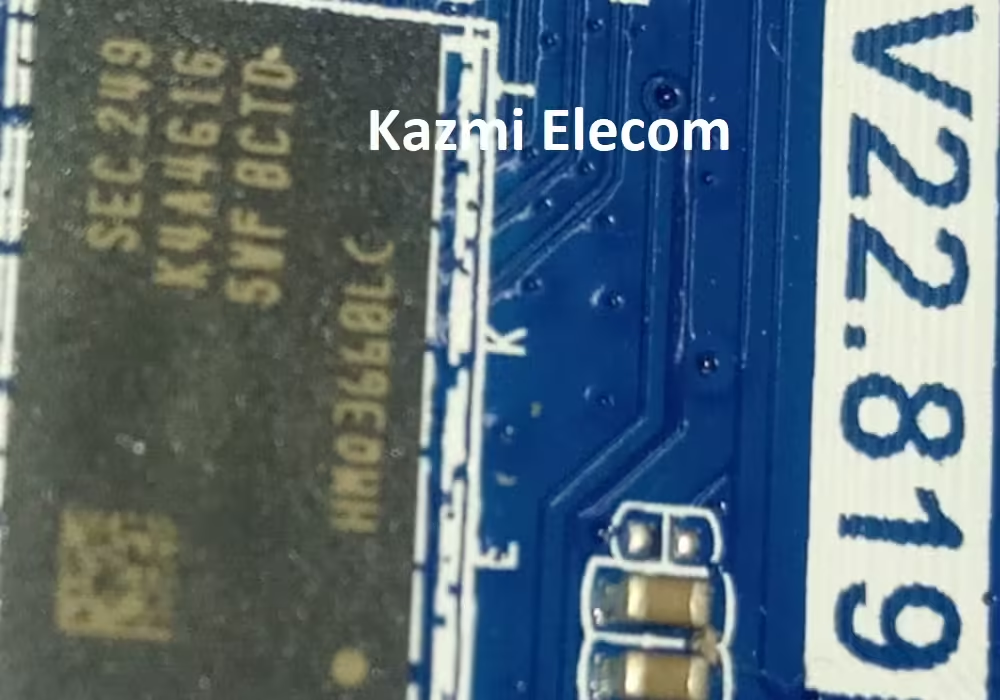
If the board is completely dead and has no chance to repair, replace the same board as already installed. And if the same board is not available on the market then search for the board that has the same specifications, the newest Android version, and the latest features to avoid any difficulties. If the backlight module is faulty in the combo board then you can install only the backlight module separately then no need to change the whole board.

Note: The following firmware is a USB bootable and EMC backup file. Kazmi Elecom Team is not responsible for any damage/loss caused by uploading/downloading the firmware. First, check and verify the main board then install software. If you are new and do not have enough knowledge of loading/installing software/firmware or dump files, or facing any issues during firmware installation then visit and read here first.

How to Download Firmware Files:

Download all parts of KK.R22.819 firmware and then extract any one of them you will get the folder. Now copy the files to USB. For more Details about the download process watch the video Click Here

How to Load Software:

  1. Transfer the required resolution file into the USB Disk
  2. Plugin the USB Disk into the Main Board
  3. Power on the board
  4. Wait until the red light starts flashing
  5. Note: Do Not Cut the power during the Flash burning process

KK.RV22.819 firmware for free download:

Kazmi-Elecom

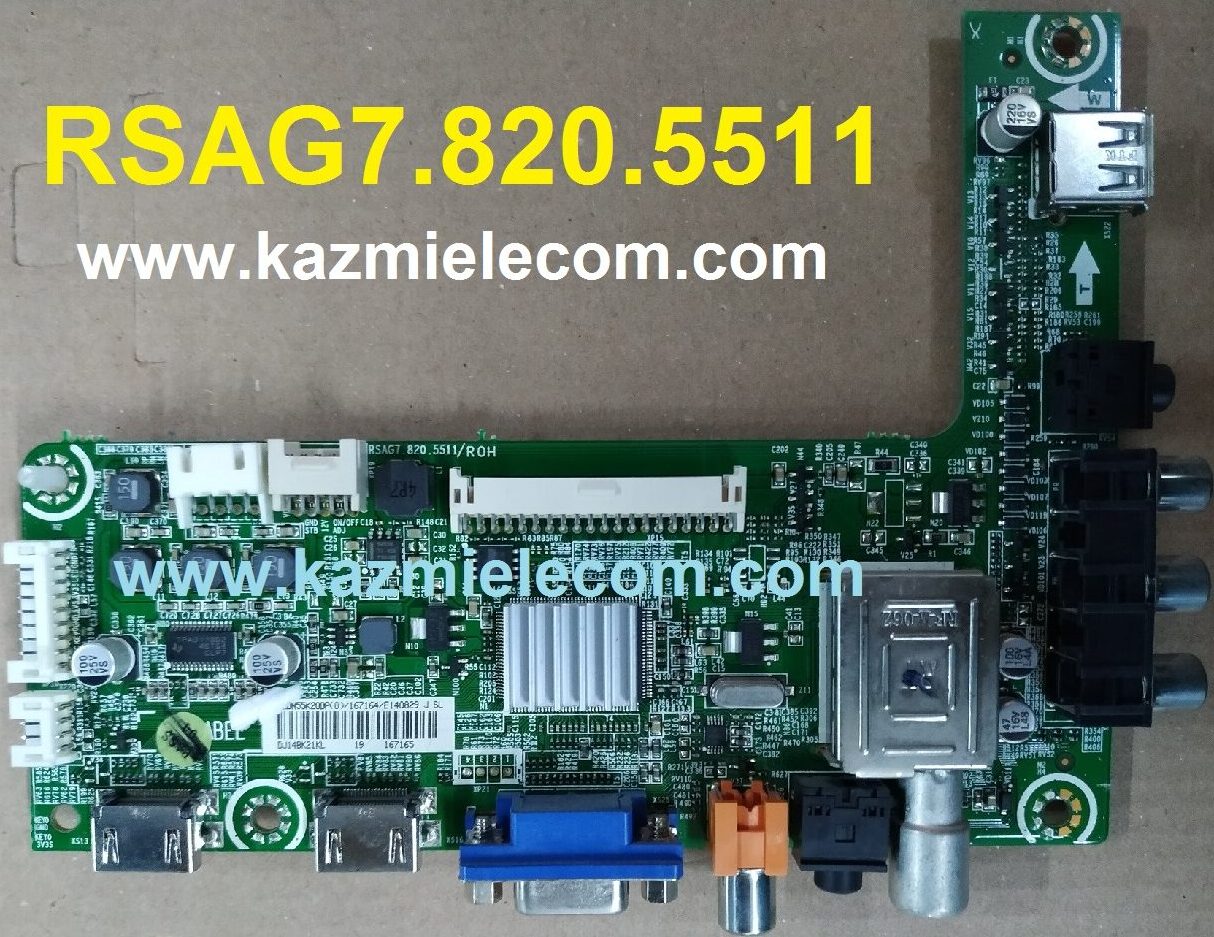
RSAG7.820.5511 Software Free Download

RSAG7.820.5511 LED TV Board

RSAG7.820.5511 is a non-combo HD & FHD LED TV Board. It is supported an FHD resolution of 1920×1080 and a Refresh Rate is 50/60 hertz with a smooth motion rate of 200 SMR. It has multiple HDMI ports to connect a set-top box, Blu-Ray players, and gaming console, and also have more than one USB port to connect hard drives and other USB devices and play multimedia as well. It has a Dolby Sound system that Supports 16 Watts sound output and HDR Display viewing. RSAG7.820.5511 firmware files are given below for free of cost download to support technicians.

Rsag7.820.5511

General Features & Specifications:

Brand: China

Board Model: RSAG7.820.5511/ROH

Display Format: FHD 1080P

Screen Type: LED

Features Format: Non-Smart

OS Version: NA

Chipset: TSUMV59XUS

Processor: V59

Graphic Processor:

RAM Capacity: GB DDR3

Storage Memory: 4 Mb SPI Flash

Screen Resolution: 1920×1080

No of HDMI Ports: 2

No of USB Ports: 1

Wi-Fi Type: No

Built-In Wi-Fi: No

Ethernet (RJ45): No

Speaker Output: 16W

Tuner: ATV/DTV (DVB-C, DVB-T2, DVB-T)

Power Requirement: AC 110 – 240 V, 50/60 Hz

Power Consumption: 80 W

Firmware Type: Backup dump

Firmware Name:

Product: LLOYD, HISENSE, TIT, CONDOR

Note: The following firmware is USB upgradeable. Kazmi Elecom Team is not responsible for any type of damage/loss as a result of uploading/downloading the firmware. If you are new and do not have enough knowledge of loading or installing software/firmware or dump files then read here first.

How to Download RSAG7.820.5511 Firmware File:

Download all parts of the following firmware and then extract any one of them you will get the folder. Now copy the files to USB. for More Detail about the download process watch the video Click Here

RSAG7.820.5511 Firmware for free download:

Kazmi-Elecom

S.NO.BOARD/DESCRIPTIONDOWNLOAD LINK
1RSAG7.820.5511_1366x768_CONDOR_DUMPDownload
2RSAG7.820.5511_1920x1080_CONDOR_DUMPDownload
3RSAG7.820.5511_1920x1080_HISENSE_DUMPDownload
4RSAG7.820.5511_1920x1080_LLOYD_DUMPDownload
5RSAG7.820.5511_1920x1080_TIT_DUMPDownload

For video tutorials, visit “Kazmi Elecom” my youtube channel.

TP.T921D.PB801 Firmware Free Download

TP.T921D.PB801 Smart Android Board

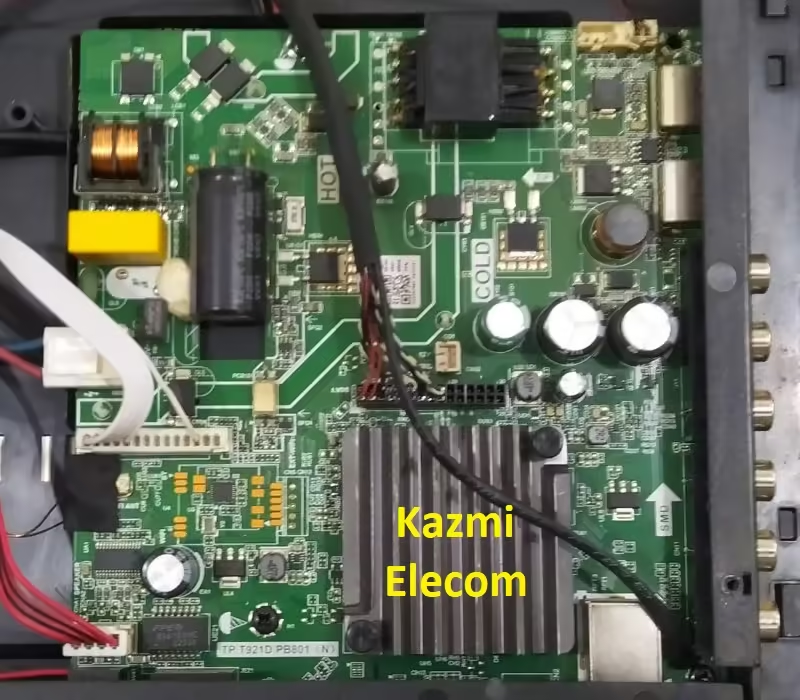
Three-in-one smart Android LED TV controller board TP.T921D.PB801. The supported resolution is Full HD 1920 x 1080, which is compatible with the LVDS interface and can accommodate multiple HD and FHD screen panels.  A TV tuner, Power Module, and LED Backlight Driver Module are all contained within this Combo Board. Therefore, a separate power card or backlight inverter board need not be installed. The backlight driver module has a power capacity of 75 watts and a voltage range of 35-110 volts, with a maximum current of 650 milliamperes.

The TP.T921D.PB801 meets all current requirements for the user’s connectivity interface ports. It has multiple USB ports for installing firmware and playing media files. It also has multiple HDMI ports for connecting Full HD devices like gaming consoles and Blu-ray players. Connectivity is available through RCA ports. RJ45 connection for wired internet and WIFI connectivity are also available. RF tuner and a headphone jack for cable TV. The TP.T921D.PB801 firmware files are provided below for technicians’ assistance.

Tp.t921D.pb801

General Specifications:

Model: TP.T921DT.PB801 (N)

Main Chipset: AML921

Resolution Supported: 2K

CPU: A53*4

GPU: IMG7800

OS: Android 9

Ram: 512/1 Gb

Rom: 4/8 Gb

Audio Output Power: 2X10 W (8Ω)

Backlight: 35-110V 650 mA

Backlight Power: 75W

Service Code:

Firmware File: allupgrade_aml921_4G_75.bin

Firmware Type: USB upgradeable Firmware

Caution: 

The pictures and information about the specifications of the TP.T921DT.PB801 in this post are only for reference. If you are a user and don’t know anything about repairs, it’s best to go to the closest technician without loading the software or firmware first. Occasionally, the fault is distinct from the visual observations. Therefore, please do not attempt it at home. Reset the LED TV only to Factory Default if it is running slowly.

Note: The firmware that follows is an EMC backup file and a USB bootable file. When you upload or download the firmware, Kazmi Elecom Team assumes no liability for any harm or loss. Before installing software, check and verify the main board. Visit if you’re new and don’t know enough about software/firmware installation, dump files, or are having trouble installing firmware.and read here first. Always keep a backup before writing the flash.

How to Download Firmware Files:

Download all parts of the following firmware/software and then extract any one of them you will get the folder. Now copy the files to USB. For more Details about the download process watch the video Click Here

TP.T921D.PB801 Firmware file for Free Download:

Kazmi-Elecom

error: Content is protected !!