Tag Archives: kazmi elecom

CVMV29L-F Software Free Download

CVMV29L-F Universal Board

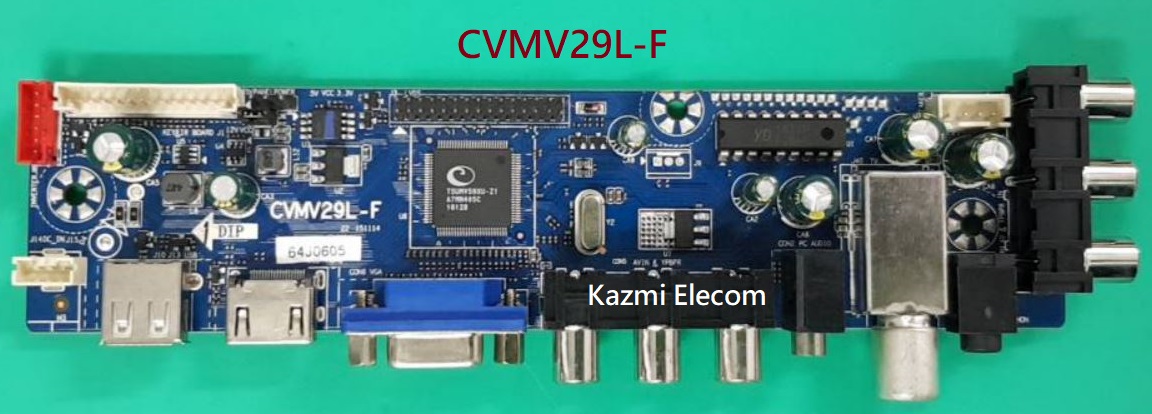
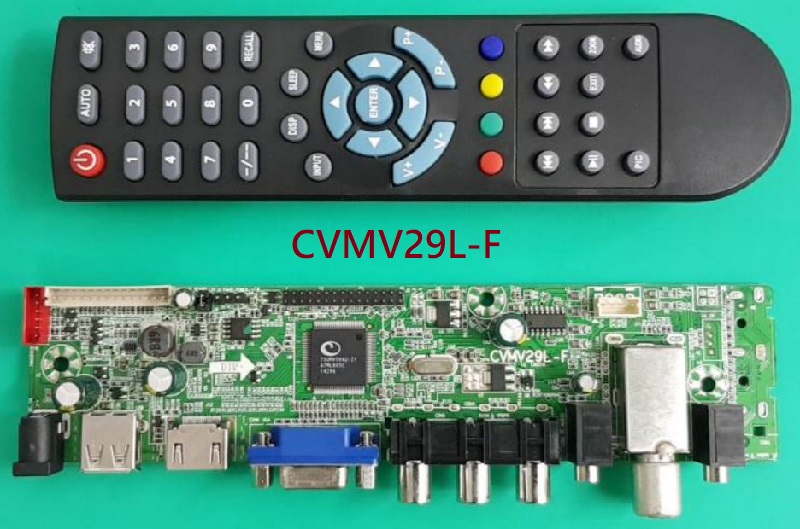
CVMV29L-F is a universal LCD/LED controller board that is suitable for any type of screen or panel. CVMV29L_F is available in the market with two different board colors one is green and the other is blue. CVMV29L.F Green board has a single AV and the Blue board has dual AV input. It can support up to 26-inch LCD panels whose resolution is up to 1920×1080. Its USB interface supports Multimedia Playback and Software upgrades as well.

CVMV29L-F launched in the market with two different versions. One is a green board that has one component input only and the other is the blue board that has a dual component input interface for connecting analog devices. Both boards are different according to their hardware such as the sound chip.
Cvmv29L-F_Software

General Specifications:

Model: CVMV29L-F

Main Chipset: TSUMV59XU & TSUMV59XU-Z1

TV System: PAL/SECAM/NTSC

Panel Interface: Single channel or Dual channel LVDS

Key Button Functions: CH-/CH+/MENU/VOL-/VOL+Souce/Power

Multi-Language OSD: Yes

Input/Output Ports: HDMI, VGA, AV, USB, RF TV interface and Earphone Out

Audio O/P Power: 2 x 3 Watt (8 ohm)

Panel Voltage: +3.3V, +5V, +12V DC

USB Port: Yes (Firmware Upgrade and Multimedia Playback Support)

USB File Format: Audio (Mp3, wma, m4a/aac), Video (avi, mp4, ts/trp, mkv/mov, mpg, dat, vob, rm/rmvb),                                                 Picture (Jpg, jpeg, bmp, png), Text (text)

IR Control: Yes (Controllable by Remote Control)

Electrical Parameters:

Working Input Voltage: DC +12 Volt

Maximum Current: 2000mA (Without Panel)

Standby Power: <0.2W (for the motherboard only)

Maximum Current for USB: 500mA

Factory Service Mode:

Menu+1147
Cvmv29L-F_Firmware

Note: The following given software/firmware is USB upgradeable and Backup Dump Files. Kazmi Elecom Team is not responsible for any type of damage/loss as a result of loading/installing the firmware. If you are new and do not have enough knowledge of loading or installing software/firmware or dump files then read here first.

How to Download:

Download the following given firmware/software and then extract you will get the folder. Now copy the files to USB. for More Detail about download process watch the video Click Here

CVMV29L-F Firmware All resolutions Free Download Here :

Kazmi-Elecom

S.NO.BOARD/DESCRIPTIOND.LINK.1D.LINK.2
1CVMV29L-F_1366x768_Samsung_Backup DumpDownload
2CVMV29L-F_1366x768_Sony_Backup DumpDownloadDownload
3CVMV29L-F_1920x1080_Samsung_Backup DumpDownload
4CVMV29L-F_1920x1080_Sony_Backup DumpDownload
5CVMV29L-F_DEXP 16A3000_Backup DumpDownload
6CVMV29L-F_DEXP 19A3000_Backup DumpDownload
7CVMV29L-F_DEXP 22A7000_Backup DumpDownload
8CVMV29L-F_DEXP F22B3000E_Backup DumpDownload
9CVMV29L-F_DEXP H16B3000ED_Backup DumpDownload
10CVMV29L-F_DEXP H24C3000E_Backup DumpDownload
11CVMV29L-F_ERGO LED22D5_Backup DumpDownload
12CVMV29L-F_MYSTERY MTV_1628LW_Backup DumpDownload
13CVMV29L-F_MYSTERY MTV-1629LW_Backup DumpDownload
14CVMV29L-F_SUPRA STV-LC16741WL_Backup DumpDownload
15CVMV29L-F_Telefunken TF-LED19S28_Backup DumpDownload

RR8501 All Software Free Download

RR8501 All Software

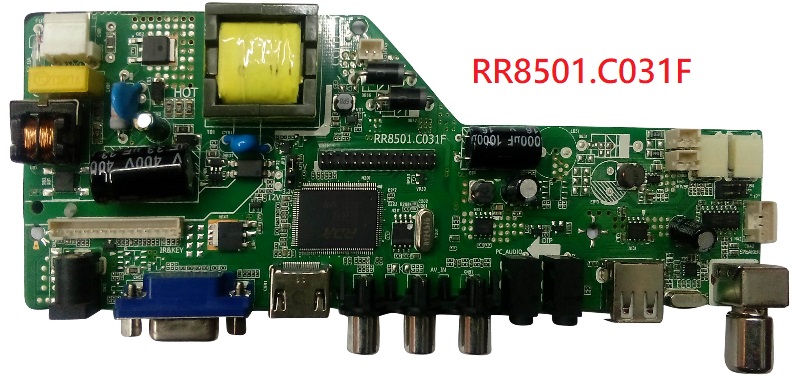
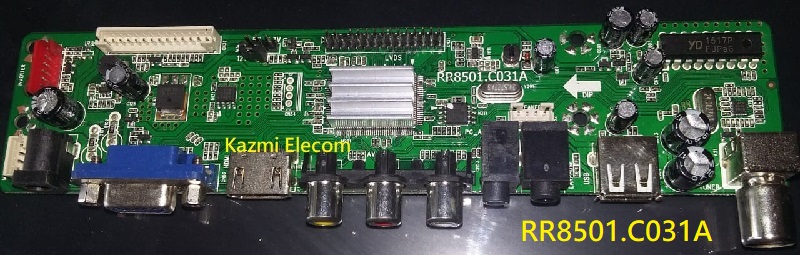
RR8501 is a standard LCD/LED Driver Controller Board that is suitable for any type of panel. This board is designed for especially the Asia Pacific and the Middle East. This Board has further bifurcations with the same chipset RDA8501.

Rr8501.C031F_Firmware

Rr8501.C031D_Firmware

Rr8501.C031A_Firmware

Rr8501 All Software Rr8501-Ca81A-Firmware

Boards Detail is under:

  • RR8501.C031A.V50
  • RR8501.C031A.V60
  • RR8501.C031F
  • RR8501.C671A
  • RR8501.C801A
  • RR8501.C031D
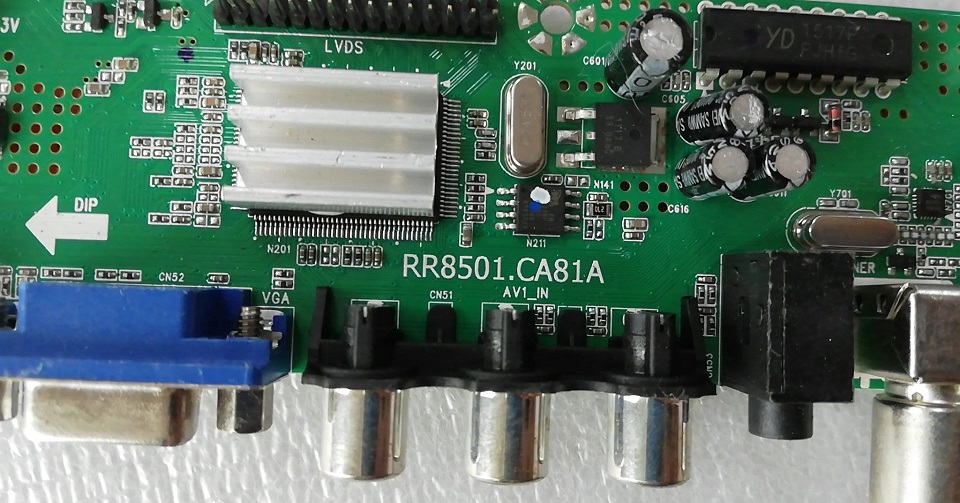
  • RR8501.CA81A
  • RR8501.C816A

General Specifications:

Model: RR8501 All Software

Main Chipset: RDA8501

OSD Language: Asia English, Chinese, French, Spanish, Portuguese

Panel Size: Up to 28″

Max Resolution: 1920*1080

Panel Power Voltage: 3.3V,5V,12V

Interface: Single/Dual LVDS(8bit)

Max Audio Output Power: 2x3W(4Ω)

Power Input: 12V DC or 220V AC

Note: The following given software is USB upgradeable. Kazmi Elecom Team is not responsible for any type of damage/loss as a result of uploading/downloading the firmware. First Check the mainboard and then install the software. If you are new and do not have enough knowledge of loading or installing software/firmware or dump files then read here first.

How to Download Firmware Files:

Download all parts of the following given firmware and then extract any one of them you will get the folder. Now copy the files to USB. for More Details about the download process watch the video Click Here

RR8501 Firmware for Free Download:

Kazmi-Elecom

S.NO.BOARD/DESCRIPTIONDOWNLOAD LINK
1RR8501.C031A.V50_1024x768_USBDownload
2RR8501.C031A.V50_1280x1024_USBDownload
3RR8501.C031A.V50_1366x768_USBDownload
4RR8501.C031A.V50_1440x900_USBDownload
5RR8501.C031A.V50_1440x1050_USBDownload
6RR8501.C031A.V50_1600x900_USBDownload
7RR8501.C031A.V50_1600x1200_USBDownload
8RR8501.C031A.V50_1680x1050_USBDownload
9RR8501.C031A.V50_1920x1080_USBDownload
10RR8501.C031A.V50_1920x1200_USBDownload
11RR8501.C031A.V60_1024x768_USBDownload
12RR8501.C031A.V60_1280x1024_USBDownload
13RR8501.C031A.V60_1366x768_USBDownload
14RR8501.C031A.V60_1440x900_USBDownload
15RR8501.C031A.V60_1600x900_USBDownload
16RR8501.C031A.V60_1600x1200_USBDownload
17RR8501.C031A.V60_1680x1050_USBDownload
18RR8501.C031A.V60_1920x1080_USBDownload
19RR8501.C031F_640x480_USBDownload
20RR8501.C031F_1024x768_USBDownload
21RR8501.C031F_1280x720_USBDownload
22RR8501.C031F_1280x1024_USBDownload
23RR8501.C031F_1366x768_USBDownload
24RR8501.C031F_1400x900_USBDownload
25RR8501.C031F_1400x1050_USBDownload
26RR8501.C031F_1440x900_USBDownload
27RR8501.C031F_1600x900_USBDownload
28RR8501.C031F_1600x1200_USBDownload
29RR8501.C031F_1680x1050_USBDownload
30RR8501.C031F_1920x1080_USBDownload
31RR8501.C031F_1920x1200_USBDownload
32RR8501.C671A_1024x768_USBDownload
33RR8501.C671A_1280x1024_USBDownload
34RR8501.C671A_1366x768_USBDownload
35RR8501.C671A_1920x1080_USBDownload
36RR8501.C801A_1366x768_USBDownload
37RR8501.C801A_1920x1080_USBDownload
38RR8501_C031D_1024x768_USBDownload
39RR8501_C031D_1280x800_USBDownload
40RR8501_C031D_1280x1024_USBDownload
41RR8501_C031D_1366x768_USBDownload
42RR8501_C031D_1400x1050_USBDownload
43RR8501_C031D_1440x900_USBDownload
44RR8501_C031D_1600x900_USBDownload
45RR8501_C031D_1680x1050_USBDownload
46RR8501_C031D_1920x1080_USBDownload
47RR8501_C031D_1920x1200_USBDownload
48RR8501.CA81A_1024x768_USBDownload
49RR8501.CA81A_1280x720_USBDownload
50RR8501.CA81A_1280x768_USBDownload
51RR8501.CA81A_1280x1024_USBDownload
52RR8501.CA81A_1366x768_USBDownload
53RR8501.CA81A_1680x1050_USBDownload
54RR8501.CA81A_1920x1080_USBDownload
55RR8501.C816A_1366x768Download
56RR8501.C816A_TRUMAN TM-3201A_DumpDownload

Smart LED TV Mstar Android Recovery. Recover Boot Loop Smart LED TV without Loading Software

RD.8501.031A Software Free Download

RD.8501.031A Universal LCD/LED Controller Board

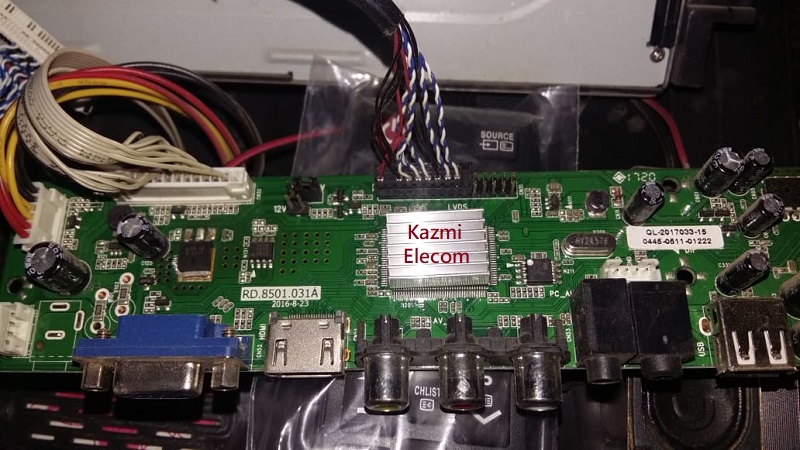
RD8501.031A is a multi-purpose and energy-efficient LCD/LED TV universal control board with a single/dual 8-bit LVDS interface. RD_8501_031A supports resolution panels up to 1920×1080.RD-8501-031A multimedia playback function and software upgrade are applicable by the USB port. For video tutorials to get experience visit Here.

Basic Info:

Model No. RD.8501.031A

Main Chipset: RDA8501-XBN

Display Format: up to 1920×1200

Aspect Ratio: 4:3, 16:9 & 16:10

Board Size: 189.5 X 43 (mm)

Rd.8501.031A_Firmware

General Specifications:

TV System: PAL/SECAM/NTSC

Panel Interface: Single channel or Dual channel LVDS

Key Button Functions: CH-/CH+/MENU/VOL-/VOL+Source/Power

Multi-Language OSD: Yes (English/French/Spanish/Portuguese/Chinese)

Input/Output Ports: HDMI, VGA, AV, USB, RF TV interface and Earphone Out

Audio O/P Power: 2 x 2.5 Watt (8 ohm)

Panel Voltage: 3.3V/5V/12V (jumper cap setting)

USB Port: Yes (Firmware Upgrade and Multimedia Playback Support)

USB File Format: Audio (Mp3, wma, m4a/aac), Video (avi, mp4, ts/trp, mkv/mov, mpg, dat, vob, rm/rmvb),                                                 Picture (Jpg, jpeg, bmp, png), Text (text)

IR Control: Yes (Controllable by Remote Control)

Electrical Parameters:

Working Input Voltage: DC +12 Volt

Maximum Current: 2000mA (Without Panel)

Standby Power: <0.6W (for the mainboard only)

Maximum Current for USB: 500mA

Rd.8501.031A_Software

How to Upgrade Firmware:

  1. Copy the Required Firmware/software in FAT32 USB Disk
  2. Plug in the U disk into the Mainboard USB port of LCD/LED TV
  3. Switch ON the power and Wait even IR indicator led stops flashing
  4. Done. Unplug the Udisk
  5. Note that It will take max one minute to upgrade the firmware

Factory Service Mode:

Menu+1147. For more Service Menu Codes visit Here.

RD.8501.031A Firmware All resolutions Free Download Here :

Download Button Kazmi Elecom

S.NO.BOARD/DESCRIPTIONDOWNLOAD LINK
1RD.8501.031A_1024x768_USBDownload
2RD.8501.031A_1280x1024_USBDownload
3RD.8501.031A_1366x768_USBDownload
4RD.8501.031A_1440x900_USBDownload
5RD.8501.031A_1440x1050_USBDownload
6RD.8501.031A_1600x900_USBDownload
7RD.8501.031A_1680x1050_USBDownload
8RD.8501.031A_1920x1080_USBDownload
9RD.8501.031A_1920x1200_USBDownload

TP.MS338.PB802 Software Free Download

TP.MS338.PB802 Android LED TV Board

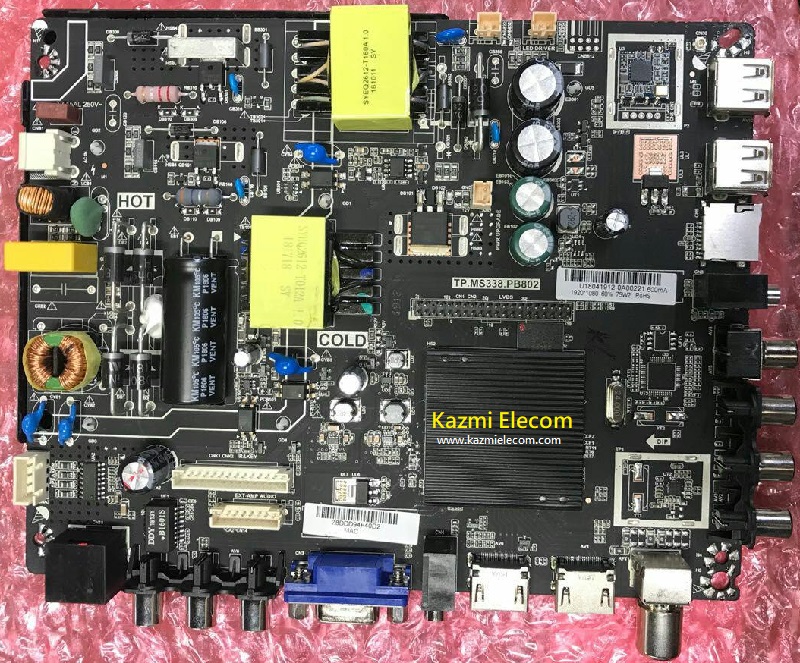
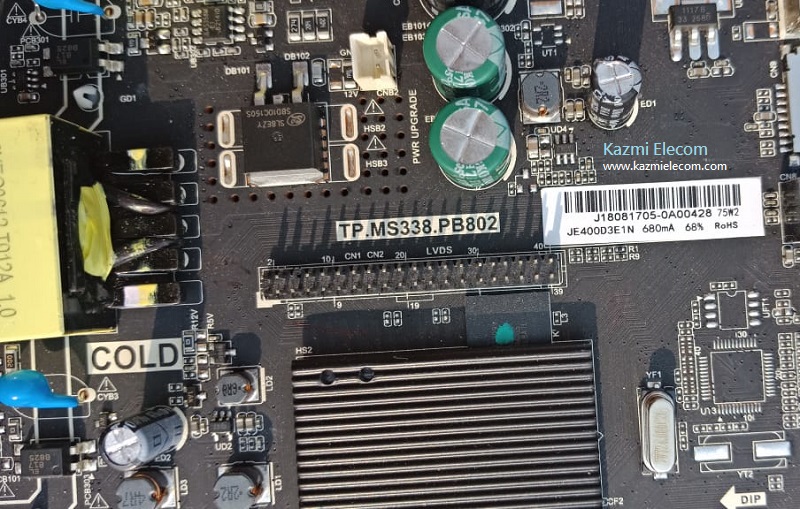
TP.MS338.PB802 is a network triple-play Android LED TV Board. TP_MS338_PB802 is a combo board that supports screen resolutions 1920*1080 and 1366*768. It also supports an inverted or positive screen.

TP-MS338-PB802 is a smart TV board with a cloud iQIYI WIFI single board, suitable for 32 inches-50 inches screens. Watch movies online super smooth, using a powerful MS 338 quad-core chip that provides better image solutions and improves image clarity. TP MS338 PB802 has 4 GB built-in memory in it.

Tp.ms338.Pb802_Software

General Specifications:

Brand/Mark: FHD Smart DVB-T2 LED TV Main Board

Main Board Model: TP.MS338.PB802

Main Chipset:   DTMB: MSD6A338ST-WL OR MSD6A338ST-003J
DVB-T2: MSD6A338SXE-WLOR MSD6A338SXE-003J

TV RF: ATV(PAL)/DTV(DVB-T/DVB-T2)

OS: Android 4.4

CPU: A7*2

CPU Frequency: 1GHz

GPU: Mali400*2

GPU Frequency: 550MHz

Ram: 512 Mb

Rom: 4 Gb eMMC

AC input voltage: 100-240V AC

Screen Panel Voltage: 12v DC

Backlight current: 600mA

Backlight Voltage Range: 72V-82V

Backlight output voltage range: 30V-160V

Backlight output power: 45W

Audio Output: 2x8w (8 Ohm)

Resolution: upto 1920×1080 (32” to 50″)

Aspect Ratio: 16:09 (Wide Screen)

Service Code: Menu+1147

Mirror/Inverted Mode: Yes

Tp.ms338.Pb802_Firmware


Note: Following the given Mitashi MiDE032v20 HS firmware is USB upgradeable. Kazmi Elecom Team is not responsible for any type of damage/loss as a result of uploading/downloading the firmware. If you are new and do not have enough knowledge of loading or installing software/firmware or dumping files then read here first.

How to Download Mitashi MiDE032v02 HS Firmware:

Download all parts of the following given firmware and then extract any one of them you will get the folder. Now copy the files to USB. For more Details about the download process watch the video Click Here

TP.MS338.PB802 firmware for free download:

Kazmi-Elecom

S.NO.BOARD/DESCRIPTIONDOWNLOAD LINK
1TP.MS338.PB802_1366x768_Samsung_4GB_512MB.part1Download
TP.MS338.PB802_1366x768_Samsung_4GB_512MB.part2Download
TP.MS338.PB802_1366x768_Samsung_4GB_512MB.part3Download
TP.MS338.PB802_1366x768_Samsung_4GB_512MB.part4Download
TP.MS338.PB802_1366x768_Samsung_4GB_512MB.part5Download
2TP.MS338.PB802_1920x1080_Samsung_4GB_512MB.part1Download
TP.MS338.PB802_1920x1080_Samsung_4GB_512MB.part2Download
TP.MS338.PB802_1920x1080_Samsung_4GB_512MB.part3Download
TP.MS338.PB802_1920x1080_Samsung_4GB_512MB.part4Download
TP.MS338.PB802_1920x1080_Samsung_4GB_512MB.part5Download
3TP.MS338.PB802_1366x768_512M_4G_REF48.part1Download
TP.MS338.PB802_1366x768_512M_4G_REF48.part2Download
TP.MS338.PB802_1366x768_512M_4G_REF48.part3Download
TP.MS338.PB802_1366x768_512M_4G_REF48.part4Download
TP.MS338.PB802_1366x768_512M_4G_REF48.part5Download
4TP.MS338.PB802_1366x768_512M_4G_REF64.part1Download
TP.MS338.PB802_1366x768_512M_4G_REF64.part2Download
TP.MS338.PB802_1366x768_512M_4G_REF64.part3Download
TP.MS338.PB802_1366x768_512M_4G_REF64.part4Download
TP.MS338.PB802_1366x768_512M_4G_REF64.part5Download
5TP.MS338.PB802_1366x768_512M_4G_REF75.part1Download
TP.MS338.PB802_1366x768_512M_4G_REF75.part2Download
TP.MS338.PB802_1366x768_512M_4G_REF75.part3Download
TP.MS338.PB802_1366x768_512M_4G_REF75.part4Download
TP.MS338.PB802_1366x768_512M_4G_REF75.part5Download
6TP.MS338.PB802_1920x1080_512M_4G_REF48.part1Download
TP.MS338.PB802_1920x1080_512M_4G_REF48.part2Download
TP.MS338.PB802_1920x1080_512M_4G_REF48.part3Download
TP.MS338.PB802_1920x1080_512M_4G_REF48.part4Download
TP.MS338.PB802_1920x1080_512M_4G_REF48.part5Download
7TP.MS338.PB802_1920x1080_512M_4G_REF75.part1Download
TP.MS338.PB802_1920x1080_512M_4G_REF75.part2Download
TP.MS338.PB802_1920x1080_512M_4G_REF75.part3Download
TP.MS338.PB802_1920x1080_512M_4G_REF75.part4Download
TP.MS338.PB802_1920x1080_512M_4G_REF75.part5Download
8TP.MS338.PB802_1366X768_512M_4G_Ref55.part01Download
TP.MS338.PB802_1366X768_512M_4G_Ref55.part02Download
TP.MS338.PB802_1366X768_512M_4G_Ref55.part03Download
TP.MS338.PB802_1366X768_512M_4G_Ref55.part04Download
TP.MS338.PB802_1366X768_512M_4G_Ref55.part05Download
9TP.MS338.PB802_1920x1080_512M_4G_REF55.part1Download
TP.MS338.PB802_1920x1080_512M_4G_REF55.part2Download
TP.MS338.PB802_1920x1080_512M_4G_REF55.part3Download
TP.MS338.PB802_1920x1080_512M_4G_REF55.part4Download
TP.MS338.PB802_1920x1080_512M_4G_REF55.part5Download
10TP.MS338.PB802_1366X768_512M_4G_RAYLAN_REF60.part1Download
TP.MS338.PB802_1366X768_512M_4G_RAYLAN_REF60.part2Download
TP.MS338.PB802_1366X768_512M_4G_RAYLAN_REF60.part3Download

For video tutorials, visit “Kazmi Elecom” on my YouTube channel.

eBooks Free Download

EBooks LCD/LED 

Are you looking for free ebooks? Here are below too many e-books for free download. Most popular e_books of Electronic basics, testing procedure of electronic components, LCD/LED training manuals for technicians, and professional repairing guide for LCD/LED TVs, OLED, PLASMA, Monitors and Laptop, etc. Training material will help the new beginners in LCD/LED field. All the e-books posted below are in PDF format, Word Files, and Powerpoint slides.

Ebooks

Most e-books shared below-included reference pictures for better understanding and fault findings. These pdf books will help to troubleshoot the fault easily.

Here are below some e-books for free download:


S.NO.BOOK NAME/DESCRIPTIONDOWNLOAD LINK
1E-Book_LCD-LED_Basic Training Course-1Download
2E-Book_LCD-LED_Basic Training Course-2Download
3E-Book_LCD-LED_Basic Training Course-3Download
4E-Book_LCD-LED_Basic Training Course-4Download
5E-Book_LCD-LED_Basic Training Course-5Download
6E-Book_LCD-LED_Basic Training Course-6Download
7E-Book_LCD-LED_Basic Training Course-7Download
8E-Book_LCD-LED_How to Factory Reset_SamsungDownload
9E-Book_LCD-LED_Presentation_Black Magic ChipDownload
10E-Book_LCD-LED_Presentation_OLED-1Download
11E-Book_LCD-LED_Presentation_OLED-2Download
12E-Book_LCD-LED_Repair Guide_HaierDownload
13E-Book_LCD-LED_Repair Guide_LaptopDownload
14E-Book_LCD-LED_Repair Guide_LG-1Download
15E-Book_LCD-LED_Repair Guide_LG-2Download
16E-Book_LCD-LED_Repair Guide_LG-3Download
17E-Book_LCD-LED_Repair Guide_Panel-1Download
18E-Book_LCD-LED_Repair Guide_Panel-2Download
19E-Book_LCD-LED_Repair Guide_Panel-3Download
20E-Book_LCD-LED_Repair Guide_Panel-4Download
21E-Book_LCD-LED_Repair Guide_Panel-5Download
22E-Book_LCD-LED_Repair Guide_Panel-6Download
23E-Book_LCD-LED_Repair Guide_Panel-7Download
24E-Book_LCD-LED_Repair Guide_Panel-8Download
25E-Book_LCD-LED_Repair Guide_Panel-9Download
26E-Book_LCD-LED_Repair Guide_Philips-1Download
27E-Book_LCD-LED_Repair Guide_Philips-2Download
28E-Book_LCD-LED_Repair Guide-1Download
29E-Book_LCD-LED_Repair Guide-2Download
30E-Book_LCD-LED_Repair Guide-3Download
31E-Book_LCD-LED_Repair Guide-4Download
32E-Book_LCD-LED_Repair Guide-5Download
33E-Book_LCD-LED_Repair Guide-6Download
34E-Book_LCD-LED_Repair Guide-7Download
35E-Book_LCD-LED_Repair Guide-8Download
36E-Book_LCD-LED_Repair Guide-9Download
37E-Book_LCD-LED_Repair Guide-10Download
38E-Book_LCD-LED_Repair Guide-11Download
39E-Book_LCD-LED_Repair Guide-12Download
40E-Book_LCD-LED_Repair Guide-Double ImageDownload
41E-Book_LCD-LED_Repair Guide-Monitors-1Download
42E-Book_LCD-LED_Repair Guide-Monitors-2Download
43E-Book_LCD-LED_Repair Guide-PLASMA-1Download
44E-Book_LCD-LED_Repair Guide-PLASMA-2Download
45E-Book_LCD-LED_Repair Guide-PLASMA-3Download
46E-Book_LCD-LED_Repair Guide-PLASMA-4Download
47E-Book_LCD-LED_Repair Guide-Samsung-1Download
48E-Book_LCD-LED_Repair Guide-Samsung-2Download
49E-Book_LCD-LED_Repair Guide-Samsung-3Download
50E-Book_LCD-LED_Repair Guide-Samsung-4Download
51E-Book_LCD-LED_Repair Guide-TCON-1Download
52E-Book_LCD-LED_Repair Guide-TCON-2Download
53E-Book_LCD-LED_Repair Guide-TCON-3Download
54E-Book_LCD-LED_Software Upgrade Guide_IntexDownload
55E-Book_LCD-LED_Software Upgrade Guide_LGDownload
56E-Book_LCD-LED_Software Upgrade Guide_SamsungDownload
57E-Book_LCD-LED_Software Upgrade Guide_ToshibaDownload
58E-Book_LCD-LED_Software Upgrade Guide_VideoconDownload
59E-Book_LCD-LED_Student Projects_PracticalDownload
60E-Book_LCD-LED_Training Manual_CCFLDownload
61E-Book_LCD-LED_Training Manual_Haier-1Download
62E-Book_LCD-LED_Training Manual_Haier-2Download
63E-Book_LCD-LED_Training Manual_Haier-3Download
64E-Book_LCD-LED_Training Manual_LCDDownload
65E-Book_LCD-LED_Training Manual_LG-1Download
66E-Book_LCD-LED_Training Manual_LG-2Download
67E-Book_LCD-LED_Training Manual_LG-3Download
68E-Book_LCD-LED_Training Manual_LG-4Download
69E-Book_LCD-LED_Training Manual_LG-5Download
70E-Book_LCD-LED_Training Manual_LG-6Download
71E-Book_LCD-LED_Training Manual_LG-7Download
72E-Book_LCD-LED_Training Manual_LG-8Download
73E-Book_LCD-LED_Training Manual_LG-9Download
74E-Book_LCD-LED_Training Manual_LG-10Download
75E-Book_LCD-LED_Training Manual_LG-11Download
76E-Book_LCD-LED_Training Manual_LG-12Download
77E-Book_LCD-LED_Training Manual_LG-13Download
78E-Book_LCD-LED_Training Manual_LG-14Download
79E-Book_LCD-LED_Training Manual_LG-15Download
80E-Book_LCD-LED_Training Manual_LG-16Download
81E-Book_LCD-LED_Training Manual_Panasonic-1Download
82E-Book_LCD-LED_Training Manual_Panasonic-2Download
83E-Book_LCD-LED_Training Manual_Panasonic-3Download
84E-Book_LCD-LED_Training Manual_Panasonic-4Download
85E-Book_LCD-LED_Training Manual_Panasonic-5Download
86E-Book_LCD-LED_Training Manual_Panasonic-6Download
87E-Book_LCD-LED_Training Manual_Panasonic-7Download
88E-Book_LCD-LED_Training Manual_Panasonic-8Download
89E-Book_LCD-LED_Training Manual_PanelDownload
90E-Book_LCD-LED_Training Manual_Philips-1Download
91E-Book_LCD-LED_Training Manual_Philips-2Download
92E-Book_LCD-LED_Training Manual_Samsung-1Download
93E-Book_LCD-LED_Training Manual_Samsung-2Download
94E-Book_LCD-LED_Training Manual_Samsung-3Download
95E-Book_LCD-LED_Training Manual_Samsung-4Download
96E-Book_LCD-LED_Training Manual_Samsung-5Download
97E-Book_LCD-LED_Training Manual_Samsung-6Download
98E-Book_LCD-LED_Training Manual_Samsung-7Download
99E-Book_LCD-LED_Training Manual_Samsung-8Download
100E-Book_LCD-LED_Training Manual_Samsung-9Download
101E-Book_LCD-LED_Training Manual_Samsung-OLEDDownload
102E-Book_LCD-LED_Training Manual_Samsung-PDPDownload
103E-Book_LCD-LED_Training Manual_Sony-1Download
104E-Book_LCD-LED_Training Manual_Sony-2Download
105E-Book_LCD-LED_Training Manual_Sony-3Download
106E-Book_LCD-LED_Training Manual_Sony-4Download
107E-Book_LCD-LED_Training Manual_Sony-5Download
108E-Book_LCD-LED_Training Manual_Sony-6Download
109E-Book_LCD-LED_Training Manual_Sony-7Download
110E-Book_LCD-LED_Training Manual_VideoconDownload
111E-Book_Art of ElectronicsDownload
112E-Book_Beginners Guide Reading SchematicsDownload
113E-Book_Practical Electronics For InventorsDownload
114E-Book_Electronics Encyclopedia 1Download
115E-Book_Electronics Encyclopedia 2Download
116E-Book_Electronics Encyclopedia 3Download
117E-Book_SMD-Codes_DataDownload

For LCD/LED TV Repairing Video Tutorils Visit my Youtube Channel.

TP.RD8503.PB819 Software Free Download

TP.RD8503.PB819 Triple TV Board

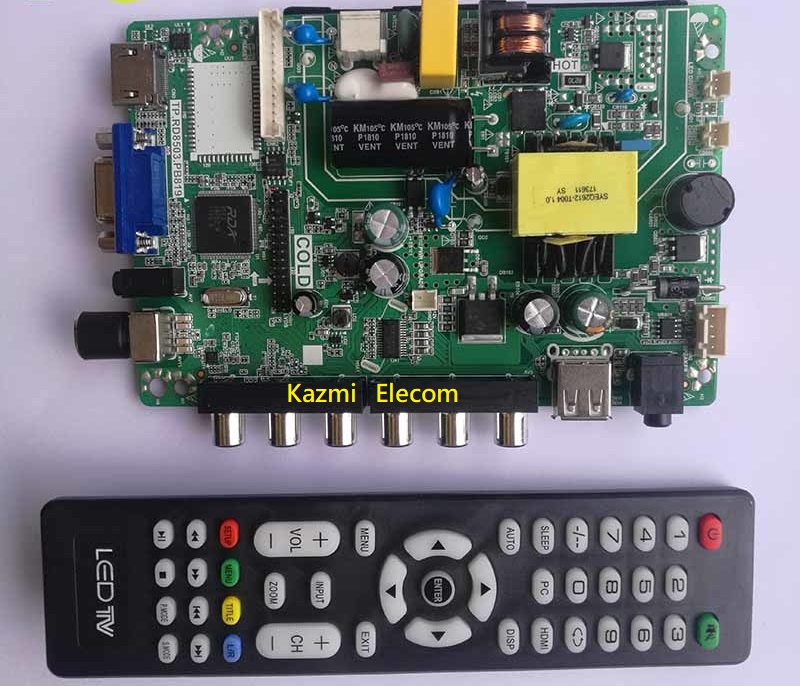
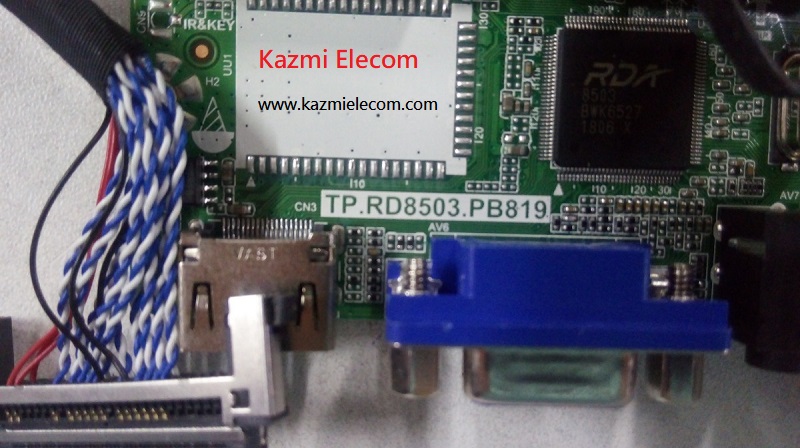
TP.RD8503.PB819 is a Three-In-One LCD/LED TV Motherboard that is designed for especially 32-inch screens. TP_RD8503_PB819 is a combo board that is three modules built in into a single piece of PCB like a power card, Backlight driver controller, and ATV Module. TP-RD8503-PB819 is a universal Board that is compatible with many panel screens. TP RD8503 PB819 is a Universal Combination Main Boards that can be used for a variety of different television models, including JVC, TELEFUNKEN, ULTRASONIC, AIM, TEK, HISENSE, and many others.

Tp.rd8503.Pb819_Software

General Basic Info:

Brand/Mark: China Universal

Model: TP.RD8503.PB819

Main Chip: RDA8503

TV System: PAL\SECAM\NTSC

Product: LED TV

Input Voltage: 220V AC

Backlight Current: 350MA/480MA

MAX Backlight Watt: 25W

Backlight voltage: 45-63V

Size : 146*128mm

Resolution: 30-39 ” PANEL

Service Menu:

Menu 1147/Menu 2008

Tp.rd8503.Pb819_Firmware

USB Upgrade Method:

  • Plug the U disk into the USB port.
  • Insert the AC cord and the machine go to standby status, then it will begin to update the SW, it will take you about 30 seconds to complete the whole update.
  • There is one feature when it updates, like below:
    The led will twinkle, it will be red, green, red, green slowly, then change quickly, then the led change to red, TV power on itself.

Note: Following given firmware is USB upgradeable. Kazmi Elecom Team is not responsible for any type of damage/loss as a result of uploading/downloading the firmware. If you are new and do not have enough knowledge of loading or installing software/firmware or dump files then read here first.

How to Download firmware file:

Download all parts of the following given firmware and then extract any one of them you will get the folder. Now copy the files to USB. for More Detail about the download process watch the video Click Here

Here are below some TP.RD8503.PB819 firmware for free download:

Kazmi-Elecom

S.NO.BOARD/DESCRIPTIONDOWNLOAD LINK
1TP.RD8503.PB819_General_800x600_USBDownload
2TP.RD8503.PB819_General_1024x768_USBDownload
3TP.RD8503.PB819_General_1280x1024_USBDownload
4TP.RD8503.PB819_General_1366x768_USBDownload
5TP.RD8503.PB819_General_1440x900_USBDownload
6TP.RD8503.PB819_General_1600x900_USBDownload
7TP.RD8503.PB819_General_1680x1050_USBDownload
8TP.RD8503.PB819_General_1920x1080_USBDownload
9TP.RD8503.PB819_Guangzhou Changhong HA320Download

For video tutorials, visit “Kazmi Elecom” my youtube channel.

TP.VST59S.PB802 Software Free Download

TP.VST59S.PB802

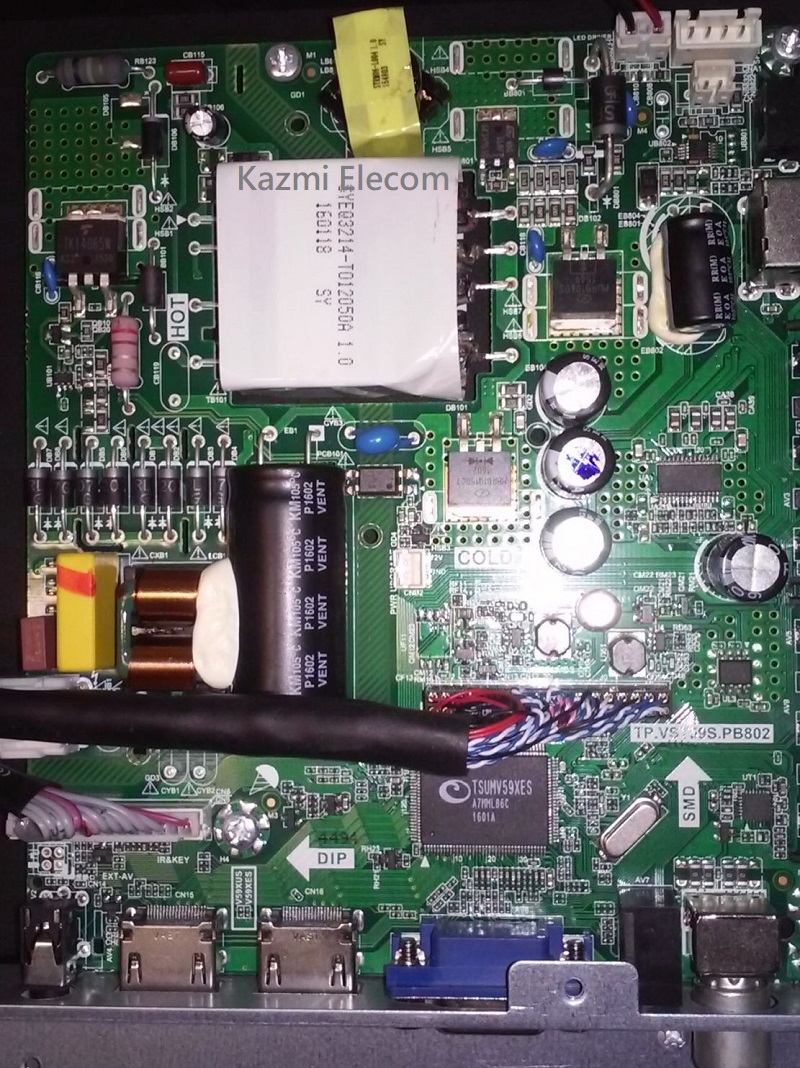
TP.VST59S.PB802 is a Three-In-One LCD/LED TV Motherboard that is designed for especially 26-40 inch screens. TP_VST59S_PB802 is a combo board which is three modules builtin into a single PCB board.TP-VST59S-PB802 is the universal board that is compatible with all general panels.

Tp.vst59S.pb802_Firmware

General Specifications:

Brand/Mark: China Universal

Model: TP-VST59S-PB802

Main Chipset: TSUMV59XES

Product: LED TV

Backlight Info: 45V-63V/40Watt

Supported Resolution: 1920×1080

Service Code: Menu + 1147

Kazmi-Elecom

Note: The following firmware is a dump backup. Kazmi Elecom Team is not responsible for any type of damage/loss as a result of uploading/downloading the firmware. If you are new and do not have enough knowledge of loading or installing software/firmware or dump files then read here first.

How to Download:

Download the following firmware and then extract you will get the folder. Now load the file by a programmer. For More Detail about the download, process watch the video Click Here

Here are below some TP.VST59S.PB802 firmware for free download:

Kazmi-Elecom

S.NO.BOARD/DESCRIPTIONDOWNLOAD LINK
1TP.VST59S.PB802_1366x768_Backup DumpDownload
2TP.VST59S.PB802_1366x768_Samsung_Backup DumpDownload
3TP.VST59S.PB802_1920x1080_Backup DumpDownload
4TP.VST59S.PB802_1920x1080_Micromax 40K8370FHD_USBDownload
5TP.VST59S.PB802_BRAVIS LED-40D1070Download
6TP.VST59S.PB802_DANSAT DTE-48BFDownload
7TP.VST59S.PB802_Galaxy 32 Inch LED TVDownload
8TP.VST59S.PB802_THOMSON TDLE-HS40T62Download

TP.VST59.PB819 Software Free Download

TP.VST59.PB819

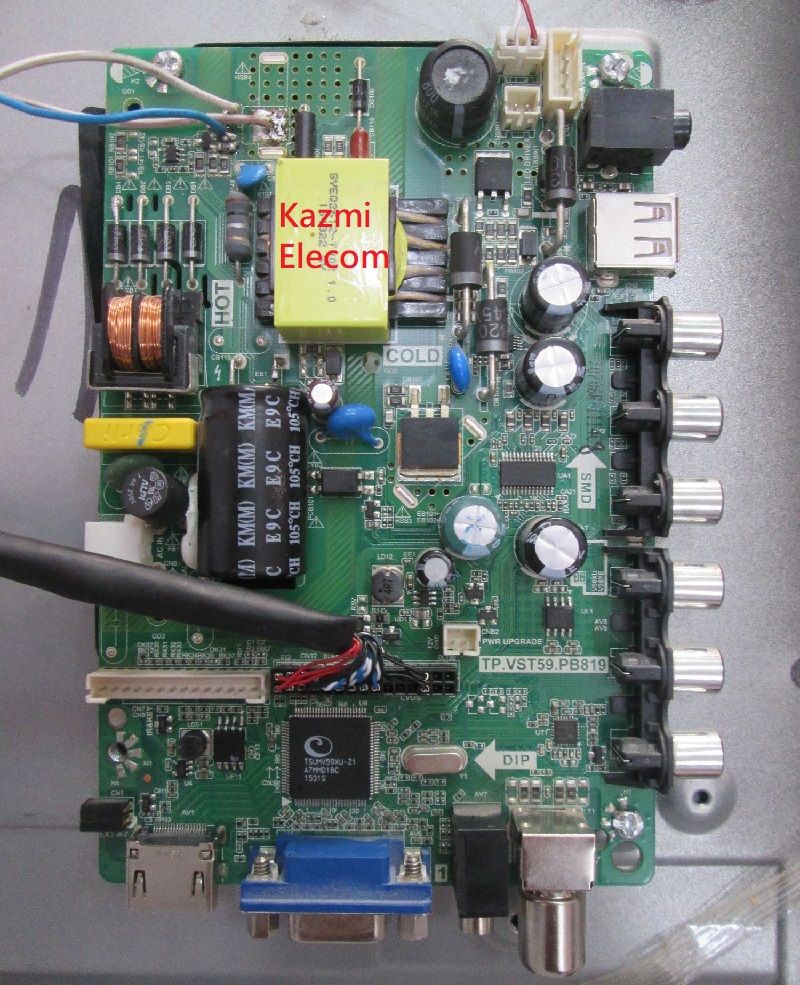
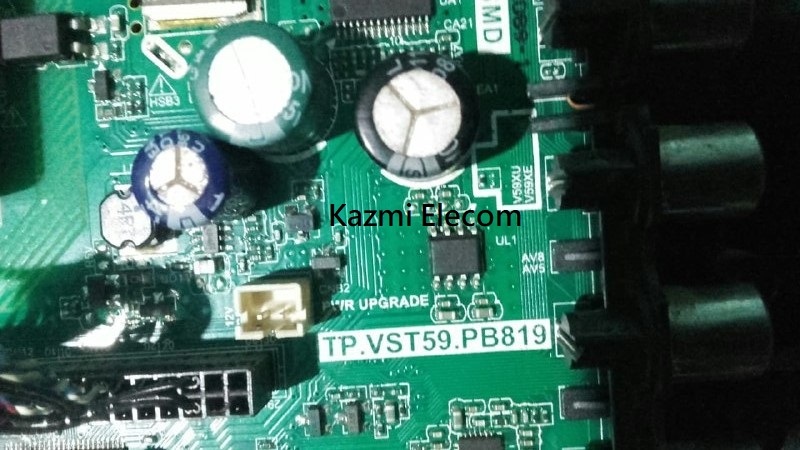
TP.VST59.PB819 is a Three-In-One LCD/LED TV Motherboard that is designed for especially 32-inch screens. TP_VST59_PB819 is a combo board that is three modules builtin into a single piece of PCB like a power card, a Backlight driver controller, and an ATV Module. TP-VST59-PB819 is a universal Board that is compatible with many panel screens.

Tp.vst59.Pb819_Software

General Basic Info:

Brand/Mark: China Universal

Model: TP.VST59.PB819

Main Chip: TSUMV59XU-Z1

TV System: PAL\SECAM\NTSC

Product: LED TV

Input Voltage: 220V AC

MAX Backlight Watt: 25W

Backlight voltage: 45-63V

Size : 146*128mm

Resolution: 30-39 ” GLASS PANEL

Service Menu:

Menu 2008

Tp.vst59.Pb819_Firmware

USB Upgrade Method:

1. Plug the U disk into the USB port.
2. Insert the AC cord and the machine go to standby status, then it will begin to update the SW, it will take you about 15 seconds to complete the whole update.
3. There is one feature when it updates, like below:
The led will twinkle, it will be red, green, red, green slowly, then change quickly, then the led change to red, TV power on itself.

Note: The following firmware is a dump backup. Kazmi Elecom Team is not responsible for any type of damage/loss as a result of uploading/downloading the firmware. If you are new and do not have enough knowledge of loading or installing software/firmware or dump files then read here first.

How to Download:

Download the following firmware and then extract you will get the folder. Now load the file by a programmer. For More Detail about the download, process watch the video Click Here

Here are below some TP.VST59.PB819 firmware for free download:

Kazmi-Elecom

S.NO.BOARD/DESCRIPTIONDOWNLOAD LINK
1TP.VST59.PB819_1366x768_Backup DumpDownload
2TP.VST59.PB819_1366x768_China_Flip-Mirror_USBDownload
3TP.VST59.PB819_1366x768_China_Normal_USBDownload
4TP.VST59.PB819_1366x768_Samsung_Backup DumpDownload
5TP.VST59.PB819_1366x768_Sony_USBDownload
6TP.VST59.PB819_1920x1080_Backup DumpDownload
7TP.VST59.PB819_1920x1080_China_Flip-Mirror_USBDownload
8TP.VST59.PB819_1920x1080_China_Normal_USBDownload
9TP.VST59.PB819_3210_CV315PW05SDownload
10TP.VST59.PB819_Amoi-32H6Download
11TP.VST59.PB819_Hisense LED30K3068CDownload
12TP.VST59.PB819_Konka-32_HV320WHB-N10Download
13TP.VST59.PB819_Sony Ericsson D320L12-ADownload
14TP.VST59.PB819_TOSNGZI_TOS32-S6Download
15TP.VST59.PB819_Yushchenko 32Download
16TP.VST59.PB819_ACE 32 inch_Backup DumpDownload

SKR.671 Software Free Download

SKR.671 LED TV Board

SKR.671 is a universal ATV LCD/LED TV Board that is designed for 19 to 26-inch screen panels with full HD 1920×1080 screen resolution. SKR_671 is a combo ATV board that is the inbuilt power supply, LED backlight Inverter board, and ATV Module in a single PCB card. SKR-671 is an efficient board for small LCD/LED panels. SKR.671 is a universal LCD/LED controller board that is compatible with any panel.

Basic Info:

Model No. SKR.671

Main Chipset: RDA8501

LED Backlight: 18 to 60V 220mA to 300mA

Display Format: up to 1920×1200

Panel Supported: 19″ t0 26″

Aspect Ratio: 4:3, 16:9 & 16:10

Skr.671_Firmware

General Specifications:

TV System: PAL/SECAM/NTSC

Panel Interface: Single channel or Dual channel LVDS

Key Button Functions: CH-/CH+/MENU/VOL-/VOL+Souce/Power

Multi-Language OSD: Yes

Input/Output Ports: HDMI, VGA, AV, USB, RF TV interface and Earphone Out

Audio O/P Power: 2 x 5 Watt (8 ohm)

Panel Voltage: 5V/12V DC (jumping cap setting)

USB Port: Yes (Firmware Upgrade and Multimedia Playback Support)

USB File Format: Audio (Mp3, wma, m4a/aac), Video (avi, mp4, ts/trp, mkv/mov, mpg, dat, vob, rm/rmvb),                                                 Picture (Jpg, jpeg, bmp, png), Text (text)

IR Control: Yes (Controllable by Remote Control)

Electrical Parameters:

Working Input Voltage: AC 220V

Maximum Current: 3000mA (Without Panel)

Standby Power: <0.2W (for the motherboard only)

Maximum Current for USB: 500mA

How to Upgrade Firmware:

Step 1: Empty the U disk

Step 2: Copy the corresponding resolution program (*. Bin file) to the U disk.

Step 3: Connect the U disk with the Mainboard

Step 4: Connect the Keypad and IR also before powering on

Step 5: Connect the power supply, and check the keyboard light. If there is a flashing light, that is in the written program, waiting for the light to turn to Green, work is done. If there is no flashing light, please cut off the power supply, then connect the USB once again, then connect the power supply again,

Factory Service Mode:

Menu+1147

Note: The following firmware is a backup file. Kazmi Elecom Team is not responsible for any type of damage/loss as a result of uploading/downloading the firmware. If you are facing any issues during firmware installation then visit and read here first.

How to Download Firmware Files:

Download all parts of the following firmware and then extract any one of them you will get the folder. Now copy the files to USB. for More Detail about the download process watch the video Click Here

SKR.671 Firmware All resolutions Free Download:

Kazmi-Elecom

S.NO.BOARD/DESCRIPTIONDOWNLOAD LINK
1SKR.671_1280x1024_General_USBDownload
2SKR.671_1366x768_General_USBDownload
3SKR.671_1440x900_General_USBDownload
4SKR.671_1600x900_General_USBDownload
5SKR.671_1680x1050_General_USBDownload
6SKR.671_1920x1080_General_USBDownload
7SKR.671_1280x1024_Panel_M170EN04_USBDownload
8SKR.671_1440x900_Panel_LTM190M2_USBDownload
9SKR.671_1600x1200_Panel_LM201U05_USBDownload
10SKR.671_1920x1200_Panel_LTM240CT01_USBDownload
11SKR.671_1366x768_Backup DumpDownload
12SKR.671_1920x1080_Backup DumpDownload

For video tutorials, visit “Kazmi Elecom” my youtube channel.

Universal Smart Android Board Installation Guide With Original 40 Inches SONY LED TV

TP.V56C.PB819 Software Free Download

TP.V56C.PB819 LCD/LED TV Board

TP.V56C.PB819 is an analog LCD/LED TV ATV control card that is designed especially for Asian countries and the Middle East as well. TP-V56C-PB819 is a combo, three-in-one card with Dual AV that is designed for the power supply unit and Inverter board with ATV Module three in one embedded board. TP_V56C_PB819 supports 24 to 37-inch screens up to a resolution of 1920×1080.

Tp.v56C.pb819_Firmware

General Specifications:

Brand/Mark: China Universal

Model: TP.V56C.PB819

Main Chipset: V56

Product: LED TV Driver Board

Resolution: Up to 1920×1080

Panel: 24″ to 37″

Panel voltage: 12V

Input Supply: 100 to 240V AC

Motherboard power: 48W

Backlight: 45-63V 25w

Backlight current: 480mA

Speaker Output: 2x5W(8ohm)

Service Code: Menu+1147

For updating software, you can use not only the USB interface but USB interface also the ability to play Movies/music/photos, Many formats are supported.

How to Programm:

  1. Copy the required program or software to the USB-Disk drive
  2. Insert the USB flash drive into the USB interface port on the main board
  3. Connect the keyboard and power on the switch, until you see the indicator on the keyboard flashing in red and green, until the indicator flashing stops then turn off the power, then Pull out the USB flash drive, and power it on.

Note: 

All Backup or Dump files can be loaded by the programmer. Can not upgrade by USB interface. All files are tested by myself. If you are new and do not have enough knowledge of loading or installing software/firmware or dump files then read here first.

How to Download:

Download all parts of the following given firmware/software and then extract any one of them you will get the folder. Now copy the files to USB. for More Detail about the download process watch the video Click Here

TP.V56C.PB819 firmware free download:

Kazmi-Elecom

S.NO.BOARD/DESCRIPTIONDOWNLOAD LINK
1TP.V56C.PB819_1366x786_Mirror_USBDownload
2TP.V56C.PB819_1366x786_Normal_USBDownload
3TP.V56C.PB819_1920x1080_Mirror_USBDownload
4TP.V56C.PB819_1920x1080_Normal_USBDownload
5TP.V56C.PB819_AP-32P_LSC320AN09-E02Download

For video tutorials, visit my youtube channel.

error: Content is protected !!